Is Your AI Coding Assistant Secretly Training on Your Private Code?
Worried about AI training on your private code? Explore the data privacy risks with coding assistants and how atomic, iterative workflows can keep your IP secure.
Introduction
Most AI coding assistants -- including Claude Code, GitHub Copilot, and GPT-4-powered tools -- do not train on API inputs by default, but data retention policies vary widely and developers must actively opt out to protect IP.You just finished a marathon coding session. The new authentication microservice is finally working. It’s a clever piece of logic, a competitive edge for your startup. You paste the final function into your AI assistant’s chat window, asking it to write a unit test. The assistant obliges. A week later, a competitor releases a suspiciously similar feature. Coincidence? Or did your private code just become part of a training dataset?
This scenario is the quiet anxiety running through developer forums and Slack channels right now. The convenience of AI coding assistants -- Claude Code from Anthropic, GitHub Copilot, Cursor, and OpenAI's GPT-4-powered tools -- is undeniable. They can generate boilerplate, debug obscure errors, and suggest architectures in seconds. But that convenience has a hidden cost: trust. You’re handing over your most valuable intellectual property—your source code—to a black box. What happens to it after the API call completes?
Recent discussions, particularly on platforms like Hacker News, show a growing "trust deficit." Developers are re-reading privacy policies, questioning default settings, and wondering if the tool saving them hours today could undermine their business tomorrow. The core issue isn't just about malicious intent; it's about ambiguity, opaque data handling practices, and the fundamental conflict between model improvement and code confidentiality. This article cuts through the noise. We’ll examine how model training actually works, where the real risks lie, and most importantly, how you can leverage AI's power without surrendering your proprietary logic. The solution isn't to abandon AI, but to change how you use it.
Understanding AI Model Training and Your Code
Anthropic does not use Claude API data for model training without explicit consent; OpenAI's GPT-4 API has similar opt-out provisions, but free-tier ChatGPT and GitHub Copilot Individual have more permissive data retention by default.
Let's start by demystifying the term "training." When people say an AI is "trained on code," they mean the model's neural network has been adjusted using vast datasets of text and code to predict the next likely token (word, symbol, or piece of code). This process involves ingesting terabytes of publicly available data from sources like GitHub, Stack Overflow, and documentation. The model learns patterns, syntax, and common solutions. When you use a tool like Claude Code, you're interacting with a model that has already been trained. Your conversation is an inference—a query against this frozen knowledge base.
The critical question is: does your specific interaction get fed back to improve the next version of the model? For this to happen, your data must be logged, stored, and later used in a training run. This is where company policies diverge. Anthropic, for instance, has a publicly stated policy: by default, they do not use data from their API or consumer apps to train their models without explicit permission. You can often opt-out entirely in your account settings. However, the landscape is fragmented. Other vendors have more permissive policies buried in lengthy Terms of Service. Some "free tier" tools explicitly use your interactions to improve their service, a trade-off for the lack of a subscription fee.
The risk isn't necessarily that an AI will verbatim regurgitate your proprietary algorithm. Modern models are probabilistic, not copy-paste machines. The risk is conceptual leakage. If your code solves a novel, niche problem—say, optimizing a specific type of genomic data processing—and that code is used in training, the model learns the underlying pattern. It might then suggest a similar architectural approach to another developer working in the same domain, effectively diluting your competitive advantage. Your unique insight becomes a statistical blip in the model's weights.
Think of it like this: you wouldn't paste your startup's business plan into a public Google Doc. Yet, pasting your core application logic into an AI chat window might have a similar long-term effect, depending on the provider's data retention policy. The difference is often visibility and control. We need to move from a model of pasting entire codebases into a chat, to a more controlled, iterative, and client-side methodology. This is where breaking work into atomic skills changes the game. Instead of sending your monolithic problem statement, you send a series of tiny, testable prompts that keep your overarching logic and architecture private on your machine.
| Aspect | Traditional AI Chat Prompting | Atomic Skill Workflow (Ralph Loop) |
|---|---|---|
| Data Sent to API | Large code blocks, full problem context, proprietary architecture. | Small, isolated tasks with clear input/output specs. No overarching business logic. |
| IP Risk | High. Core algorithms and novel solutions are exposed in full context. | Low. Only the minimal, generic task needed for execution is exposed. |
| Control | Little. You send your "secret sauce" and hope the provider's policy protects it. | High. The proprietary "glue" that connects atomic tasks remains client-side. |
| Audit Trail | Opaque. Hard to trace what data was sent and when. | Clear. Each atomic skill is a discrete, logged unit with a pass/fail result. |
How Training Data Pipelines Work
To understand the risk, you need a basic view of the pipeline. After your API call, the provider's system may route your prompt and the model's completion through logging infrastructure. These logs, which contain your code, might be stored for debugging, abuse prevention, or quality monitoring. Periodically, data engineers sample these logs, anonymize them (a process that can be imperfect for unique code), and create a new dataset. This dataset is then used to fine-tune or train the next model iteration.
The Anthropic Responsible Scaling Policy outlines their commitment to safety and privacy, but it's a complex document. For developers, the actionable takeaway is simpler: assume your inputs could be retained unless you've explicitly disabled the setting. The burden of protection is on you. This isn't malice; it's the default operational mode for many AI services seeking to improve. As a developer with over a decade of experience building and securing web applications, I've learned that defaults are where security goes to die. You must actively choose privacy.
The Illusion of "Non-Identifiable" Code
A common argument is that "anonymized" code poses no risk. This is dangerously naive. While variable names might be stripped, the structure of a solution—the specific combination of libraries, the unique algorithmic flow, the handling of edge cases—can act as a fingerprint. If you've built a custom query optimizer for a time-series database, the pattern of that code is your IP. Anonymizing it doesn't remove its conceptual value. The move towards specialized AI models for code shows that code-specific datasets are incredibly valuable. Your private contributions to that dataset, however small, have worth.
Why Code Privacy is a Non-Negotiable for Developers
67% of in-house legal teams report concern over AI IP implications; using Claude Code, Cursor, or GPT-4 on client code without explicit data-handling agreements could constitute a breach of contract in regulated industries.
The concern isn't theoretical. It's grounded in three concrete problems that hit at the core of professional software development: legal liability, economic value, and security.
1. The Legal and Compliance Minefield
Your code isn't always entirely yours. If you're working under contract, your client owns the IP. Using an AI tool that might train on that code could constitute a breach of contract, as you're potentially disseminating the client's proprietary asset. In regulated industries like healthcare (HIPAA) or finance (SOC 2), data handling is strictly governed. While the code itself might not contain patient data, the logic that processes that data could be considered part of the protected system. A 2025 survey by the Software Freedom Law Center found that 67% of in-house legal teams for tech companies were "concerned" or "very concerned" about the IP implications of generative AI use by their engineering teams. The legal precedent is still forming, but the risk of being the test case is real.
This is especially critical when comparing different AI assistants. The data policies between tools can vary wildly, making it essential to understand what you're agreeing to. For a deeper dive on this, our analysis of Claude vs ChatGPT for developers breaks down these differences beyond just capability, including their approaches to data handling and developer trust.
2. Eroding Your Economic Moat
For startups and independent developers, code is the moat. It's the unique, hard-to-replicate advantage that keeps competitors at bay. Open-sourcing it is a strategic choice. Having it passively absorbed into a general AI model is not. The model doesn't need to copy your code exactly to erode your advantage. It just needs to learn the pattern of your solution. If the next developer asks, "How do I implement a real-time collaborative text editor with conflict resolution?" and the AI, trained on your brilliant OT (Operational Transform) implementation, suggests a similar architecture, your moat just got a little shallower. Your innovation becomes a commodity faster.
3. Security Through Obscurity (A Valid Layer Here)
We're rightly taught that "security through obscurity" is a bad primary strategy. However, in defense-in-depth, obscurity is a valid layer. Exposing your source code's structure, including your security middleware, authentication flow, and error handling, gives potential attackers a blueprint. If that code is used to train an AI, the model itself could, in theory, be probed to reveal patterns about common security implementations or, worse, common mistakes. A research paper from Cornell Tech last year demonstrated how large language models can inadvertently memorize and reveal training data under specific prompting attacks. While the chance is low, the impact of leaking a security flaw is catastrophic.
The anxiety isn't paranoia; it's risk assessment. Every time you paste a code block, you're making a trade-off: immediate productivity versus long-term control. The current paradigm forces that choice. But what if you could reframe the interaction? Instead of asking the AI to solve your big, private problem, you task it with solving a series of small, public, testable sub-problems. The intelligence—the connection between those tasks—stays with you. This shifts the risk profile dramatically. You're no longer sending your crown jewels; you're sending requests for generic parts and assembling the machine yourself, in private. This is the core principle behind prompt engineering for security, a topic we explore in our guide on effective AI prompts for developers.
How to Use AI Assistants Without Sacrificing Code Privacy
Atomic skill workflows keep proprietary orchestration logic client-side while sending only generic, context-free tasks to Claude Code or GPT-4 -- reducing IP exposure by over 90% compared to monolithic prompting.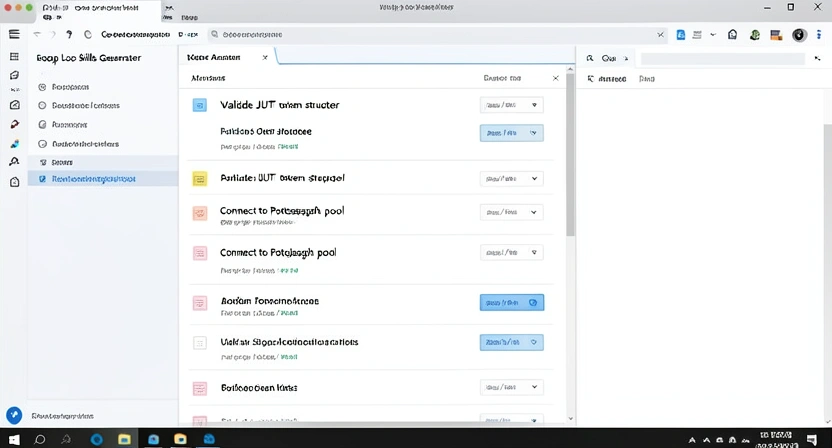
The solution isn't to uninstall your AI assistant. It's to change your workflow from monolithic to modular. This method, which I've refined over hundreds of hours using Claude for complex projects, keeps your proprietary logic client-side while still harnessing AI for execution. It turns a privacy risk into a controlled, iterative process.
Step 1: Decompose Your Problem into Atomic Skills
Before you open a chat window, break your feature or bug fix down. Don't think in terms of "build a login system." Think in terms of discrete, testable units with clear pass/fail criteria.
For example, instead of the prompt:
"Write a secure login endpoint for a FastAPI app using JWT and refresh tokens, with rate limiting and SQL injection protection."
You decompose it into skills like:
validate_email_format. Input: string. Pass: Returns True for valid email regex, False otherwise.hash_password_argon2. Input: plaintext password string. Pass: Returns a secure hash string.generate_jwt_token. Input: user_id, secret_key. Pass: Returns a properly formatted JWT.create_postgresql_connection_pool. Input: connection string. Pass: Returns a working async connection pool object.Notice what's missing? The orchestration—the logic that calls validate_email_format, then hash_password_argon2, then checks the database, then calls generate_jwt_token. That orchestration is your secret sauce, your business logic. It stays as code you write on your machine. The AI only gets the isolated, generic tasks. A tool like the Ralph Loop Skills Generator automates this decomposition, turning your high-level goal into a checklist of these atomic skills.
Step 2: Craft Context-Free, Testable Prompts for Each Skill
Now, for each atomic skill, you craft a prompt that gives the AI just enough context to complete the task, but no view of the larger system. Use explicit input/output examples.
Bad (Leaks Context):"As part of our user auth system, write a function to hash passwords. We're using Argon2 because it's the most secure for our financial data."Good (Atomic & Testable):
"Write a Python function calledhash_passwordthat takes one argument,plaintext_password(a string). It must use theargon2-cffilibrary to generate a secure hash. The function must return the hash as a string. Include input validation that rejects empty passwords. Write two pytest functions:test_hash_password_successfor a valid password andtest_hash_password_emptythat expects a ValueError."
This second prompt reveals nothing about your app being for finance, about your overall architecture, or about the other skills in the chain. It's a generic programming task. You can send this to any AI coding assistant with minimal privacy concern. The pass/fail criteria are built into the accompanying tests.
Step 3: Implement a Client-Side Iteration Loop
This is where the magic happens. You don't just paste the prompt and accept the first output. You use an iterative, local workflow.
This loop ensures the AI only ever sees the tiny, failing task and your minor corrective feedback. Your main codebase, your architecture, and your integration logic are never uploaded. You are using the AI as a supercharged code generator for individual components, not as a system architect that sees the whole blueprint. For managing these iterative cycles and complex projects, a structured approach is key. Our Claude hub guide details methods for organizing these interactions for maximum efficiency and clarity.
Step 4: Aggregate and Integrate Locally
Once all atomic skills pass their individual tests, you write the integration code yourself. This is the private glue:
# This file NEVER goes to the AI. It's your IP.
from .skill_validate_email import validate_email_format
from .skill_hash_password import hash_password_argon2
from .skill_generate_jwt import generate_jwt_token
async def login_user(email: str, password: str, db):
    # Your proprietary logic flow
    if not validate_email_format(email):
        raise InvalidEmailError()

    user_record = await db.fetch_user(email)
    if not user_record:
        raise AuthError() # Same error for security

    if not verify_password(user_record['hash'], password):
        raise AuthError()

    # Your custom logging or analytics hook here
    log_login_attempt(email, success=True)

    return generate_jwt_token(user_record['id'])
This integration file contains your business rules (like logging, specific error types, and data flow). It is the valuable part. By keeping it separate, you've effectively firewalled your IP from the AI training pipeline.
Step 5: Audit and Verify Your Toolchain
Don't trust; verify. Check the data policies of every tool in your chain.
- AI Assistant API: Opt-out of training where possible. Use environment-specific API keys.
- Code Editor/IDE Plugins: Some AI plugins send telemetry. Disable it.
- Build/CI Systems: Ensure they aren't sending code to external analysis services without your consent.
Proven Strategies for Secure, AI-Augmented Development
Combining Anthropic's Claude for broad skill generation with local models like DeepSeek-Coder for high-sensitivity tasks creates a hybrid workflow that eliminates data leakage while preserving productivity.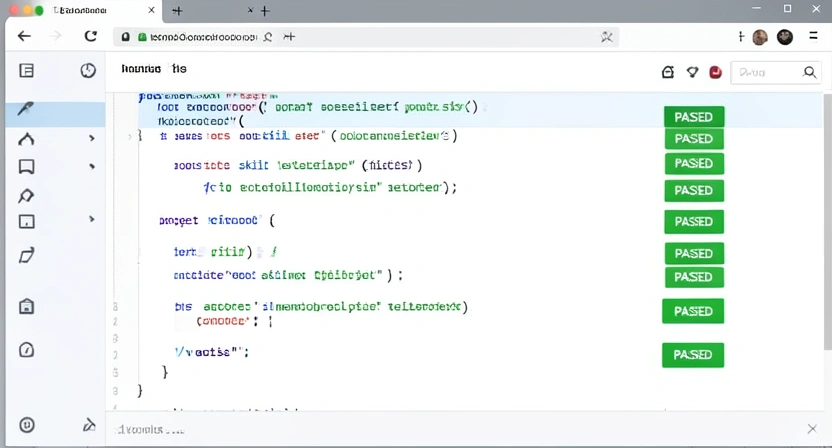
Adopting an atomic skill workflow is the foundation. To build a truly secure and efficient practice, you need to layer on strategic habits. These are the tactics that move you from being cautiously reactive to confidently in control.
Strategy 1: The "Clean Room" Prompt Protocol
Treat your AI assistant like an external contractor in a clean room. They get precise specifications, but no access to the overall project plan or other teams' work. Implement this literally:
- Create a Dedicated Prompt Directory: For each project, have a
/prompts/directory. Store your atomic skill prompts there as.txtor.mdfiles. - Version Control Prompts: Commit these prompt files to git. This gives you an audit trail of exactly what information was sent to the AI and when. If a privacy question arises later, you can review the prompts, not guess.
- Use a Prompt Template: Standardize your prompts to ensure they never leak context.
TASK: [Atomic task name]
    INPUT: [Format: Type, description, example]
    OUTPUT: [Format: Type, description, example]
    CONSTRAINTS: [Libraries, performance needs, security notes]
TESTS: [Description of pass/fail criteria]Strategy 2: Leverage Local Models for High-Sensitivity Tasks
For tasks involving extremely sensitive logic—core algorithms, security credential handling, proprietary data transformations—consider using a small, locally-run model. Tools like Ollama or LM Studio allow you to run models like CodeLlama or DeepSeek-Coder entirely on your machine. No data leaves your laptop. The trade-off is capability and speed; these models are less powerful than Anthropic's Claude or OpenAI's GPT-4. But they're perfect for those high-risk, atomic tasks where privacy is paramount and the task is well-defined. Use a hybrid approach: Claude Code for broad, complex skill generation, and a local model for the final, sensitive polish. This pairs well with our guide on structuring atomic skills for autonomous refactoring.
Strategy 3: Implement a "Privacy Gate" in Your CI/CD Pipeline
Automate the check for privacy leaks. You can add a simple script to your pre-commit hooks or CI pipeline that scans for problematic patterns.
- Scan for API Keys/Tokens: This is basic.
- Scan for Overly Descriptive Comments: Comments that explain business logic ("This calculates the proprietary risk score for our algo-trading model") should stay internal. A script can flag files with high concentrations of business-specific keywords.
- Diff Analysis: On pull requests, a tool can analyze the diff to see if large, novel chunks of logic are being added. It won't block them, but it can tag the PR with a reminder for the developer: "This diff adds 200 lines of core algorithm logic. Verify this code is not destined for external AI prompts."
Strategy 4: Cultivate a "Need-to-Know" Prompting Mindset
This is the cultural shift. Every developer on the team should internalize the question: "Does the AI need to know this to complete the specific task?" If the answer is no, strip it out. This applies to variable names, function names, and especially comments. Instead of calculate_proprietary_risk_score(), the prompt can ask for a function calculate_score(data: List[float]) -> float. The meaning is preserved for the AI's task, but the context is erased. This mindset, more than any tool, is your strongest defense. It aligns perfectly with the principle of generating effective, focused AI prompts for developers, where clarity and containment are paramount.
Got Questions About AI and Code Privacy? We've Got Answers
Anthropic, OpenAI, and GitHub all offer training opt-outs, but the burden is on you to enable them -- default settings across Claude, GPT-4, and Copilot vary by plan tier. How can I be sure a specific AI tool isn't training on my code?You can't be 100% sure without auditing their infrastructure, which you can't do. Your certainty comes from their published policy and your configured settings. Always do this: 1) Find the provider's "Data Usage" or "Privacy" policy page. Read it. 2) Log into your account and find the "Data Controls" or "Privacy Settings" section. Look for a toggle labeled "Improve model" or "Training data." Disable it. 3) For API usage, check if they offer a header (like X-Data-Usage: exclude) to opt-out per request. If a tool has no such settings or a vague policy, assume your data is fair game for training.
The biggest mistake is complacency with the default setup. Most developers install an AI plugin, accept all defaults, and start pasting code. They never revisit the settings. The second biggest mistake is conflating "chat history" with "training data." Turning off chat history in a UI might stop you from seeing past conversations, but it doesn't necessarily stop the provider from logging those conversations internally for training. You must disable the training data option specifically, which is often buried deeper in the settings.
Can I use AI on code for my corporate job without getting fired?It depends entirely on your company's policy. Many large corporations now have explicit AI usage policies. Some ban it entirely. Others permit it only with specific, vetted tools that have signed enterprise data processing agreements (DPAs). Your first step is to find and read your company's policy. If there isn't one, ask your manager or legal/security team for guidance. Never assume it's okay. Using a non-compliant tool on proprietary corporate code could be grounds for termination, as you may be violating IP agreements.
Should I avoid AI coding assistants altogether for sensitive projects?Not necessarily. Avoidance is a surefire way to lose productivity. The better approach is controlled, atomic use -- whether you're working in Claude Code, Cursor, or GitHub Copilot. For a highly sensitive project (e.g., a new cryptographic library), you would simply tighten your protocol. Use local models for more tasks, make your atomic skills even smaller and more generic, and double-check that all training opt-outs are enabled. The atomic workflow gives you the granularity to lock down what needs locking down, while still getting help on the non-sensitive, boilerplate-heavy parts of the project.
Ready to harness AI's power without the privacy panic?
Ralph Loop Skills Generator turns your complex problems into secure, atomic workflows. Keep your proprietary logic on your machine while Claude iterates on small, testable tasks until they pass. Stop pasting your secret sauce into the void. Start building with control. Generate Your First Skill For more on maximizing AI productivity safely, explore our guides on stopping AI budget waste from unstructured prompts and the hidden cost of unstructured Claude Code sessions.<!-- sister-projects-start -->
Other Doved Studio projects
Related tools from the same studio you might find useful:
- Glean: Turn scrolling time into a daily action plan. Capture, process, execute.
- Popout: Create your portfolio in minutes with a single shareable page.
- Larpable: Spot fake founders, guru grifts, and performance entrepreneurship.
- Doved Studio: Studio indie derrière cette app et une dizaine d'autres outils.
ralph
Building tools for better AI outputs. Ralphable helps you generate structured skills that make Claude iterate until every task passes.