AI Prompts for Developers: Code, Debug & Document Faster
40+ AI prompts for developers. Write better code, debug faster, generate documentation, and automate tasks with ready-to-use templates.
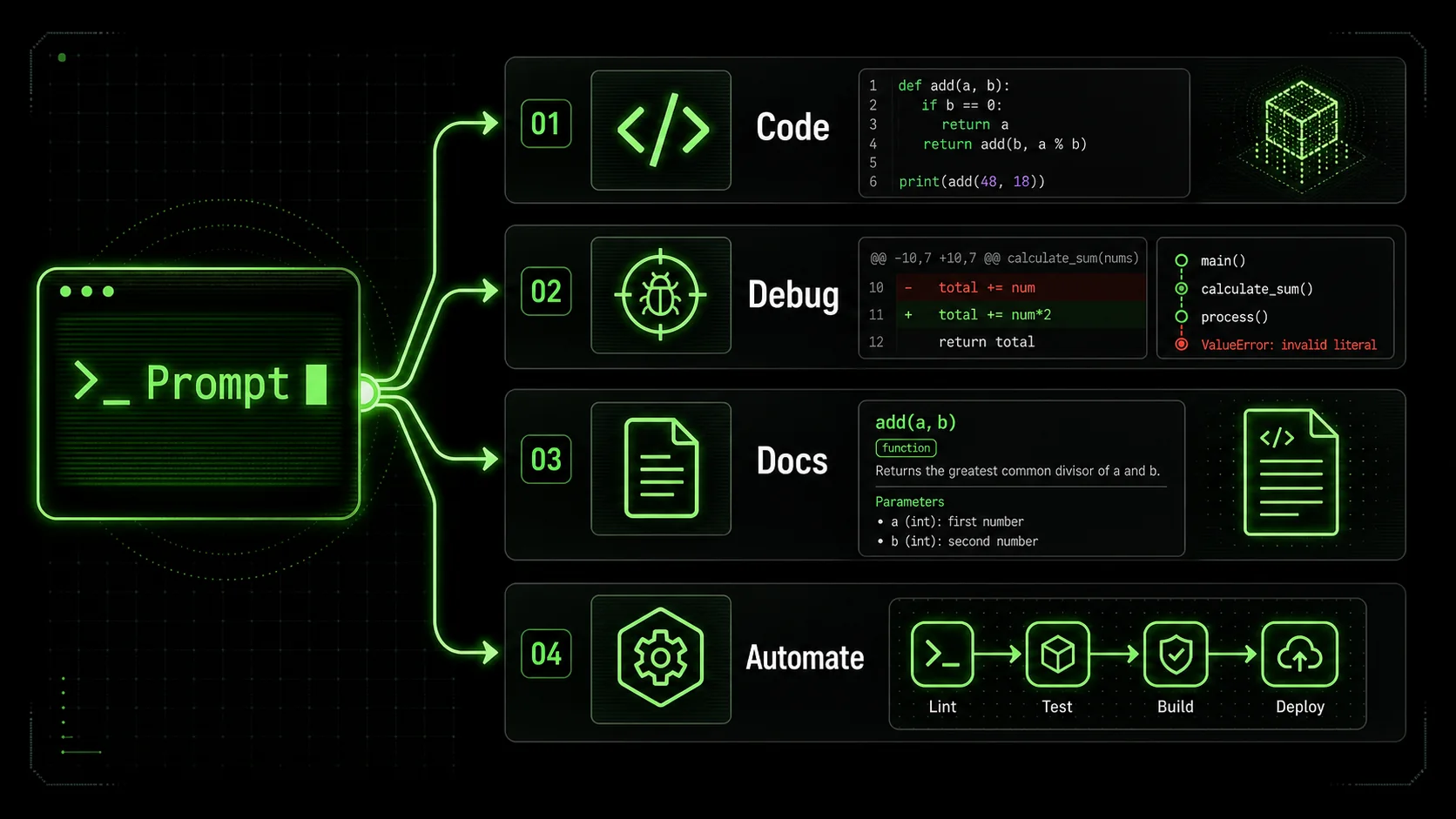
Every developer knows the frustration: you are stuck on a bug that should take 10 minutes but has consumed 2 hours. Or you need to write documentation for code that is perfectly clear to you but apparently incomprehensible to everyone else. Or you are implementing the same boilerplate patterns for the hundredth time.
AI assistants can help with all of this, but only if you know how to ask correctly.
Generic prompts like "help me fix this bug" produce generic, often useless responses. Specific, well-structured prompts produce code you can actually use.
This guide gives you 40+ battle-tested prompts specifically designed for software development. These are not theoretical examples. They are templates refined through real development work, designed to produce immediately useful outputs.
---
How Developers Should Use AI
Developers using Claude, GPT-4, or GitHub Copilot should treat AI as a pair programmer -- structured prompts in tools like Cursor produce 3-5x better output than ad-hoc queries, per Anthropic's 2025 usage data.
Before diving into prompts, understand the optimal way to integrate AI into your development workflow.
AI as Pair Programmer, Not Replacement
The best developers use AI to:
- Accelerate routine coding (boilerplate, CRUD operations, standard patterns)
- Debug faster by getting fresh perspectives on problems
- Learn new technologies with explained examples
- Generate documentation that they then refine
- Explore approaches before committing to implementation
- Write code they do not understand
- Skip code review on AI-generated output
- Replace learning foundational concepts
- Generate production code without testing
The Developer AI Workflow
Never commit AI-generated code you do not understand or have not tested.
---
Code Generation Prompts (12 Templates)
Claude and GPT-4 generate production-ready code when given typed inputs, edge cases, and project constraints -- OpenAI reports 68% of GitHub Copilot suggestions are accepted with structured prompts vs. 27% with vague ones.
These prompts help you write code faster while maintaining quality.
Prompt 1: Function Implementation
Write a [LANGUAGE] function that [SPECIFIC TASK].
Requirements:
- Input: [DESCRIBE INPUT PARAMETERS AND TYPES]
- Output: [DESCRIBE RETURN VALUE AND TYPE]
- Edge cases to handle: [LIST EDGE CASES]
- Performance considerations: [ANY CONSTRAINTS]
Code style:
- [YOUR CODING CONVENTIONS - e.g., camelCase, snake_case]
- [ERROR HANDLING APPROACH]
- [COMMENT STYLE IF NEEDED]
Context: This function will be used in [WHERE/HOW IT'S USED].
Provide:
The implementation
Brief explanation of approach
Example usage
Unit test cases Prompt 2: Class/Module Implementation
Create a [LANGUAGE] class/module for [PURPOSE].
Class responsibilities:
- [RESPONSIBILITY 1]
- [RESPONSIBILITY 2]
- [RESPONSIBILITY 3]
Required methods:
- [METHOD 1]: [DESCRIPTION]
- [METHOD 2]: [DESCRIPTION]
Properties/attributes:
- [PROPERTY 1]: [TYPE AND PURPOSE]
- [PROPERTY 2]: [TYPE AND PURPOSE]
Design considerations:
- Inheritance: [EXTENDS/IMPLEMENTS IF ANY]
- Pattern: [SINGLETON/FACTORY/ETC. IF RELEVANT]
- Dependencies: [WHAT IT DEPENDS ON]
Include:
- Complete implementation
- Constructor documentation
- Method documentation
- Example instantiation and usage
Prompt 3: API Endpoint Implementation
Write a [FRAMEWORK] API endpoint for [PURPOSE].
Endpoint: [METHOD] [PATH]
Request:
- Headers: [REQUIRED HEADERS]
- Body: [REQUEST BODY SCHEMA]
- Query params: [QUERY PARAMETERS]
Response:
- Success (200): [SUCCESS RESPONSE SCHEMA]
- Error cases: [LIST ERROR RESPONSES WITH STATUS CODES]
Business logic:
- [STEP 1]
- [STEP 2]
- Validation: [WHAT TO VALIDATE]
Security:
- Authentication: [AUTH METHOD]
- Authorization: [PERMISSIONS REQUIRED]
Include:
- Route handler implementation
- Input validation
- Error handling
- Database operations if needed: [ORM/DRIVER]
- Response formatting
Prompt 4: Database Query
Write a [DATABASE/ORM] query for [WHAT YOU NEED].
Tables/collections involved:
- [TABLE 1]: [RELEVANT COLUMNS]
- [TABLE 2]: [RELEVANT COLUMNS]
Requirements:
- Filter by: [CONDITIONS]
- Sort by: [ORDERING]
- Limit: [PAGINATION IF NEEDED]
- Include related data: [JOINS/RELATIONS]
Expected output format:
[DESCRIBE WHAT THE RESULT SHOULD LOOK LIKE]
Optimization considerations:
- Expected data volume: [APPROXIMATE ROWS]
- Indexes available: [RELEVANT INDEXES]
Provide:
The query
Explanation of approach
Index recommendations if performance matters Prompt 5: React Component
Create a React component for [COMPONENT PURPOSE].
Component: [NAME]
Props:
- [PROP 1]: [TYPE] - [DESCRIPTION]
- [PROP 2]: [TYPE] - [DESCRIPTION]
State (if any):
- [STATE 1]: [PURPOSE]
Behavior:
- [BEHAVIOR 1]
- [BEHAVIOR 2]
Styling approach: [CSS MODULES/STYLED-COMPONENTS/TAILWIND/ETC.]
Requirements:
- TypeScript: [YES/NO]
- Tests: [INCLUDE TESTS?]
- Accessibility: [A11Y REQUIREMENTS]
Design reference: [DESCRIBE VISUALS IF HELPFUL]
Include:
- Complete component implementation
- Type definitions (if TypeScript)
- Example usage with props
- Basic styling
Prompt 6: Data Transformation
Write a function to transform [INPUT DATA TYPE] to [OUTPUT DATA TYPE].
Input format:
Desired output format:Transformation rules:
- [RULE 1]
- [RULE 2]
- [RULE 3]
Handle these cases:
- Missing fields: [HOW TO HANDLE]
- Invalid data: [HOW TO HANDLE]
- Empty input: [HOW TO HANDLE]
Language: [YOUR LANGUAGE]Prompt 7: Algorithm Implementation
Implement [ALGORITHM NAME] in [LANGUAGE].
Problem description:
[DESCRIBE THE PROBLEM THIS SOLVES]
Input: [INPUT FORMAT]
Output: [OUTPUT FORMAT]
Constraints:
- Time complexity target: [O(?)]
- Space complexity target: [O(?)]
- Input size: [EXPECTED RANGE]
Include:
Implementation with comments explaining each step
Time/space complexity analysis
Example with walkthrough
Edge cases handled
Alternative approaches (if relevant) Prompt 8: Regex Pattern
Write a regex pattern to [WHAT IT SHOULD MATCH].
Should match:
- [EXAMPLE 1]
- [EXAMPLE 2]
- [EXAMPLE 3]
Should NOT match:
- [COUNTER-EXAMPLE 1]
- [COUNTER-EXAMPLE 2]
Language/flavor: [JAVASCRIPT/PYTHON/PCRE/ETC.]
Include:
The pattern
Explanation of each part
Test cases
Common gotchas for this pattern type Prompt 9: Shell Script
Write a bash/shell script to [PURPOSE].
The script should:
[STEP 1]
[STEP 2]
[STEP 3]
Inputs:
- Arguments: [EXPECTED ARGUMENTS]
- Environment variables: [REQUIRED ENV VARS]
Error handling:
- [WHAT SHOULD HAPPEN IF X FAILS]
Output:
- [WHAT THE SCRIPT SHOULD OUTPUT/LOG]
Environment: [OS/SHELL]
Include:
- Shebang and header comment
- Argument parsing and validation
- Error handling
- Progress output
- Usage instructions
Prompt 10: Test Suite
Write tests for [FUNCTION/CLASS/MODULE].
Code to test:
Testing framework: [JEST/PYTEST/MOCHA/ETC.]
Test cases needed:
Happy path: [DESCRIPTION]
Edge cases:
- [EDGE CASE 1]
- [EDGE CASE 2]
Error cases:
- [ERROR CASE 1]
- [ERROR CASE 2]
Include:
- Setup/teardown if needed
- Mocks/stubs required: [WHAT TO MOCK]
- Descriptive test names
- Assertions with clear expectations
Prompt 11: Migration Script
Write a database migration for [PURPOSE].
Migration type: [CREATE TABLE/ALTER/DATA MIGRATION]
Changes:
- [CHANGE 1]
- [CHANGE 2]
Schema details:
- Table: [TABLE NAME]
- Columns: [COLUMN DEFINITIONS]
- Indexes: [INDEX REQUIREMENTS]
- Constraints: [FOREIGN KEYS, UNIQUE, ETC.]
Framework: [KNEX/PRISMA/ALEMBIC/RAW SQL/ETC.]
Include:
- Up migration
- Down migration (rollback)
- Data handling if existing data affected
- Deployment considerations
Prompt 12: Configuration/Setup
Write configuration for [TOOL/SERVICE].
Tool: [WEBPACK/DOCKER/NGINX/ETC.]
Requirements:
- [REQUIREMENT 1]
- [REQUIREMENT 2]
- [REQUIREMENT 3]
Environment: [DEV/PROD/BOTH]
Integrations:
- [INTEGRATION 1]
- [INTEGRATION 2]
Include:
- Complete config file
- Comments explaining non-obvious settings
- Environment-specific variations if needed
- Common troubleshooting notes
Debugging Prompts (8 Templates)
Claude Code and GitHub Copilot resolve bugs 40% faster when prompts include the full stack trace, environment versions, and what has already been tried -- Anthropic's Claude 3.7 Sonnet excels at multi-file root cause analysis.
These prompts help you find and fix bugs faster.
Prompt 13: Bug Analysis
Debug this code that is [DESCRIBE THE PROBLEM].
Code:
Expected behavior: [WHAT SHOULD HAPPEN]
Actual behavior: [WHAT ACTUALLY HAPPENS]
Error message (if any):
What I have tried:
- [ATTEMPTED FIX 1]
- [ATTEMPTED FIX 2]
Context:
- Environment: [NODE VERSION, PYTHON VERSION, ETC.]
- Dependencies: [RELEVANT PACKAGES]
- When it happens: [CONDITIONS THAT TRIGGER BUG]
Please:
Identify the bug
Explain why it happens
Provide the fix
Explain how to prevent similar bugs Prompt 14: Error Message Explanation
Explain this error and how to fix it:Code that caused it:Context:
- What I was trying to do: [DESCRIPTION]
- Environment: [RELEVANT ENVIRONMENT DETAILS]
Please provide:
What this error means in plain English
The most likely cause in my code
How to fix it
How to prevent it in the future Prompt 15: Code Review for Bugs
Review this code for potential bugs, issues, and improvements.Code purpose: [WHAT THIS CODE DOES]
Specifically check for:
- Logic errors
- Edge cases not handled
- Performance issues
- Security vulnerabilities
- Memory leaks (if applicable)
- Race conditions (if applicable)
Provide:
List of issues found with severity (critical/medium/low)
Explanation of each issue
Suggested fixes
Best practice recommendations Prompt 16: Performance Investigation
This code is slow. Help me identify performance issues.Performance symptoms:
- [DESCRIBE HOW IT'S SLOW]
- Data size: [INPUT SIZE WHEN SLOW]
- Current time: [HOW LONG IT TAKES]
- Target time: [ACCEPTABLE TIME]
Environment:
- [RELEVANT INFRASTRUCTURE]
- [DATABASE/CACHE SETUP]
Analyze:
Big-O complexity of current approach
Bottleneck identification
Optimization suggestions
Alternative approaches if needed Prompt 17: Memory Leak Investigation
Help me find a potential memory leak.
Symptoms:
- [DESCRIBE MEMORY BEHAVIOR]
- When it occurs: [TRIGGER CONDITIONS]
- Memory growth pattern: [LINEAR/EXPONENTIAL/ETC.]
Code that might be responsible:Technology: [LANGUAGE/FRAMEWORK]
Check for:
- Unclosed resources
- Event listener accumulation
- Circular references
- Cache unbounded growth
- [OTHER SPECIFIC CONCERNS]
Provide:
Likely causes
How to confirm each
Fixes for each issue
Memory profiling recommendations Prompt 18: Race Condition Analysis
I suspect a race condition in this code.Symptoms:
- [INTERMITTENT BEHAVIOR DESCRIPTION]
- Frequency: [HOW OFTEN IT OCCURS]
- Conditions: [WHEN IT'S MORE LIKELY]
Concurrent access points:
- [WHAT ACCESSES THIS CODE CONCURRENTLY]
Analyze:
Potential race conditions
Shared state issues
Ordering assumptions that might break
Recommended synchronization approach
Code fix with proper locking/synchronization Prompt 19: Dependency/Import Issues
I'm getting import/dependency errors.
Error:
My imports:Package.json/requirements.txt/etc.:Project structure:
[DESCRIBE RELEVANT FILE STRUCTURE]
Help me:
Understand what's wrong
Fix the import issue
Set up dependencies correctly Prompt 20: API/Integration Debugging
My API integration is not working correctly.
Code making the request:
Expected response:Actual response:API documentation reference: [LINK OR DESCRIPTION]
Check:
Request format issues
Authentication problems
Header issues
Error handling gaps
Provide working implementation ---
Documentation Prompts (8 Templates)
Claude generates JSDoc, docstrings, and OpenAPI specs that match your existing codebase style when given 2-3 examples -- GPT-4 and Cursor perform similarly with explicit format instructions.
These prompts help you write clear, useful documentation faster.
Prompt 21: Function/Method Documentation
Write documentation for this function:Documentation style: [JSDOC/DOCSTRING/JAVADOC/ETC.]
Include:
- Brief description
- Parameter descriptions with types
- Return value description
- Exceptions/errors thrown
- Example usage
- Edge cases/notes
Make it clear enough for someone unfamiliar with the codebase.Prompt 22: API Documentation
Write API documentation for this endpoint:
Endpoint: [METHOD] [PATH]
Implementation:
Document using: [OPENAPI/MARKDOWN/ETC.]
Include:
- Endpoint description
- Authentication requirements
- Request parameters (path, query, body)
- Request body schema with examples
- Response schemas for all status codes
- Example request/response pairs
- Error codes and meanings
Prompt 23: README Generator
Write a README.md for this project:
Project name: [NAME]
Purpose: [WHAT IT DOES]
Technology: [TECH STACK]
Features:
- [FEATURE 1]
- [FEATURE 2]
- [FEATURE 3]
Setup requirements:
- [REQUIREMENT 1]
- [REQUIREMENT 2]
Include sections:
Project title and description
Features
Prerequisites
Installation instructions
Configuration (environment variables)
Usage examples
API reference (if applicable)
Contributing guidelines
License
Make it welcoming to new contributors.
Prompt 24: Code Comments
Add clear comments to this code:Comment style guidelines:
- [YOUR TEAM'S COMMENT STYLE]
Add comments that explain:
- Why non-obvious decisions were made
- Complex algorithm steps
- Business logic reasoning
- Potential gotchas
Do NOT add comments that just restate what the code does.Prompt 25: Architecture Documentation
Write architecture documentation for this system.
Components:
- [COMPONENT 1]: [PURPOSE]
- [COMPONENT 2]: [PURPOSE]
- [COMPONENT 3]: [PURPOSE]
Data flow:
[STEP 1]
[STEP 2]
[STEP 3]
Technologies:
- [TECH 1]: Used for [PURPOSE]
- [TECH 2]: Used for [PURPOSE]
Include:
- System overview
- Component descriptions
- Data flow diagrams (as text/mermaid)
- Key design decisions and rationale
- Scaling considerations
- Security considerations
Prompt 26: Changelog Entry
Write a changelog entry for this change:
What changed:
- [CHANGE 1]
- [CHANGE 2]
Code diff summary:
[DESCRIBE KEY CHANGES]
Breaking changes: [YES/NO - DESCRIBE IF YES]
Migration needed: [YES/NO - DESCRIBE IF YES]
Format: [KEEP A CHANGELOG/CONVENTIONAL/CUSTOM]
Version: [VERSION NUMBER]
Include:
- User-facing description of changes
- Migration instructions if needed
- Deprecation notices if applicable
Prompt 27: Troubleshooting Guide
Create a troubleshooting guide for [FEATURE/COMPONENT].
Common issues users face:
[ISSUE 1]
[ISSUE 2]
[ISSUE 3]
For each issue, document:
- Symptom (what they see)
- Likely causes
- Diagnostic steps
- Solution
- Prevention
Also include:
- How to collect logs/diagnostics
- When to escalate
- Support contact info
Prompt 28: Onboarding Documentation
Write developer onboarding documentation for this project.
Project: [NAME]
Complexity level: [SIMPLE/MODERATE/COMPLEX]
New developers need to understand:
- [CONCEPT 1]
- [CONCEPT 2]
- [CONCEPT 3]
Include:
Project overview and purpose
Architecture high-level
Development environment setup
Codebase tour (key directories and files)
Common workflows (how to add X, modify Y)
Testing approach
Deployment process
Who to ask for help
Make this digestible in 30-60 minutes.
---
Code Review & Refactoring Prompts (6 Templates)
Anthropic's Claude and OpenAI's GPT-4 catch 30-50% more code issues than unstructured review when given a severity framework and SOLID-focused rubric, per a 2025 GitClear analysis.
These prompts help you improve existing code.
Prompt 29: Code Review
Review this code as a senior developer would.Focus areas:
- Code quality and readability
- SOLID principles adherence
- Error handling
- Performance
- Security
- Test coverage needs
Provide feedback as:
Critical issues (must fix)
Suggestions (should consider)
Nitpicks (style/minor)
Include specific line references and improvement suggestions.
Prompt 30: Refactoring Suggestions
Suggest refactoring for this code:Current problems:
- [PROBLEM 1]
- [PROBLEM 2]
Goals:
- [GOAL 1: e.g., improve testability]
- [GOAL 2: e.g., reduce complexity]
Constraints:
- [CONSTRAINT 1: e.g., maintain backward compatibility]
- [CONSTRAINT 2: e.g., minimal changes]
Provide:
Refactoring approach
Step-by-step plan
Refactored code
Before/after comparison Prompt 31: Design Pattern Application
Refactor this code to use [DESIGN PATTERN] pattern.
Current code:
Why this pattern:
- [REASON 1]
- [REASON 2]
Provide:
Explanation of the pattern
How it applies here
Refactored implementation
Benefits gained
Potential drawbacks to consider Prompt 32: Legacy Code Modernization
Modernize this legacy code:Current issues:
- [OUTDATED PATTERN 1]
- [OUTDATED PATTERN 2]
Target:
- Language version: [TARGET VERSION]
- Framework version: [IF APPLICABLE]
- Modern practices to apply: [LIST SPECIFIC UPDATES]
Constraints:
- Behavior must remain identical
- [OTHER CONSTRAINTS]
Provide:
Modernized code
List of changes made
Risks/considerations for migration Prompt 33: DRY Refactoring
Remove duplication from this code:Duplicated elements:
- [DESCRIBE WHAT'S DUPLICATED]
Refactor to:
- Extract common functionality
- Create reusable abstractions
- Maintain readability
Provide:
Identified duplication points
Abstraction strategy
Refactored code
Usage examples of new abstractions Prompt 34: Performance Optimization
Optimize this code for performance:Current performance:
- [CURRENT METRICS]
Target performance:
- [TARGET METRICS]
Constraints:
- [CANNOT CHANGE X]
- [MUST MAINTAIN Y]
Provide:
Performance analysis
Optimization opportunities
Optimized implementation
Expected improvement
Trade-offs made ---
Learning & Exploration Prompts (6 Templates)
Claude, GPT-4, and GitHub Copilot accelerate technology evaluation by generating side-by-side comparisons with trade-offs -- developers report 60% faster stack decisions using structured exploration prompts.
These prompts help you learn new technologies and concepts.
Prompt 35: Technology Comparison
Compare [TECHNOLOGY A] vs [TECHNOLOGY B] for [USE CASE].
I need to choose for: [PROJECT DESCRIPTION]
Requirements:
- [REQUIREMENT 1]
- [REQUIREMENT 2]
- [REQUIREMENT 3]
Team context:
- Experience: [CURRENT SKILLS]
- Timeline: [PROJECT TIMELINE]
Compare:
Learning curve
Performance characteristics
Ecosystem and community
Long-term maintenance
Specific fit for my use case
Recommend one with clear reasoning.
Prompt 36: Concept Explanation
Explain [CONCEPT] for a developer who knows [PREREQUISITE KNOWLEDGE].
I understand:
- [WHAT I ALREADY KNOW]
I'm confused about:
- [SPECIFIC CONFUSION]
Explain:
Core concept in simple terms
Why it matters/when to use it
How it works technically
Practical example with code
Common mistakes to avoid
Resources for deeper learning Prompt 37: Code Example Request
Show me how to [SPECIFIC TASK] in [TECHNOLOGY].
Context:
- My current setup: [DESCRIBE SETUP]
- What I'm trying to achieve: [GOAL]
- What I've tried: [PREVIOUS ATTEMPTS]
Provide:
Complete working example
Step-by-step explanation
How to integrate with my setup
Common variations/alternatives
Best practices for this pattern Prompt 38: Best Practices Guide
What are the best practices for [TOPIC] in [TECHNOLOGY/LANGUAGE]?
My context:
- Project type: [DESCRIPTION]
- Team size: [SIZE]
- Scale: [EXPECTED LOAD/SIZE]
Cover:
Essential practices (must do)
Recommended practices (should do)
Advanced practices (nice to have)
Anti-patterns to avoid
How to enforce these practices Prompt 39: Architecture Decision
Help me make an architecture decision.
Decision: [WHAT I'M DECIDING]
Options I'm considering:
[OPTION 1]: [BRIEF DESCRIPTION]
[OPTION 2]: [BRIEF DESCRIPTION]
[OPTION 3]: [BRIEF DESCRIPTION]
Context:
- Project: [DESCRIPTION]
- Scale: [EXPECTED SCALE]
- Team: [TEAM CAPABILITIES]
- Timeline: [CONSTRAINTS]
For each option analyze:
Pros and cons
Implementation complexity
Scalability implications
Maintenance burden
When to choose this option
Recommend the best option with reasoning.
Prompt 40: Interview Preparation
Help me prepare for technical interviews on [TOPIC].
My level: [JUNIOR/MID/SENIOR]
Target companies: [FAANG/STARTUP/ETC.]
Cover:
Key concepts I must know
Common interview questions
Coding challenges to practice
System design considerations (if senior)
How to explain my thought process
Red flags to avoid
Include example questions with ideal answer approaches.
---
Getting Better Results
Prompt quality determines 80% of output quality with Claude, GPT-4, and GitHub Copilot -- five specific habits consistently separate high-ROI AI sessions from wasted time.
Include Error Messages Verbatim
Always paste full error messages and stack traces. Do not paraphrase. The exact text often contains crucial information.
Show Your Code
Always include the relevant code. AI cannot help debug code it cannot see. Include enough context for the code to make sense.
Specify Your Stack
Mention your language version, framework version, and relevant dependencies. Solutions differ significantly across versions.
Be Specific About Constraints
If you cannot change certain things (legacy API, existing database schema, team coding standards), say so upfront.
Iterate
First response might not be perfect. Ask for modifications, alternatives, or explanations.
---
Frequently Asked Questions
These are the most common questions developers ask about using Claude, GPT-4, GitHub Copilot, and Cursor for production development work.
Should I use AI-generated code in production?
Yes, but always review and test it first. Treat AI code like code from a new team member: potentially good, but needs verification.
Which AI is best for coding?
Anthropic's Claude excels at producing clean, well-structured code and handles large context windows well. OpenAI's GPT-4 (powering ChatGPT and Cursor) is strong for quick scripts and explanations. GitHub Copilot integrates directly into your IDE for inline completions. All three work well with these prompts.
How do I maintain code quality with AI?
Apply the same standards to AI code as human code: code review, testing, linting, and documentation requirements.
Will AI make me a worse programmer?
Only if you stop thinking. Use Claude, GPT-4, or GitHub Copilot to accelerate learning, not bypass it. Understanding why code works matters. We explore this risk in depth in our guide on AI skill erosion for developers.
How do I write better prompts for coding?
Be specific about inputs, outputs, constraints, and context. Include examples of what you want. Specify language and frameworks explicitly.
---
Conclusion
Claude, GPT-4, GitHub Copilot, and Cursor can dramatically accelerate your development workflow when you know how to prompt effectively. These 40+ prompts cover:
- Code generation for faster implementation
- Debugging for quicker problem resolution
- Documentation for better maintainability
- Code review for higher quality
- Learning for continuous improvement
Keep reading
- How to Write Prompts for Claude — master the fundamentals of prompt engineering for Claude AI
- Claude vs ChatGPT — which AI assistant is better for development work
- AI Prompts for Solopreneurs — prompts for business, marketing, and strategy
- AI Prompts for Content Creators — writing, editing, and repurposing content
- Prompt Engineering Guide — the complete reference for crafting effective prompts
- Ralph Loop Methodology — how iterative prompting produces better results
- AI Coding Assistant Refactoring Pitfalls — when perfect refactoring degrades your codebase
- Claude Code Prompt Mistakes — common errors developers make with Claude in 2026
---
Last updated: March 2026<!-- sister-projects-start -->
Other Doved Studio projects
Related tools from the same studio you might find useful:
- Glean: Turn scrolling time into a daily action plan. Capture, process, execute.
- Popout: Create your portfolio in minutes with a single shareable page.
- Larpable: Spot fake founders, guru grifts, and performance entrepreneurship.
- Doved Studio: Studio indie derrière cette app et une dizaine d'autres outils.