Claude vs ChatGPT: Which AI is Better for Work?
Claude vs ChatGPT comparison. Compare features, pricing, strengths, and weaknesses to find the best AI assistant for your professional needs.
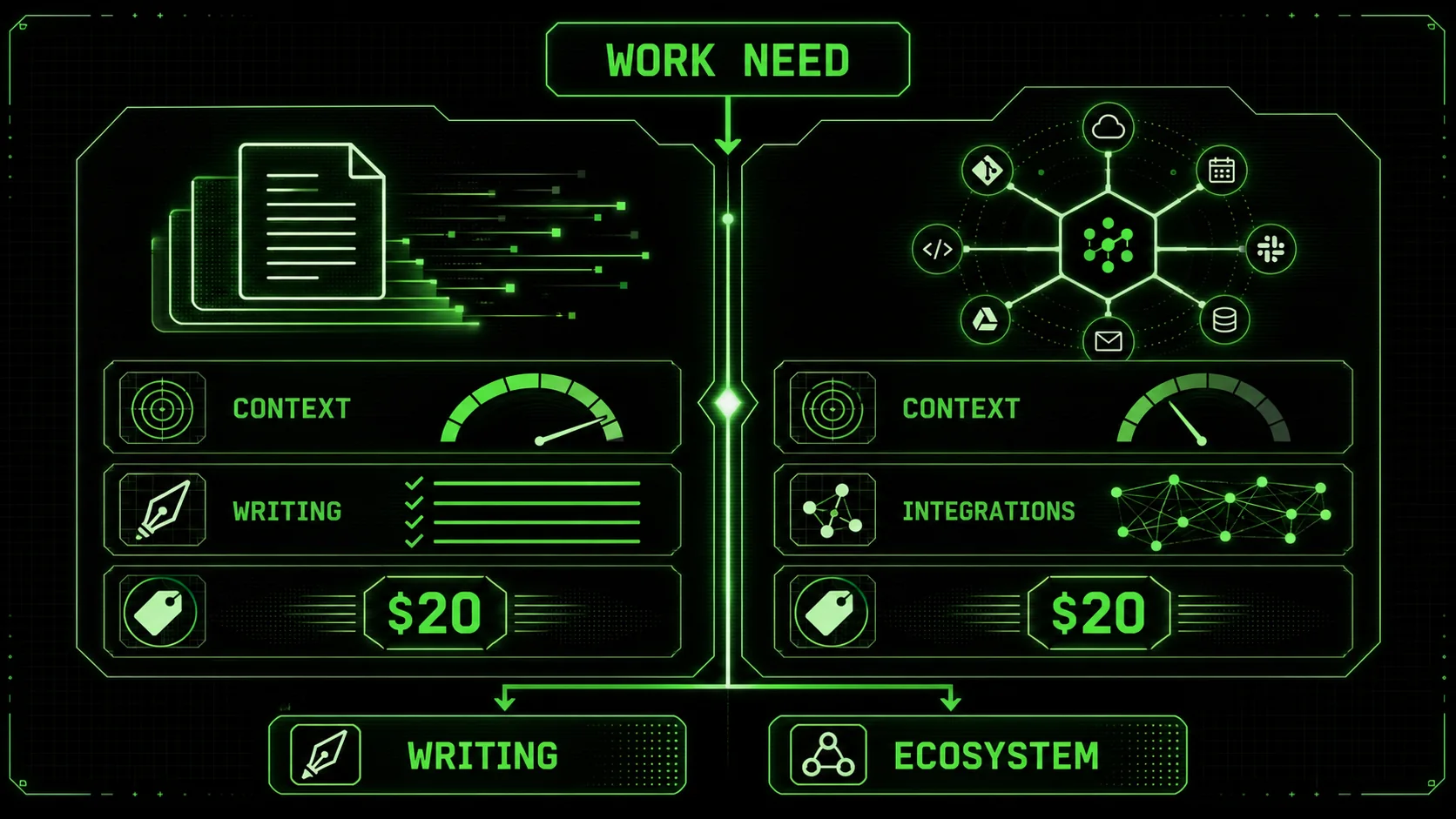
Two AI assistants dominate professional conversations: Claude from Anthropic and ChatGPT from OpenAI. Both are remarkably capable. Both have passionate users who swear by them. And both claim to be the best choice for work.
So which one actually is?
The honest answer is not "one is universally better." Each excels in different areas and suits different work styles. The right choice depends on what you do, how you work, and what you value.
This comprehensive comparison breaks down Claude vs ChatGPT across every dimension that matters for professional use. By the end, you will know exactly which AI assistant fits your needs and why.
No theoretical speculation. Just practical analysis from extensive testing of both platforms.
---
Quick Summary: Claude vs ChatGPT at a Glance
Claude by Anthropic leads in writing quality and 200K-token context, while OpenAI's ChatGPT with GPT-4 wins on integrations and ecosystem breadth -- both cost $20/month at the Pro tier.
| Aspect | Claude | ChatGPT |
|---|---|---|
| Best For | Long-form content, nuanced writing, complex analysis | Broad tasks, plugins/integrations, creative brainstorming |
| Context Window | 200,000 tokens (Opus) | 128,000 tokens (GPT-4 Turbo) |
| Writing Quality | More natural, consistent voice | Creative but variable style |
| Code Generation | Strong, methodical | Strong, more verbose explanations |
| Instruction Following | Excellent | Good, sometimes wanders |
| Pricing (Pro) | $20/month | $20/month |
| Free Tier | Yes (limited) | Yes (GPT-3.5) |
| Plugins/Integrations | Limited | Extensive GPT store |
| Training Cutoff | More recent | Updates regularly with browsing |
The Fundamental Difference: Philosophy and Approach
Anthropic's Claude uses Constitutional AI for consistent, instruction-following behavior, while OpenAI's ChatGPT and GPT-4 rely on RLHF for conversational flexibility -- each philosophy shapes real-world output quality.
Before diving into features, understand how these AI assistants fundamentally differ.
Claude's Constitutional AI Approach
Anthropic built Claude using "Constitutional AI" (CAI). This means Claude was trained to follow a set of principles that guide its behavior. In practice, this creates an AI that:
- Follows instructions precisely: Claude excels at adhering to complex, multi-part requests
- Maintains consistency: Similar prompts produce similar quality outputs
- Expresses uncertainty: Claude tells you when it does not know something
- Reasons transparently: You can ask Claude to explain its thinking
ChatGPT's Reinforcement Learning Approach
OpenAI trained ChatGPT primarily through Reinforcement Learning from Human Feedback (RLHF). Human raters evaluated outputs, and the model learned to produce responses humans rate highly. This creates:
- Conversational naturalness: ChatGPT often feels more casual and approachable
- Creative flexibility: Sometimes produces unexpected, creative approaches
- Broader response variation: Same prompt might produce different styles
- Strong engagement: Good at making conversations feel dynamic
Why This Matters for Work
The philosophical difference translates to practical differences:
- Claude: Better for tasks requiring precision, consistency, and detailed instruction following
- ChatGPT: Better for tasks requiring creativity, exploration, and varied approaches
---
Writing Quality Comparison
Claude produces more natural, human-sounding long-form prose with consistent voice, while ChatGPT and GPT-4 offer stronger creative variation -- making Claude the default choice for professional content and documentation.
Writing is the most common professional AI use case. Here is how they compare.
Long-Form Content
Claude wins decisively.Claude produces more natural, human-sounding prose. Sentences flow better. Paragraphs connect logically. The overall piece reads as coherent rather than assembled from parts.
ChatGPT often produces writing that feels structured but robotic. Individual sentences are fine; combined, they can feel like a list of sentences rather than unified prose.
Best for long-form: ClaudeShort-Form Copy
For tweets, ad copy, and short pieces, the difference is smaller.
ChatGPT produces punchier, more varied options quickly. Claude produces more polished single options.
Best for short-form: Tie (depends on whether you want options or polish)Technical Writing
Claude handles technical documentation better, maintaining consistency in terminology and structure across long documents.
ChatGPT works well for shorter technical pieces but can introduce inconsistencies in longer work.
Best for technical writing: ClaudeCreative Writing
ChatGPT shows more creative range and willingness to take creative risks.
Claude produces safer, more consistent creative work. Some users find it more "literary" while others find it "restrained."
Best for creative writing: ChatGPT (slightly)Email and Business Communication
Claude produces more professional, appropriately toned business communication. It naturally matches formality levels without explicit instruction.
ChatGPT requires more guidance to maintain appropriate professional tone.
Best for business writing: ClaudeWriting Verdict
Claude is better for most professional writing needs. The natural prose, consistency, and instruction-following make it superior for content creation, documentation, and business communication.ChatGPT is better if you want creative variation or are brainstorming ideas rather than producing finished content.
---
Code Generation Comparison
For professional coding, Claude produces cleaner, more maintainable code and excels at debugging, while GitHub Copilot and GPT-4-powered Cursor offer faster inline completions -- tools like Claude Code combine both strengths.
Developers use AI assistants constantly. Here is how they compare for coding.
Code Quality
Both produce functional code. The difference is in approach:
Claude (Anthropic):- More methodical, step-by-step code generation
- Better at explaining WHY code works
- Produces cleaner, more maintainable code
- Excellent at following coding conventions you specify
- Claude Code integrates directly into terminal workflows alongside Cursor
- Faster to produce initial code via ChatGPT or GitHub Copilot
- More verbose explanations
- Sometimes over-engineers solutions
- Good at multiple implementation options
Debugging
Claude excels at methodical debugging. It analyzes code step-by-step and clearly explains problems and solutions. Anthropic's Claude Code chain-of-thought approach is particularly effective for multi-file debugging sessions.
OpenAI's ChatGPT and GPT-4 are faster at quick bug fixes but can miss nuance in complex debugging scenarios.
Best for debugging: ClaudeCode Explanation
Both explain code well, but differently:
- Claude: Explains concepts clearly, good for learning
- ChatGPT: More detailed, sometimes too detailed
Language Support
Both support all major programming languages well. ChatGPT has marginally better support for less common languages due to broader training data.
Best for language support: ChatGPT (slightly)Coding Verdict
Claude is better for serious development work. The methodical approach, cleaner code, and better debugging make it the better choice for professional coding.ChatGPT and GPT-4-powered tools like GitHub Copilot and Cursor work well for quick scripts, exploration, and when you want multiple approaches to consider. For a deeper look at maximizing Claude's coding output, see our guide on AI prompts for developers.
---
Analysis and Research Comparison
Claude's 200K-token context window and stronger reasoning outperform GPT-4 for document analysis and research synthesis, processing roughly 150,000 words of material in a single session.
Professional work often requires analysis and research. Here is how they compare.
Document Analysis
Claude's 200,000 token context window is a game-changer. You can paste entire documents, research papers, or contract sets and get comprehensive analysis.
ChatGPT's 128,000 tokens is still substantial but limits what you can analyze at once.
Best for document analysis: ClaudeResearch Synthesis
Claude excels at synthesizing information from multiple sources into coherent summaries. It maintains nuance and accurately represents different perspectives.
ChatGPT produces good summaries but can lose nuance in complex topics.
Best for research synthesis: ClaudeData Analysis
For analyzing data and providing insights, both perform well with structured data. Claude provides more methodical analysis; ChatGPT provides quicker observations.
Best for data analysis: TieComplex Reasoning
Claude demonstrates stronger complex reasoning capabilities. For multi-step problems requiring careful logic, Claude produces more reliable results.
ChatGPT can solve complex problems but occasionally makes logical jumps or errors.
Best for complex reasoning: ClaudeAnalysis Verdict
Claude is better for analysis and research. The larger context window, nuanced synthesis, and stronger reasoning make it the clear choice for professional analysis work.---
Context and Memory Comparison
Claude retains instructions more reliably across long sessions with its 200K-token window, while ChatGPT offers free conversation history -- both from Anthropic and OpenAI respectively address different memory needs.
How well these AI assistants maintain context affects productivity significantly.
Context Window Size
Claude: Up to 200,000 tokens (approximately 150,000 words) ChatGPT: Up to 128,000 tokens (approximately 96,000 words)Claude's larger context window means you can:
- Analyze longer documents
- Maintain longer conversation history
- Provide more background information
Conversation Memory
Within a conversation, both maintain context well. For returning to previous conversations, ChatGPT offers conversation history in the free tier; Claude requires Pro for conversation history.
Best for conversation memory: ChatGPTInstruction Retention
Claude better maintains instructions throughout long conversations. If you establish rules early in a conversation, Claude follows them consistently.
ChatGPT can "forget" instructions in very long conversations, requiring reminders.
Best for instruction retention: ClaudeContext Verdict
Claude handles context better, especially for professional tasks requiring large amounts of reference material or consistent instruction following.---
Pricing Comparison
Both Anthropic's Claude Pro and OpenAI's ChatGPT Plus cost $20/month, but ChatGPT Plus bundles GPT-4, DALL-E, browsing, and plugins -- making it the higher-feature option at the same price point.
Both platforms offer similar pricing structures with important differences.
Free Tiers
Claude Free:- Access to Claude 3.5 Sonnet model
- Usage limits (resets regularly)
- No conversation history between sessions
- Access to GPT-3.5 (less capable than GPT-4)
- Limited GPT-4o access
- Conversation history included
Paid Plans
Claude Pro: $20/month- Priority access during high demand
- 5x more usage than free
- Access to Claude 3 Opus (most capable model)
- Conversation history
- GPT-4 and GPT-4 Turbo access
- Access to GPTs (custom chatbots)
- DALL-E image generation
- Browsing capability
- Plugin access
Enterprise
Both offer enterprise tiers with additional security, admin controls, and volume pricing. Comparison depends on specific enterprise needs.
Pricing Verdict
ChatGPT Plus offers more features for the same price. However, if Claude's capabilities match your needs, the pricing is equal.---
Integrations and Ecosystem
OpenAI's ChatGPT ecosystem includes thousands of GPTs, plugins, and DALL-E, while Anthropic's Claude offers the Model Context Protocol (MCP) and deeper developer integrations through tools like Cursor and GitHub Copilot.
How these AI assistants connect with other tools matters for workflow integration.
ChatGPT Integrations
ChatGPT has a significant advantage in integrations:
- GPT Store: Thousands of custom GPTs for specific tasks
- Plugins: Connect to external services and data
- API: Well-documented, widely adopted
- Browsing: Real-time internet access
- Code Interpreter: Execute Python code
- DALL-E: Image generation
Claude Integrations
Claude's integration ecosystem is smaller:
- API: Powerful but fewer third-party integrations
- Artifacts: Built-in tool for documents and visualizations
- Computer Use: Experimental capability to control software
- MCP: Model Context Protocol for custom integrations
- Claude Code: Terminal-native coding assistant competing with Cursor and GitHub Copilot
Third-Party Tools
Most AI tools and platforms support ChatGPT. Claude support is growing but not as universal.
Integration Verdict
ChatGPT has a far more mature ecosystem. If integrations and plugins matter to your workflow, ChatGPT is the clear choice.---
Safety and Ethics
Anthropic built Claude with Constitutional AI for predictable safety behavior, while OpenAI governs ChatGPT and GPT-4 through RLHF and content policies -- Claude's consistency makes it the safer bet for enterprise compliance.
Both companies prioritize AI safety, but their approaches differ.
Claude's Approach
Anthropic was founded specifically to build safer AI. Claude is designed to:
- Be helpful but harmless
- Express uncertainty rather than make things up
- Refuse genuinely harmful requests
- Follow Constitutional AI principles
ChatGPT's Approach
OpenAI uses extensive content policies and RLHF to shape behavior. ChatGPT is:
- Generally helpful across broad topics
- Governed by detailed usage policies
- Updated frequently to address new concerns
- Sometimes inconsistent in applying rules
Practical Implications
For professional use, both are appropriate. Claude's caution rarely impacts legitimate work. ChatGPT's inconsistency occasionally causes friction.
Safety Verdict
Claude is more consistently safe and predictable. This matters for enterprise use and risk-averse organizations.---
Use Case Recommendations
Choose Claude for writing, analysis, and code review requiring consistency; choose ChatGPT for brainstorming, integrated workflows, and image generation -- or use both at $40/month total for maximum coverage.
Based on extensive testing, here are recommendations for specific use cases.
Choose Claude For:
Content Writing Claude produces more natural prose and maintains voice consistency across long pieces. Document Analysis The 200K context window allows analyzing complete documents, contracts, and research papers. Complex Tasks Claude follows multi-step instructions more reliably and maintains constraints throughout. Professional Communication Business emails, proposals, and formal communication feel more polished. Code Review Methodical analysis catches issues and explains them clearly. Tasks Requiring Consistency When you need similar quality every time, Claude delivers.Choose ChatGPT For:
Brainstorming ChatGPT's creative variation produces more diverse ideas to consider. Quick Tasks For fast answers and simple tasks, ChatGPT is snappy and effective. Integrated Workflows If you need plugins, GPTs, or ecosystem integrations, ChatGPT is the only choice. Image Generation Built-in DALL-E makes ChatGPT better for tasks involving images. Research with Current Events ChatGPT's browsing capability provides up-to-date information. Exploration and Learning When you are not sure what you need, ChatGPT's range helps you explore.Use Both For:
The best approach for many professionals is using both:
- Claude for production work (final content, analysis, documents)
- ChatGPT for exploration, brainstorming, and quick tasks
---
The Prompting Difference
Claude rewards detailed, structured prompts with precise instruction-following, while ChatGPT handles vague requests better -- mastering both prompting styles through tools like [Ralphable](/) eliminates most quality gaps between Anthropic and OpenAI models.
How you prompt each AI affects results significantly.
Prompting Claude
Claude responds well to:
- Detailed instructions
- Specific constraints
- Examples of desired output
- Explicit format specifications
- Role assignments
Prompting ChatGPT
ChatGPT responds well to:
- Conversational requests
- Iterative refinement
- Creative freedom
- General direction with flexibility
Prompting for Both
Use tools like [Ralphable](/) that provide optimized prompts for both platforms. Well-crafted prompts eliminate most of the quality difference between models.
---
Making Your Decision
For most professionals in 2026, Anthropic's Claude is superior for production work -- writing, analysis, code review -- while OpenAI's ChatGPT with GPT-4 wins for exploration, plugins, and integrated workflows.
Decision Framework
Choose Claude if:- Writing quality is your top priority
- You work with long documents regularly
- You need consistent, predictable outputs
- Instruction following matters for your tasks
- You prefer a more "thoughtful" AI personality
- You need plugins and integrations
- Browsing and current information matter
- You want image generation included
- Creative exploration is important
- You prefer a more "enthusiastic" AI personality
- You use AI heavily for different tasks
- You want the best tool for each situation
- $40/month is acceptable for AI tools
- You are optimizing for productivity, not cost
The Non-Controversial Take
For most professionals in 2026, Claude is better for production work and ChatGPT is better for exploration and integrated workflows. Using both strategically produces the best results.
If you can only choose one:
- Writers and analysts: Choose Claude
- Developers with integration needs: Choose ChatGPT
- General business users: Either works; try both free tiers
Frequently Asked Questions
Here are the most common questions developers and professionals ask when comparing Claude by Anthropic against OpenAI's ChatGPT and GPT-4 for daily work.
Is Claude or ChatGPT better for writing?
Claude produces more natural, consistent prose. For professional writing—blog posts, documentation, business communication—Claude is generally better. ChatGPT excels at brainstorming and creative variation.
Is Claude or ChatGPT better for coding?
Both are capable. Claude produces cleaner, more methodical code and excels at debugging. ChatGPT is faster for quick scripts and offers more explanation detail. Professional developers often prefer Claude.
Can I use both Claude and ChatGPT?
Yes, and many professionals do. Using Claude for production work and ChatGPT for exploration gives you the best of both.
Which is better for business use?
Claude's consistency and instruction following make it better for most business tasks. ChatGPT's integrations make it better for businesses with specific plugin needs.
Is Claude free?
Claude offers a free tier with limited usage. Claude Pro costs $20/month for expanded access and the most capable model.
Why do prompts work differently on Claude and ChatGPT?
They were trained differently. Claude follows instructions more literally; ChatGPT interprets more freely. Good prompts (like those from [Ralphable](/)) work well on both.
Will one clearly win eventually?
Competition benefits users. Both companies continue improving rapidly. The gap january narrow, but each will likely maintain distinct strengths.
How do I improve my results on either platform?
Better prompts produce better results regardless of platform. Using structured, specific prompts with clear instructions improves outputs on both Claude and ChatGPT. Tools like [Ralphable](/) provide optimized prompts that work well on both platforms.
---
Conclusion
Claude and ChatGPT are both remarkable AI assistants. Choosing between them is not about finding the "better" one but finding the right fit for your work.
Claude excels at:- Writing quality
- Document analysis
- Complex instruction following
- Consistency and reliability
- Integrations and plugins
- Creative exploration
- Browsing and current information
- Ecosystem breadth
Whatever you choose, the quality of your prompts matters more than which AI you use. A well-crafted prompt produces excellent results on either platform; a vague prompt produces mediocre results on both.
Ready to get better results from any AI assistant? [Ralphable](/) provides iterative prompts that work excellently with both Claude and ChatGPT. Start free and see the difference structured prompting makes.Related guides
- How to Write Prompts for Claude — master Claude-specific prompt techniques
- AI Prompts for Developers — 40+ battle-tested prompts for coding workflows
- AI Prompts for Solopreneurs — prompts for business, marketing, and planning
- Prompt Engineering Guide — the fundamentals that work across all AI models
- Ralph Loop Methodology — iterative prompting for consistent, high-quality output
---
Last updated: March 2026<!-- sister-projects-start -->
Other Doved Studio projects
Related tools from the same studio you might find useful:
- Glean: Turn scrolling time into a daily action plan. Capture, process, execute.
- Popout: Create your portfolio in minutes with a single shareable page.
- Larpable: Spot fake founders, guru grifts, and performance entrepreneurship.
- Doved Studio: Studio indie derrière cette app et une dizaine d'autres outils.