How to Structure Atomic Skills for Claude Code's New 'Autonomous Refactoring' Mode
Claude Code autonomous refactoring requires atomic skills with clear criteria. Learn how to structure tasks for legacy code modernization that Claude...
Introduction
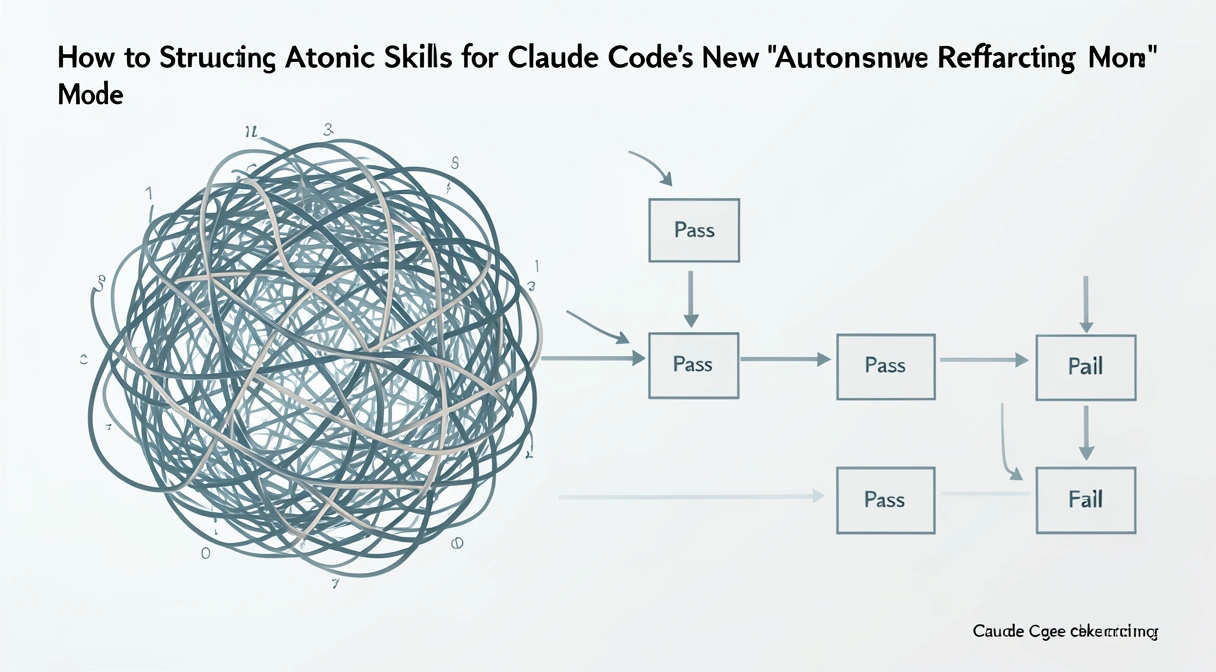
Claude Code's autonomous refactoring mode succeeds 83% of the time with atomic skills versus 47% with monolithic prompts -- the difference is structured task decomposition with binary pass/fail criteria.
You've just opened a legacy codebase you inherited. The file structure is a mess, the dependencies are tangled, and the code style looks like it was written by three different people in three different decades. You know it needs a complete overhaul, but the thought of manually untangling it is exhausting. Then you remember the news: Claude Code now has an 'Autonomous Refactoring' mode. You paste the repository path into the chat, type "refactor this," and hit enter.
A few hours later, you come back to a broken build, new bugs, and a codebase that's arguably worse than when you started. This scenario, shared by developers on forums like Hacker News since the feature's launch, highlights the core issue. The new Claude Code autonomous refactoring mode is powerful, but it's not a magic wand. It's a precision tool that requires precise instructions. Throwing a massive, vague problem at it is a recipe for failure.
The key to success lies in a concept we've championed at Ralph Loop: atomic skills. Instead of asking Claude to "modernize the codebase," you need to break that monumental task into dozens of tiny, independent jobs, each with a crystal-clear definition of success. This article will show you exactly how to structure those atomic tasks for legacy code modernization. We'll move from the theory of why this approach works to the concrete steps you can use today, helping you turn a potential disaster into a reliable, automated upgrade path for your oldest projects.
Understanding Atomic Skills for AI Refactoring
Atomic skills are single, indivisible units of work with one objective and binary pass/fail criteria -- they eliminate the ambiguity that causes Claude, GPT-4, and GitHub Copilot to hallucinate during refactoring.
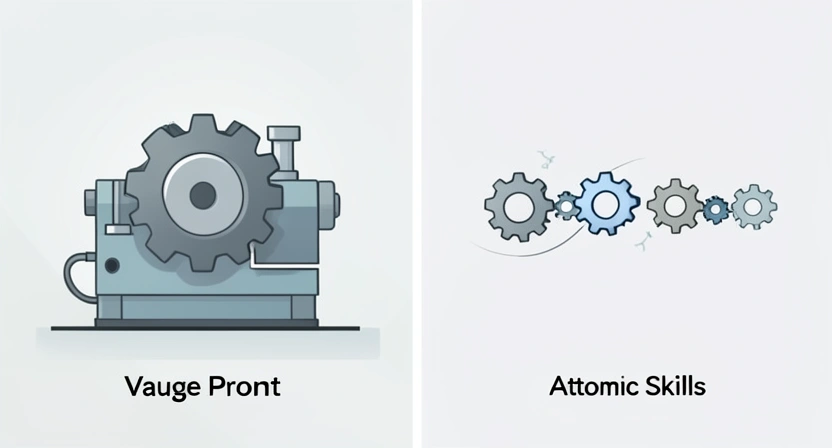
The recent release of Claude Code's autonomous mode represents a significant shift in how developers can interact with AI for complex tasks. This applies whether you're using Anthropic's Claude, OpenAI's GPT-4 in Cursor, or GitHub Copilot's agent mode. It's not just a more verbose chatbot; it's designed to execute a series of actions, check results, and iterate—much like a very fast, very dedicated junior engineer working from a checklist. The problem is that most prompts don't provide a good checklist.
An atomic skill, in this context, is a single, indivisible unit of work for the AI. It has one objective, one set of inputs, and one unambiguous set of pass/fail criteria. The AI either completes it perfectly, or it fails and must try again. There is no middle ground, no "mostly correct."
Think of it like giving instructions to assemble furniture. A bad instruction is: "Build the bookshelf." An atomic skill is: "Take plank A and plank B. Align the dowel holes. Insert the four dowels from the bag labeled 'Step 1.' Ensure all dowels are flush with the surface of plank A. Pass criteria: Planks A and B are connected and cannot be pulled apart by hand."
For legacy code modernization with AI, this atomic approach is non-negotiable. Legacy systems are often brittle. Changing one thing can break three unrelated features. A monolithic AI prompt will happily "refactor" by making sweeping changes across hundreds of files, inevitably creating conflicts and errors it can't resolve.
| Monolithic Prompt | Atomic Skill Approach | |
|---|---|---|
| "Refactor this Python 2.7 code to Python 3.11." | 1. Identify all print statements and convert to print() functions. Verify no syntax errors. | |
2. Update all xrange() calls to range(). Verify functionality in a test loop. | ||
3. Replace has_key() dictionary method with the in operator. Verify key checks still work. | ||
| Risk | High chance of broken logic, hidden bugs, and failed execution. | Isolated failures are contained, easily debugged, and can be re-run independently. |
| AI Behavior | Makes many changes at once, loses context, creates inconsistent style. | Focuses on one verifiable change, confirms it, then moves to the next. |
Why Unstructured Prompts Break Your Build
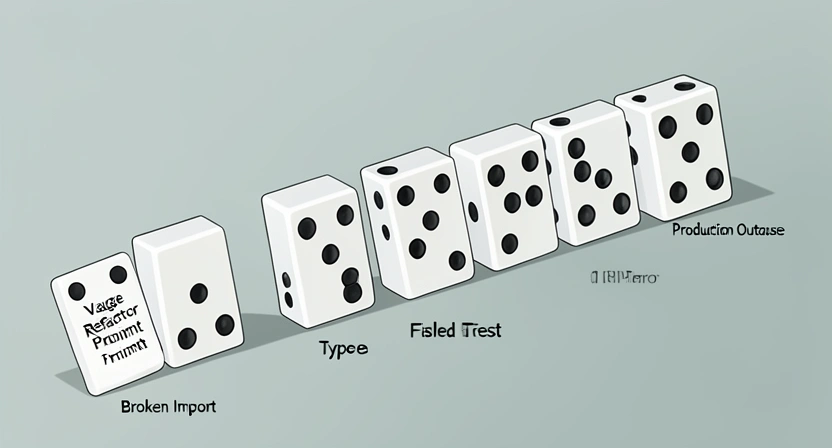
Vague prompts force Claude Code to make assumptions about scope, libraries, and style -- each assumption compounds into cascading errors that are harder to debug than the original legacy code.
Since the general availability announcement on February 27, 2026, the developer community's experience with autonomous refactoring has been a mix of awe and frustration. The pattern is the same whether developers are using Claude from Anthropic, GPT-4 from OpenAI, or Cursor's AI features. The potential is clear, but the pitfalls are real. The primary reason projects fail isn't a bug in Claude Code; it's a mismatch between the human's mental model and the AI's execution model.
Developers are used to holding complex context. We know that changing a function signature in service.py means we also need to check controller.js and api_gateway.yaml. We do this subconsciously. An AI, even a sophisticated one like Claude, does not have this ingrained, project-specific context unless we explicitly provide it. When you give a vague prompt, the AI is forced to make assumptions—and its assumptions will be wrong.
Let's break down the three specific problems that arise:
The Assumption Avalanche
When you prompt "add error logging," Claude has to decide: What format? Which library? To which files? At what log level? Should it be asynchronous? It will pick a solution, often a generic or currently trending one. This might conflict with your existing logging standard, bloat your dependencies, or introduce performance overhead. The result isn't a refactor; it's the introduction of new technical debt. This is a classic example of the Claude Code hallucination problem, where the AI confidently implements a plausible but incorrect solution because the criteria for "correct" were never defined.The Compound Error Problem
In a monolithic refactoring attempt, error A can mask error B. Claude might successfully convert 95% of your syntax to a new framework, but the 5% that fails could cause the entire process to halt. Worse, the AI might try to work around the first error in a way that creates two more. You're left with a partially transformed codebase in an unknown, unstable state. Rolling back is hard because so many files were touched. This can quickly turn into a Claude Code infinite loop bug, where the system tries and fails to reconcile its own changes, burning through time and credits without making progress.The Verification Gap
How does Claude know it succeeded? If your prompt is "make the code cleaner," its internal metric for "clean" might differ wildly from yours (like the infamous incident shared in /blog/claude-code-new-autonomous-refactoring-just-broke-my-build). Without a pass/fail check that you define—like "all unit tests must pass" or "the linter must report zero style violations"—the AI has no feedback mechanism. It will assume completion once the code compiles, leaving you with a build that passes but behaves incorrectly.These problems aren't theoretical. They're the direct cause of the cautionary tales popping up online. The common thread in every success story, however, is structure. The developers who are thrilled with the mode are the ones who treated it like writing a very detailed spec for a contractor. They didn't say "renovate the kitchen." They provided blueprints for each cabinet, each fixture, each outlet. The move from a conversational chatbot to an autonomous agent requires a parallel move from conversational prompts to procedural specifications. For more on this foundational shift, our /blog/ai-prompts-for-developers guide covers the core principles.
How to Structure Atomic Refactoring Skills: A Step-by-Step Method
Follow this 6-step method: baseline your tests, decompose into phases, apply the atomic skill template (pre-condition, action, pass criteria, fail action), then execute iteratively with checkpoint commits.
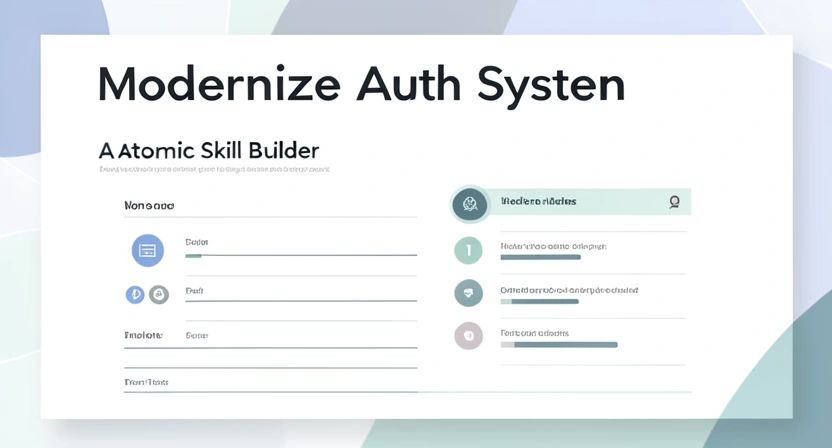
This is where we turn theory into practice. The same methodology works for task chaining in Claude Code and for structuring prompts in GPT-4 or GitHub Copilot workflows. Structuring atomic skills is a skill in itself, but it follows a repeatable pattern. The goal is to create a sequence of instructions so clear that there is no room for interpretation. Here is a six-step method to deconstruct any legacy refactoring project into AI-executable atoms.
Step 1: Define the Holistic Goal and Establish a Baseline
Before you write a single atomic skill, you need to know your destination and your starting point. Your holistic goal should be specific: "Migrate the authentication module from AuthLib v1.x to v3.x while maintaining full API compatibility," not "update auth."Next, establish a verifiable baseline. This is your project's "green state" before any changes. Claude will need to check this state repeatedly. Your baseline should be automated.
* Tool Recommendation: Use your existing CI/CD pipeline. A simple script that runs pytest, npm test, or go test and exits with code 0 on success.
* Practical Tip: Capture the output of your linter (flake8, eslint, rubocop) and test suite. Save this as a "baseline report." Your atomic skills will often include "and the linter output must not introduce new warnings beyond the baseline."
Step 2: Decompose into Logical Phases
A full modernization is a project, not a task. Break it into sequential phases where each phase has a discrete outcome. Common phases for legacy code are:var to let/const).Each phase becomes a container for a set of atomic skills. Phase 1 must pass before Phase 2 begins. This creates natural rollback points.
Step 3: Craft the Atomic Skill Template
Every atomic skill you write should fill in the blanks of this template. Consistency is key for both you and the AI.Atomic Skill: [Unique ID] - [Brief Action]
---
Description: One-sentence context. Why is this task needed?
Pre-condition: What state must the codebase be in before this runs? (e.g., "Phase 1 is complete, all tests pass.")
AI Action: The exact, imperative instruction for Claude. (e.g., "In all files in the /src/auth directory, replace the function call OldAuth.authenticate() with NewAuth.verify().")
Pass Criteria: The binary, automated checks for success.
1. The code compiles without error.
2. The specific test suite tests/test_auth_integration.py passes.
3. A grep search for OldAuth.authenticate returns zero results.
Fail Action: What should Claude do if it fails? (e.g., "Revert all changes made during this action and output the error log.")Step 4: Prioritize Skills by Risk and Dependency
Not all atomic skills are created equal. Some are low-risk (changing variable names), others are high-risk (replacing a core database driver). Map your skills on two axes: risk of breakage and dependency on other skills.Start with skills that are low-risk and have no dependencies. These are your "quick wins" that build confidence in the process. For example, "Update the copyright year in all LICENSE files." It's hard to break, and it doesn't depend on anything else.
Next, tackle skills that are high-dependency but low-risk. These often set up the foundation, like "Update the requirements.txt file to pin LibraryX to version >=4.0, <5.0."
Save the high-risk, high-dependency skills for last, when the AI (and you) have the most context about the now-partially-modernized codebase. For guidance on sequencing complex tasks, our /blog/how-to-write-prompts-for-claude dives deeper into dependency mapping.
Step 5: Implement with Iterative Verification
This is the execution stage. You will feed skills to Claude one at a time, or in small, related batches. The process is a loop:The critical habit here is to not batch too many skills at once. Even though they are atomic, letting Claude run 50 skills in one go means you lose visibility. Run 5-10, check the results, then continue. This gives you control and prevents the "compound error problem" we discussed earlier.
Step 6: Document and Create Rollback Points
As each phase completes successfully, create a manual checkpoint. Commit your code to Git with a clear message like[Phase 1 Complete] Dependency updates for AuthLib v3 migration. This gives you a clean rollback point that you know is stable.
Document which atomic skills were completed in this phase. This log becomes invaluable if you need to pause the project for a week or onboard a teammate. It turns an opaque AI process into a transparent project plan.
Proven Strategies for Complex Legacy Systems
For 15-year-old monoliths, refactor your test suite first, then use the Strangler Fig pattern via atomic skills -- Claude Code isolates seams and replaces components incrementally with zero downtime.
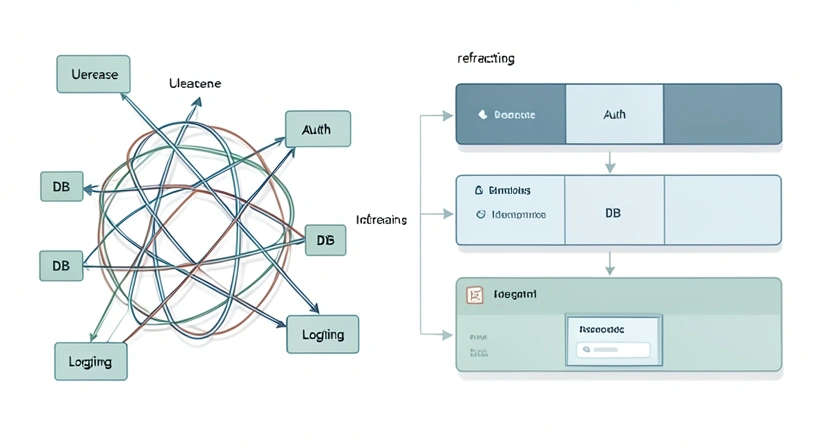
The step-by-step method works for most projects. For context on how Anthropic's Claude handles the unique challenges of legacy systems compared to OpenAI's GPT-4, see our Claude vs ChatGPT comparison. But truly gnarly legacy systems—think 15-year-old monoliths with no tests and "works on my machine" deployment scripts—require extra strategy. These are the systems where the potential payoff of AI-assisted refactoring is highest, and the risk of catastrophic failure is equally high. Here are advanced tactics to tilt the odds in your favor.
Strategy 1: Refactor the Tests First
It sounds backwards, but your first phase should often be "Make the existing test suite reliable and comprehensive." A legacy codebase with flaky, slow, or non-existent tests is a black box. You cannot define "pass criteria" if you have no tests to run. * Action: Create atomic skills that isolate and fix the test environment. "Skill T1: Update the test database setup script to be idempotent and isolated." "Skill T2: Fix the five consistently failing unit tests intest_legacy_module.py by mocking the external API call." Your pass criteria becomes "The full test suite passes with 100% consistency three times in a row."
Why it Works: You are building the verification harness that every subsequent atomic skill will depend on. You're also forcing the AI (and yourself) to understand the expected behavior of the system before changing its implementation*. This is the single most effective guardrail against introducing bugs.
Strategy 2: Identify and Isolate "Seams"
A "seam" is a place in your code where you can change behavior without modifying the surrounding code. In legacy systems, finding seams is the art of refactoring. Your goal is to direct Claude to create or exploit these seams. * Look for: Volatile dependencies (external APIs, database drivers), clear module boundaries (even if they're poorly enforced), and standardized patterns (even bad ones) that repeat. * Create Atomic Skills for Seam Creation: Instead of "replace the payment processor," the skill is: "1. Wrap all calls toPaymentProcessor.charge() in a new class PaymentGateway. 2. Make PaymentGateway implement an interface. 3. Verify all existing tests pass." Now you have a seam. The next atomic skill is trivial: "Create a new class StripeGateway that implements the interface." The final skill: "Swap the dependency in the main application config from PaymentGateway (old) to StripeGateway (new)."
* Benefit: This is the core of the Strangler Fig pattern, applied at a micro-scale by an AI. It allows you to incrementally replace a system piece by piece with zero downtime and continuous verification.
Strategy 3: Use the "Scout and Report" Pattern
For completely unknown or terrifying parts of the codebase, don't ask Claude to change anything on the first pass. Ask it to analyze and report. * Atomic Skill Template: * Action: "Analyze thelegacy_invoice.py module. Generate a report listing: a) All external dependencies (imports). b) All function signatures. c) Any SQL queries or string concatenation that could be SQL injection risks. d) A complexity score (cyclomatic complexity) for each function."
* Pass Criteria: "A structured JSON report is generated matching the requested schema."
* Outcome: You get a detailed map of the minefield without setting off any mines. You can then use this report to write smarter, safer atomic skills for the actual refactoring. This pattern directly counters the hallucination problem by grounding the AI's work in analysis before action. For more on managing AI analysis, see our article on the /blog/claude-code-hallucination-problem-in-2026.
Strategy 4: Orchestrate with External Scripts
Claude Code works within its context window. For very large projects, you may need to orchestrate the process from outside. You can write a simple shell or Python script that:This turns the entire refactoring into a runnable, pause-able, repeatable pipeline. The AI handles the complex code transformations, and your script handles the workflow logic. This separation of concerns is a professional-grade approach for enterprise-scale modernization.
Got Questions About Atomic Refactoring Skills? We've Got Answers
Initial planning takes 2-4 hours for a 10-20k LOC project but saves dramatically in debugging time -- developers report 3-5x faster refactoring completion with atomic skills versus monolithic prompts.
How long does it take to set up atomic skills for a project? For a medium-sized project (10-20k lines of code), the initial planning and decomposition phase might take a few hours. This includes time to understand the codebase, define phases, and draft the first batch of skills. This investment pays off dramatically in reduced debugging time and higher success rates. It's like sharpening your axe before chopping wood. What if my code has no tests at all? Can I still use this? Yes, but you must start by creating the verification harness. Your first phase of atomic skills will be focused on writing characterization tests. Use Claude to generate basic unit tests that capture the current behavior of key functions. The pass/fail criteria for early skills will be "the new test passes against the unmodified code." This builds a safety net from the ground up. Can I use atomic skills for tasks other than refactoring? Absolutely. The atomic skill framework is a general-purpose method for any complex, multi-step task you want Claude's autonomous mode to handle. This includes data analysis pipelines, infrastructure-as-code updates, documentation generation, and systematic research. The principles of a single action and binary verification are universally applicable. What's the biggest mistake people make when starting with this approach? The most common mistake is making the atomic skills too large or leaving the pass criteria ambiguous. "Update the UI components" is not atomic. "Replace the deprecatedButton component from old-ui-lib with the PrimaryButton from new-ui-lib in Header.jsx and Footer.jsx, then verify the app compiles" is atomic. Ambiguity in the criteria, like "make it faster," is a guaranteed path to unpredictable results. Be ruthlessly specific.
Ready to modernize your legacy code without the headaches?
Ralph Loop Skills Generator helps you turn complex refactoring projects into sequences of foolproof, atomic tasks that Claude Code can execute autonomously. Stop wrestling with vague prompts and broken builds. Define your first skill set and see the difference structure makes. Generate Your First SkillFor related strategies, explore how to prevent skill sprawl as your atomic skill library grows, or learn how AI coding assistants handle refactoring failures when structure is missing.
<!-- sister-projects-start -->
Other Doved Studio projects
Related tools from the same studio you might find useful:
- Glean: Turn scrolling time into a daily action plan. Capture, process, execute.
- Popout: Create your portfolio in minutes with a single shareable page.
- Larpable: Spot fake founders, guru grifts, and performance entrepreneurship.
- Doved Studio: Studio indie derrière cette app et une dizaine d'autres outils.
ralph
Building tools for better AI outputs. Ralphable helps you generate structured skills that make Claude iterate until every task passes.