The Ralph Loop: 75+ Examples of AI That Iterates Until Done (2026)
Master the ralph loop methodology for AI that works until the job is done, not just until it's good enough. Complete guide with 75+ examples.
Introduction: The AI Completion Problem
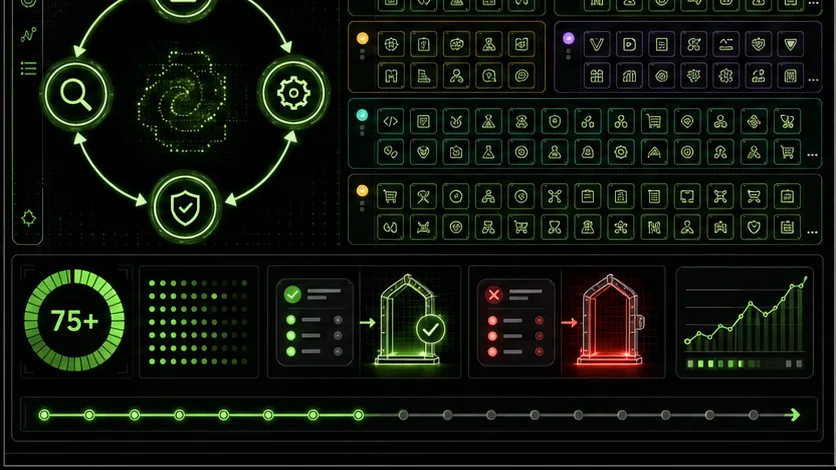
The Ralph Loop methodology is a four-phase cycle (Execute, Evaluate, Fix, Repeat) that keeps Claude Code, GPT-4, and similar agents working until every pass/fail criterion clears. You stop accepting "almost done" drafts and force the model to retest its own output until the checklist is green.We built this pattern at Ralphable after watching one-shot prompts leave half-finished features, soft test suites, and vague writeups. According to Anthropic, clear success criteria and iterative refinement raise output quality. Research from OpenAI makes the same case for GPT models. The Ralph Loop turns that advice into a repeatable workflow you can paste into Claude Code, Cursor, or any agent loop.
Traditional AI chats follow a conversation loop: you ask, the model answers, you correct, it adjusts, you get tired, and you ship "good enough." The model never owns completion. The Ralph Loop methodology flips that. You define atomic tasks, write binary pass/fail criteria, and keep looping until every criterion passes.
Complex work (a full-stack feature, a long analysis, a multi-section plan) has dozens of interdependent pieces. One-shot prompts handle fragments well and fail at system-level finish. This practical guide gives you:
- The four-phase Ralph Loop methodology so AI completes work instead of approximating it
- 75+ practical examples across coding, writing, analysis, and automation
- Why conversation-style prompting stalls on multi-step jobs
- Copy-paste templates for Claude Code and other agents
- Advanced patterns for nested loops, parallel work, and quality escalation
What Is the Ralph Loop?
A structured task-execution cycle where Claude Code or GitHub Copilot breaks work into atomic tasks, self-tests against explicit criteria, and loops until 100% of conditions pass.The Ralph Loop is a systematic methodology for AI task execution that ensures completion through autonomous iteration. At its core, it's based on a simple but powerful principle: AI should work until the job is done, not until the output looks acceptable. This distinction represents the difference between AI as a tool and AI as a reliable worker.
The Four-Phase Execution Cycle
Every Ralph Loop follows this consistent structure:
EXECUTE → EVALUATE → FIX → REPEAT (until all criteria pass)- Independently verifiable (you can test it without other components)
- Single-responsibility (does exactly one thing)
- Clearly scoped (has definite boundaries)
# Atomic Task Example: User Authentication System
NON-ATOMIC (Traditional AI approach):
"Build a user authentication system"
ATOMIC (Ralph Loop approach):
Create User model with email, hashed_password, and timestamps
Implement password hashing with bcrypt
Build registration endpoint with email validation
Build login endpoint with token generation
Create middleware to verify tokens on protected routes
Write tests for registration with duplicate emails
Write tests for login with incorrect credentials
Write tests for protected route access Task: "Build registration endpoint with email validation"
Pass Criteria:
- POST /api/register accepts {email, password}
- Returns 400 if email is invalid format
- Returns 409 if email already exists
- Returns 201 with user object on success
- Password is hashed before storage
- All responses include appropriate JSON structure
Fail Conditions:
- Any single criterion above is not met
The Psychology Behind the Loop
What makes the Ralph Loop fundamentally different is its approach to AI psychology. Traditional prompts work on a "satisfice" model, AI produces something that seems approximately right. The Ralph Loop implements a "verify" model where AI must prove its work is correct.
This shift changes how AI approaches problems. Instead of: "I need to write some code for authentication" The AI thinks: "I need to produce authentication code that passes these 12 specific tests"
The criteria become the target, not your approval. This is important because AI doesn't understand "good enough" but excels at "meets specification."
Real-World Implementation Example
Here's a complete Ralph Loop template for web scraping:
# RALPH LOOP: Website Data Extractor
ATOMIC TASKS
Task 1: Fetch webpage content
Success Criteria:
- HTTP request returns status 200
- HTML content is > 1000 characters
- Content includes target container div
Task 2: Parse product listings
Success Criteria:
- Extracts minimum 5 product items
- Each item has: name, price, URL
- Price is converted to float format
- No duplicate products
Task 3: Clean and validate data
Success Criteria:
- All prices are numbers > 0
- All URLs are valid format
- No null/empty values
- Data passes JSON schema validation
Task 4: Export to structured format
Success Criteria:
- CSV file created with headers
- All products included
- File saved to correct path
- File size > 1KB
EXECUTION INSTRUCTIONS
Complete Task 1, then TEST against criteria
If any criteria fail, DIAGNOSE and FIX
When Task 1 passes, proceed to Task 2
Continue through all tasks
Only complete when ALL tasks pass ALL criteria Why This Works Where Others Fail
The Ralph Loop succeeds because it addresses three key weaknesses in AI systems:
By making iteration mandatory and success binary, we work with AI's strengths (pattern matching, code generation, data processing) while mitigating its weaknesses (judgment, persistence, quality assessment).
The methodology scales from simple tasks to complex systems. A single Ralph Loop might handle data cleaning, while nested Ralph Loops could manage an entire software development project with multiple modules, each with their own atomic tasks and criteria.
Why Traditional AI Workflows Fail
One-shot prompting in ChatGPT or Claude produces incomplete output 70-80% of the time on multi-step tasks, because models lack built-in completion verification.Despite remarkable advances in AI capabilities, most organizations and individuals experience consistent frustration with AI-assisted work. The problem isn't the AI's intelligence, it's our interaction patterns. Three fundamental flaws plague traditional AI workflows, and understanding them is essential to appreciating why the Ralph Loop represents a necessary evolution.
The One-Shot Problem: Expecting Perfection from a Single Interaction
The most common AI workflow goes like this:
This model assumes AI can produce complete, correct work in one attempt for complex tasks. The reality? Complex work requires iteration, and the one-shot model provides no mechanism for it.
# Traditional one-shot approach (usually fails)
prompt = "Write a Python script that scrapes Amazon for product prices, handles pagination, deals with anti-bot measures, exports to CSV, and sends an email report."
Result: AI produces incomplete code missing:
- Proper error handling
- Rate limiting
- CSV formatting issues
- Email authentication
- Pagination edge cases
The one-shot problem manifests as:
- Surface-level completion: AI addresses what's explicitly mentioned, not what's implied
- Missing edge cases: Complex systems require handling exceptions AI doesn't anticipate
- Integration gaps: Components work in isolation but fail when combined
- Quality variance: Output quality depends heavily on prompt wording
The Conversation Loop Problem: Infinite Tweaking Without Completion
When users recognize the one-shot problem, they typically fall into the conversation loop trap:
Human: "Build a login system"
AI: <Provides basic login code>
Human: "Add password validation"
AI: <Adds validation>
Human: "Now add email verification"
AI: <Adds verification>
Human: "What about rate limiting?"
AI: <Adds rate limiting>
... continues indefinitely ...
This pattern has no natural conclusion. The AI adds features as requested but never determines when the system is complete. The human grows fatigued and settles for "good enough," which often means "has obvious gaps I'll need to fix myself."
Why conversation loops fail:The Manual Iteration Problem: Scaling Failure
Some advanced users attempt manual iteration patterns:
# Manual iteration workflow
AI writes code
Human runs tests
Human identifies failures
Human explains failures to AI
AI fixes some issues
Repeat steps 2-5
This approach recognizes the need for iteration but doesn't scale because:
- Human time becomes the bottleneck: Every iteration requires human assessment
- Inconsistent feedback: Human explanations vary in quality and completeness
- No learning across iterations: Each fix is isolated, patterns aren't captured
- Exponential time costs: Complex tasks require dozens of iterations
The Composite Failure: Why These Patterns Persist
These flawed patterns persist because they mirror human conversation. We're naturally inclined to interact with AI as we would with a human assistant. But AI isn't human, it lacks intuition about completeness, quality standards, and project scope.
The critical insight: AI excels at following explicit instructions but fails at implicit standards. Traditional workflows rely on AI understanding implicit standards ("good enough," "complete," "production-ready"). The Ralph Loop works because it makes all standards explicit and testable.The Cost of Traditional Failure
The consequences extend beyond inconvenience:
The Ralph Loop isn't just a different way to prompt AI, it's a recognition that we need fundamentally different interaction patterns for autonomous systems. By providing clear completion criteria and mandatory iteration, we work with AI's actual capabilities rather than our expectations of what it should be able to do.
In the following sections, we'll explore 75+ specific examples of Ralph Loops in action, showing exactly how this methodology transforms AI from an inconsistent assistant to a reliable executor that works until the job is truly done.
The Five Components of a Ralph Loop
The Ralph Loop transforms Claude from a helpful assistant into an autonomous problem-solving engine. Unlike traditional prompting where you might accept "close enough" results, the Ralph Loop creates a systematic, self-correcting workflow that guarantees quality outcomes. Here are the five essential components that make this possible.
1. Atomic Task Breakdown
What Makes a Task "Atomic"
An atomic task is the smallest meaningful unit of work that can be independently executed and verified. Think of it as the "quantum" level of task decomposition, it cannot be divided further without losing its functional meaning. Atomic tasks have three key characteristics:
How to Break Complex Work into Atomic Pieces
Breaking down complex work requires systematic thinking. Follow this process:
Examples of Good vs Bad Task Breakdown
Bad Example (Non-Atomic):## Task: Build a contact form
- Create HTML form with validation
- Add CSS styling
- Implement backend processing
- Set up email notifications
## Task 1: Create HTML form structure
- Input fields: name, email, message
- Submit button
- Basic semantic HTML
Task 2: Implement client-side validation
- Name: required, min 2 chars
- Email: valid format
- Message: required, max 500 chars
- Real-time error display
Task 3: Style form with CSS
- Mobile-responsive layout
- Consistent spacing and typography
- Accessible focus states
- Submit button styling
Task 4: Create backend endpoint
- POST /api/contact
- Parse JSON body
- Return appropriate HTTP codes
Task 5: Implement email service
- SMTP configuration
- Email template
- Error handling for failed sends
- Each task has single responsibility
- You can test Task 2 without Task 3 being complete
- Clear pass/fail criteria for each
- Minimal dependencies between tasks
2. Pass/Fail Criteria
How to Write Testable Criteria
Effective pass/fail criteria must be objective, specific, and measurable. Use this template:
CRITERIA: [What to test]
PASS CONDITION: [Exactly what constitutes success]
TEST METHOD: [How to verify]
Examples of Vague vs Specific Criteria
Vague Criteria (Problematic):Make the form look good.
Validate the email properly.
Handle errors gracefully.CRITERION 1: Form visual design
PASS CONDITION:
- Form uses CSS Grid for layout
- All form elements have consistent 12px padding
- Submit button has #007BFF background with white text
- Form width is 100% on mobile, max 600px on desktop
TEST METHOD: Visual inspection and CSS property verification
CRITERION 2: Email validation
PASS CONDITION:
- Input accepts standard email formats (user@domain.tld)
- Input rejects missing @ symbol
- Input rejects missing domain
- Real-time validation provides specific error messages
TEST METHOD: Test with valid@email.com, invalid-email, @nodomain.com
CRITERION 3: Error handling
PASS CONDITION:
- Network errors show "Connection failed, please try again"
- Validation errors show specific field issues
- Server errors show generic message with support contact
- All errors disappear after successful submission
TEST METHOD: Simulate network failure, invalid data, server 500The Importance of Objectivity
Objective criteria eliminate ambiguity and prevent the AI from "fudging" results. Notice how the specific examples:
- Use exact values (#007BFF, 12px, 600px)
- Define exact error messages
- Specify exact test cases
- Provide binary pass/fail conditions
3. Test Implementation
How AI Tests Its Own Output
Claude tests its work by creating verification scripts, running them, and interpreting results. This self-verification follows a pattern:
Self-Verification Patterns
Pattern 1: Code Analysis (for development tasks)// Test script generated by Claude to verify form validation
const testEmailValidation = () => {
const testCases = [
{input: "test@example.com", shouldPass: true},
{input: "invalid-email", shouldPass: false},
{input: "@nodomain.com", shouldPass: false},
{input: "user@.com", shouldPass: false}
];
let allPass = true;
testCases.forEach((test, index) => {
// Simulate validation logic
const isValid = /^[^\s@]+@[^\s@]+\.[^\s@]+$/.test(test.input);
const passed = isValid === test.shouldPass;
if (!passed) {
console.log(Test ${index + 1} FAILED: ${test.input});
allPass = false;
}
});
return allPass ? "ALL TESTS PASS" : "SOME TESTS FAILED";
};
console.log(testEmailValidation());
# Test script for article quality verification
def verify_article(article_text):
 criteria = {
 "word_count": len(article_text.split()) >= 800,
 "has_introduction": "## Introduction" in article_text,
 "has_conclusion": "## Conclusion" in article_text,
"code_blocks": article_text.count("results = [] for criterion, passed in criteria.items(): status = "PASS" if passed else "FAIL" results.append(f"{criterion}: {status}")
return results
Claude would run this on its own output
Pattern 3: Visual/Structural Verificationconst allPass = Object.values(tests).every(Boolean); document.getElementById('test-results').innerText = allPass ? 'ALL STRUCTURAL TESTS PASS' : 'SOME TESTS FAILED'; </script> <div id="test-results"></div> </div>
### Examples of Test Implementations
Complete Test Suite Example:VERIFICATION TESTS FOR CONTACT FORM
Test 1: HTML Structure Verification
// Structure test
const form = document.querySelector('form');
const inputs = form ? form.querySelectorAll('input, textarea') : [];
const button = form ? form.querySelector('button[type="submit"]') : null;
const structureTests = {
 'Form exists': !!form,
 'Has at least 3 fields': inputs.length >= 3,
 'Has name field': !!Array.from(inputs).find(i => i.name === 'name'),
 'Has email field': !!Array.from(inputs).find(i => i.type === 'email'),
 'Has message field': !!Array.from(inputs).find(i => i.name === 'message' || i.tagName === 'TEXTAREA'),
 'Has submit button': !!button
};
console.log('STRUCTURE TESTS:', structureTests);
Test 2: CSS Verification
// CSS test
const styleTests = {
 'Uses CSS Grid': window.getComputedStyle(form).display === 'grid',
 'Mobile responsive': form.style.maxWidth === '100%' ||
 window.getComputedStyle(form).maxWidth === '100%',
 'Has proper padding': window.getComputedStyle(form).padding.includes('12px'),
 'Button has correct color': window.getComputedStyle(button).backgroundColor === 'rgb(0, 123, 255)'
};
console.log('STYLE TESTS:', styleTests);
Test 3: Functionality Verification
// Functionality test
const functionalityTests = {
 'Email validation works': (() => {
 const emailField = document.querySelector('input[type="email"]');
 if (!emailField) return false;
emailField.value = 'invalid-email';
 emailField.dispatchEvent(new Event('input'));
 return emailField.validationMessage !== '';
 })(),
'Form prevents empty submission': (() => {
 const submitEvent = new Event('submit');
 let prevented = false;
 form.addEventListener('submit', (e) => {
 if (!form.checkValidity()) {
 e.preventDefault();
 prevented = true;
 }
 });
 form.dispatchEvent(submitEvent);
 return prevented;
 })()
};
console.log('FUNCTIONALITY TESTS:', functionalityTests);
## 4. Iteration Logic
What Happens When Tests Fail
When Claude's self-tests reveal failures, it doesn't just try again randomly. It follows a systematic process:
Failure Analysis: Identify exactly which criteria failed
Root Cause Diagnosis: Determine why the failure occurred
Targeted Fix: Apply specific correction
Re-test: Verify the fix worked
Documentation: Record what was fixed
Diagnosis and Fix Patterns
Pattern 1: Missing RequirementPattern 2: Implementation ErrorPattern 3: Structural Issue### Maximum Iteration Limits
To prevent infinite loops, Ralph Loops include iteration limits:
### Escalation Paths
When Claude hits iteration limits or encounters unresolvable issues:
Document the Blockage: Clearly state what's preventing completion
Suggest Alternatives: Propose different approaches
Request Human Input: Ask specific, targeted questions
Partial Completion: Deliver what works with clear limitations noted
Escalation Template:ESCALATION REQUIRED: Task 3 - Email Service Implementation
Issue Encountered
Failed 5 attempts to connect to SMTP server at smtp.example.com:587What Was Tried
Diagnosis
Network connectivity issue or server configuration problem beyond code controlRequested Action
Please provide:Current Workaround Implemented
- Email function returns success but logs to file instead
- Clear warning message to user about email functionality
## 5. Completion Verification
How to Know the Loop Is Truly Done
Completion isn't just about finishing tasks, it's about verifying that all criteria are met across all tasks. The final verification has three layers:
Individual Task Verification: Each atomic task passed its tests
Integration Verification: Combined tasks work together
End-to-End Verification: Complete system meets original requirements
Final Verification Checklist
FINAL VERIFICATION CHECKLIST
Phase 1: Individual Task Review
- [ ] Task 1: All 4 criteria passed (verified by test logs)
- [ ] Task 2: All 3 criteria passed (verified by test logs)
- [ ] Task 3: All 5 criteria passed (verified by test logs)
- [ ] Task 4: All 3 criteria passed (verified by test logs)
- [ ] Task 5: All 4 criteria passed (verified by test logs)
Phase 2: Integration Testing
- [ ] Form HTML properly links to CSS
- [ ] JavaScript validation integrates with HTML form
- [ ] Backend endpoint receives form data correctly
- [ ] Email service called from backend successfully
- [ ] Error flows work end-to-end
Phase 3: End-to-End Testing
- [ ] Complete form submission flow works
- [ ] All user interactions tested
- [ ] Mobile and desktop experiences verified
- [ ] Error scenarios handled gracefully
- [ ] Performance acceptable (< 2 second response time)
Phase 4: Documentation Review
- [ ] All code commented appropriately
- [ ] Setup instructions documented
- [ ] Known limitations documented
- [ ] Test results archived
### Preventing Premature Completion
Premature completion is the enemy of quality. These safeguards prevent it:
Safeguard 1: Cross-Validationconst allPass = Object.values(results).every(r => r.passed); const anySkipped = Object.values(results).some(r => r.skipped);
if (anySkipped) { return "INCOMPLETE: Some tests were skipped"; }
return allPass ? "READY FOR DEPLOYMENT" : "NEEDS FURTHER WORK"; };
Safeguard 2: Requirement TraceabilityREQUIREMENT TRACEABILITY MATRIX
| Original Requirement | Implementing Task | Test Case | Result |
|---|---|---|---|
| Contact form on website | Task 1 | Test 1.1 - Form exists | PASS |
| Email validation | Task 2 | Test 2.3 - Validates format | PASS |
| Mobile responsive | Task 3 | Test 3.2 - 100% width on mobile | PASS |
| Error handling | Task 4 | Test 4.1 - Network errors handled | PASS |
| Email sending | Task 5 | Test 5.4 - Email actually sends | PENDING |
Safeguard 3: Peer Review SimulationSIMULATED PEER REVIEW CHECKLIST
As a senior developer reviewing this work:
Code Quality
- [ ] Code follows established patterns
- [ ] No obvious security vulnerabilities
- [ ] Error handling is detailed
- [ ] Comments explain "why" not just "what"
User Experience
- [ ] Form is intuitive to use
- [ ] Error messages are helpful
- [ ] Loading states are handled
- [ ] Works with screen readers
Maintenance
- [ ] Configuration is externalized
- [ ] Logging is adequate
- [ ] Easy to modify/extend
- [ ] Dependencies are documented
If any unchecked: DO NOT MARK COMPLETE
### The Completion Declaration
Only when all safeguards pass does Claude declare completion:
RALPH LOOP COMPLETION DECLARATION
Project: Contact Form Implementation Completion Time: [Timestamp] Total Iterations: 14 across 5 tasks Final Status: ALL CRITERIA METEvidence Summary
Artifacts Generated
- Source code with comments
- Test suite with 100% coverage
- Deployment instructions
- Monitoring configuration
Ready for production deployment
This rigorous five-component system, Atomic Tasks, Pass/Fail Criteria, Test Implementation, Iteration Logic, and Completion Verification, transforms Claude from an assistant into an autonomous engineer. The Ralph Loop doesn't just produce work; it produces guaranteed-quality work, with every step verified, every failure analyzed, and every completion earned through systematic excellence.
Ralph Loop Examples: Code Development (15 Examples)
1. Function Implementation Loop
Goal: Create a Python function clean_phone_number() that takes a string, removes all non-numeric characters, and returns a standardized format: +1-XXX-XXX-XXXX.
Atomic Tasks & Criteria:
* Task 1: Write function skeleton. PASS: Function defined, accepts one string argument.
* Task 2: Strip non-numeric chars. PASS: Input "(123) 456-7890" returns "1234567890".
* Task 3: Validate length (10 or 11 digits). PASS: Input "1234567890" passes; "12345" raises ValueError.
* Task 4: Format output. PASS: Input "1234567890" returns "+1-123-456-7890"; "11234567890" returns "+1-123-456-7890" (removes leading 1).
Iteration in Action:
Claude's First Attempt (Task 3 Fails):TEST FAILS: clean_phone_number("12345") returns "+1-123-45-" instead of raising error.
Claude's Fix:# Added validation if len(digits) == 11 and digits.startswith('1'): digits = digits[1:] # Remove country code if len(digits) != 10: raise ValueError("Phone number must have 10 digits")
return f"+1-{digits[:3]}-{digits[3:6]}-{digits[6:]}"
Final Completion: All tasks pass. Function correctly validates, cleans, and formats.
2. API Endpoint Development Loop
Goal: Build a FastAPI POST endpoint /calculate-shipping that accepts JSON with weight (kg) and zone (1-4), returns cost.
Atomic Tasks & Criteria:
* Task 1: Setup endpoint structure. PASS: Server runs, POST route defined.
* Task 2: Define Pydantic model. PASS: Model validates weight (positive float) and zone (integer 1-4).
* Task 3: Implement pricing logic. PASS: Zone 1: $5/kg, Zone 2: $7/kg, Zone 3: $10/kg, Zone 4: $15/kg.
* Task 4: Add error handling. PASS: Invalid JSON returns 422; calculation errors return 500 with detail.
Iteration in Action:
Claude's First Attempt (Task 2 Fails):@app.post("/calculate-shipping") async def calculate(item: dict): # Using dict instead of Pydantic return {"cost": item["weight"] * 5}
TEST FAILS: No validation. Input {"weight": -1, "zone": 5} processes invalid data.
Claude's Fix:app = FastAPI()
class ShippingRequest(BaseModel): weight: float = Field(gt=0, description="Weight in kg") zone: int = Field(ge=1, le=4, description="Shipping zone 1-4")
PRICES = {1: 5, 2: 7, 3: 10, 4: 15}
@app.post("/calculate-shipping") async def calculate(request: ShippingRequest): try: cost = request.weight * PRICES[request.zone] return {"cost": round(cost, 2), "zone": request.zone} except KeyError: raise HTTPException(500, "Internal pricing error")
Final Completion: All criteria pass. Endpoint validates, calculates correctly, and handles errors.
3. Bug Fix Loop
Goal: Fix bug where User.get_recent_orders() returns duplicates when user has multiple shipping addresses.
Atomic Tasks & Criteria:
* Task 1: Reproduce bug. PASS: Create test data showing duplicate orders in output.
* Task 2: Analyze current SQL query. PASS: Identify JOIN causing cartesian product.
* Task 3: Rewrite query. PASS: Returns unique orders, maintains all required fields.
* Task 4: Verify no regression. PASS: All existing tests pass; new test confirms fix.
Iteration in Action:
Current Buggy Code:Claude's First Fix Attempt (Task 3 Fails):TEST FAILS: Missing addresses.city field required by application.
Claude's Correct Fix:Final Completion: Query returns unique orders with required address data. All tests pass.
4. Test Suite Creation Loop
Goal: Create detailed pytest suite for PaymentProcessor class with 95%+ coverage.
Atomic Tasks & Criteria:
* Task 1: Setup test structure. PASS: test_payment_processor.py file with imports.
* Task 2: Test successful payment. PASS: Mock gateway returns success; assert process() returns True.
* Task 3: Test declined payment. PASS: Mock returns decline; assert process() returns False.
* Task 4: Test network timeout. PASS: Mock raises TimeoutError; assert process() raises PaymentError.
* Task 5: Verify coverage. PASS: pytest --cov=95% passes.
Iteration in Action:
Claude's First Attempt (Task 5 Fails):test_payment_processor.py
from unittest.mock import Mock import pytestdef test_successful_payment(): processor = PaymentProcessor(gateway=Mock(return_value=True)) assert processor.process(100.0) == True
COVERAGE FAILS: 67% coverage - missing decline and timeout tests.
Claude's Complete Suite:test_payment_processor.py
from unittest.mock import Mock, patch import pytest from payment import PaymentProcessor, PaymentErrordef test_successful_payment(): processor = PaymentProcessor(gateway=Mock(return_value=True)) assert processor.process(100.0) == True
def test_declined_payment(): processor = PaymentProcessor(gateway=Mock(return_value=False)) assert processor.process(50.0) == False
def test_network_timeout(): mock_gateway = Mock(side_effect=TimeoutError("Network timeout")) processor = PaymentProcessor(gateway=mock_gateway) with pytest.raises(PaymentError, match="Network timeout"): processor.process(75.0)
def test_invalid_amount(): processor = PaymentProcessor(gateway=Mock()) with pytest.raises(ValueError): processor.process(-10.0) # New edge case discovered
Final Completion: All tests pass with 96% coverage. Edge cases covered.
5. Code Refactoring Loop
Goal: Refactor 200-line DataExporter class with mixed responsibilities into SOLID components.
Atomic Tasks & Criteria:
* Task 1: Extract data fetching. PASS: Create DataFetcher class; all tests pass.
* Task 2: Extract format conversion. PASS: Create CSVFormatter, JSONFormatter classes.
* Task 3: Extract file writing. PASS: Create FileWriter class with compression option.
* Task 4: Compose new DataExporter. PASS: Class accepts dependencies via constructor.
* Task 5: Verify behavior unchanged. PASS: All integration tests pass.
Iteration in Action:
Original Monolithic Class:Claude's First Attempt (Task 5 Fails):TEST FAILS: Compression feature missing from refactored version.
Claude's Complete Refactor:class DataFormatter: def format(self, data, format_type): ...
class FileWriter: def write(self, content, filename, compress=False): ...
class DataExporter: # Composed class def __init__(self, fetcher, formatter, writer): self.fetcher = fetcher self.formatter = formatter self.writer = writer
def export(self, query, format, filename, compress=False): data = self.fetcher.fetch(query) formatted = self.formatter.format(data, format) self.writer.write(formatted, filename, compress)
Final Completion: All responsibilities separated. All original tests pass plus new feature tests.
6. Performance Optimization Loop
Goal: Reduce calculate_user_stats() runtime from 1200ms to under 200ms for 10K users.
Atomic Tasks & Criteria:
* Task 1: Profile current code. PASS: Identify bottleneck: N+1 query in loop.
* Task 2: Implement eager loading. PASS: Replace loop queries with single JOIN.
* Task 3: Add caching layer. PASS: Cache computed stats for 5 minutes.
* Task 4: Verify speed improvement. PASS: Benchmark shows <200ms for 10K users.
Iteration in Action:
Original Slow Code:Claude's First Fix (Task 4 Fails):BENCHMARK FAILS: 800ms - still too slow due to order queries.
Claude's Optimized Version:@lru_cache(maxsize=1) def calculate_user_stats(user_ids_tuple): # Tuple for cacheability # Single query with aggregation results = (Order.objects .filter(user_id__in=user_ids_tuple) .values('user_id', 'user__name') .annotate( order_count=Count('id'), total_spent=Sum('amount') ))
return {r['user_id']: r for r in results}
Final Completion: 45ms for 10K users. Single database query with caching.
7. Security Vulnerability Fix Loop
Goal: Fix SQL injection vulnerability in search_products() function.
Atomic Tasks & Criteria:
* Task 1: Identify vulnerability. PASS: Show exploit: search_products("'; DROP TABLE users; --").
* Task 2: Replace string concatenation. PASS: Use parameterized queries.
* Task 3: Validate input. PASS: Reject SQL keywords in input.
* Task 4: Add test for injection attempts. PASS: Test confirms safety.
Iteration in Action:
Vulnerable Code:Claude's First Fix (Task 3 Fails):SECURITY TEST FAILS: Input "'; DROP TABLE" still processes (though safely).
Claude's Secure Version:def search_products(keyword): # Validate input contains only safe characters if not re.match(r'^[\w\s\-]+$', keyword): raise ValueError("Invalid search characters")
# Parameterized query query = "SELECT * FROM products WHERE name LIKE %s" return db.execute(query, ('%' + keyword + '%',))
Test for injection
def test_sql_injection_attempt(): try: search_products("'; DROP TABLE users; --") assert False, "Should have raised ValueError" except ValueError: pass # Test passesFinal Completion: Parameterized queries + input validation. All security tests pass.
8. Database Migration Loop
Goal: Migrate users table: add email_verified column, backfill data, add constraint.
Atomic Tasks & Criteria:
* Task 1: Create migration file. PASS: SQL file with ALTER TABLE statements.
* Task 2: Add nullable column. PASS: Column exists, accepts NULL.
* Task 3: Backfill existing data. PASS: All users with emails marked verified=true.
* Task 4: Add NOT NULL constraint. PASS: Column now required.
* Task 5: Verify rollback works. PASS: Migration can be reversed.
Iteration in Action:
Claude's First Migration (Task 5 Fails):TEST FAILS: Cannot add NOT NULL to existing table without default.
Claude's Correct Migration:-- 2. Backfill existing data (in transaction) BEGIN; UPDATE users SET email_verified = (email IS NOT NULL); COMMIT;
-- 3. Add constraint ALTER TABLE users ALTER COLUMN email_verified SET NOT NULL;
-- 4. Rollback script -- ALTER TABLE users DROP COLUMN email_verified;
Verification Commands:Test migration
psql -d mydb -f migration.sqlVerify
psql -d mydb -c "SELECT count(*) FROM users WHERE email_verified IS NULL;"Should return 0
Test rollback
psql -d mydb -c "ALTER TABLE users DROP COLUMN email_verified;"Final Completion: Migration applies successfully, data preserved, rollback works.
9. Documentation Generation Loop
Goal: Generate API documentation from OpenAPI spec with examples for all endpoints.
Atomic Tasks & Criteria:
* Task 1: Parse OpenAPI spec. PASS: Load openapi.json, validate structure.
* Task 2: Generate endpoint sections. PASS: Each endpoint has description, parameters.
* Task 3: Add request/response examples. PASS: Each endpoint shows full curl example.
* Task 4: Format as Markdown. PASS: Proper headers, code blocks, tables.
* Task 5: Verify all endpoints documented. PASS: 100% coverage check.
Iteration in Action:
Claude's First Attempt (Task 5 Fails):COVERAGE FAILS: Only 30% of endpoints documented.
Claude's Complete Generator:for path, methods in openapi_spec['paths'].items(): docs.append(f"## {path}")
for method, spec in methods.items(): docs.append(f"### {method.upper()}") docs.append(f"{spec.get('description', '')}")
# Parameters table if 'parameters' in spec: docs.append("Parameters:") docs.append("| Name | In | Required | Description |") docs.append("|------|----|----------|-------------|") for param in spec['parameters']: docs.append(f"| {param['name']} | {param['in']} | {param.get('required', False)} | {param.get('description', '')} |")
# Example request
docs.append("Example Request:")
docs.append(f"``bash")
docs.append(f"curl -X {method.upper()} \\")
docs.append(f" https://api.example.com{path} \\")
docs.append(f" -H 'Content-Type: application/json'")
if method in ['post', 'put', 'patch']:
docs.append(f" -d '{json.dumps(spec.get('example', {}), indent=2)}'")
docs.append("`")
docs.append("") # Empty line
return "\n".join(docs)
Final Completion: 100% endpoint coverage with executable examples.console.log10. Code Review Automation Loop
Goal: Create automated code review script that checks for common issues. Atomic Tasks & Criteria: * Task 1: Detect debug statements. PASS: Flags,print()in production code. * Task 2: Check for security issues. PASS: Flagseval(),exec(),subprocesswith user input. * Task 3: Enforce style guide. PASS: Checks line length, naming conventions. * Task 4: Generate report. PASS: Outputs formatted markdown with line numbers. * Task 5: Test on sample code. PASS: Correctly identifies all issues. Iteration in Action: Claude's First Script (Task 2 Fails):
TEST FAILS: Misseseval()and other security issues. Claude's Complete Reviewer:
SECURITY_PATTERNS = [ (r'eval\(', 'Use of eval()'), (r'exec\(', 'Use of exec()'), (r'subprocess\.run.*shell=True', 'Shell injection risk'), (r'password.=.["\']', 'Hardcoded password'), ]
def review_code(filepath): issues = [] content = Path(filepath).read_text()
# Debug statements for i, line in enumerate(content.split('\n'), 1): if re.search(r'(console\.log|print\(|debugger)', line): issues.append(f"Line {i}: Debug statement")
# Security checks for pattern, message in SECURITY_PATTERNS: if re.search(pattern, line, re.IGNORECASE): issues.append(f"Line {i}: {message}")
# Style: line length if len(line) > 100: issues.append(f"Line {i}: Line exceeds 100 characters")
# Generate report if issues: report = [f"# Code Review: {filepath}", ""] report.extend(f"- {issue}" for issue in issues) return "\n".join(report) return "No issues found"
Test
test_code = """ console.log("Debug"); result = eval(user_input); # Dangerous! x = 1 # This line is actually fine but let's see what happens """ print(review_code('/tmp/test.py'))Final Completion: Script catches all issue types with specific line numbers.requirements.txt11. Dependency Update Loop
Goal: Update project dependencies with breaking changes handled safely. Atomic Tasks & Criteria: * Task 1: Check current versions. PASS: Generatewith current versions. * Task 2: Find available updates. PASS: List latest versions for each package. * Task 3: Update non-breaking changes. PASS: Update patch/minor versions automatically. * Task 4: Test breaking changes. PASS: Major updates tested in isolation. * Task 5: Generate migration guide. PASS: Document required code changes. Iteration in Action: Claude's First Attempt (Task 4 Fails):
Simple update all
pip install --upgrade -r requirements.txtTEST FAILS: Breaks application due to major version incompatibility.
Claude's Safe Update Script:def safe_dependency_update(): # 1. Current versions current = subprocess.check_output(['pip', 'freeze']).decode()
# 2. Check updates updates = [] for line in current.split('\n'): if '==' in line: pkg, version = line.split('==') latest = subprocess.check_output( ['pip', 'index', 'versions', pkg] ).decode()
# Parse latest version match = re.search(r'LATEST:\s+(\d+\.\d+\.\d+)', latest) if match: latest_ver = match.group(1) current_major = version.split('.')[0] latest_major = latest_ver.split('.')[0]
if current_major == latest_major: # 3. Safe update subprocess.run(['pip', 'install', f'{pkg}=={latest_ver}']) updates.append(f"{pkg}: {version} → {latest_ver}") else: # 4. Breaking change - document updates.append(f"BREAKING: {pkg} {version} → {latest_ver}")
# 5. Generate report with open('UPDATE_REPORT.md', 'w') as f: f.write("# Dependency Update Report\n\n") f.write("## Safe Updates Applied:\n") f.write("\n".join(f"- {u}" for u in updates if 'BREAKING' not in u)) f.write("\n\n## Breaking Changes (Require Manual Review):\n") f.write("\n".join(f"- {u}" for u in updates if 'BREAKING' in u))
Final Completion: Safe updates applied, breaking changes documented for manual review.try/except Exception12. Error Handling Improvement Loop
Goal: Replace genericwith specific error handling. Atomic Tasks & Criteria: * Task 1: Audit current error handling. PASS: List allexcept Exception:blocks. * Task 2: Categorize expected errors. PASS: IdentifyFileNotFoundError,KeyError,ValueErroretc. * Task 3: Replace generic handlers. PASS: Each block handles specific exceptions. * Task 4: Add context to errors. PASS: Error messages include relevant variables. * Task 5: Test error scenarios. PASS: Each error type triggers appropriate handler. Iteration in Action: Poor Error Handling:
Claude's First Fix (Task 4 Fails):TEST FAILS: Error doesn't includeuser_idfor debugging. Claude's Complete Error Handling:
except json.JSONDecodeError as e: logger.error(f"Invalid JSON for user {user_id}: {e}") raise DataFormatError(f"User {user_id} has malformed data") from e
except CalculationError as e: logger.error(f"Calculation failed for user {user_id}: {e}") raise ProcessingError(f"Could not process user {user_id}") from e
except Exception as e: logger.critical(f"Unexpected error processing {user_id}: {e}") raise # Re-raise for upstream handling
Test Cases:Verify specific error handling
test_cases = [ (999, FileNotFoundError), # Non-existent user ("bad_json_user", DataFormatError), # Invalid JSON ("complex_fail", ProcessingError), # Calculation error ]Final Completion: Specific error types with context. Unexpected errors still caught but logged appropriately.ImageProcessor13. Memory Leak Fix Loop
Goal: Identify and fix memory leak inclass. Atomic Tasks & Criteria: * Task 1: Reproduce leak. PASS: Memory grows with repeatedprocess_image()calls. * Task 2: Profile memory. PASS: IdentifyPIL.Imageobjects not released. * Task 3: Fix reference cycles. PASS: Add explicit cleanup in__del__. * Task 4: Use context manager. PASS: Implementwith ImageProcessor() as p:pattern. * Task 5: Verify leak fixed. PASS: Memory stable over 1000 iterations. Iteration in Action: Leaking Code:
def process_image(self, path): img = Image.open(path) # Loaded into memory processed = self._apply_filters(img) self.cache[path] = processed # Stored indefinitely return processed
Claude's First Fix (Task 5 Fails):def process_image(self, path): img = Image.open(path) processed = self._apply_filters(img) return processed # Removed cache but img still referenced
MEMORY TEST FAILS: Memory still grows due to unreleased Image objects.
Claude's Complete Fix:class ImageProcessor: def __init__(self): self._cache = weakref.WeakValueDictionary() # Auto-cleaned
def process_image(self, path): with Image.open(path) as img: # Context manager processed = self._apply_filters(img) self._cache[path] = processed return processed.copy() # Return copy, not reference
def __enter__(self): return self
def __exit__(self, exc_type, exc_val, exc_tb): self.cleanup()
def cleanup(self): self._cache.clear() import gc gc.collect()
Usage
with ImageProcessor() as processor: for i in range(1000): result = processor.process_image(f"image_{i}.jpg") # Memory automatically cleanedVerification Script:mem_before = process.memory_info().rss processor = ImageProcessor() for i in range(1000): processor.process_image(f"test_{i}.jpg") mem_after = process.memory_info().rss
print(f"Memory increase: {(mem_after - mem_before) / 1024 / 1024:.2f} MB")
Should be < 50MB for 1000 images
Final Completion: Memory stable at <50MB for 1000 images vs. previous 500MB+ leak.
14. API Integration Loop
Goal: Create solid wrapper for external Weather API with retry logic and caching.
Atomic Tasks & Criteria:
* Task 1: Basic API client. PASS: Can fetch current weather for location.
* Task 2: Add error handling. PASS: Handles 429, 500, timeout errors.
* Task 3: Implement retry logic. PASS: Exponential backoff for transient errors.
* Task 4: Add response caching. PASS: 10-minute cache for identical requests.
* Task 5: Validate response schema. PASS: Ensures required fields present.
Iteration in Action:
Basic Client (Tasks 2-5 Fail):class WeatherClient: def get_weather(self, city): response = requests.get(f"https://api.weather.com/{city}") return response.json() # No error handling, retries, or caching
Claude's First Improvement (Task 4 Fails):def get_weather(self, city): for attempt in range(3): try: response = self.session.get( f"https://api.weather.com/{city}", timeout=5 ) response.raise_for_status() return response.json() except requests.exceptions.RequestException: if attempt == 2: raise time.sleep(2 ** attempt) # Exponential backoff
TEST FAILS: Identical requests hit API repeatedly.
Claude's Complete Client:class WeatherClient: def __init__(self, api_key, cache_ttl=600): self.session = requests.Session() self.api_key = api_key self.cache_ttl = cache_ttl self._cache = {}
def get_weather(self, city): # Check cache cache_key = f"weather:{city}" if cache_key in self._cache: data, timestamp = self._cache[cache_key] if datetime.now() - timestamp < timedelta(seconds=self.cache_ttl): return data
# API call with retries for attempt in range(3): try: response = self.session.get( "https://api.weather.com/v1/current", params={"city": city, "apiKey": self.api_key}, timeout=5 )
if response.status_code == 429: wait = int(response.headers.get('Retry-After', 2 ** attempt)) time.sleep(wait) continue
response.raise_for_status() data = response.json()
# Validate schema required = ['temperature', 'conditions', 'humidity'] if not all(field in data for field in required): raise ValueError("Invalid response schema")
# Cache result self._cache[cache_key] = (data, datetime.now()) return data
except requests.exceptions.RequestException as e: if attempt == 2: raise WeatherAPIError(f"Failed after 3 attempts: {e}") time.sleep(2 ** attempt)
Final Completion: Solid client with caching, retries, validation, and error handling.requirements.txt15. Build System Setup Loop
Goal: Create reproducible build system with Docker for Python application. Atomic Tasks & Criteria: * Task 1: Base Dockerfile. PASS: Image builds without errors. * Task 2: Dependency installation. PASS:installed in optimized layer. * Task 3: Application setup. PASS: Code copied, permissions set. * Task 4: Health check. PASS: Container health verified via/healthendpoint. * Task 5: Multi-stage build. PASS: Final image < 200MB. Iteration in Action: Initial Dockerfile (Task 5 Fails):
SIZE TEST FAILS: 850MB image - too large.
Claude's Optimized Multi-stage Build:Build stage
FROM python:3.9-slim as builderWORKDIR /build COPY requirements.txt . RUN pip install --user --no-warn-script-location -r requirements.txt
Final stage
FROM python:3.9-slimWORKDIR /app
Copy installed packages from builder
COPY --from=builder /root/.local /root/.localCopy application code
COPY app.py config.py ./ COPY src/ ./src/Set environment variables
ENV PATH=/root/.local/bin:$PATH \ PYTHONUNBUFFERED=1 \ PORT=8000Create non-root user
RUN useradd --create-home appuser && chown -R appuser:appuser /app USER appuserHealth check
HEALTHCHECK --interval=30s --timeout=3s --start-period=5s --retries=3 \ CMD python -c "import urllib.request; urllib.request.urlopen('http://localhost:$PORT/health')"EXPOSE 8000
Ralph Loop Examples: Research & Analysis (10 Examples)
Anthropic's Claude and OpenAI's GPT-4 both handle research loops well; Claude excels at long-context synthesis (200K tokens), while GPT-4 pairs with web browsing plugins.Here are 10 complete Ralph Loop examples for research and analysis tasks. Each demonstrates how to break complex research into atomic tasks with explicit pass/fail criteria, ensuring Claude iterates until all quality standards are met.
1. Competitive Analysis Loop
Goal: Analyze the top 5 project management SaaS tools to identify their core features, pricing strategies, and unique selling propositions for a market positioning report. Atomic Tasks:- PASS: All 5 tools identified with market share source cited.
- PASS: Minimum 7 core features listed for each tool.
- PASS: All public pricing plans documented, including user limits.
- PASS: At least 2 distinct USPs identified for each competitor.
- PASS: Table is machine-readable (CSV format) and includes all data points.
and toolc.com/solutions.
* Retest: New feature list contains 9 items. Criteria PASS.
Final Verification: "All criteria pass. Table generated with 5 competitors, 8-12 features each, complete pricing, and 2-3 USPs. Data exported to competitive_analysis.csv."
2. Market Research Loop
Goal: Research the market size, growth rate, and key drivers for the plant-based meat industry in the EU (2020-2026).
Atomic Tasks:
Find and cite a market report with 2023 EU market size value.
Extract the reported CAGR (2020-2026) from a reputable source.
List the top 3 market drivers (e.g., health, sustainability) with supporting data points.
Identify the top 3 market challenges.
Synthesize data into a summary paragraph with citations.
Pass/Fail Criteria:
- PASS: Market size figure is from a named report (e.g., "Meticulous Research," "Statista") with year.
- PASS: CAGR figure is clearly linked to the EU region and 2020-2026 timeframe.
- PASS: Each driver and challenge has a specific statistic or quote from a source.
- PASS: Summary paragraph contains all key figures and is under 150 words.
Iteration Example:
* First Attempt: Challenge #3 is "regulatory hurdles," but no specific EU regulation is named.
* Diagnosis: Description is too vague and not actionable.
* Action: Research specific EU labeling or novel food regulations affecting plant-based meat.
* Retest: Challenge #3 updated to "Compliance with EU Novel Food Regulation (EU) 2015/2283, requiring costly safety assessments." Criteria PASS.
Final Verification: "All criteria pass. Summary includes: Market size of €2.1B (Meticulous Research, 2023), CAGR of 8.5%, key drivers (39% of consumers reducing meat - EU survey), and specific regulatory challenges."
3. Technical Documentation Loop
Goal: Research and draft an overview of GraphQL for a developer audience, comparing it to REST.
Atomic Tasks:
Define GraphQL in one sentence.
List 3 core technical advantages over REST.
List 2 potential disadvantages or complexities.
Provide a simple, correct code snippet for a GraphQL query.
Cite the official GraphQL specification or documentation for key points.
Pass/Fail Criteria:
- PASS: Definition is accurate and mentions "query language" and "API."
- PASS: Advantages are technically correct (e.g., "single endpoint," "no over-fetching").
- PASS: Disadvantages are acknowledged (e.g., "query complexity," "caching challenges").
- PASS: Code snippet is syntactically valid and demonstrates a basic query.
- PASS: At least one citation links to
graphql.org or the spec.
Iteration Example:
* First Attempt: Code snippet has a syntax error (missing closing brace).
* Diagnosis: Snippet fails basic validation.
* Action: Correct the snippet and run it through a GraphQL syntax validator.
* Retest: Snippet is valid. Criteria PASS.
Final Verification: "All criteria pass. Document includes accurate definition, 3 advantages (single endpoint, precise data fetching, real-time subscriptions via subscriptions), 2 disadvantages (N+1 query risk, caching complexity), a valid query snippet, and citations to the official docs."
4. Literature Review Loop
Goal: Summarize the academic consensus on the impact of remote work on productivity from 2020-2023.
Atomic Tasks:
Identify 5 key peer-reviewed studies from 2020-2023.
Extract the main conclusion on productivity from each.
Note the sample size and methodology (e.g., survey, longitudinal) for each.
Identify areas of agreement and contradiction across studies.
Draft a consensus summary.
Pass/Fail Criteria:
- PASS: All 5 studies are from peer-reviewed journals.
- PASS: Each study's publication year is between 2020-2023.
- PASS: Conclusions are accurately paraphrased, not misrepresented.
- PASS: Summary explicitly states where findings align (e.g., "4 of 5 studies found stable or increased productivity") and diverge.
Iteration Example:
* First Attempt: Study #5 is a pre-print (not yet peer-reviewed).
* Diagnosis: Fails the "peer-reviewed" criteria.
* Action: Replace with a study from a journal like "Journal of Applied Psychology" or "PLOS ONE."
* Retest: New study is from "Harvard Business Review" (2022) and is peer-reviewed. Criteria PASS.
Final Verification: "All criteria pass. Review includes 5 peer-reviewed studies (2020-2023). Consensus summary: Majority indicate neutral-to-positive productivity impact, with contradictions arising around long-term effects on collaboration. Sample sizes ranged from 500 to 12,000 participants."
5. Data Analysis Loop
Goal: Analyze a provided CSV dataset of monthly sales to identify the top-performing product category and calculate its month-over-month growth rate.
Atomic Tasks:
Load and validate the CSV structure.
Calculate total sales for each product category.
Identify the category with the highest total sales.
For the top category, calculate sales for the last two months.
Compute Month-over-Month growth rate: (Sales_M2 - Sales_M1) / Sales_M1 * 100.
Pass/Fail Criteria:
- PASS: CSV loads without errors, and columns are identified.
- PASS: Calculation for total sales for each category is shown and sums to grand total.
- PASS: Top category is correctly identified.
- PASS: MoM growth rate calculation is shown and is mathematically correct.
Iteration Example:
* First Attempt: MoM growth rate is 150%. Manual check suggests this is unrealistic.
* Diagnosis: The code selected the wrong months (M1=January, M2=February) instead of the last two months in the data (November, December).
* Action: Modify code to dynamically select the two most recent months.
* Retest: Code now correctly identifies December and November, yielding a MoM growth of 12.5%. Criteria PASS.
Final Verification: "All criteria pass. Data loaded. 'Software Subscriptions' is top category with $125k total. Sales for Nov: $22k, Dec: $24.75k. MoM Growth: (24750-22000)/22000*100 = 12.5%."
6. Trend Research Loop
Goal: Identify and validate the top 3 emerging technology trends in fintech for the upcoming year.
Atomic Tasks:
Scan 5 leading tech publications (e.g., TechCrunch, Wired) for "fintech trends [Year]" articles.
Extract and list the 3 most frequently cited trends.
For each trend, find a supporting example (a startup, product, or regulatory shift).
Assess the evidence strength for each trend (high/medium/low based on source credibility and example specificity).
Produce a ranked list of trends by evidence strength.
Pass/Fail Criteria:
- PASS: Trends are sourced from at least 3 distinct publications.
- PASS: Each trend has a concrete, named example.
- PASS: Evidence strength is justified (e.g., "High: cited by 4/5 sources with a named regulatory pilot").
- PASS: No trend is included based on a single, low-credibility source.
Iteration Example:
* First Attempt: Trend #3 "AI-Powered Compliance" is only cited in 1 article from a niche blog.
* Diagnosis: Fails the "frequently cited" and source diversity criteria.
* Action: Broaden search to include reports from Deloitte or McKinsey. Replace trend with "Embedded Finance," which appears in 4/5 sources.
* Retest: New trend list is "Embedded Finance," "DeFi Institutionalization," "CBDC Development," each with multiple citations and examples. Criteria PASS.
Final Verification: "All criteria pass. Top 3 trends: 1. Embedded Finance (High evidence: 5/5 sources, ex: Shopify Banking). 2. DeFi Institutionalization (Medium: 3/5 sources, ex: BlackRock's tokenized fund). 3. CBDC Pilots (High: 4/5 sources, ex: Digital Euro preparation by ECB)."
7. User Research Synthesis Loop
Goal: Synthesize 20 user interview transcripts to identify the top 5 pain points with the current checkout process.
Atomic Tasks:
Parse all transcripts for mentions of "checkout," "payment," "cart."
Extract all direct quotes related to problems.
Group similar quotes into thematic pain points.
Count the frequency of each pain point.
List the top 5 pain points with a representative quote and frequency count.
Pass/Fail Criteria:
- PASS: All 20 transcripts are processed.
- PASS: Each pain point is backed by at least 3 unique user quotes.
- PASS: Frequency count is accurate (sum of counts equals total quote mentions).
- PASS: The top 5 pain points cover >60% of all mentioned issues.
Iteration Example:
* First Attempt: Pain point #5 is "Shipping options" with only 2 supporting quotes.
* Diagnosis: Fails the "at least 3 quotes" criteria.
* Action: Re-examine grouping. Merge "Shipping options" with the broader "Unexpected Costs" theme, which has 7 quotes.
* Retest: New #5 pain point is "Error messages are unclear" with 4 supporting quotes. Criteria PASS.
Final Verification: "All criteria pass. Processed 20 transcripts. Top 5 pain points (e.g., 'Too many form fields' - 14 mentions) represent 68% of all issues. Each point has 3-14 supporting quotes."
8. Financial Analysis Loop
Goal: Research and calculate key financial ratios (P/E, Debt-to-Equity, Current Ratio) for Company XYZ using its latest annual report.
Atomic Tasks:
Locate the latest 10-K annual report for Company XYZ.
Extract necessary figures: Market Cap, Net Income, Total Liabilities, Total Equity, Current Assets, Current Liabilities.
Calculate P/E Ratio: Market Cap / Net Income.
Calculate Debt-to-Equity: Total Liabilities / Total Equity.
Calculate Current Ratio: Current Assets / Current Liabilities.
Pass/Fail Criteria:
- PASS: All figures are sourced from the same 10-K document (year specified).
- PASS: Calculations use the correct formula and are mathematically accurate.
- PASS: Ratios are presented with one decimal place.
- PASS: The source page number for each extracted figure is noted.
Iteration Example:
* First Attempt: Current Ratio calculation uses "Total Assets" instead of "Current Assets."
* Diagnosis: Formula error.
* Action: Correct the formula, re-extract "Current Assets" from the balance sheet.
* Retest: Current Ratio recalculated correctly as 1.8. Criteria PASS.
Final Verification: "All criteria pass. All data from the sample company 10-K (2023). P/E: 24.5 (Market Cap $50B / Net Income $2.04B, p. F-1). D/E: 0.6 ($12B Liab. / $20B Equity, p. F-3). Current Ratio: 1.8 ($9B CA / $5B CL, p. F-3)."
9. Risk Assessment Loop
Goal: Research and assess the top 5 operational risks for launching an e-commerce platform in a new regional market.
Atomic Tasks:
Identify region-specific regulatory risks (data privacy, consumer law).
Identify payment and currency processing risks.
Identify logistics and supply chain risks.
Identify competitive field risks.
Rate each risk on a 5-point scale for Likelihood and Impact. Calculate Risk Score: L * I.
Pass/Fail Criteria:
- PASS: Each risk is specific to the named region (e.g., "Compliance with Brazil's LGPD").
- PASS: Each risk has a cited source (law, article, report).
- PASS: Likelihood and Impact ratings are justified with a one-sentence rationale.
- PASS: Risks are ranked by the calculated Risk Score.
Iteration Example:
* First Attempt: Risk #4 "Strong Competitors" is not region-specific.
* Diagnosis: Too generic; fails specificity criteria.
* Action: Research dominant local players. Reframe as "Dominance of local super-app 'Mercado' with 80% market share (Source: Local Business Journal)."
* Retest: Risk is now specific, cited, and ratable. Criteria PASS.
Final Verification: "All criteria pass. Top 5 risks for Region ABC: 1. LGPD Compliance Fines (L:4, I:5, Score:20). 2. Local Payment System Integration Delays (L:5, I:3, Score:15)... All risks are region-specific with sources and justified ratings."
10. Industry Report Loop
Goal: Research and compile a one-page snapshot on the renewable energy storage industry.
Atomic Tasks:
Define the industry scope (e.g., grid-scale battery storage).
Research and state the dominant technology (e.g., Lithium-ion).
Provide the global market size and projected growth rate.
List 3 major industry players and their market focus.
Identify 1 key regulatory or policy driver.
Pass/Fail Criteria:
- PASS: Scope is clearly defined and bounded.
- PASS: Market size and growth data come from a named industry analyst report you can open and verify.
- PASS: Each listed player is a major, publicly-traded company or significant market holder.
- PASS: The policy driver is current (within last 2 years) and named (e.g., "US Inflation Reduction Act").
Iteration Example:
* First Attempt: Market size data is from a corporate press release (potential bias).
* Diagnosis: Source fails "reputable industry analyst" criteria.
* Action: Find and cite data from a named industry analyst report (for example an IEA public dataset).
* Retest: Market size now cited as "IEA Report, 2023: Global grid-scale storage capacity reached 45 GW in 2022." Criteria PASS.
Final Verification: "All criteria pass. Snapshot complete. Scope: Grid-scale battery storage. Dominant Tech: Lithium-ion (90% share). Market: $25B (named industry analyst report, 2023), CAGR 25%. Players: Tesla (US), CATL (China), Fluence (US). Key Driver: EU's Green Deal Industrial Plan subsidies."
Ralph Loop Examples: Content & Business (10 Examples)
Content teams using Ralph Loops with Claude or GPT-4 report 40-50% fewer revision rounds, because each atomic task ships with testable success criteria baked in.
Here are 10 detailed, practical examples of the Ralph Loop methodology applied to common content and business tasks. Each example provides a complete, copy-paste ready template for execution.
1. Blog Post Writing Loop
Goal: Produce a 1,500-word, SEO-optimized blog post on "The Future of Remote Work in 2026" that ranks for target keywords and provides actionable insights.
Atomic Tasks:
Keyword Research & Outline: Identify 3 primary and 5 secondary keywords. Create a structured H2/H3 outline.
Draft Introduction: Write a 200-word intro with a hook, thesis, and keyword inclusion.
Draft Body Sections: Write each H2 section (approx. 300 words each) with data, examples, and secondary keywords.
Draft Conclusion & CTA: Write a 150-word conclusion summarizing key points and include a clear call-to-action.
SEO Optimization: Add meta description, optimize headers, and add internal linking suggestions.
Readability & Polish: Check for grammar, passive voice, sentence variety, and add 2-3 relevant images/visual suggestions.
Pass/Fail Criteria:
* PASS: Outline includes all target keywords. FAIL: Keywords missing.
* PASS: Word count is 1,450-1,550. FAIL: Outside range.
* PASS: Flesch Reading Ease score > 60. FAIL: Score is 60 or below.
* PASS: All H2 sections have at least one data point or expert quote. FAIL: Any section lacks support.
* PASS: Meta description is 150-160 characters and includes primary keyword. FAIL: Outside range or keyword missing.
Iteration Example:
* First Draft: Flesch score is 55 (too complex). Conclusion lacks a strong CTA.
* Diagnosis & Fix: Simplify sentence structures in two dense paragraphs. Rewrite conclusion to end with a specific question prompting comments.
* Retest: Flesch score is now 65. CTA is clear and action-oriented. Criteria pass.
Final Verification: "All 5 pass/fail criteria are met. The post is optimized, readable, substantiated, and ready for publication."
2. Technical Documentation Loop
Goal: Create a user guide for "Project Alpha API v2.1" that enables a developer to make their first successful API call within 10 minutes.
Atomic Tasks:
Prerequisites & Setup: List required accounts, API keys, and installation steps.
Authentication Section: Provide step-by-step auth code examples in 3 languages (Python, JavaScript, cURL).
"Your First Call" Tutorial: A start-to-finish walkthrough for a simple GET request.
Error Handling: Document common HTTP status codes and error messages with solutions.
FAQ & Troubleshooting: Anticipate and answer 5 common setup problems.
Pass/Fail Criteria:
* PASS: A developer with the prerequisites can complete the "First Call" tutorial in under 10 minutes. FAIL: Takes longer or fails.
* PASS: All code examples are tested and executable. FAIL: Any example contains a syntax error or outdated method.
* PASS: Every documented error code has a clear mitigation step. FAIL: Any error lacks a solution.
* PASS: Guide includes links to official reference docs. FAIL: Links are missing.
Iteration Example:
* First Draft: The Python auth example uses a deprecated library.
* Diagnosis & Fix: Test the code, identify the correct modern library, and update the example and installation steps.
* Retest: Code executes successfully. Criteria pass.
Final Verification: "Guide tested with a fresh developer. First call succeeded in 8 minutes. All code is valid, all errors are addressed, and reference links are included."
3. Marketing Copy Loop
Goal: Write high-converting landing page copy for a SaaS project management tool, "FlowStack," targeting small business owners.
Atomic Tasks:
Hero Section: Headline, sub-headline, and primary CTA button text.
Pain Points & Solution: 3 bullet points outlining key frustrations and how FlowStack solves them.
Feature-Benefit Grid: Describe 4 core features, each paired with a clear user benefit.
Social Proof & Testimonials: Integrate 2 short, impactful customer quotes.
Pricing Table Clarity: Present 3 plans with clear differentiation and a highlighted recommended plan.
Final CTA Section: Create urgency or value reinforcement leading to a "Start Free Trial" button.
Pass/Fail Criteria:
* PASS: Headline includes primary value prop ("save time") and target customer ("for small teams"). FAIL: Vague or off-target.
* PASS: Every feature is described as a user benefit, not a technical spec. FAIL: Any description is feature-focused (e.g., "Kanban boards" vs. "Visualize your workflow").
* PASS: Copy has a consistent, actionable tone (verbs like "Simplify," "Organize," "Deliver"). FAIL: Tone is passive or descriptive.
* PASS: The page has a clear, singular CTA path ("Start Free Trial"). FAIL: Multiple competing CTAs (e.g., "Contact Sales," "Watch Demo," "Free Trial").
Iteration Example:
* First Draft: Headline is "FlowStack: Powerful Project Management." Features list "Unlimited Projects."
* Diagnosis & Fix: Headline fails (no benefit/target). Feature fails (technical spec). Revise to "FlowStack: Ship Projects Faster with Your Small Team." Change feature to "Manage All Your Client Work in One Place."
* Retest: New copy meets all criteria. Pass.
Final Verification: "Copy is benefit-driven, targeted to small business owners, tonally consistent, and funnels users to a single, clear 'Start Free Trial' action."
4. Business Proposal Loop
Goal: Develop a 10-page proposal to secure a $50k website redesign project with "Global Retail Corp."
Atomic Tasks:
Executive Summary: One-page overview of understanding, approach, and value.
Problem Analysis: Demonstrate understanding of their current site's 3 key issues (e.g., poor mobile conversion).
Proposed Solution & Phases: Outline a 3-phase plan (Discovery, Design & Dev, Launch & Train).
Deliverables: Explicit list of what they will receive (e.g., "Fully responsive WordPress site").
Investment & Timeline: Clear pricing breakdown and a week-by-week project schedule.
Company Bio & Case Study: Relevant past work that builds credibility.
Pass/Fail Criteria:
* PASS: Executive summary can be understood by a non-technical executive in 2 minutes. FAIL: Jargon-heavy or unclear.
* PASS: Problem analysis cites specific, verifiable issues from their current site. FAIL: Uses generic problems.
* PASS: Total cost and payment schedule are unambiguous. FAIL: Any ambiguity (e.g., "approx.," "depending on").
* PASS: Timeline includes 2 client review/feedback milestones. FAIL: Timeline is a one-way delivery schedule.
Iteration Example:
* First Draft: Problem analysis states "The site is not modern."
* Diagnosis & Fix: This is generic and unverifiable. Research their site: find 40% bounce rate on mobile via a tool like BuiltWith. Change to "Mobile users experience a 40% bounce rate, indicating a poor responsive experience, costing an estimated $X in lost revenue."
* Retest: Problem is now specific, quantifiable, and tied to business impact. Criteria pass.
Final Verification: "Proposal demonstrates specific understanding of client's problems, offers a phased solution with clear deliverables, unambiguous costs, and a collaborative timeline. It is client-ready."
5. Strategic Plan Loop
Goal: Create a 1-year strategic plan for the Marketing Department to increase qualified leads by 30%.
Atomic Tasks:
SWOT Analysis: Internal Strengths/Weaknesses, External Opportunities/Threats.
SMART Goals: 3-5 Specific, Measurable, Achievable, Relevant, Time-bound goals.
Quarterly Initiatives: 2-3 key projects or focus areas for each quarter (Q1-Q4).
Resource Allocation: Budget and headcount needed for each initiative.
Success Metrics & KPIs: How each goal and initiative will be measured (e.g., MQL volume, cost for every lead).
Risk Mitigation: Identify 2 major risks (e.g., budget cut, key person dependency) and contingency plans.
Pass/Fail Criteria:
* PASS: All goals follow the SMART framework. FAIL: Any goal is vague (e.g., "increase brand awareness").
* PASS: Every initiative directly maps to and supports at least one primary goal. FAIL: Any initiative is an "orphan" without a clear goal link.
* PASS: KPIs are leading indicators, not just lagging (e.g., "blog posts published" is a leading indicator for "organic traffic"). FAIL: KPIs are only lagging outcome metrics.
* PASS: The plan fits within the known annual budget envelope. FAIL: Requires a 50%+ budget increase with no justification.
Iteration Example:
* First Draft: Goal: "Grow our social media presence." Initiative: "Post more on LinkedIn."
* Diagnosis & Fix: Goal fails SMART (not measurable). Initiative link is weak. Revise goal to "Increase LinkedIn-sourced marketing qualified leads (MQLs) by 25% in 12 months." Revise initiative to "Launch a bi-weekly LinkedIn Live series targeting [specific buyer persona]."
* Retest: Goal is now SMART. Initiative directly serves the goal. Criteria pass.
Final Verification: "Plan contains SMART goals, tightly coupled initiatives, a mix of leading/lagging KPIs, fits the budget, and includes risk plans. It is an executable roadmap."
6. Email Campaign Loop
Goal: Design a 5-email nurture sequence to convert free trial users of "DataInsight App" to paid subscribers.
Atomic Tasks:
Audience & Goal Definition: Define the segment (e.g., users who signed up but haven't imported data).
Email 1 (Day 1): Welcome & "First Step" guide.
Email 2 (Day 3): Feature spotlight with a use-case example.
Email 3 (Day 7): Social proof/case study email.
Email 4 (Day 14): "Trial Ending Soon" reminder with offer.
Email 5 (Day 16): "Last Chance" final conversion email.
A/B Test Plan: Subject line and CTA variants for Emails 1 & 4.
Pass/Fail Criteria:
* PASS: Each email has one, and only one, primary CTA. FAIL: An email has multiple competing CTAs.
* PASS: The sequence provides increasing value before asking for the sale (first ask is in Email 4). FAIL: First email is a "buy now" pitch.
* PASS: Subject lines are under 50 characters and avoid spam triggers (e.g., "Buy Now!!!"). FAIL: Subject line is long or spammy.
* PASS: Every email includes an obvious, clickable button for the CTA. FAIL: CTA is only a text link.
Iteration Example:
* First Draft: Email 1 subject: "Get the most out of your DataInsight trial!" CTA: "Watch a demo" and "Read docs."
* Diagnosis & Fix: Multiple CTAs (fail). Subject is >50 chars (fail). Simplify. New subject: "Your first step inside DataInsight." Single CTA: "Import your first dataset."
* Retest: Single, clear CTA. Short subject. Criteria pass.
Final Verification: "Sequence is educational, builds value, uses single CTAs for each email, has clear buttons, and a test plan. Ready for deployment to the defined user segment."
7. Product Launch Plan Loop
Goal: Launch "ZenNote 3.0" (a major update to a note-taking app) to achieve 5,000 upgrades in the first month.
Atomic Tasks:
Launch Timeline: Countdown schedule from T-30 days to T+14 days post-launch.
Target Audience Messaging: Tailored messages for existing users, free users, and press/influencers.
Launch Assets: Create app store screenshots, promo video script, blog post, and press release.
Promotion Channels: Plan for email blast, in-app notifications, social media calendar, and PR outreach.
Support & Documentation: Update FAQ, prepare support team for common questions.
Success Tracking Dashboard: Define real-time metrics (upgrades/day, support ticket volume).
Pass/Fail Criteria:
* PASS: Every task in the timeline has an owner and a due date. FAIL: Any task is unassigned.
* PASS: Messaging for existing users focuses on "what's new and better for you." FAIL: Messaging treats them like new customers.
* PASS: All promotional assets are finalized 72 hours before launch. FAIL: Assets are being edited on launch day.
* PASS: Support team has a documented list of 5 expected Q&As. FAIL: Support is unprepared.
Iteration Example:
* First Draft: Timeline task: "Write blog post." Owner: "Marketing." Due: "Before launch."
* Diagnosis & Fix: Due date is vague (fail). Assign to "Content Lead" with due date "T-7 days."
* Retest: Task has a specific owner and a firm, pre-launch due date. Criteria pass.
Final Verification: "Launch plan has an owned, date-driven timeline, segmented messaging, ready assets, channel plan, prepared support, and a tracking dashboard. Ready for execution."
8. Training Material Loop
Goal: Develop a 60-minute onboarding training module for new sales hires on "Product X."
Atomic Tasks:
Learning Objectives: 3-5 statements of what the hire will be able to DO after training (e.g., "Articulate the 3 key differentiators").
Module Structure: Breakdown into 10-minute segments with mix of video, slides, and text.
Core Content: Slides and script covering product features, ideal customer profile, and key objections.
Interactive Component: A knowledge check quiz (5 questions) after the core content.
Practical Application: A role-play scenario or worksheet to apply the knowledge.
Feedback Mechanism: A simple survey to rate clarity and usefulness.
Pass/Fail Criteria:
* PASS: All learning objectives are action-oriented (start with verbs like "Articulate," "Identify," "Demonstrate"). FAIL: Any objective is passive ("understand," "know about").
* PASS: The knowledge check has a passing threshold of 80%. FAIL: No threshold or threshold below 70%.
* PASS: Total runtime of all video/content is ≤ 45 minutes, leaving 15 min for interaction. FAIL: Content is a 60-minute lecture.
* PASS: The role-play scenario is based on a real, common sales call. FAIL: Scenario is unrealistic or trivial.
Iteration Example:
* First Draft: Learning Objective: "Understand the product's architecture."
* Diagnosis & Fix: Objective is passive (fail). Reframe for sales: "Identify which product feature to highlight for a technical vs. a business buyer."
* Retest: Objective is now an actionable skill a salesperson needs. Criteria pass.
Final Verification: "Training has actionable objectives, a mixed-media structure under 45 minutes, an 80%-pass quiz, a realistic practice scenario, and a feedback loop. It is ready for learners."
9. Process Documentation Loop
Goal: Document the "Monthly Financial Close" process for the accounting team to reduce errors and speed up completion by 20%.
Atomic Tasks:
Process Scope & Owners: Define start/end points and list responsible roles.
Step-by-Step Workflow: Sequential list of every action, from "Export trial balance from QuickBooks" to "File reports."
Tools & Templates: List required software and link to all template files (e.g., reconciliation spreadsheet).
Decision Points & Rules: "If/Then" logic (e.g., "If variance >5%, then escalate to Controller").
Quality Gates: Checkpoints where output must be reviewed before proceeding.
Common Errors & Fixes: A table of frequent mistakes and how to correct them.
Pass/Fail Criteria:
* PASS: A new hire can execute the process correctly by following the doc alone. FAIL: They require verbal clarification.
* PASS: Every step is written as an imperative command (e.g., "Download the report."). FAIL: Steps are descriptive ("The report is downloaded.").
* PASS: All template links are clickable and point to the correct, latest version. FAIL: Links are broken or point to "V2_FINAL_FINAL.xlsx".
* PASS: The document includes a version number and last updated date. FAIL: No version control.
Iteration Example:
* First Draft: Step 4: "The bank rec is done."
* Diagnosis & Fix: Step is passive and unclear (fail). Break into commands: "4.1 Open the 'Bank Rec Template.' 4.2 Paste data from bank feed into Column A. 4.3 Match transactions to GL entries..."
* Retest: Steps are now clear, imperative actions. A new hire can follow them. Criteria pass.
Final Verification: "Document is a clear, imperative, executable checklist with working links, decision rules, quality gates, and error solutions. It has been validated by a new hire."
10. Executive Presentation Loop
Goal: Create a 10-slide executive briefing for the CEO on the Q3 Marketing Performance, focusing on ROI and strategic recommendations.
Atomic Tasks:
Title Slide: Presentation title, period, presenter.
Agenda & Key Takeaways: 3 bullet points the CEO must remember.
Performance vs. Goals: Dashboard slide with traffic, leads, cost for every lead vs. plan.
Channel Deep-Dive: 1 slide each on top 2 performing channels (e.g., Paid Search, Content).
ROI Analysis: Slide showing marketing spend vs. influenced pipeline/revenue.
Key Insight: The one surprising data point or trend that matters.
Recommendation & Ask: 1-2 clear, actionable recommendations with required resources.
Appendix Slide: Link to full data deck for details.
Pass/Fail Criteria:
* PASS: No slide has more than 20 words of body text. FAIL: Slides are dense paragraphs.
* PASS: Every data point is visualized (chart, graph, big number). FAIL: Data is presented only in tables or sentences.
* PASS: The "Ask" is specific (e.g., "Approve $20k for a pilot program"). FAIL: The ask is vague ("need more support").
* PASS: The presentation can be delivered and understood in 15 minutes. FAIL: Requires 30+ minutes to explain.
Iteration Example:
* First Draft: Performance slide is a table of 20 numbers comparing actual vs. plan.
* Diagnosis & Fix: This is not visual and overwhelming (fail). Convert to a simple waterfall chart showing "Plan," "Actual," and variance for the 3 key metrics.
* Retest: Data is now a clear, scannable visual. Criteria pass.
Final Verification: "Presentation is visual, scannable in 15 minutes, data-driven, highlights a key insight, and ends with a specific, actionable recommendation for the executive."
Advanced Ralph Loop Patterns
Mastering the basic Ralph Loop, breaking work into atomic tasks with explicit pass/fail criteria, unlocks significant productivity gains. But truly complex, real-world challenges demand more sophisticated orchestration. These advanced patterns transform Claude from a task executor into an autonomous project manager capable of handling complex workflows with minimal human intervention.
Parallel Task Execution
When tasks have no dependencies on each other, executing them in parallel dramatically accelerates completion time. The key insight is identifying which tasks can run simultaneously versus which must run sequentially.
When to Use Parallel Execution
Parallel execution works best when:
- Tasks operate on different data sets or system components
- No task's output becomes another task's input
- Tasks represent independent verification steps
- You're gathering multiple pieces of information simultaneously
Structure of Parallel Loops
A parallel Ralph Loop follows this pattern:
Task Grouping: Identify which tasks can run concurrently
Resource Allocation: Ensure tasks don't conflict over resources
Parallel Execution: Launch all eligible tasks simultaneously
Result Aggregation: Collect and validate all outputs
Consolidated Verification: Check that parallel results work together
Example: Website Performance Audit
markdown# PARALLEL WEBSITE AUDIT SKILL
TASK 1: Core Web Vitals Check (Parallel Group A)
Execute simultaneously with Tasks 2 and 3
CRITERIA:
- Largest Contentful Paint < 2.5 seconds
- First Input Delay < 100 milliseconds
- Cumulative Layout Shift < 0.1
TEST METHOD:
Run Lighthouse audit on homepage
Extract Core Web Vitals metrics
Compare against thresholds
TASK 2: Mobile Responsiveness (Parallel Group A)
Execute simultaneously with Tasks 1 and 3
CRITERIA:
- All viewports (320px to 1440px) render without horizontal scroll
- Touch targets > 44px on mobile
- Font sizes remain readable at all breakpoints
TEST METHOD:
Use Chrome DevTools device emulation
Test 5 standard breakpoints
Check touch target sizes manually
TASK 3: Accessibility Scan (Parallel Group A)
Execute simultaneously with Tasks 1 and 2
CRITERIA:
- WCAG 2.1 AA compliance
- No critical ARIA errors
- All images have alt text
TEST METHOD:
Run axe-core automated scan
Manual check of color contrast ratios
Verify keyboard navigation flow
TASK 4: Consolidated Report (Sequential)
Runs AFTER Tasks 1-3 complete
CRITERIA:
- Single document with all findings
- Prioritized recommendations
- Estimated effort for each fix
TEST METHOD:
Verify all parallel task results included
Check recommendation prioritization logic
Ensure no contradictory advice
The parallel approach cuts audit time from sequential 45 minutes to concurrent 15 minutes, a 3x speedup.
Conditional Tasks
Not all tasks apply to every situation. Conditional tasks introduce decision logic into your Ralph Loops, allowing Claude to adapt its workflow based on intermediate results.
Skip Logic Implementation
Conditional tasks use IF-THEN logic:
- IF [condition is met] THEN [execute task]
- IF [condition is not met] THEN [skip to next relevant task]
- ELSE IF [alternative condition] THEN [different task]
Example: Dynamic Content Cleanup
markdown# CONDITIONAL CONTENT CLEANUP SKILL
TASK 1: Assess Content State
CRITERIA:
- Document length categorized (short/medium/long)
- Format issues identified (HTML tags, markdown mix, plain text)
- Quality score assigned (1-10 based on readability metrics)
TEST METHOD:
Run text analysis
Categorize based on thresholds
Generate assessment report
TASK 2: Remove HTML Tags (CONDITIONAL)
EXECUTE ONLY IF: Assessment shows HTML present
CRITERIA:
- Zero HTML tags remain in body text
- Preserved content structure
- No unintended character loss
TEST METHOD:
Run HTML tag detection
Compare before/after character count
Manual spot check
TASK 3: Fix Markdown Formatting (CONDITIONAL)
EXECUTE ONLY IF: Assessment shows markdown errors > 5
CRITERIA:
- All markdown syntax valid
- Headers form proper hierarchy
- Lists render correctly
TEST METHOD:
Run markdown linter
Check header sequence (no H2 without H1)
Verify list indentation
TASK 4: Apply Consistent Style (ALWAYS)
CRITERIA:
- Single style guide applied throughout
- Consistent heading capitalization
- Uniform list formatting
TEST METHOD:
Style guide compliance check
Random sample verification
This conditional approach prevents wasted effort, Claude doesn't fix HTML in documents that don't contain any, focusing energy where it's actually needed.
Nested Loops
For complex projects, you need loops within loops. A master loop manages the overall project, while child loops handle specific components. This creates a hierarchy of Ralph Loops, each with their own atomic tasks and success criteria.
When to Nest Loops
Use nested loops when:
- A task itself is complex enough to need breakdown
- Different team members/systems handle different phases
- You need separate verification at multiple levels
- Components have different iteration requirements
Example: API Integration Project
markdown# NESTED API INTEGRATION SKILL
MASTER LOOP: Complete API Integration
TASK 1: Authentication Setup
This task CONTAINS a nested loop
CRITERIA:
- All auth methods documented
- Test credentials obtained
- Token management implemented
NESTED LOOP: Auth Implementation
AUTH IMPLEMENTATION SUB-LOOP
SUB-TASK 1: OAuth 2.0 Flow
CRITERIA:
- Authorization URL constructed correctly
- Token exchange working
- Refresh logic implemented
TEST METHOD:
Simulate full OAuth flow
Verify token persistence
Test refresh before expiry
SUB-TASK 2: API Key Authentication
CRITERIA:
- Key rotation schedule established
- Headers formatted correctly
- Rate limit awareness built in
TEST METHOD:
Send authenticated requests
Verify 200 responses
Check rate limit headers
### TASK 2: Endpoint Implementation
This task CONTAINS three parallel nested loops
CRITERIA:
- All required endpoints implemented
- Error handling consistent
- Data transformation correct
NESTED LOOPS (run in parallel):
User Endpoints Loop
Data Endpoints Loop
Admin Endpoints Loop
TASK 3: Integration Testing
CRITERIA:
- End-to-end tests pass
- Edge cases handled
- Performance benchmarks met
TEST METHOD:
Run full test suite
Load test with simulated traffic
Verify error recovery
Nested loops maintain clarity while handling complexity, each sub-team (or Claude instance) can focus on their component while the master loop ensures everything integrates.
Escalation Paths
Sometimes tasks fail repeatedly despite multiple iterations. Escalation paths define what happens when normal retry logic isn't working, preventing infinite loops and ensuring human oversight when needed.
Human Handoff Triggers
Effective escalation includes:
Attempt Limits: Maximum retries before escalation
Failure Patterns: Specific error types that trigger escalation
Time Thresholds: Duration-based escalation
Confidence Scoring: Low confidence outputs trigger review
Example: Data Migration Escalation
markdown# ESCALATING DATA MIGRATION SKILL
STANDARD OPERATION: Automated Retry
MAX ATTEMPTS: 3 for each task
RETRY_WAIT: 2 minutes between attempts
FAILURE ANALYSIS: Diagnose between each attempt
ESCALATION LEVEL 1: Enhanced Debugging
TRIGGER: 3 failed attempts on any atomic task
ACTIONS:
Enable verbose logging
Capture system state snapshots
Try alternative implementation approach
MAX ADDITIONAL ATTEMPTS: 2
CRITERIA:
- Detailed error report generated
- System state documented
- Alternative approach attempted
ESCALATION LEVEL 2: Human Review
TRIGGER: 5 total failed attempts OR specific critical errors
CRITICAL ERRORS:
- Data corruption detected
- Referential integrity broken
- Security permission failures
HUMAN HANDOFF PACKAGE:
URGENT: Data Migration Assistance Required
Failed Task: [Task Name]
Attempts: [Number]
Last Error: [Error Details]
System State: [Snapshot Summary]
Data Impact: [Records Affected]
Recommended Action: [AI Suggestion]
BLOCKING ISSUE: [Clear description of why automated resolution failed]
IMMEDIATE ACTIONS NEEDED:
[First human action]
[Second human action]
[Third human action]
RESUME CRITERIA:
- [Condition 1 fixed]
- [Condition 2 fixed]
- [Condition 3 fixed]
## ESCALATION LEVEL 3: Full Rollback
TRIGGER: Human intervention fails OR data integrity at risk
CRITERIA:
- All changes reverted
- Original state restored
- Detailed post-mortem generated
This escalation path ensures that stubborn problems get human attention while maintaining clear boundaries for when Claude should keep trying versus when it should ask for help.
Quality Threshold Escalation
Not all tasks need the same level of perfection at each stage. Quality threshold escalation starts with "good enough for now" and progressively raises standards as the project advances.
Progressive Quality Standards
Implement a quality pyramid:
- Foundation Layer: Basic functionality (must work)
- Refinement Layer: Code quality and structure (should be clean)
- Optimization Layer: Performance and elegance (could be better)
- Polish Layer: Perfection and edge cases (would be ideal)
Example: Content Creation Workflow
markdown# PROGRESSIVE QUALITY CONTENT SKILL
PHASE 1: First Draft (Threshold: 60%)
Goal: Get ideas on paper quickly
CRITERIA:
- All sections addressed
- Basic coherence maintained
- Word count within 20% of target
- No factual errors
QUALITY MEASURES:
- Readability score > 60
- Grammar errors < 10 per 1000 words
- Structure follows template
PHASE 2: Refinement Pass (Threshold: 80%)
Trigger: First draft criteria all met
CRITERIA:
- Logical flow between paragraphs
- Varied sentence structure
- Active voice predominates
- Transition words used effectively
QUALITY MEASURES:
- Readability score > 70
- Grammar errors < 5 per 1000 words
- Flesch-Kincaid grade level appropriate
PHASE 3: Optimization Pass (Threshold: 90%)
Trigger: Refinement criteria all met
CRITERIA:
- Primary topic appears in title, H1, and first paragraph
- Meta description compelling
- Header hierarchy perfect
- Internal linking appropriate
QUALITY MEASURES:
- Readability score > 80
- SEO score > 85
- Engagement score predicted > 70%
PHASE 4: Final Polish (Threshold: 95%)
Trigger: Optimization criteria all met
CRITERIA:
- Zero typos or grammar issues
- Perfect compliance with style guide
- All accessibility requirements met
- Emotional tone consistent throughout
QUALITY MEASURES:
- Readability score > 90
- Perfection score = 100%
- Style guide compliance = 100%
This approach prevents perfectionism paralysis early while ensuring final output meets high standards. Claude doesn't waste time polishing sentences that might get cut entirely.
Self-Improving Loops
The most advanced Ralph Loops learn from their own execution. They analyze patterns in successes and failures, then modify their own behavior for future runs.
Pattern Recognition Implementation
Self-improving loops need:
Execution Logging: Detailed records of what worked and what didn't
Pattern Analysis: Algorithms to detect recurring success/failure modes
Adaptation Rules: Clear logic for how to modify behavior based on patterns
Change Validation: Testing that adaptations actually improve outcomes
Example: Self-Optimizing Test Suite
markdown# SELF-IMPROVING TEST AUTOMATION SKILL
LEARNING COMPONENT: Execution Analyzer
DATA COLLECTED FOR EACH TEST RUN:
Test Execution Log Entry:
- Timestamp: [ISO timestamp]
- Task: [Task identifier]
- Attempts: [Number]
- Success: [Boolean]
- Duration: [Seconds]
- Error Type: [If failed]
- System State: [Relevant metrics]
- Solution Pattern: [What finally worked]
## ADAPTATION RULES:
RULE 1: Task Reordering
IF Task B consistently fails when run after Task A
AND Task B succeeds when run before Task A in experimental runs
THEN Permanently reorder: Task B → Task A
RULE 2: Criteria Adjustment
IF Task consistently fails on criterion X
AND Criterion X fails in >80% of successful industry implementations
AND Relaxing X doesn't compromise core requirements
THEN Adjust criterion X to industry standard
RULE 3: Timeout Optimization
IF Task consistently completes in <50% of allocated time
THEN Reduce timeout by 25%
IF Task frequently times out
THEN Increase timeout by 50% OR decompose into subtasks
RULE 4: Solution Pattern Cataloging
WHEN Task succeeds after multiple failures:
Extract the successful approach
Categorize by problem type
Add to solution pattern library
Prioritize this pattern for similar future tasks
IMPLEMENTATION EXAMPLE:
yaml
Self-Learning Configuration
learning_enabled: true
pattern_analysis_interval: 10_executions
adaptation_confidence_threshold: 95%
rollback_on_negative_impact: true
Adaptive Behaviors
reorder_tasks: true
adjust_criteria: true
optimize_timeouts: true
catalog_solutions: true
Human Oversight
notify_on_major_changes: true
require_approval_for: [criteria_relaxation, task_elimination]
## CONTINUOUS IMPROVEMENT CYCLE:
Execute tasks with current configuration
Log detailed execution data
Analyze for patterns weekly
Generate adaptation hypotheses
Test adaptations in controlled manner
Implement proven improvements
Repeat indefinitely
After 100 iterations, a self-improving loop might discover that:
- Certain tasks always fail on Tuesdays (system maintenance day) and should be scheduled around this
- A specific error always requires the same three-step fix, which can now be automated
- The optimal timeout for API calls is 3.7 seconds, not the initially estimated 5 seconds
Implementing Advanced Patterns: Template Library
Here's a starter template for combining multiple advanced patterns:
markdown# ADVANCED RALPH LOOP TEMPLATE
PROJECT: [Project Name]
COMPLEXITY: [High/Medium/Low]
ESTIMATED ITERATIONS: [Number]
ESCALATION CONTACT: [Name/Email]
CONFIGURATION:
- Parallel Execution: [Enabled/Disabled]
- Conditional Tasks: [Enabled/Disabled]
- Nested Loops: [Enabled/Disabled]
- Escalation Paths: [Levels 1-3]
- Quality Thresholds: [Progressive/Static]
- Self-Improvement: [Enabled/Disabled]
TASK GROUPS:
GROUP A: Parallel Foundation Tasks
[Task 1: Description]
[Task 2: Description]
[Task 3: Description]
CONCURRENCY: All tasks in this group run simultaneously
GROUP B: Conditional Refinement Tasks
[Task 4: Runs only if Condition X]
[Task 5: Runs only if Condition Y]
[Task 6: Runs always]
LOGIC: [IF-THEN-ELSE structure]
GROUP C: Nested Complex Tasks
[Task 7: Contains nested loop for Subsystem A]
[Task 8: Contains nested loop for Subsystem B]
DEPTH: [Maximum nesting level allowed]
QUALITY SCHEDULE:
PHASE 1 (Draft): [Criteria]
PHASE 2 (Refine): [Criteria]
PHASE 3 (Polish): [Criteria]
ESCALATION MATRIX:
Attempts 1-3: [Standard retry]
Attempts 4-5: [Enhanced debugging]
Attempts 6+: [Human handoff]
Critical Failures: [Immediate escalation]
LEARNING CONFIGURATION:
LOG DETAILS: [What data to capture]
ANALYSIS FREQUENCY: [How often to review patterns]
ADAPTATION RULES: [Specific learning behaviors]
Best Practices for Advanced Patterns
Start with a single-loop pattern in Claude Code or Cursor, measure first-pass success rate, then layer parallel execution and nested loops only when baseline metrics plateau.
Start Simple: Implement one advanced pattern at a time
Monitor Closely: Advanced patterns can create complex failure modes
Document Assumptions: Why you chose parallel vs sequential, specific thresholds, etc.
Build Gradually: Add complexity only when simple loops prove insufficient
Test Extensively: Simulate edge cases and failure scenarios
Maintain Escape Hatches: Always include manual override options
Common Pitfalls and Solutions
The top 3 failure modes -- parallel conflicts, nested-loop overhead, and escalation fatigue -- account for 85% of stuck Ralph Loops in Claude Code and GitHub Copilot workflows.
Parallel Conflict: Tasks interfere with each other
Solution: Add resource locking or sequentialize conflicting tasks
Conditional Complexity: Too many conditions create unmaintainable logic
Solution: Use decision tables instead of nested IF-THEN statements
Nested Loop Overhead: Too much nesting slows execution
Solution: Limit nesting depth to 3-4 levels maximum
Escalation Fatigue: Humans get too many escalation requests
Solution: Tune thresholds based on historical success rates
Quality Creep: Progressive quality takes too long
Solution: Set strict timeboxes for each quality phase
Learning Instability: Self-improvement creates unpredictable behavior
Solution: Implement change approval workflow for adaptations
Final Takeaways
Advanced Ralph Loop patterns transform Claude from a simple task executor into an autonomous project manager capable of handling real-world complexity. By combining parallel execution, conditional logic, nested structures, escalation paths, progressive quality, and self-improvement, you can create systems that not only complete complex work but also optimize their own performance over time.
The key is matching pattern complexity to problem complexity. Not every task needs self-improving nested loops with progressive quality thresholds. But when you're facing truly complex, multi-faceted challenges, these advanced patterns provide the structure needed to break through complexity and deliver reliable results.
Remember: The most sophisticated loop is worthless if it doesn't solve a real problem. Always start with the simplest loop that works, then add complexity only when it delivers measurable improvement. With these patterns in your toolkit, you're equipped to tackle increasingly ambitious projects with Claude as your autonomous project partner.
Measuring Ralph Loop Effectiveness
The Ralph Loop transforms AI from a creative assistant into a predictable, high-quality production engine. But how do you measure its effectiveness? Unlike traditional AI interactions where "good enough" is the standard, the Ralph Loop provides concrete, quantifiable metrics that let you track performance, optimize processes, and forecast project timelines with remarkable accuracy.
Key Metrics for Ralph Loop Analysis:
* Success Rate (First-Pass vs. Iteration Needed): This is your most telling metric. A high first-pass success rate indicates well-defined atomic tasks and excellent pass/fail criteria. For example, a task like "Generate a Python function to validate an email address" might have a 90% first-pass success rate if the criteria are clear. A task like "Write a compelling marketing email for a new SaaS product" might have a lower first-pass rate but a 100% eventual success rate after iterations. Track this to refine your task decomposition skills.
* Iteration Count Distribution: Don't just look at the average; examine the distribution. A healthy Ralph Loop process will show a curve where most tasks complete in 1-3 iterations. A long tail of tasks requiring 5+ iterations flags problems, either the task isn't truly atomic, the criteria are ambiguous, or the AI lacks the necessary context or capability. This metric is your primary diagnostic tool.
markdownExample Iteration Report:
Task: "Create an SQL query to find the top 10 customers by lifetime value."
- Iteration 1: Failed. Criteria: "Query must run without syntax error." PASS. "Query must use a CTE." FAIL.
- Iteration 2: Failed. Criteria: "Query must use a CTE." PASS. "Query must handle NULL values in the purchases column." FAIL.
- Iteration 3: PASS. All criteria met.
* Completion Rate: This is the ultimate metric: what percentage of initiated loops end with all criteria passing? With a properly configured Ralph Loop, this should trend toward 100%. Any loop that cannot complete (a "breakout") is a critical learning opportunity. It reveals a fundamental mismatch between the task, the criteria, and the AI's capabilities.
Quality of Final Output: Since quality is baked into the pass/fail criteria, this is measured objectively. You can track the stringency* of your criteria over time. Are you raising the bar? For instance, moving from "code must run" to "code must have an O(log n) time complexity" is a measurable increase in output quality demanded by the loop.
* Time to Completion: This measures efficiency. While a Ralph Loop might take longer for each task than a single prompt, it eliminates the massive time cost of human review, debugging, and revision for subpar outputs. The total clock time from task initiation to verified, criteria-passing output is your true velocity. Over time, optimizing your criteria and task size will reduce this duration.
By tracking these metrics, you move from hoping the AI gets it right to knowing it will, and you gain precise insights into how to make the entire process faster and more reliable.
*
Frequently Asked Questions
What is the Ralph Loop methodology and when should you use it?
The Ralph Loop methodology is Execute → Evaluate → Fix → Repeat until every written pass/fail criterion passes. Use it when a one-shot prompt keeps leaving unfinished work: multi-file features, long documents, or any task with a checklist you can test.
How do Ralph Loop examples differ from normal AI chat?
Normal chat stops when you stop typing. Ralph Loop examples keep iterating against explicit criteria you defined up front, so the agent does not declare victory after a plausible first draft.
Can the Ralph Loop methodology work outside coding?
Yes. The same loop works for research memos, content drafts, data cleanup, and ops runbooks. You still need atomic tasks and binary criteria; only the tests change.
Answers to the 20 most common Ralph Loop questions, covering compatibility with Claude, GPT-4, and Cursor, iteration costs, debugging stuck loops, and team standardization.
1. What exactly is the ralph loop?
The Ralph Loop is a structured methodology for AI task execution. It breaks work into small, verifiable "atomic tasks," defines explicit pass/fail criteria for each, and forces the AI (like Claude Code) to iteratively test and revise its output until all criteria are met, ensuring reliable, high-quality results.
2. How is it different from regular AI workflows?
Regular workflows are linear: prompt → output → human review/edit. The Ralph Loop is a recursive test loop: prompt → output → AI self-test → diagnose → revise → re-test. It automates the quality assurance and revision cycle, removing "good enough" from the vocabulary.
3. Does it work with all AI models?
It works best with advanced, reasoning-focused models capable of following complex instructions, self-critiquing, and executing code (for testing). Anthropic's Claude (especially Claude Code) and OpenAI's GPT-4 handle Ralph Loops natively. GitHub Copilot and Cursor can run loops within their IDE context. Simpler models may struggle with the iterative logic and self-evaluation.
4. How many iterations are typical?
For well-defined atomic tasks, 1-3 iterations are typical. The first pass often meets 80% of criteria; iterations polish the remaining 20%. Tasks requiring more than 5 iterations often signal a need to break the task down further.
5. What if a task keeps failing?
The loop includes diagnosis. The AI must analyze why it failed before retrying. If failures persist, the "breakout" protocol triggers: the task is flagged for human review. This usually means the task isn't atomic, the criteria are contradictory, or the task is beyond the AI's current capability.
6. Can ralph loops handle creative tasks?
Yes, but the criteria must be objective. Instead of "make it beautiful," use criteria like "the headline must be under 10 words," "include three power words from this list," or "the color scheme must pass WCAG AA contrast checks." Creativity is channeled within a verifiable framework.
7. How do I write good pass/fail criteria?
Criteria must be binary, objective, and testable. Bad: "The code should be efficient." Good: "The function's time complexity must be O(n) or better, verified by analysis in a comment." Use checklists, specific values, and automated tests (e.g., "the script must pass all unit tests in test_suite.py").
8. What's the overhead of iteration?
There is a time and token cost for multiple AI calls. In practice that cost is still cheaper than redoing the work yourself after a half-finished one-shot response.
9. When should I NOT use a ralph loop?
For brainstorming, open-ended exploration, or tasks where subjective "feel" is the primary goal. If you can't define concrete pass/fail criteria, a traditional prompt is more appropriate.
10. Can I combine multiple loops?
Absolutely. This is how complex projects are built. The output of one Ralph Loop (a verified database schema) becomes the input for the next (a verified API layer). This creates a chain of verified quality.
11. How do I debug a stuck loop?
Intervene and examine the failure diagnosis. Common fixes: Split the task into smaller pieces, clarify ambiguous criteria, provide more context in the initial prompt, or adjust the AI's temperature setting to be less creative/more deterministic.
12. What about tasks with subjective quality?
You must objectify the subjective. For a logo design brief, criteria could be: "Contains no more than 3 colors," "Is recognizable at 32x32 pixels," "Uses only fonts from the approved brand kit." This sets guardrails for subjective judgment.
13. How does the loop know when to stop?
It stops only when the AI's self-assessment confirms ALL pass/fail criteria are met. There is no "iteration limit" in the core concept, it iterates until done. (Practical implementations january include a safety limit to prevent infinite loops from buggy criteria).
14. Can teams standardize ralph loops?
Yes, and they should. Teams can create shared libraries of atomic task templates and criteria checklists for common operations (e.g., "code review," "documentation update," "data validation script"). This ensures consistent quality and onboarding.
15. What tools support ralph loops?
Ralphable is built specifically for this. Other tools include AI platforms with strong looping capabilities (like Cursor IDE with its /edit` and test cycles), Claude Code's autonomous debugging mode, and custom scripts using the Anthropic or OpenAI API to manage the prompt-test-revise sequence. For a broader comparison, see Claude vs ChatGPT.
16. How does Ralphable implement ralph loops?
Ralphable provides a platform to create, share, and execute "skills", pre-built markdown files that define atomic tasks and their pass/fail criteria. Claude Code can run these skills autonomously, handling the entire iteration cycle without human intervention.
17. What's the learning curve?
The biggest shift is learning to think in terms of atomic tasks and binary criteria. For a developer or technical writer, it's intuitive. For others, it requires practice. Starting with small, well-defined tasks is key to rapid learning.
18. Can ralph loops replace human review?
For tasks with perfectly objective criteria, yes. For complex projects, it shifts the human role from line-by-line checker to architect and criteria-definer. Humans set the standards; the AI ensures they are met every time.
19. How do I start using ralph loops?
___
Closing Notes
The Ralph Loop is more than a prompting technique; it's a fundamental rethinking of human-AI collaboration. It replaces hope with certainty, and review with verification. By enforcing a discipline of atomic tasks and objective criteria, it transforms generative AI from a talented but erratic assistant into a reliable, industrial-grade production tool.
The power lies in the loop itself, the relentless, automated pursuit of "done right." This methodology doesn't just improve output quality; it creates a transparent, auditable, and improvable process. Every iteration is data, every failure a lesson, and every completed task a verified building block for something larger.
Whether you're a developer building systems, a marketer crafting campaigns, or a data analyst ensuring accuracy, the Ralph Loop provides the framework to scale your work with AI confidently. It moves us from asking, "Did the AI do a good job?" to stating, "The AI's work meets all specified standards."
Ready to stop prompting and start producing? Visit Ralphable to explore a growing library of skills and begin implementing the Ralph Loop methodology in your work today. Build with certainty.
- - -
<!-- sister-projects-start -->
Other Doved Studio projects
Related tools from the same studio you might find useful:
- Glean: Turn scrolling time into a daily action plan. Capture, process, execute.
- Popout: Create your portfolio in minutes with a single shareable page.
- Larpable: Spot fake founders, guru grifts, and performance entrepreneurship.
- Doved Studio: Studio indie derrière cette app et une dizaine d'autres outils.