How to Write Prompts for Claude: A Beginner's Guide
Master writing effective Claude AI prompts. Learn core principles, step-by-step techniques, and strategies to get better responses every time.
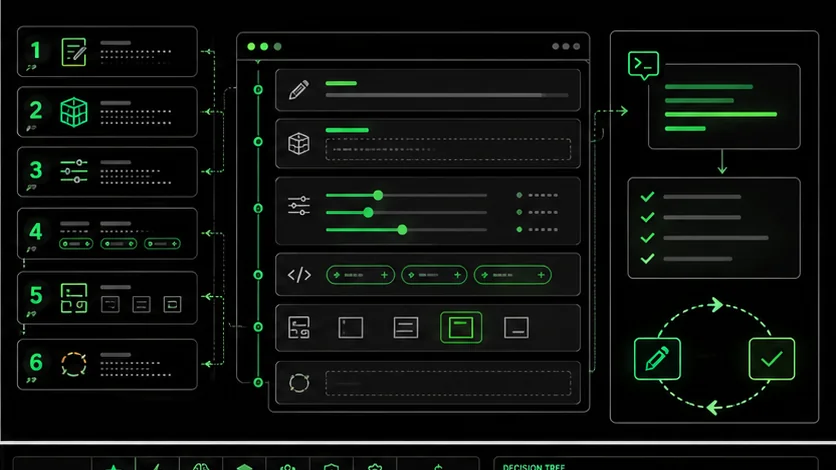
You type a request into Claude, hit enter, and... the response misses the mark entirely. Sound familiar? You are not alone. Most people struggle to get consistent, high-quality outputs from AI assistants because they have never learned how to communicate effectively with these systems.
The difference between a frustrating AI experience and a productive one often comes down to one skill: prompt engineering. And the good news is that it is a skill anyone can learn.
In this comprehensive guide, you will learn exactly how to write prompts that get Claude to deliver exactly what you need. Whether you are a complete beginner or someone looking to level up your AI interactions, this guide covers everything from fundamental principles to advanced techniques that professionals use daily.
By the end of this article, you will understand:
- Why Claude responds differently than other AI assistants
- The 6 core principles that make prompts effective
- A step-by-step process for crafting perfect prompts
- Common mistakes that sabotage your results
- Advanced techniques used by prompt engineering experts
- Ready-to-use templates for common tasks
---
What Makes Claude Different from ChatGPT
Anthropic's Claude uses Constitutional AI for reliable instruction-following and a 200K-token context window, while OpenAI's GPT-4 and ChatGPT prioritize conversational flexibility -- Claude rewards structured, detailed prompts with more consistent output.
Before diving into prompt writing techniques, it helps to understand what makes Claude unique. This context will help you craft better prompts specifically optimized for Claude's strengths.
Constitutional AI Approach
Claude was developed using a technique called Constitutional AI (CAI). Unlike other models trained primarily through human feedback, Claude was trained to follow a set of principles or "constitution" that guides its behavior. What does this mean for you?
Claude tends to be more:
- Thoughtful in its responses - It considers multiple perspectives before answering
- Willing to express uncertainty - It will tell you when it does not know something
- Consistent in its behavior - The same type of prompt produces similar quality results
Better at Following Complex Instructions
Claude excels at tasks requiring:
- Multi-step reasoning
- Adherence to specific constraints
- Maintaining consistent formatting
- Following detailed style guides
Stronger Reasoning Capabilities
Claude was designed with enhanced reasoning abilities. It can:
- Break down complex problems into logical steps
- Consider edge cases and exceptions
- Provide nuanced analysis rather than surface-level responses
- Explain its thinking process when asked
- Analyzing business decisions
- Debugging code (Claude Code and Cursor both leverage this strength)
- Writing research summaries
- Creating strategic plans
Longer Context Window
Claude offers an industry-leading context window of up to 200,000 tokens (roughly 150,000 words). This means you can:
- Paste entire documents for analysis
- Provide extensive background information
- Include multiple examples in your prompts
- Maintain longer, more coherent conversations
---
Core Principles of Effective Claude Prompts
Six principles -- specificity, context, structure, examples, constraints, and iteration -- separate mediocre Claude prompts from excellent ones, with structured prompts outperforming vague ones by up to 60% in first-pass accuracy.
Now that you understand what makes Claude tick, let's explore the fundamental principles that separate mediocre prompts from excellent ones.
Principle 1: Be Specific and Detailed
Vague prompts produce vague results. The more specific you are about what you want, the better Claude can deliver.
Vague Prompt:Write something about marketing.Write a 500-word blog introduction about email marketing best practices
for small e-commerce businesses. Target audience: store owners with
less than $100k annual revenue who are new to email marketing.
Tone: friendly and encouraging, not salesy.The specific prompt tells Claude:
- Exact word count (500 words)
- Content type (blog introduction)
- Topic (email marketing best practices)
- Target audience (small e-commerce owners, new to email)
- Revenue context (under $100k)
- Desired tone (friendly, encouraging, not salesy)
Principle 2: Provide Context
Claude cannot read your mind. It does not know:
- Your industry or business
- Your prior conversations (unless you share them)
- Your target audience
- Your constraints or requirements
- What you have already tried
Help me improve this headline.I run a SaaS company selling project management software to creative
agencies. My current homepage headline is "Manage Projects Better."
Our main competitors use headlines focused on collaboration. Our
unique advantage is that we integrate with all major design tools.
Help me improve this headline to highlight our design tool integrations
while appealing to creative agency owners who are frustrated with
disconnected workflows.
The context-rich prompt gives Claude everything it needs to provide genuinely useful suggestions.
Principle 3: Structure Your Request
Complex requests benefit from clear structure. Use:
- Numbered lists for steps
- Bullet points for requirements
- Headers for different sections
- Clear separation between context and request
I need you to write some social media posts for my new product launch
it's a fitness app and I want posts for Twitter and LinkedIn and
Instagram and they should be different lengths and mention the free
trial and maybe include some emojis for Instagram but not LinkedIn.Create social media posts for my fitness app launch.
Product: FitTrack - AI-powered workout tracking app
Key feature: 14-day free trial
Target audience: Busy professionals aged 25-40
Please create:
Twitter post (280 characters max)
- Punchy and direct
- Include one relevant hashtag
LinkedIn post (150-200 words)
- Professional tone
- Focus on productivity benefits
- No emojis
Instagram caption (100-150 words)
- Casual, energetic tone
- Include 2-3 relevant emojis
- End with call-to-action for free trialThe structured version is longer but produces significantly better results because Claude understands exactly what you need for each platform.
Principle 4: Use Examples (Few-Shot Prompting)
One of the most powerful techniques is showing Claude examples of what you want. This is called "few-shot prompting" because you are giving Claude a few shots at understanding your expectations.
Without Examples:Write product descriptions in a playful tone.Write product descriptions in a playful tone. Here are examples of
the style I want:
Example 1:
Product: Coffee mug
Description: "Rise and grind, coffee lovers! This 12oz beauty keeps
your brew hot while you conquer your to-do list. Warning: january cause
excessive productivity."
Example 2:
Product: Notebook
Description: "Where brilliant ideas go to party! 200 pages of pure
potential, waiting for your genius to show up. Lined pages because
we know you like structure (even if your thoughts don't)."
Now write a description for:
Product: Wireless earbuds with noise cancellation
By providing examples, you show Claude exactly what "playful tone" means to you, eliminating guesswork and interpretation differences.
Principle 5: Set Constraints and Format
Tell Claude exactly how you want the output formatted. This includes:
- Length requirements
- Output format (list, paragraph, table, JSON, etc.)
- What to include and exclude
- Style constraints
Summarize this article about renewable energy.Summarize this article about renewable energy.
Format requirements:
- 3 bullet points for key takeaways (one sentence each)
- 2-paragraph summary (50-75 words per paragraph)
- One-line "bottom line" conclusion
Constraints:
- Focus on practical implications, not technical details
- Do not include statistics unless critical to understanding
- Write for a general audience with no technical background
Principle 6: Iterate and Refine
Perfect prompts rarely emerge on the first try. The best prompt engineers treat prompting as an iterative process:
Write a welcome email for new customers.Write a welcome email for new customers. Use a warm, conversational
tone as if writing to a friend. Keep it under 150 words. Include a
clear next step for them to take.Write a welcome email for new customers of our online plant shop,
LeafyLove.
Tone: Warm and conversational, like chatting with a plant-loving
friend. A bit quirky - we use plant puns occasionally.
Length: Under 150 words
Must include:
- Personal welcome
- One sentence about our mission (making plant parenthood easy)
- Clear next step: Join our Plant Parent Facebook group
- Sign off from "The LeafyLove Team"
Example of our voice: "Your green thumb is showing!" and
"Let's grow together!"Each iteration gets closer to the perfect output. This refinement process is where the real skill in prompt engineering develops.
---
Step-by-Step Guide to Writing Claude Prompts
Follow this 10-step process -- from defining your goal to planning iteration -- to craft prompts that consistently produce high-quality output from Claude, GPT-4, or any Anthropic or OpenAI model.
Now let's put these principles into practice with a systematic approach you can follow for any task.
Step 1: Define Your Goal Clearly
Before typing anything, ask yourself: What exactly do I want Claude to produce?
Write down:
- The output type (email, code, summary, analysis, etc.)
- The purpose (inform, persuade, entertain, explain)
- The success criteria (how will you know if it is good?)
Help me with my presentation.Create a 5-slide outline for a 10-minute presentation to my CEO
convincing her to invest $50,000 in a new customer support software.
Include key talking points for each slide.Step 2: Identify Your Audience
Who is the final consumer of Claude's output? This dramatically affects:
- Vocabulary and complexity level
- Tone and formality
- Examples and references used
- Assumptions made
Explain machine learning.Explain machine learning to a marketing manager who has never written
code but needs to understand it for evaluating AI-powered marketing tools.Step 3: Provide Relevant Background
Give Claude the context it needs to understand your situation.
What to do: Include 2-3 sentences of relevant background. Consider:- Your industry or domain
- Previous attempts or current state
- Constraints you are working within
- Why you need this output
Write a product description for my new app.Background: I am launching a meditation app called "MindfulMe" that
targets stressed corporate professionals. The app market is saturated,
so we differentiate by offering 3-minute micro-meditations designed
for use between meetings. Our beta users say our guided sessions feel
"less woo-woo" and more practical than competitors.
Write a product description for the App Store (under 170 characters
for subtitle, under 4000 characters for full description).
Step 4: Specify the Format
Be explicit about how you want the response structured.
What to do: Describe the format using:- Length (words, paragraphs, pages)
- Structure (list, table, sections)
- Style elements (headers, bullets, numbered lists)
Give me some ideas for team building activities.Give me 10 team building activity ideas.
Format each idea as:
- Activity name (bold)
- Time required: X minutes/hours
- Team size: X-X people
- Cost level: Free / Low ($) / Medium ($) / High ($$)
- Best for: [type of team or goal]
- One-sentence description
Present as a numbered list.Step 5: Add Examples When Possible
Show Claude what good looks like.
What to do: Include 1-3 examples of the style, format, or quality you want. Why it works: Examples eliminate ambiguity about your expectations. Before:Write catchy email subject lines for our sale.Write 10 catchy email subject lines for our summer sale.
Match this style from our previous successful campaigns:
- "Your wallet called. It said you deserve this."
- "Warning: These deals january cause joy."
- "Plot twist: Quality stuff, tiny prices."
Characteristics to maintain:
- Humor or wit
- Conversational tone
- Under 50 characters
- No exclamation marks
- No ALL CAPS
Step 6: Set Boundaries and Constraints
Tell Claude what NOT to do, as well as what to do.
What to do: List any:- Topics to avoid
- Words or phrases not to use
- Approaches to skip
- Length limits not to exceed
Write a blog post about productivity tips for remote workers.Write a blog post about productivity tips for remote workers.
Constraints:
- 1200-1500 words
- Do NOT include generic tips like "make a to-do list" or
"take breaks" - our audience has heard these countless times
- Do NOT mention specific apps by name (we want evergreen content)
- Avoid the word "hustle" (not aligned with our brand)
- Do not write an introduction longer than 100 words
Step 7: Request the Thinking Process
For complex tasks, ask Claude to show its reasoning.
What to do: Add phrases like:- "Walk me through your thinking"
- "Explain your reasoning for each choice"
- "Show your work"
- Catch faulty logic early
- Understand why it made certain choices
- Provide better feedback for refinement
Which pricing strategy should we use for our new product?Which pricing strategy should we use for our new SaaS product?
Context: B2B project management tool, primary competitors charge
$10-15/user/month, our differentiation is AI features.
Walk me through your analysis:
List 3 viable pricing strategies
For each, explain pros and cons for our specific situation
Recommend one with your reasoning
Identify the biggest risk with your recommendation Step 8: Include a Quality Check
Ask Claude to verify its own work.
What to do: Add a final instruction asking Claude to:- Review for errors
- Check against requirements
- Flag any assumptions made
- Note any limitations
Write a Python function that validates email addresses.Write a Python function that validates email addresses.
Requirements:
- Accept a string input
- Return True if valid, False if invalid
- Handle edge cases (empty string, None, etc.)
- Use regex pattern matching
After writing the code:
Test it mentally with these inputs: "test@example.com",
"invalid", "", "user.name+tag@domain.co.uk"
List any edge cases the function might not handle correctly
Rate your confidence in the solution (Low/Medium/High) Step 9: Specify the Tone and Voice
Match Claude's output to your brand or personal style.
What to do: Describe the tone using:- Adjectives (professional, casual, witty, authoritative)
- Comparisons ("like a knowledgeable friend, not a professor")
- Anti-examples ("NOT stuffy or corporate")
Write a LinkedIn post announcing our new hire.Write a LinkedIn post announcing our new VP of Engineering hire.
Tone guidance:
- Professional but warm (not stiff corporate-speak)
- Excited but not over-the-top (no "thrilled!" or "beyond excited!")
- Confident and welcoming
- Like we are introducing a friend to our community
Our brand voice is: Approachable experts. We take our work seriously
but not ourselves.
Avoid: Buzzwords, cliches like "hit the ground running," excessive
exclamation marks.
Step 10: Plan for Iteration
Set up your prompt to make refinement easy.
What to do: End your prompt with:- A request for Claude to ask clarifying questions if needed
- Permission to suggest improvements to your request
- A note that you january ask for revisions
Write my company's about page.Write my company's about page.
[Include all context and specifications from previous steps]
Before you write, do you have any clarifying questions about our
company, audience, or goals? If not, proceed with your best attempt,
and I will provide feedback for refinement.
---
Common Mistakes to Avoid
Seven critical errors -- from vague prompts to ignoring Claude's reasoning strengths -- account for most failed AI sessions across both Anthropic's Claude and OpenAI's ChatGPT; eliminating them can double your first-pass success rate.
Even with good intentions, these errors derail many prompts. Learn to recognize and avoid them.
Mistake 1: Being Too Vague
The Problem: Prompts like "Help me with marketing" or "Write something good" give Claude nothing to work with. The Fix: Always specify the what, who, and how. If you cannot describe what you want in detail, you are not ready to prompt yet. Bad:Write a blog post.Write a 1000-word blog post about the benefits of remote work for
small business owners. Include 3 main sections with headers, a brief
introduction, and a conclusion with a call to action to download our
remote work toolkit.Mistake 2: Not Providing Context
The Problem: Claude cannot infer your industry, audience, or constraints. Without context, it defaults to generic responses. The Fix: Spend 30 seconds adding background before your request. Bad:Write an email asking for a raise.Context: I have worked at a mid-size tech company for 2 years. I was
promoted from junior to senior developer 6 months ago but my salary
was not adjusted. I have strong performance reviews and just led a
successful product launch.
Write an email to my manager requesting a salary review meeting.
Tone should be confident but not demanding. Keep it under 200 words.
Mistake 3: Asking Too Many Things at Once
The Problem: Cramming multiple unrelated requests into one prompt leads to shallow treatment of each or missed items entirely. The Fix: One prompt, one focused task. For complex projects, break them into sequential prompts. Bad:Write a marketing plan, create social media posts, design an email
sequence, come up with a tagline, and suggest influencer partnerships
for my new product launch.Let's develop a marketing plan for my new product launch. Let's start
with the first component.
Create a 5-post social media sequence for Instagram to build
anticipation for our fitness app launch.
Post 1: Teaser (1 week before launch)
Post 2: Feature reveal (5 days before)
Post 3: Behind the scenes (3 days before)
Post 4: Launch day announcement
Post 5: Day-after social proof
For each post, provide: caption, suggested image description,
and best posting time.
Mistake 4: Not Specifying Output Format
The Problem: Claude guesses at format, often producing beautiful prose when you wanted bullet points, or a wall of text when you wanted a table. The Fix: Always state your preferred format explicitly. Bad:Compare these three CRM options for my small business.Compare these three CRM options for my small business: HubSpot,
Salesforce, and Pipedrive.
Format as a comparison table with these columns:
- Feature
- HubSpot
- Salesforce
- Pipedrive
Rows to include:
- Starting price
- Contact limits (free tier)
- Email integration
- Best for (use case)
- Main limitation
Below the table, add a 2-sentence recommendation.Mistake 5: Giving Up After One Attempt
The Problem: The first response is rarely perfect. Abandoning a prompt after one try leaves value on the table. The Fix: Treat the first response as a draft. Provide specific feedback and ask for revisions. Bad Approach: Gets imperfect response Starts completely new prompt from scratch Good Approach: Gets imperfect responseThis is a good start. Please revise with these changes:
Make the tone more conversational - current version is too formal
Shorten the introduction to 2 sentences
Add a specific example in section 2
Keep everything else the same Mistake 6: Ignoring Claude's Strengths
The Problem: Using Claude for tasks where its strengths (reasoning, instruction-following, nuance) are not leveraged. The Fix: Play to Claude's advantages by asking for analysis, structured outputs, and complex multi-step tasks. Underutilizes Claude:List 10 marketing ideas.Analyze my current marketing strategy and suggest improvements.
Current strategy:
- Weekly blog posts (500 visitors/month)
- Monthly email newsletter (2000 subscribers, 18% open rate)
- Occasional LinkedIn posts (minimal engagement)
- No paid advertising
Business context: B2B SaaS for HR teams, $99/month pricing,
50 customers, goal is 100 customers by Q3.
For each suggestion:
What to do
Why it fits our situation specifically
Expected impact (Low/Medium/High)
Required resources
Priority ranking Mistake 7: Not Learning from Past Prompts
The Problem: Making the same prompting mistakes repeatedly instead of building on what works. The Fix: Keep a personal "prompt library" of templates that work well for your common tasks. What to Save:- Prompts that produced great results
- Formatting patterns you like
- Context snippets you reuse
- Tone descriptions that match your brand
---
Advanced Techniques
Chain-of-thought prompting, role-based personas, iterative refinement, and prompt chaining unlock Claude's deeper reasoning -- these techniques also transfer to GPT-4, GitHub Copilot, and Cursor for multi-tool workflows.
Once you have mastered the fundamentals, these advanced techniques will take your prompting to the next level.
Chain of Thought Prompting
This technique asks Claude to break down complex reasoning into explicit steps.
How it works: Instead of asking for just an answer, ask Claude to show each step of its thinking process. Basic Prompt:Should we expand into the European market?Should we expand into the European market?
Work through this decision systematically:
First, identify the key factors that determine success in
international expansion
Analyze each factor for our specific situation (B2B SaaS,
$2M ARR, 50 employees, US-only currently)
Consider the main risks and how we might mitigate them
Evaluate the opportunity cost of NOT expanding
Reach a recommendation with your confidence level
Show your reasoning at each step.
- Strategic decisions
- Complex analysis
- Problem-solving with Claude or GPT-4
- Any task where the reasoning process matters
Role-Based Prompting
Assigning Claude a specific role or persona changes how it approaches problems.
How it works: Define who Claude should "be" when responding. Without Role:Review my business plan.Act as an experienced venture capitalist who has evaluated hundreds
of startup pitches. You are known for being direct and identifying
weaknesses others miss.
Review my business plan and provide:
Your honest first impression
The three biggest weaknesses that would make you pass
The most compelling aspect that would make you consider investing
Specific questions you would ask before deciding
Be direct - I need honest feedback, not encouragement.
- Industry expert (specify the industry)
- Devil's advocate
- Target customer
- Skeptical journalist
- Experienced mentor
Iterative Refinement Strategy
Structure your interaction as a multi-step process rather than a single prompt.
How it works: Break complex tasks into phases, using each output as input for the next. Example for writing a comprehensive report: Phase 1 - Research:I need to write a market analysis report. First, help me identify
the key areas I should research. List 8-10 essential topics I need
to cover for a thorough analysis of the fitness app market.Based on these topics, create a detailed outline for a 15-page
market analysis report. Include suggested subsections and the type
of data/analysis each section should contain.Using this outline, write the Executive Summary section. Keep it
to 300 words and ensure it can stand alone for readers who only
read the summary.Review what we have created so far. Identify any gaps in logic,
missing considerations, or areas that need more depth.Using Claude's Artifacts Feature
Claude can create interactive artifacts like code, visualizations, and documents that appear alongside the conversation.
How it works: Ask Claude to create content that benefits from visual rendering. Example prompts for artifacts:Create an interactive React component that displays a pricing table
with three tiers. Include a toggle to switch between monthly and
annual pricing.Create an SVG infographic showing the 5 steps of our customer
onboarding process. Use our brand colors: #4A90A4 (primary) and
#2D3748 (text).Create a Mermaid diagram showing our software architecture with
the user-facing app, API layer, database, and third-party
integrations.- Code that needs testing
- Diagrams and flowcharts
- Interactive components
- Data visualizations
Prompt Chaining for Complex Tasks
Connect multiple prompts where each builds on the previous output.
How it works: Design a sequence where each step's output feeds into the next. Example - Content Creation Pipeline: Prompt 1: Generate 10 blog post ideas about remote work productivity. Prompt 2: [After selecting an idea] Create a detailed outline for the post about "asynchronous communication strategies." Prompt 3: Write the introduction and first section using this outline. Prompt 4: Continue with sections 2 and 3. Prompt 5: Write the conclusion and add a compelling call-to-action. Prompt 6: Review the complete draft and suggest improvements for flow and engagement.This approach produces higher quality than asking for the entire piece at once because each step receives focused attention. It works across Anthropic's Claude, OpenAI's ChatGPT, and IDE-integrated tools like GitHub Copilot and Cursor.
---
Prompt Templates: Ready to Use
Eight battle-tested templates for blog writing, code review, research, email, data analysis, meetings, SOPs, and competitive analysis -- each optimized for Claude by Anthropic but also effective with OpenAI's GPT-4.
Here are battle-tested templates for common tasks. Copy, customize, and use them immediately.
Template 1: Blog Post Writing
Write a blog post with these specifications:
TOPIC: [Your topic]
TARGET AUDIENCE: [Who will read this]
GOAL: [What should readers do/feel/know after reading]
WORD COUNT: [Target length]
TONE: [e.g., Professional but approachable]
STRUCTURE:
- Hook opening (2-3 sentences that grab attention)
- Introduction with clear thesis
- [Number] main sections with headers
- Practical examples or case studies
- Conclusion with actionable takeaway
- Call to action: [What you want them to do]
KEYWORDS TO INCLUDE: [List SEO keywords]
AVOID: [Topics, words, or approaches to skip]
ADDITIONAL CONTEXT:
[Any relevant background about your business, audience, or goals]
Template 2: Code Review
Review this code and provide feedback:CONTEXT:
- This code does: [Brief description]
- Language/Framework: [e.g., Python 3.11, React 18]
- This is for: [Production/prototype/learning]
PLEASE EVALUATE:
Correctness: Any bugs or logical errors?
Performance: Any inefficiencies?
Readability: How could clarity improve?
Best Practices: What conventions are violated?
Security: Any vulnerabilities?
FORMAT YOUR RESPONSE AS:
- Summary (2-3 sentences)
- Critical Issues (must fix)
- Suggestions (nice to have)
- Improved code snippet (if applicable)
Rate overall code quality: Poor / Fair / Good / ExcellentTemplate 3: Research Summary
Summarize this research/article/document:
[Paste content or describe what you want summarized]
AUDIENCE: [Who needs this summary]
PURPOSE: [Why they need it - decision making, learning, sharing]
PROVIDE:
One-paragraph executive summary (under 100 words)
Key findings (5-7 bullet points)
Methodology notes (if relevant)
Limitations or caveats
Implications for [specific context]
Questions this raises for further investigation
FORMAT: Use headers and bullet points for scannability.
Template 4: Email Drafting
Write an email with these specifications:
TYPE: [Cold outreach / Follow-up / Request / Announcement / etc.]
FROM: [Your role and context]
TO: [Recipient and their context]
RELATIONSHIP: [New contact / Existing relationship / etc.]
GOAL: [What you want to happen after they read this]
KEY POINTS TO INCLUDE:
- [Point 1]
- [Point 2]
- [Point 3]
TONE: [e.g., Professional but warm, Direct but polite]
LENGTH: [Short (under 100 words) / Medium / Long]
CONSTRAINTS:
- [Any specific requirements or things to avoid]
SUBJECT LINE: Please suggest 3 options
END WITH: [Specific call to action]
Template 5: Data Analysis Interpretation
Analyze this data and provide insights:
DATA:
[Paste your data - can be CSV, table, or description]
CONTEXT:
- This data represents: [What was measured]
- Time period: [When collected]
- Business context: [Why this matters]
ANALYSIS REQUESTED:
Key patterns and trends
Anomalies or outliers worth investigating
Comparison to [benchmark/previous period/expectations]
Actionable recommendations based on findings
Confidence level in conclusions (and why)
FORMAT:
- Executive summary (3 sentences)
- Detailed findings with supporting data points
- Visualization suggestions (what charts would show this best)
- Recommended next steps
AVOID: [Any assumptions not to make or areas out of scope]Template 6: Meeting Agenda Creation
Create a meeting agenda:
MEETING DETAILS:
- Purpose: [Why are we meeting]
- Duration: [X minutes/hours]
- Attendees: [Roles, not names]
- Meeting type: [Decision-making / Brainstorm / Status update / etc.]
MUST COVER:
- [Topic 1]
- [Topic 2]
- [Topic 3]
FORMAT THE AGENDA WITH:
- Time allocations for each item
- Owner/presenter for each section
- Required pre-reads or preparation
- Clear outcomes expected from each item
- Parking lot for off-topic items
NOTES:
- [Any constraints like "CEO has hard stop at 2pm"]
Template 7: Process Documentation (SOP)
Create a Standard Operating Procedure document:
PROCESS NAME: [What is this process]
PROCESS OWNER: [Role responsible]
PURPOSE: [Why does this process exist]
CURRENT STATE:
[Describe how it is done now, or write "New process"]
TARGET AUDIENCE: [Who will follow this SOP]
SKILL LEVEL ASSUMED: [Beginner / Intermediate / Expert]
INCLUDE:
Overview and scope
Prerequisites (tools, access, prior steps)
Step-by-step instructions
Decision points with criteria
Common errors and troubleshooting
Quality checkpoints
Handoff points to other teams
Success criteria
FORMAT:
- Numbered steps
- Screenshots/diagram placeholders where helpful
- Warnings/cautions in callout boxes
- Version number and last updated date
LENGTH: [Appropriate detail level]Template 8: Competitive Analysis
Analyze these competitors:
OUR COMPANY: [Brief description]
OUR PRODUCT/SERVICE: [What we offer]
COMPETITORS TO ANALYZE:
[Competitor 1]
[Competitor 2]
[Competitor 3]
ANALYZE EACH ON:
- Value proposition
- Target audience
- Pricing model
- Key strengths
- Key weaknesses
- Market positioning
THEN PROVIDE:
Comparison matrix (table format)
Our competitive advantages
Our vulnerabilities
Opportunities to differentiate
Threats to monitor
FORMAT: Start with summary, then detailed analysis per competitor,
end with strategic recommendations.
---
Tools to Help You Write Better Prompts
Ralphable's Ralph Skills automate the iteration process with pass/fail criteria, while Anthropic's Claude documentation and community resources complement manual prompting -- reducing trial-and-error by up to 80%.
While you can craft prompts entirely on your own, several tools can accelerate your learning and improve your results.
The Challenge of Manual Prompting
As you have seen in this guide, effective prompting requires:
- Remembering multiple principles
- Structuring requests carefully
- Iterating through multiple versions
- Maintaining consistency across similar tasks
Ralphable's Ralph Skills: Automating the Iteration Process
[Ralphable](/) offers a unique approach to this challenge through Ralph Skills - structured AI prompt templates that iterate until perfect.
Unlike simple prompt templates you copy and paste, Ralph Skills are designed to:
1. Break Down Complex Tasks Ralph Skills split complex projects into atomic, verifiable steps. Instead of hoping a single prompt produces good results, the skill works through each component systematically. 2. Iterate Until Success Criteria Are Met The key innovation is built-in iteration. Rather than accepting whatever Claude produces first, Ralph Skills include quality checks and refinement loops that continue until the output meets defined standards. 3. Include Built-In Guardrails Each skill includes failure handling and scope control. If something goes wrong, the skill adapts rather than producing garbage output. 4. Leverage Community Validation The Ralphable community upvotes skills that actually work. This means you are not experimenting with untested prompts - you are using templates refined by real usage. How Ralph Skills Work:- Complex tasks that require multiple steps
- Recurring tasks where consistency matters
- When you want to skip the learning curve of prompt optimization
- Projects where quality cannot be compromised
[Explore Ralph Skills](/) to see how automated iteration can transform your AI workflow.
Other Helpful Tools
Beyond Ralphable, consider:
- Claude's built-in prompt library: Claude itself can help you write better prompts. Ask "Help me write a better prompt for [task]" to get suggestions.
- Documentation and guides: Anthropic publishes detailed documentation on Claude's capabilities at their website.
- Community resources: Forums and communities where users share what works (and what does not) can accelerate your learning.
Frequently Asked Questions
Answers to the most common questions about prompting Claude, adapting ChatGPT prompts, handling refusals, and optimizing iteration count for Anthropic and OpenAI models.
How long should my prompts be?
There is no ideal length - only appropriate length for the task. Simple requests might need 2-3 sentences. Complex tasks might require several paragraphs of context and specifications. Claude's large context window means you should prioritize clarity over brevity. If more detail helps Claude understand, include it.
Can I use ChatGPT prompts with Claude?
Generally yes, but Claude often performs better with more detailed prompts. Prompts optimized for ChatGPT january work but not leverage Claude's strengths in instruction-following and reasoning. Consider adding more structure and specificity when adapting prompts for Claude.
How do I know if my prompt is good enough?
A good prompt passes these tests:
- Could someone else understand exactly what you want?
- Have you specified the format, tone, and length?
- Is there enough context for Claude to avoid incorrect assumptions?
- Have you included examples if the task is subjective?
What if Claude refuses to do what I ask?
Claude has safety guidelines that prevent certain outputs. If you receive a refusal:
Most refusals stem from ambiguity rather than actual policy violations.
How many iterations should I expect before getting a good result?
For simple tasks, 1-2 iterations is typical. For complex, nuanced tasks, 3-5 iterations is normal. If you are consistently needing more than 5 iterations, the task might need to be broken into smaller pieces, or your initial prompt needs more specificity. Tools like Ralphable's Ralph Skills handle this iteration automatically, which is valuable for tasks where you need consistent quality without manual refinement.
---
Conclusion: Your Next Steps
Master the 6 principles and 10-step process from this guide, then use Ralphable's Ralph Skills for automated iteration -- you will consistently outperform unstructured prompting on both Claude and GPT-4.
You now have everything you need to write effective prompts for Claude:
- Understanding of what makes Claude unique and how to leverage it
- Principles that separate good prompts from great ones
- A step-by-step process for crafting prompts systematically
- Awareness of common mistakes and how to avoid them
- Advanced techniques to tackle complex challenges
- Ready-to-use templates for immediate application
For complex, recurring tasks where consistent quality matters, consider letting [Ralphable's Ralph Skills](/) handle the iteration process automatically. Our community-validated templates have been refined through real usage, saving you the trial-and-error of prompt optimization.
The future belongs to those who can effectively collaborate with AI. You now have the skills to be among them.
---
Related guides
- AI Prompts for Developers — 40+ ready-to-use prompts for coding, debugging, and documentation
- Claude vs ChatGPT — detailed comparison for professional use
- Prompt Engineering Guide — the complete reference for all AI models
- AI Prompts for Solopreneurs — prompts for business and strategy tasks
- Ralph Loop Methodology — how iterative pass/fail criteria improve output quality
<!-- sister-projects-start -->
Other Doved Studio projects
Related tools from the same studio you might find useful:
- Glean: Turn scrolling time into a daily action plan. Capture, process, execute.
- Popout: Create your portfolio in minutes with a single shareable page.
- Larpable: Spot fake founders, guru grifts, and performance entrepreneurship.
- Doved Studio: Studio indie derrière cette app et une dizaine d'autres outils.