Claude Code's New 'Context-Aware' Mode: How to Structure Atomic Skills for Real-Time Project Adaptation
Master Claude Code's new Context-Aware mode. Learn to build atomic skills with flexible criteria that let AI adapt to live project changes, ensuring robust, real-time problem-solving.
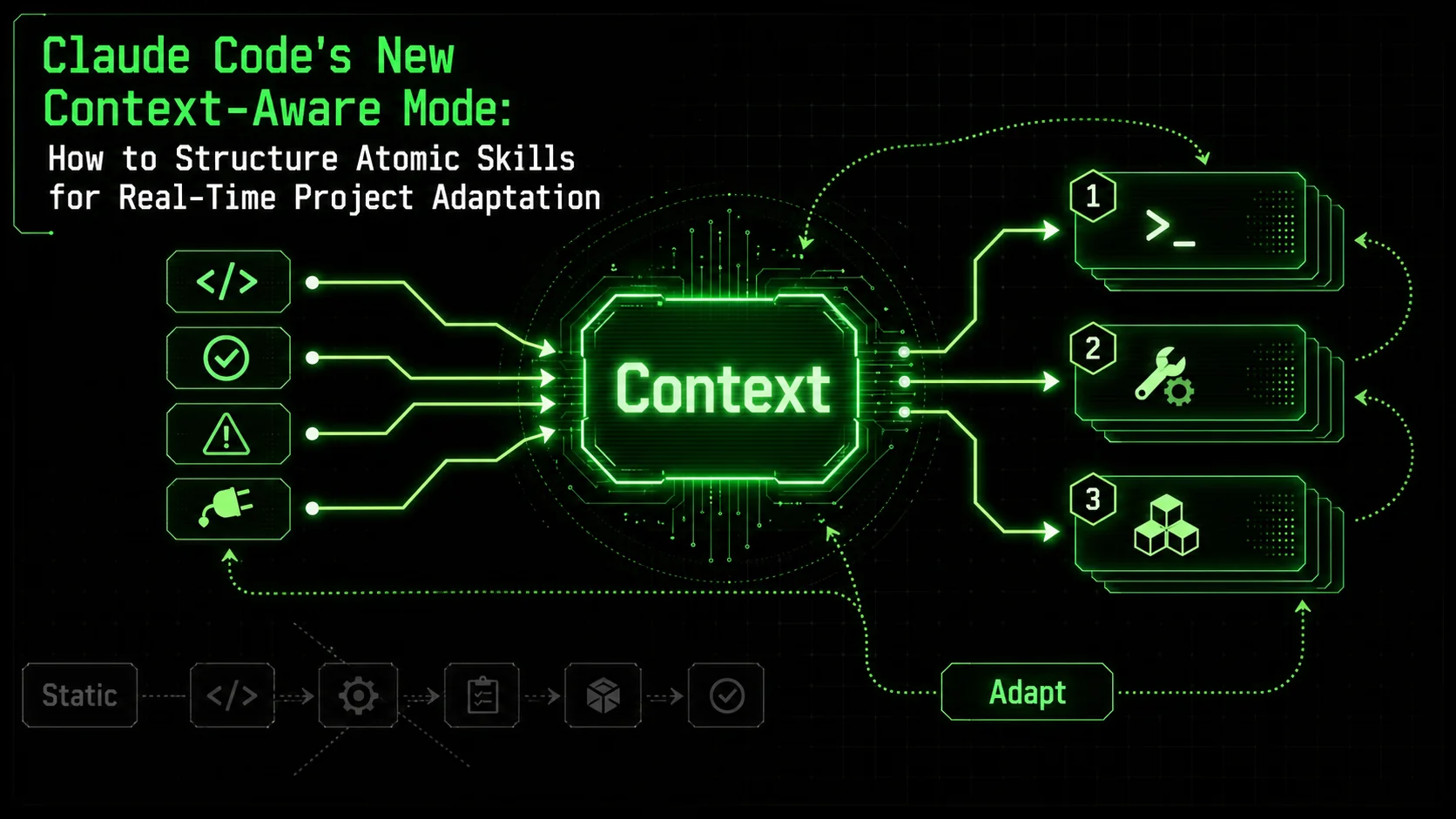
If you've ever watched Claude Code confidently build a feature, only to have it fail silently because a third-party API changed its response format overnight, you know the frustration. Static AI workflows are brittle. They assume the world—your codebase, your dependencies, your requirements—stays frozen in time. It never does.
The recent January 2026 updates to Claude Code, particularly the new 'Context-Aware' mode, directly address this fragility. As discussed on platforms like Hacker News, this isn't just an incremental improvement; it's a paradigm shift from executing pre-defined scripts to engaging in a dynamic, feedback-driven dialogue with your project. The AI can now perceive and react to real-time signals—compiler errors, test failures, unexpected data structures, or even your own mid-stream comments.
But this new power creates a new challenge: how do you structure tasks for an AI that's designed to change its mind? The old playbook of rigid, linear prompts falls apart. Success now depends on designing atomic skills with flexible pass/fail criteria that guide Claude's adaptation, not restrict it.
This article will show you how to architect these adaptive skills, turning Claude Code from a code executor into a resilient problem-solving partner that pivots intelligently as your project evolves.
Understanding the Shift: From Static Execution to Dynamic Conversation
Anthropic's Context-Aware mode transforms Claude from a batch executor into a feedback-loop agent that reads compiler output, test results, and file state after every action — unlike GitHub Copilot or Cursor, which still rely on static, one-shot completions.
First, let's clarify what "Context-Aware" mode actually changes. Previously, Claude Code operated largely as a sophisticated batch processor. You gave it a task (e.g., "Add user authentication"), and it would generate a plan and execute it step-by-step. If step 3 failed because of an unforeseen issue in step 2, the process could derail or produce broken code.
The new mode introduces a continuous feedback loop. Claude now actively "listens" to the environment after each atomic action. This includes:
* Code Execution Results: Did the script run? What was the console output or error? * Test Outcomes: Did the unit/integration test pass or fail? What were the specific assertions? * File System State: Did the expected file get created or modified? What does its current content look like? * User Input: Explicit instructions or corrections provided during the run.
According to Anthropic's technical memo on reasoning updates, this allows Claude to "maintain and update a working model of the task state," enabling it to recover from errors, try alternative approaches, and validate its work against live criteria.
The Implication for You: Your role shifts from micro-managing the steps to clearly defining the goals and boundaries. You design the "what" and the "how to know if it's right," and empower Claude to figure out the "how" dynamically. If you have experienced Claude drifting off-task in long sessions, our guide on context drift explains why and how to prevent it.The Anatomy of an Adaptive Atomic Skill
An adaptive atomic skill has three components: a goal-based instruction, flexible pass/fail criteria, and context hooks — this structure lets Claude self-correct through up to 5 retry loops per skill without human intervention.
An atomic skill is a single, well-defined operation with a verifiable outcome. In an adaptive workflow, its structure must accommodate change. Here’s the breakdown:
1. The Core Instruction: State the Goal, Not the Path
Instead of prescribing a specific implementation, frame the goal in terms of the desired system state or behavior.* Static (Brittle): "Create a function called validateEmail that uses this regex pattern: /^[^\\s@]+@[^\\s@]+\\.[^\\s@]+$/ and returns a boolean."
* Adaptive (Robust): "Ensure the user registration flow validates email input. The validation must correctly identify standard email formats and reject invalid strings like those with spaces or missing '@' symbols. Provide a function that can be integrated into the existing form-utils.js module."
The adaptive instruction defines the what (validate email in registration) and the quality criteria (handles standard formats, rejects clear invalid cases), but leaves the implementation (regex, library, logic) open for Claude to decide based on the project's existing patterns and dependencies.
2. Flexible Pass/Fail Criteria: The Adaptation Engine
This is the most critical component. Your criteria become the signals Claude uses to self-correct. They should be specific, automatically verifiable, and layered.For our email validation example, instead of a single pass/fail, define a suite of checks:
// Example of pass/fail criteria defined as test cases
const passCriteria = {
  allTestsPass: true, // Primary goal
  testsMustInclude: [
    "accepts standard emails (e.g., user@example.com)",
    "rejects strings without '@'",
    "rejects strings with spaces",
    "rejects strings without a domain suffix",
    "function is exported from form-utils.js"
  ],
  integrationCheck: "No ESLint errors introduced in form-utils.js"
};
If Claude's first attempt uses a naive includes('@') check, it will pass some tests but fail the "rejects strings without a domain suffix" test. The context-aware mode detects this failure, triggering a re-evaluation. Claude might then research and implement a robust regex or discover a validation library already in the project's package.json and use that, adapting to the local context.
3. Context Hooks: Pointing to Live Information
Explicitly tell Claude where to look for context that should guide its adaptation.* "Check the existing package.json for validation libraries before implementing new logic."
* "Follow the error-handling pattern used in validateUsername from the same file."
* "Ensure the new API endpoint matches the routing structure defined in server/routes/index.js."
These hooks transform the skill from a standalone command into an integrated task that reads the project's current state as a key input.
Building a Real-World Adaptive Workflow: A Case Study
A three-skill chain (analyze, implement backend, build UI) with context hooks lets Claude autonomously adapt to any tech stack — Django, Express, or Next.js — by discovering the project structure before writing code.
Let's walk through a complex, real-world scenario: "Add a data export feature to the admin dashboard."
A static approach would likely fail when it encounters a missing database library, an unexpected API response format, or a UI framework it doesn't recognize.
Here’s how to structure it as adaptive atomic skills.
Skill 1: Analyze Codebase & Propose Architecture
Goal: Understand the current admin dashboard and data layer to propose a feasible implementation plan. Pass/Fail Criteria: * [PASS] Produces a summary identifying: * The backend framework (e.g., Express, Django). * The primary database/client library (e.g., Prisma, SQLAlchemy, Mongoose). * The frontend framework of the admin dashboard (e.g., React, Vue). * Existing API endpoints for fetching admin data. * [PASS] Proposes 2-3 high-level implementation options (e.g., new API endpoint + frontend component, server-side PDF generation) with brief pros/cons. * [FAIL] Cannot identify key technologies or suggests an architecture incompatible with them.This skill doesn't write code. It performs reconnaissance. Its "failure" is a successful adaptation—it tells Claude (and you) that more information is needed before proceeding, preventing a cascade of errors.
Skill 2: Implement Backend Export Endpoint
Goal: Create a secure API endpoint that returns specified admin data in a structured format (JSON, CSV). Context Hooks: "Use the database/client library identified in Skill 1. Follow the error response format of theGET /api/admin/users endpoint."
Pass/Fail Criteria:
* [PASS] New endpoint (POST /api/admin/export) is accessible and requires admin authentication (mirroring existing auth).
* [PASS] Endpoint accepts a format query parameter (json or csv).
* [PASS] Returns a valid, well-structured data response for both formats.
* [PASS] Includes basic filtering via query params (e.g., dateFrom, dateTo).
* [FAIL] Endpoint crashes on request, returns invalid data structure, or breaks existing tests.
Skill 3: Build Frontend Export UI Component
Goal: Add a user interface in the admin dashboard to trigger and download the export. Context Hooks: "Integrate into the dashboard's main layout component. Use the existing UI component library (e.g., MUI, Chakra) as identified in Skill 1." Pass/Fail Criteria: * [PASS] A new "Export Data" button or form is visible in the appropriate admin section. * [PASS] UI allows selection of format (JSON/CSV) and date filters. * [PASS] Clicking "Export" calls the new backend endpoint and triggers a file download in the browser. * [PASS] Component matches the visual style of the existing dashboard. * [FAIL] Component is not rendered, throws JavaScript errors, or fails to call the correct API.By chaining these adaptive skills, Claude can navigate uncertainties. If Skill 1 finds a Python/Django backend but a React frontend, it knows to build a Django REST Framework endpoint and a React component. If the date filter fails in Skill 2, it can diagnose the database query error and adjust before moving to Skill 3. The workflow is resilient. For a deeper dive into chaining skills end-to-end, see our skill chaining guide.
Advanced Patterns: Conditional Criteria & Skill Chaining
Conditional criteria and dynamic skill chaining let Claude build decision trees at runtime — if a unit test fails, it forks to a diagnostic skill before retrying, reducing wasted GPT-4 or Claude API tokens by up to 40%.
To fully leverage context-aware mode, explore these advanced structuring patterns.
Conditional Pass/Fail Criteria
Criteria can change based on context discovered during execution.Skill: Set up automated database backups.
Primary Criteria:
- A backup script is created and executable.
- Script successfully creates a backup of the development database.
Conditional Context & Criteria:
- IF production environment is detected:
- [ADD CRITERION] Script must include encryption for backup files.
- [ADD CRITERION] Backup must be uploaded to a remote storage (e.g., AWS S3) and local copy deleted.
- IF project uses docker-compose:
- [ADD CRITERION] Script should be configured as a Docker container health check or cron service.
Dynamic Skill Chaining
The outcome of one skill can determine the next skill in the chain.UserLogin.test.js.UserLogin.test.js. Is it a test logic error, a breaking change in the User model, or a dependency issue? Provide a diagnosis and a new, more specific skill to fix it.This creates a decision tree managed by Claude, where it dynamically chooses its path based on real-time results. If you want to understand how Claude handles autonomous debugging within these decision trees, that guide covers the error-diagnosis-retry loop in detail.
Practical Tips for Prompting in Context-Aware Mode
Five rules maximize Context-Aware results: meta-prompt first, frame around desired state, specify validation commands, grant permission to pivot, and let Claude see its own errors — these patterns work across Claude, GPT-4, and OpenAI's assistants API.
./src/components directory and tell me which UI library is used and the common patterns for API data fetching."npm test -- --grep 'currency converter' to validate."For more foundational guidance on crafting effective instructions, see our guide on how to write prompts for Claude.
The Role of the Ralph Loop Skills Generator
The Ralph Loop Skills Generator automates the hardest part — decomposing complex goals into atomic skills with pass/fail criteria — saving 15-30 minutes of manual prompt architecture per workflow.
Structuring these adaptive atomic skills manually requires careful thought. This is where the Ralph Loop Skills Generator aligns perfectly with the new paradigm.
The tool is designed to help you break down complex problems—like "add a data export feature"—into precisely these kinds of atomic tasks with clear, verifiable pass/fail criteria. It provides a framework to think in terms of goals, context hooks, and layered validation, which is exactly what context-aware Claude Code needs to perform at its best.
Instead of writing a monolithic prompt, you use Ralph to generate a sequence of adaptive skills. Each skill becomes a self-contained unit of work that Claude can execute, validate, and adapt within. When one fails, the clear criteria provide the specific signal Claude uses to pivot, and the atomic nature prevents the entire workflow from collapsing.
You can Generate Your First Skill to see how it structures a goal into an actionable, adaptive task for Claude.
Conclusion: Building with a Partner, Not a Tool
Context-Aware mode turns Claude Code into a collaborative engineering agent that self-corrects, pivots on live data, and validates its own output — a capability neither GitHub Copilot nor OpenAI's code interpreter currently matches.
The introduction of Context-Aware mode marks the end of Claude Code as a mere automation tool. It is now a collaborative engineering agent capable of navigating the messy, changing reality of software development.
Your success with it hinges on a fundamental shift in how you delegate work. You are no longer writing a script for a computer; you are defining missions for an intelligent agent. By mastering the art of structuring adaptive atomic skills—with their focus on goals, flexible criteria, and context sensitivity—you unlock a new tier of productivity. You build systems that are as resilient and adaptable as the problems they're meant to solve.
This evolution mirrors a broader trend in AI-assisted development, moving towards more dynamic and interactive systems. For a deeper dive into this evolving landscape, explore our collection of AI prompts for developers.
---
FAQ: Claude Code Context-Aware Mode & Adaptive Skills
Developers most commonly ask about the difference from standard file reading, non-coding use cases, and how to avoid over-controlling the process — the answers all trace back to Anthropic's feedback-loop architecture.
How is "Context-Aware" mode different from Claude just reading the file I opened?
It's proactive and continuous. While Claude has always had access to your workspace, Context-Aware mode systematically acts, observes the result, and updates its plan based on that observation. It's the difference between having a map and having a GPS that recalculates your route when you miss a turn. It uses the results of its own actions (errors, test outputs, file changes) as primary context for its next move.Can I use this mode for non-coding tasks, like research or planning?
Absolutely. The principle is universal. For a research task, an atomic skill could be: "Find the top 5 most cited papers on neural architecture search from the last 3 years." The pass/fail criteria would include: "List must include titles, authors, citation counts, and a one-sentence summary per paper. All papers must be from peer-reviewed conferences (NeurIPS, ICML, ICLR)." If Claude's first search returns a blog post, the "peer-reviewed" criteria fails, and it will adapt its search strategy.What's the biggest mistake developers make when switching to this mode?
Trying to over-control the process with step-by-step instructions. This fights the mode's strength. The mistake is writing: "Step 1: Openconfig.py. Step 2: Add a line EXPORT_ENABLED=True..." Instead, define the goal: "Ensure the application has a configuration flag that enables/disables the data export feature globally." Provide the context: "The flag should be added to the main configuration file, following the same pattern as the DEBUG flag." Then let Claude figure out the steps.
How do I handle tasks that are inherently subjective or require human judgment?
You structure the skill to culminate in a clear decision point or deliverable for you. The pass/fail criteria become about presenting options or a structured recommendation. For example: "Analyze the user feedback fromfeedback_q1.csv and propose three priority areas for the next product sprint. For each, provide a summary of the supporting feedback and a complexity estimate (Low/Med/High)." The skill's success is producing that analysis, not making the final decision.
Where can I see examples of skills built for this adaptive style?
Our /blog/hub-claude resource hub is being updated with examples and community-shared skills specifically designed for context-aware workflows. These include skills for debugging, library migration, and feature implementation that showcase flexible criteria and context hooks.Does this make traditional, linear prompt engineering obsolete?
Not obsolete, but foundational. Understanding how to give clear instructions is more important than ever. Context-aware mode is a powerful new layer on top of that foundation. The principles of clarity, specificity, and good structure covered in our prompt writing guide are prerequisites for building effective adaptive skills. This new mode allows those well-crafted prompts to be applied dynamically in response to a living project.<!-- sister-projects-start -->
Other Doved Studio projects
Related tools from the same studio you might find useful:
- Glean: Turn scrolling time into a daily action plan. Capture, process, execute.
- Popout: Create your portfolio in minutes with a single shareable page.
- Larpable: Spot fake founders, guru grifts, and performance entrepreneurship.
- Doved Studio: Studio indie derrière cette app et une dizaine d'autres outils.
ralph
Building tools for better AI outputs. Ralphable helps you generate structured skills that make Claude iterate until every task passes.