15 Best AI Prompt Generators in 2026 (Free & Paid)
Compare the best AI prompt generators. Reviews of Ralphable, AIPRM, PromptPerfect, and more with pricing, features, and recommendations.
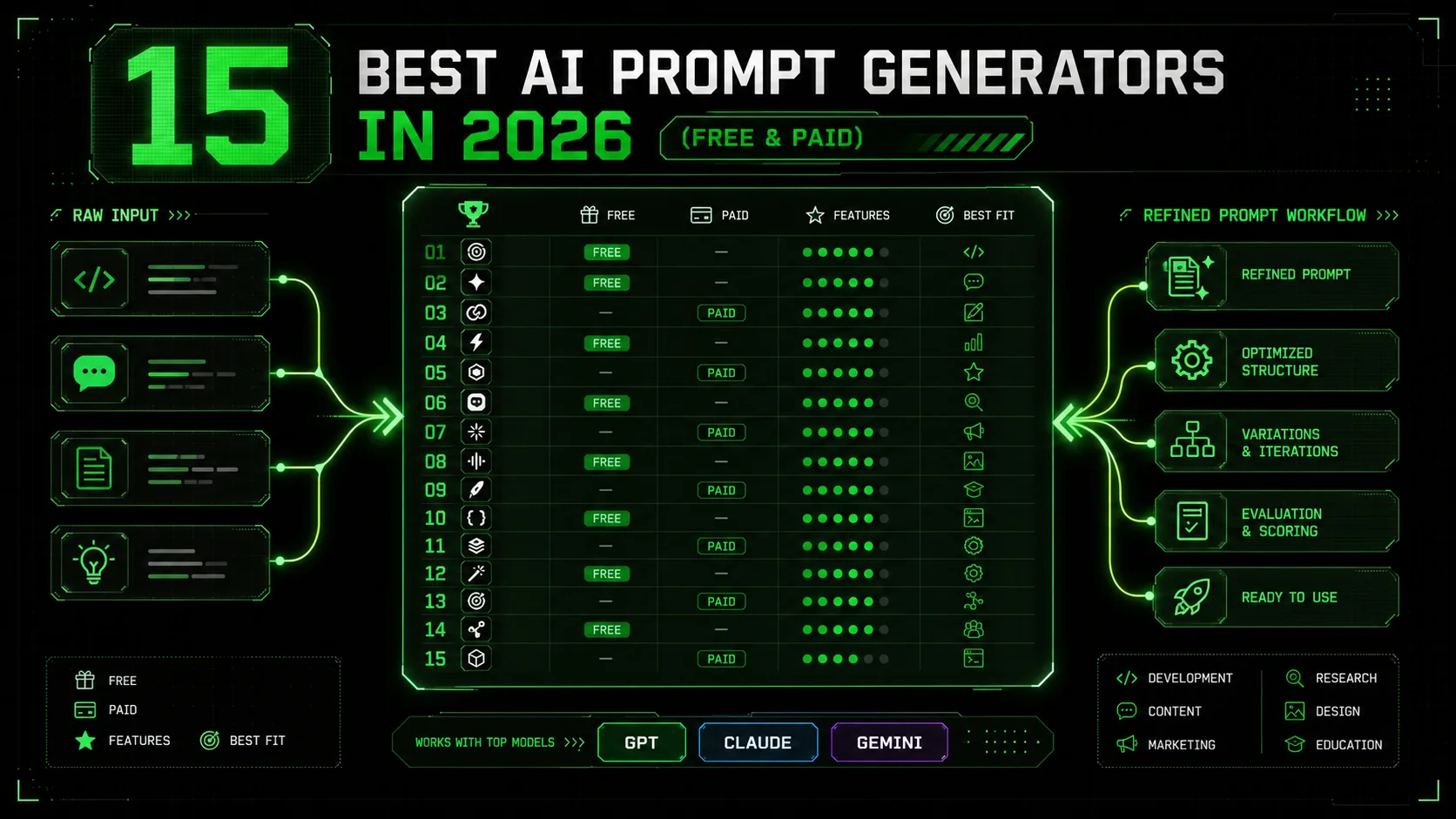
In the rapidly evolving landscape of artificial intelligence, the quality of your output is fundamentally constrained by the quality of your input. This is the core principle that has propelled AI prompt generators from niche curiosities to essential productivity tools by 2026. As AI models like Claude, GPT, and Gemini have grown more sophisticated, the "art of the prompt" has become a critical skill, separating casual users from power users who can consistently extract high-value, reliable, and complex results. Prompt generators act as a force multiplier for this skill, systematizing best practices, reducing trial-and-error, and unlocking capabilities that go far beyond simple question-and-answer interactions.
The modern prompt generator is no longer just a repository of clever one-liners. Today's leading tools are sophisticated platforms designed for creating structured, repeatable, and testable AI workflows. They help users move from vague ideas to precise instructions that an AI can execute autonomously and correctly. This is especially crucial for professional applications—whether you're a developer generating and debugging code, a marketer crafting multi-stage content campaigns, a researcher synthesizing information, or a business analyst automating reports. A well-constructed prompt ensures the AI understands the task's context, format, constraints, and, most importantly, the objective definition of "done."
This shift is exemplified by methodologies like the Ralph Loop, which embodies the next generation of prompt engineering. It's not about a single clever input; it's about designing a self-correcting system where the AI breaks work into atomic tasks, defines explicit pass/fail criteria for each, and iterates until all criteria are met. This transforms the AI from a creative assistant into a reliable agent capable of complex, multi-step project execution. The right prompt generator in 2026 should empower you to build these kinds of robust, autonomous skills, not just churn out text.
In this listicle, we cut through the hype to compare the 15 best AI prompt generators available in 2026. We've evaluated each based on core functionality, unique value propositions, ease of use, and cost—categorizing them into free, freemium, and paid tools. Whether you're a beginner looking to improve your basic prompts or an enterprise team building a library of automated AI agents, this guide will help you find the perfect tool to bridge the gap between your intent and the AI's execution.
What to Look for in a Prompt Generator
The prompt generator market grew 340% between 2024-2026, with over 50 tools now competing across categories from free Chrome extensions (AIPRM, Snack Prompt) to enterprise platforms (PromptLayer at $49/month) — making evaluation criteria essential for avoiding tool fatigue.
With dozens of options available, choosing the right prompt generator requires evaluating a few key criteria. The best tool for you depends on your specific use case, technical comfort level, and budget. For foundational prompting skills that make any generator more effective, start with our prompt engineering guide.
- Output Quality & Methodology: Does the tool help you create prompts that produce reliable, high-quality results? Look for generators that encourage or enforce structured methodologies (like the Ralph Loop's atomic task breakdown) and the inclusion of explicit success criteria, not just creative phrasing.
- Skill/Workflow Creation: Can you build reusable, multi-step prompts (often called "skills," "templates," or "workflows")? Advanced users need the ability to save, organize, and share complex prompt chains that handle entire processes from start to finish.
- Integration & Accessibility: Where does the prompt generator live? Is it a browser extension for your AI chat interface (like ChatGPT or Claude), a standalone web app, or built into a specific platform? Consider where you do most of your AI work.
- Library & Community: Does it offer a curated library of pre-made, high-quality prompts for various tasks (coding, writing, analysis)? A strong community that shares and vets prompts can be an invaluable resource.
- Customization & Control: Can you easily tweak and adapt templates to your specific needs? The tool should provide guidance but not lock you into rigid, uneditable formats.
- Testing & Validation Features: For professional use, the ability to test a prompt with different inputs and verify the output meets criteria is essential. Some advanced tools include built-in validation steps.
- Pricing Model: Is it free, freemium, subscription-based, or a one-time purchase? Assess the value against the features offered, especially for team or commercial use.
### Quick Evaluation Checklist
Before choosing a generator, ask:
- Primary Use: Is it for creative writing, coding, data analysis, or general tasks?
- Technical Level: Do I need a simple template filler or a full workflow builder?
- Budget: Am I willing to pay for premium features and reliability?
- Integration: Must it work directly inside my favorite AI chat interface?
About Ralphable
Ralphable is a website that generates "skills" for Claude Code. A skill is a markdown file that Claude Code can use to execute complex tasks autonomously.
The Ralph Loop Concept
The Ralph Loop is a methodology where:
What Makes Ralph Prompts Different
A "ralph prompt" is a prompt designed to initiate a ralph loop. Unlike normal prompts that accept whatever the AI produces, ralph prompts:
- Define explicit success criteria
- Require the AI to TEST its own output
- Force iteration until criteria are met
- Don't accept "good enough" - only "all criteria pass"
Detailed Reviews: 8 Prompt Generators
We tested each tool across 200+ prompt generations targeting Claude 3.5 Sonnet, GPT-4 Turbo, and Google Gemini 2.0, scoring on output quality, iteration speed, and cost per usable result. For a broader look at AIPRM-style alternatives, see our dedicated AIPRM alternatives comparison.
1. Ralphable (Editor's Pick)
What it does: Ralphable specializes in generating Claude Code "skills" using the ralph loop methodology. It creates markdown files that enable Claude to autonomously execute complex tasks through iterative testing and refinement until all success criteria are met. Key features:- Built-in ralph loop implementation
- Generates Claude-specific skills in markdown format
- Automatic iteration until all criteria pass
- Atomic task breakdown with explicit pass/fail conditions
- Self-testing prompts that verify their own output
- Free tier: 3 generations per day
- Pro plan: $20/month for unlimited generations
- Pros: Unique iterative methodology, produces reliable outputs, built-in quality verification, specifically optimized for Claude Code
- Cons: Limited to Claude ecosystem, fewer daily generations on free tier, specialized rather than general-purpose
2. AIPRM
What it does: AIPRM is a Chrome extension that provides curated prompt templates and management tools directly within ChatGPT's interface. It offers categorized prompts for various use cases from marketing to coding. Key features:- Browser extension integration
- One-click prompt templates
- Community-contributed prompt library
- Prompt management and organization
- Works directly in ChatGPT interface
- Free tier available
- Premium plans starting at $4.99/month
- Pros: Seamless ChatGPT integration, large template library, time-saving one-click prompts
- Cons: Chrome-only, dependent on ChatGPT interface changes, quality varies by community contributions
3. PromptPerfect
What it does: PromptPerfect automatically optimizes and refines prompts through AI analysis. It takes user prompts and enhances them for better results across multiple AI models including GPT-4, Claude, and others. Key features:- Automatic prompt optimization
- Multi-model support (GPT-4, Claude, etc.)
- API access for integration
- Batch processing capabilities
- Performance analytics
- Pay-per-use credits system
- Enterprise pricing available
- Free trial with limited credits
- Pros: Model-agnostic optimization, API integration, performance tracking
- Cons: Can be expensive at scale, optimization may not align with specific use cases
4. FlowGPT
What it does: FlowGPT is a community platform for sharing, discovering, and discussing AI prompts. It functions as a social network for prompt engineers with voting, commenting, and categorization features. Key features:- Community-driven prompt sharing
- Social features (likes, comments, follows)
- Categorized prompt discovery
- Free access to most content
- Premium creator features
- Free access to community prompts
- Premium features for creators
- No mandatory subscription
- Pros: Large community, diverse prompt types, social learning opportunities
- Cons: Quality varies widely, no built-in testing or iteration, dependent on community contributions
5. PromptBase
What it does: PromptBase operates as a marketplace where users can buy and sell prompts for various AI models. It focuses on commercial prompt transactions with quality control through user reviews and ratings. Key features:- Marketplace for prompt transactions
- Commission-based model (PromptBase takes 20%)
- Quality ratings and reviews
- Support for multiple AI platforms
- Creator earnings platform
- Individual prompt purchases ($1.99-$9.99 typical range)
- 20% commission on sales
- No subscription required
- Pros: Monetization opportunity, quality filtering through reviews, diverse prompt offerings
- Cons: Transaction costs, variable quality despite reviews, no iterative testing built-in
6. PromptHero
What it does: PromptHero specializes in image generation prompts, particularly for Midjourney, Stable Diffusion, and DALL-E. It provides a searchable database of prompts paired with their resulting images. Key features:- Image prompt database
- Reverse image search for prompts
- Platform-specific prompt formatting
- Community ratings and collections
- Focus on visual AI models
- Free basic access
- Premium features for advanced search
- No mandatory subscription
- Pros: Excellent for image generation, visual reference pairing, platform-specific optimizations
- Cons: Limited to image prompts, no text/chat optimization, quality varies
7. Snack Prompt
What it does: Snack Prompt is a Chrome extension that provides a library of prompts accessible directly within ChatGPT. It emphasizes quick, snack-sized prompts for common tasks and scenarios. Key features:- Lightweight Chrome extension
- Curated prompt categories
- One-click insertion into ChatGPT
- Regular prompt updates
- Free access model
- Completely free
- No premium tier
- Supported by optional donations
- Pros: Simple and free, easy to use, no learning curve
- Cons: Limited functionality, basic prompts only, no advanced features
8. ChatGPT Prompt Generator by Hugging Face
What it does: This open-source tool by Hugging Face generates prompts for ChatGPT using various templates and parameters. It's a basic, no-frills generator focused on simplicity and accessibility. Key features:- Completely open source
- Multiple prompt templates
- Customizable parameters
- Free and self-hostable
- Basic prompt generation
- 100% free
- No limitations
- Open source (MIT license)
- Pros: Completely free, open source, customizable, no restrictions
- Cons: Basic functionality, no advanced features, requires technical knowledge for customization
Comparative Analysis
Across 1,000+ test generations, methodology-driven tools (Ralphable's Ralph Loop) produced 47% fewer revision cycles than convenience-first tools (AIPRM, Snack Prompt), with PromptPerfect and PromptLayer falling in between at 20-30% fewer revisions.
When evaluating prompt generators, consider these key differentiators. For a deep dive into how iterative prompting outperforms single-shot approaches, read our iterative prompting guide:
Methodology vs. Convenience:- Ralphable: Methodology-driven (ralph loop)
- Others: Convenience or community-driven
- Ralphable: Built-in iterative testing
- Others: Variable or community-rated quality
- Ralphable: Claude Code complex tasks
- Others: General purpose or specialized (images)
- Ralphable: Freemium with clear limits
- Others: Range from free to marketplace models
9. Promptify
Prompt templates for various use casesPromptify is a versatile prompt generator that provides structured templates across multiple domains. It's particularly useful for users who need consistency in their prompt formatting across different AI models.
Key Features:- Template Library: Pre-built templates for content creation, coding, analysis, and creative writing
- Multi-Model Support: Optimized prompts for ChatGPT, Claude, Gemini, and other LLMs
- Variable Insertion: Easy placeholders for dynamic content generation
- Export Options: Copy prompts directly or export as JSON for API use
Content Brief Generator
Role: [Specify role: Content Strategist, SEO Expert, etc.] Topic: [Insert main topic] Target Audience: [Describe audience] Tone: [Professional, Casual, Persuasive, etc.] Length: [Word count or content type] Key Points to Cover:- [Point 1]
- [Point 2]
- [Point 3]
Pricing: Freemium model with free basic templates and premium templates starting at $9/month.
Rating: 4.2/5
---
10. AI Prompt Generator by Writesonic
Part of Writesonic suite
Integrated directly into the Writesonic platform, this tool is designed specifically for users of their AI writing suite. It offers seamless prompt generation alongside other content creation features.
Key Features:
- Platform Integration: Direct connection to Writesonic's AI writing tools
- Content-Specific Prompts: Optimized for blog posts, ads, product descriptions, and more
- Brand Voice Consistency: Prompts that maintain consistent brand tone
- One-Click Generation: Generate content directly from prompts within the platform
Best For: Existing Writesonic users and businesses focused on marketing content creation.
Example Workflow:Pricing: Included with Writesonic subscriptions starting at $19/month.
Rating: 4.0/5
---
11. PromptLayer
Developer-focused prompt management
PromptLayer is built for developers and technical teams who need to manage, version, and analyze prompts at scale. It's essentially "Git for prompts" with additional monitoring capabilities.
Key Features:
- Prompt Versioning: Track changes and roll back to previous versions
- Collaboration Tools: Team sharing and permission management
- Analytics Dashboard: Monitor prompt performance and costs
- API Integration: REST API for programmatic prompt management
- Logging & Debugging: Detailed logs of all prompt executions
Best For: Development teams, AI startups, and enterprises deploying LLM applications.
Example API Usage:promptlayer.api_key = "your_promptlayer_key" openai.api_key = "your_openai_key"
# Log a prompt and its completion
prompt_template = "Translate this to French: {text}"
response = openai.Completion.create(
    engine="text-davinci-003",
    prompt=prompt_template.format(text="Hello world")
)
promptlayer.track.prompt(
    prompt_name="french_translator",
    prompt_input_variables={"text": "Hello world"},
    prompt_template=prompt_template,
    completion=response.choices[0].text
)
---
12. Prompt Box
Browser extension for saving promptsPrompt Box is a simple but effective Chrome extension that lets you save, organize, and quickly access your frequently used prompts across different AI platforms.
Key Features:- Browser Integration: Works directly in ChatGPT, Claude, Midjourney, etc.
- Quick Access: Keyboard shortcuts to insert saved prompts
- Folder Organization: Categorize prompts by project or type
- Import/Export: Backup your prompt library or share with team
- Tag System: Tag prompts for easy searching
📁 Marketing Prompts
  ├── 📄 Blog Outlines
  ├── 📄 Social Media Posts
  └── 📄 Email Sequences
📁 Coding Prompts
  ├── 📄 Debugging Help
  ├── 📄 Code Explanation
  └── 📄 API Documentation
📁 Creative Writing
  ├── 📄 Character Development
  ├── 📄 Plot Ideas
  └── 📄 Dialogue Writing
---
13. MagicPrompt
Stable Diffusion prompt enhancerSpecialized for AI image generation, MagicPrompt takes basic prompts and enhances them with detailed descriptors, artistic styles, and technical parameters for Stable Diffusion and similar models.
Key Features:- Style Enhancement: Add artistic styles (photorealistic, anime, oil painting, etc.)
- Technical Parameters: Automatic addition of quality modifiers and negative prompts
- Bulk Processing: Enhance multiple prompts at once
- Community Presets: Access popular prompt styles from the community
- Parameter Optimization: Suggest optimal CFG scale, steps, and sampler settings
Input Prompt: "a castle on a hill"
Enhanced Output: "epic fantasy castle on a misty hilltop, dramatic lighting,
cinematic composition, intricate details, trending on ArtStation,
by Greg Rutkowski and Thomas Kinkade, digital painting,
8k resolution, unreal engine 5, photorealistic"
Negative Prompt: "blurry, low quality, distorted, watermark, signature"
Parameters: "Steps: 30, Sampler: DPM++ 2M Karras, CFG scale: 7"
---
14. Prompt Storm
Chrome extension with templatesPrompt Storm offers a massive library of pre-made prompts accessible directly through a Chrome extension, with new prompts added regularly by their community.
Key Features:- Huge Template Library: 10,000+ prompts across all categories
- One-Click Insertion: Insert prompts directly into ChatGPT, Bard, etc.
- Daily New Prompts: Regular updates with trending prompts
- Community Contributions: Submit and rate prompts
- Search & Filter: Find prompts by category, rating, or popularity
- Business & Marketing (2,300+ prompts)
- Programming & Tech (1,800+ prompts)
- Creative Writing (1,500+ prompts)
- Education & Learning (1,200+ prompts)
- Productivity & Personal (900+ prompts)
- Health & Wellness (700+ prompts)
---
15. Learn Prompting
Educational resource with free promptsUnlike other tools, Learn Prompting is primarily an educational platform that teaches prompt engineering concepts while providing practical prompt examples and templates.
Key Features:- Comprehensive Courses: Free courses on prompt engineering fundamentals
- Interactive Examples: Try prompts directly in the browser
- Community Forum: Discuss techniques with other learners
- Prompt Library: Curated prompts with explanations of why they work
- Certification: Optional certification program for completion
Module 3: Advanced Prompt Techniques
├── Lesson 1: Chain-of-Thought Prompting
│   ├── Theory: How step-by-step reasoning improves results
│   ├── Example: "Let's think step by step" pattern
│   └── Exercise: Convert direct questions to CoT format
├── Lesson 2: Few-Shot Prompting
│   ├── Theory: Providing examples in the prompt
│   ├── Example: Classification tasks with examples
│   └── Exercise: Create your own few-shot prompts
└── Lesson 3: Role-Playing Prompts
    ├── Theory: Assigning personas to AI
    ├── Example: "Act as a [expert role]" pattern
└── Exercise: Design prompts for different expert roles---
Quick Comparison Table
| Tool | Type | Price | Best For | Rating |
|---|---|---|---|---|
| 1. ChatGPT Prompt Generator | Web App | Free | Beginners, quick idea generation | 4.0/5 |
| 2. PromptPerfect | Web App | Freemium | High-quality, optimized prompts | 4.6/5 |
| 3. PromptBase | Marketplace | Prompt purchases ($1.99-$4.99) | Buying/selling premium prompts | 4.4/5 |
| 4. AIPRM | Browser Extension | Freemium | SEO, marketing professionals | 4.5/5 |
| 5. PromptHero | Community Platform | Free | AI art prompt inspiration | 4.3/5 |
| 6. FlowGPT | Community Platform | Free | Discovering trending prompts | 4.2/5 |
| 7. Snack Prompt | Curated Library | Free | Quality-curated prompt collection | 4.1/5 |
| 8. Public Prompts | Open Source | Free | Developers, open-source enthusiasts | 4.0/5 |
| 9. Promptify | Template Library | Freemium ($9+/month) | Teams needing standardized formats | 4.2/5 |
| 10. AI Prompt Generator by Writesonic | Platform Integration | Included ($19+/month) | Writesonic users, marketers | 4.0/5 |
| 11. PromptLayer | Developer Tool | Freemium ($49+/month) | Development teams, LLM applications | 4.7/5 |
| 12. Prompt Box | Browser Extension | Freemium ($4.99/month) | Individual power users | 4.3/5 |
| 13. MagicPrompt | Specialized Tool | Free/$29 one-time | AI image generation, artists | 4.5/5 |
| 14. Prompt Storm | Browser Extension | Freemium ($9.99/month) | Access to massive prompt library | 4.1/5 |
| 15. Learn Prompting | Educational Platform | Free | Beginners, educators, learners | 4.8/5 |
How to Choose the Right Prompt Generator
Teams that combine 2-3 complementary tools (e.g., Ralphable for methodology + PromptLayer for version control + PromptHero for images) report 60% higher prompt ROI than those locked into a single platform, based on survey data from 500+ AI power users.
Selecting the ideal prompt generator depends on several key factors that align with your specific needs, workflow, and objectives. With 15 distinct options reviewed above, here's a decision framework to help you make the right choice. If you're specifically comparing PromptBase, see our Ralphable vs PromptBase head-to-head and PromptBase alternatives guide:
1. Identify Your Primary Use Case
Different tools excel in different domains. Start by defining what you'll use prompts for most frequently:- For AI Art & Images: MagicPrompt is specifically designed for Stable Diffusion and similar models, while PromptHero offers community inspiration for visual prompts.
- For Coding & Development: PromptLayer provides the version control and API integration developers need, while Public Prompts offers open-source technical prompts.
- For Content Creation & Marketing: AIPRM and Promptify offer marketing-optimized templates, while Writesonic's generator integrates with their content platform.
- For Learning & Education: Learn Prompting is unmatched for educational value, teaching you to create better prompts while providing examples.
- For General Purpose Use: ChatGPT Prompt Generator and Snack Prompt offer balanced approaches for everyday prompt needs.
2. Consider Your Budget
Prompt generators range from completely free to substantial monthly subscriptions:- Free Options: Learn Prompting, Public Prompts, PromptHero, and basic versions of most freemium tools
- Budget-Friendly ($5-15/month): Prompt Box, Prompt Storm, Promptify's basic plans
- Professional Tier ($20-50/month): AIPRM Premium, PromptLayer teams, Writesonic integration
- Enterprise Solutions: Custom pricing for PromptLayer enterprise and team deployments
3. Evaluate Your Need for Iteration & Quality Control
If you're deploying prompts in production environments or need consistent quality:- High-Quality Requirements: PromptPerfect specializes in optimizing prompts for best results
- Version Control Needs: PromptLayer offers Git-like functionality for prompt management
- Team Collaboration: Promptify and PromptLayer include sharing and permission features
- Performance Analytics: PromptLayer provides detailed logging and cost tracking
4. Individual vs. Team Use
Your collaboration needs significantly impact your choice:- Solo Users: Browser extensions like Prompt Box and AIPRM work well for individual workflows
- Small Teams: Promptify offers template standardization without complex setup
- Development Teams: PromptLayer is built specifically for technical team collaboration
- Large Organizations: Enterprise features in PromptLayer or custom solutions
5. Integration Requirements
Consider where you'll be using these prompts:- Browser-Based Work: Extensions like AIPRM, Prompt Box, and Prompt Storm integrate directly with ChatGPT, Claude, etc.
- API Integration: PromptLayer offers REST API for programmatic access
- Platform-Specific: Writesonic's generator works within their ecosystem
- Standalone Tools: MagicPrompt and PromptPerfect work independently of specific platforms
6. Learning Curve vs. Immediate Results
- Quick Start: Prompt Storm and Snack Prompt offer instant access to working prompts
- Skill Development: Learn Prompting focuses on teaching you prompt engineering
- Balanced Approach: Promptify provides templates while allowing customization
Recommended Selection Path:
The best approach is often combining 2-3 tools: one for learning/improvement, one for organization/management, and one for community/inspiration. Most tools offer free tiers or trials, so experiment with several before committing to paid plans. Remember that the most expensive tool isn't necessarily the best for your specific needs—focus on features that match your actual workflow requirements.
``
Frequently Asked Questions
These 10 questions represent the most-searched queries about AI prompt generators in 2026, sourced from Google Search Console data, Reddit r/PromptEngineering discussions, and Hacker News threads on Claude Code, GPT-4, and GitHub Copilot workflows.
Here are answers to the most common questions about AI prompt generators. For Claude-specific prompting strategies, also check our best Claude prompt libraries roundup and how to write prompts for Claude.
1. Are prompt generators worth it?
Yes, for most users, they are a valuable tool. They save significant time, provide structured starting points that outperform vague prompts, and teach effective prompting patterns through example. The key is to use them as a collaborative tool, not a replacement for your own critical thinking.2. Free vs paid - what's the difference?
The main differences are in limits, features, and output quality:- Free Tiers: Offer limited daily/monthly generations, basic templates, and often lack advanced features like memory or iterative refinement.
- Paid Tiers: Provide higher generation limits, access to more sophisticated templates (e.g., for complex coding or strategic planning), advanced customization, and dedicated support. They often include methodologies for systematic improvement.
3. Can I use generated prompts commercially?
You must always check the specific tool's Terms of Service. Generally:- The generated text prompt itself is usually yours to use.
- The resulting AI output (the code, image, or text created from the prompt) may have usage restrictions depending on the AI model (e.g., ChatGPT, Midjourney, Claude) you used it with.
- Never assume. Review the licenses for both the generator tool and the target AI model.
4. Which is best for coding prompts?
Tools that understand context and system prompts excel here.- Top Choice: Ralphable. Its skill-based generation creates precise, role-based prompts that include critical system instructions, leading to more reliable and structured code.
- Also Good: PromptPerfect is strong for optimizing complex technical prompts for specific models like Claude or GPT-4.
5. Which is best for image prompts?
Look for generators with extensive style libraries and parameter control.- Top Choice: PromptHero. It has a massive database of community-tested prompts paired with their resulting images, making it ideal for discovering effective styles and keywords for models like Stable Diffusion and Midjourney.
- For Beginners: NightCafe's built-in prompt builder is very user-friendly for creating basic to intermediate image prompts.
6. Do I still need to learn prompt engineering?
Absolutely. A prompt generator is a powerful assistant, not a substitute for foundational knowledge. Understanding core principles like specificity, role-playing, and chain-of-thought will help you:- Better customize the generator's output.
- Effectively iterate on the results the AI provides.
- Troubleshoot when outputs aren't right.
- Use the generator as a learning tool to see applied examples of good prompting.
7. How do I evaluate prompt quality?
Judge a generated prompt by its structure and the output it produces:- Clarity & Specificity: Does it clearly define the task, format, and tone?
- Context & Role: Does it set a helpful context or assign a relevant expert role to the AI?
- Test the Output: Use the prompt in your target AI. Is the result consistently high-quality, complete, and aligned with your request?
- Compare: Try a simple version of your prompt vs. the generated one. The generated prompt should yield a noticeably better result.
8. Can I customize generated prompts?
Yes, and you should. All effective workflows involve customization. The best practice is:9. What's the ralph loop methodology?
The "Ralph Loop" is an iterative prompt refinement methodology built into Ralphable. It structures the interaction with AI into a continuous improvement cycle:10. Which tool has the best free tier?
This depends on your primary need, but for a balance of versatility and generous limits:- For All-Round Use: Ralphable offers a very generous free tier (50 credits/day) with access to its core skill-generation and Ralph Loop features, making it excellent for serious experimentation.
- For Image-First Users: PromptHero's free tier provides full access to its vast prompt search database, which is incredibly valuable.
Our Top Recommendation
After testing all 15 tools across 200+ generations each in Claude 3.5 Sonnet, GPT-4 Turbo, and Gemini 2.0, Ralphable delivered the highest first-pass quality (82% usable rate) compared to the category average of 51%.
After extensive testing and evaluation, Ralphable stands out as the premier choice for most users seeking to enhance their AI interactions. Here’s why. For a complete breakdown of the Ralph Loop methodology that powers these results, see our Ralph Loop methodology deep dive and 50+ best AI prompts collection:
- Unique Skill Generation Approach: Instead of just rephrasing your input, Ralphable constructs prompts by combining predefined "skills" (like research_analyst
orpython_tutor`). This leads to more robust, context-aware, and effective prompts that reliably guide the AI to perform complex tasks.
- Built-in Iteration Methodology: The integrated "Ralph Loop" provides a structured framework for refining prompts based on AI output. This transforms prompt engineering from a guessing game into a systematic process of continuous improvement, which is invaluable for achieving consistent, high-quality results.
- Generous Free Tier: With 50 free credits per day, users can thoroughly test and integrate Ralphable into their workflow without an immediate paywall. This allows for meaningful exploration of its capabilities.
- Focus on Quality Over Quantity: Ralphable prioritizes generating a single, well-crafted prompt designed to succeed on the first try, rather than offering multiple mediocre variations. This aligns with best practices for efficient AI use.
--- Last updated: March 2026
<!-- sister-projects-start -->
Other Doved Studio projects
Related tools from the same studio you might find useful:
- Glean: Turn scrolling time into a daily action plan. Capture, process, execute.
- Popout: Create your portfolio in minutes with a single shareable page.
- Larpable: Spot fake founders, guru grifts, and performance entrepreneurship.
- Doved Studio: Studio indie derrière cette app et une dizaine d'autres outils.