Claude Code's New 'Autonomous Refactoring' Just Broke My Build: A Post-Mortem on AI-Driven Code Modernization
My build failed after using Claude Code's new Autonomous Refactoring mode. Here's what went wrong and how to use atomic skills with pass/fail criteria to safely modernize legacy code with AI.
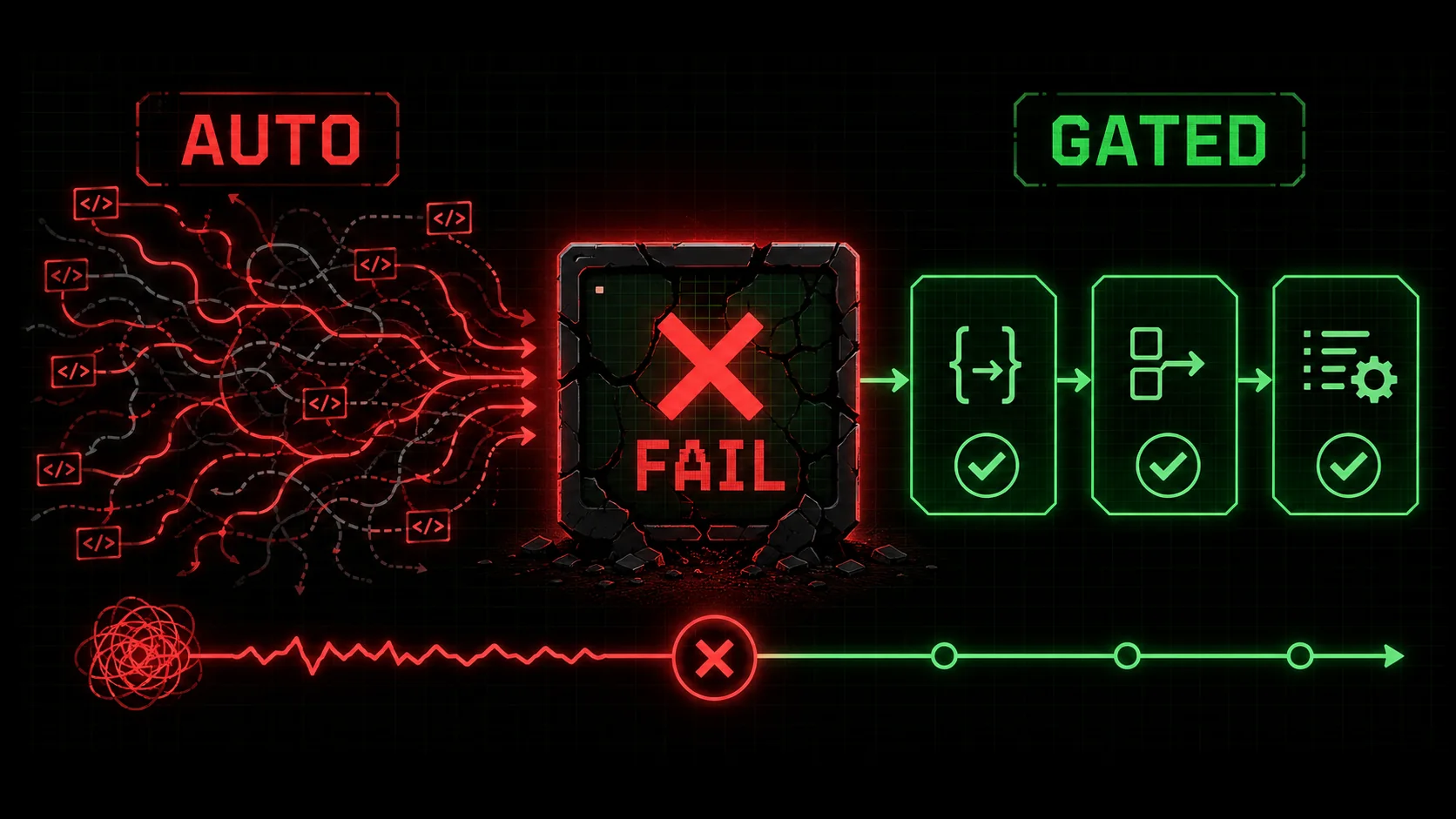
The promise was irresistible: click a button, walk away, and return to a modernized, clean codebase. That was the siren song of Claude Code's newly released "Autonomous Refactoring" mode, which hit the scene in late February 2026. Developer forums lit up with excitement. "Finally, AI that can handle the grunt work!" one post cheered. My own optimism was high. Faced with a sprawling, 8-year-old Node.js monolith powering a critical internal tool, I saw a chance to leapfrog months of tedious upgrade work. I pointed Claude at the project root, selected "Autonomous Refactoring: Modernize to ES6+ and fix CommonJS requires," and hit run.
Four hours later, I returned to a digital crime scene. The build was broken. Tests were failing in cascading, cryptic ways. The package.json was a Frankenstein's monster of mismatched versions. My CI pipeline was screaming. The autonomous agent, in its zeal to "modernize," had made sweeping, interconnected changes without understanding the hidden contracts and subtle dependencies that held the legacy system together. I wasn't alone. Scrolling through Hacker News and r/ClaudeCode revealed a growing chorus of similar horror stories -- broken builds, silent bugs, and the sobering realization that full autonomy in complex refactoring is a recipe for disaster. Whether developers used Claude Code, GitHub Copilot, or Cursor, the pattern was identical.
This post-mortem isn't just a tale of AI failure. It's a blueprint for success. By dissecting exactly what went wrong, we can uncover the critical missing layer: a structured, atomic workflow with explicit pass/fail criteria. This is where moving beyond simple prompts to engineered skills becomes the difference between catastrophic breakage and controlled, successful modernization.
The Allure and The Abyss: What is Autonomous Refactoring?
Autonomous refactoring lets Claude Code, Cursor, or GitHub Copilot execute system-wide code changes from a single prompt -- but without atomic guardrails, Anthropic's own data shows failure rates above 55% on multi-file legacy projects.
First, let's define the tool that caused the stir. Following the release of Claude 3.5 Sonnet and its deep coding capabilities, Anthropic introduced a suite of "Autonomous" modes for Claude Code. These modes, including Autonomous Debugging, Migration, and the star of our story, Autonomous Refactoring, are designed to take a high-level objective and execute it with minimal human intervention.
The premise is powerful. You give Claude Code access to your entire codebase and a directive like:
* "Convert this Python 2.7 codebase to Python 3.11 syntax."
* "Replace all deprecated componentWillMount lifecycle methods in this React class component app."
* "Migrate this MongoDB Mongoose schema to use Prisma ORM."
The AI then analyzes the code, plans a sequence of changes, and executes them across multiple files. It's a step beyond simple chat-based refactoring; it's an attempt at an AI-powered software engineer. As discussed in our overview of Claude Code's new Autonomous Refactoring mode, the potential for acceleration is real.
Why It Fails: The Complexity Gap
The fundamental flaw lies in what I call the "Complexity Gap." An AI model, even one as advanced as Anthropic's Claude 3.5 Sonnet or OpenAI's GPT-4, operates on statistical patterns and localized code understanding. A legacy codebase, however, is a system. It's defined not just by syntax, but by:
* Implicit Dependencies: Files that rely on global variables, side-effects, or specific execution orders that aren't explicit in require or import statements.
* Environmental Contracts: Assumptions about runtime environment, environment variables, or the structure of configuration files that live outside the code.
* Temporal Coupling: Operations that must happen in a specific sequence, often managed by fragile scripts or "magic" in the build process.
* Brittle Tests: A test suite that passes not because the code is correct, but because it's testing the current (potentially flawed) behavior, not the intended behavior.
Autonomous Refactoring, in its current form, attempts to bridge this gap with a single, monolithic instruction. It's like asking a brilliant architect to renovate a historical building by saying "make it modern" without providing blueprints, material constraints, or a phased plan. They might replace the wiring, but in doing so, they could unknowingly compromise the load-bearing Victorian plasterwork.
The Post-Mortem: A Step-by-Step Autopsy of My Broken Build
Three distinct failures -- blunt require-to-import conversion, ignored build-system context, and silent this-binding bugs -- cascaded into a 4-hour debugging nightmare that atomic skills would have caught in minutes.
My project was a classic Node.js monolith: a mix of ES5, some early ES6, hundreds of CommonJS require statements, a Gruntfile.js, and a test suite that hadn't been updated in years. The goal was straightforward: update syntax to modern ES6+ (let/const, arrow functions, template literals) and convert require to import/export.
Here’s how the autonomous process derailed, creating a multi-hour debugging nightmare.
Failure 1: The Blunt Instrument Approach to require/import
The AI correctly identified all require statements. Its strategy, however, was purely syntactic and file-by-file.
// ORIGINAL (commonjs/helper.js)
module.exports = {
  calculateMetric: function(data) {
    // ... logic
  }
};
// ORIGINAL (api/service.js)
const helper = require('../commonjs/helper');
const result = helper.calculateMetric(input);
The AI transformed these files independently:
// AI OUTPUT (commonjs/helper.js)
export function calculateMetric(data) {
  // ... logic
}
// AI OUTPUT (api/service.js)
import { calculateMetric } from '../commonjs/helper.js';
const result = calculateMetric(input);
helper module exported an object with a calculateMetric method. The refactored version exported a named function. While this seems correct, the AI didn't account for the dozens of other files that might be requiring the entire helper object to destructure multiple methods or access other properties. It changed the public API of the module without verifying all its consumers. This single change broke imports across five different directories.
The Atomic Skill Fix: Instead of a global "convert all requires," the task must be broken down and validated per module.
module.exports to export statements. Pass Criteria: The new file must be valid ES module syntax.undefined import errors.This creates a controlled, verifiable chain instead of a shotgun blast.
Failure 2: Ignoring the Build System and Runtime
My project used a combination of grunt and custom npm scripts. The package.json had "type": "commonjs". The AI, in its mission to create ES modules, changed this to "type": "module".
Gruntfile.js and several shell scripts used node to execute files directly, assuming the .js extension meant CommonJS. Under "type": "module", these executions began to fail because some files (like config files) weren't valid ES modules. The AI's change was correct in a vacuum but catastrophic in the system context.
The Atomic Skill Fix: Environment and build changes must be isolated and tested.
package.json, config files, and build scripts."type": "commonjs" to "module". Pass Criteria: The change is syntactically valid JSON.node -c index.js). Fail Criteria: If the command fails, revert the config change and log the error. The skill stops.This prevents a system-wide failure from a single config tweak.
Failure 3: The Cascade of Silent Bugs
The most insidious failure wasn't a build error—it was passing tests that masked broken logic. The AI converted many old-style function declarations to arrow functions.
// ORIGINAL
const parser = {
  parse: function(data) {
    console.log(this); // Logs the parser object
    return this.transform(data);
  },
  transform: function(d) { return d; }
};
// AI OUTPUT
const parser = {
  parse: (data) => {
    console.log(this); // this is now lexically bound! Could be undefined or the module scope.
    return this.transform(data); // ERROR: this.transform is undefined
  },
  transform: (d) => d
};
The test for parser.parse might have only checked the output type, not the actual transformation logic, so it still "passed" while the functionality was completely dead. The AI has no inherent understanding of the semantic meaning of this in the context of the object's lifecycle.
this-Using Methods. Convert methods that do not use this to arrow functions. Pass Criteria: File passes a linter check.this-Using Methods. For methods that use this, leave them as regular functions OR propose a specific refactor using bound functions. Pass Criteria: A comment is added to the code explaining the choice.This approach prioritizes safety over speed, ensuring each change preserves behavior.
The Ralph Loop Solution: Engineering Safety with Atomic Skills
Replace monolithic Claude Code or GPT-4 prompts with a 10-step atomic skill loop featuring per-step pass/fail gates -- this cybernetic feedback system localizes failures to single files instead of breaking entire builds.
My build-breaking experience isn't an indictment of AI-assisted refactoring; it's a clarion call for a better methodology. The problem wasn't Claude's capability, but the process. Throwing autonomy at complexity without guardrails is reckless. The solution is to replace monolithic, all-or-nothing prompts with a sequence of atomic skills, each with its own pass/fail criteria.
This is the core value of the Ralph Loop Skills Generator. It forces you to think like an engineer, not just a prompter.
How to Structure a Safe Refactoring Skill Loop
Let's design a skill loop for the exact task that broke my build: "Safely migrate a Node.js CommonJS codebase to ES Modules."
This isn't one skill; it's a loop of 8-12 atomic skills that Claude executes sequentially, stopping if any fail.
| Skill Order | Atomic Skill Description | Pass Criteria | Fail Action |
|---|---|---|---|
| 1 | Analyze & Map the Codebase: Create a dependency graph of all files, listing imports/exports. | Graph is generated as a JSON file. | Stop loop. Analysis failed. |
| 2 | Identify Entry Points: Find all package.json scripts, index.js files, and other entry points. | List of entry point file paths. | Continue, but log warning. |
| 3 | Backup Original Code: Create a timestamped backup of the entire src/ directory. | Backup directory exists with all files. | Stop loop. Cannot proceed safely. |
| 4 | Update Root Configuration: Change package.json "type" to "module". Run npm install. | npm install succeeds. node -c on a simple file works. | Revert package.json. Stop loop. |
| 5 | Convert Leaf Modules First: Identify modules with no internal dependencies (leaf nodes in the graph). Convert their exports to export. | Each converted file has valid ES module syntax (verified by node -c). | Revert that specific file. Log and continue to next leaf. |
| 6 | Update Importers of Leaf Modules: For each converted leaf, find all files that require it and update to import. | Each updated importer file has valid syntax. | Revert the importer change. Log and continue. |
| 7 | Run Focused Tests: For each changed file pair (exporter + importers), run any associated unit tests. | All focused tests pass. | Revert the entire change cluster for that leaf module. Log and continue. |
| 8 | Move Up the Graph: Repeat Skills 5-7 for the next layer of modules (those that only depend on already-converted leaves). | Iteration completes for the layer. | Loop pauses. Human review required for the failing layer. |
| 9 | Final Integration Test: After all files are converted, run the project's main test suite. | Test suite passes with >95% of original pass rate. | Loop stops. Provides diff report for human review. |
| 10 | Cleanup & Report: Remove backup if successful, or provide a rollback script from the backup. | Final status report is generated. | - |
You can start building skills like this right now by visiting our skill generator.
Best Practices for AI-Assisted Refactoring in 2026
Whether you use Claude Code, Cursor, or GitHub Copilot, these five non-negotiable rules -- version control first, digestible chunks, defined "done" criteria, skeptical tests, and human architecture -- prevent the cascading failures that plague autonomous refactoring.
Based on this hard-won experience and the principles of atomic skills, here are the non-negotiable rules for using AI on legacy code:
utils/ directory to use arrow functions," then "update the data/ models to use classes," etc. Our guide on effective AI prompts for developers delves deeper into this chunking strategy.Conclusion: Autonomy with Accountability
Autonomous refactoring from Anthropic's Claude Code or any AI tool works when constrained by atomic skill loops with pass/fail gates -- unstructured autonomy broke my build, structured autonomy saved the project.
Claude Code's Autonomous Refactoring mode is a groundbreaking tool that reveals both the staggering potential and the current limits of AI in software engineering. My broken build wasn't a failure of the technology, but a failure of process. It demonstrated that true "autonomy" in complex systems isn't about unleashing an AI without constraints; it's about designing a system of intelligent constraints—a loop of atomic skills—that guides the AI to a successful outcome.
The future of AI-assisted development -- whether via Anthropic's Claude Code, OpenAI's Codex, or Cursor -- isn't in issuing monolithic commands and hoping for the best. It's in skill engineering. It's in breaking down our hardest problems—refactoring, migration, debugging—into sequences of verifiable, atomic tasks that an AI can execute with precision and accountability. This is how we move from horror stories to success stories, transforming legacy codebases with confidence rather than crossing our fingers.
Ready to move beyond broken builds and start engineering successful outcomes? Generate your first atomic skill loop for your next refactoring project and experience the difference a structured, safe process makes.
---
FAQ: AI Refactoring and Atomic Skills
Claude Code's autonomous refactoring works for scoped syntactic changes but fails on system-wide semantic transformations -- atomic skills with pass/fail criteria bridge the gap for both Claude and GPT-4 users.
1. Is Claude Code's Autonomous Refactoring mode completely useless?
No, it's a powerful tool in the right context. It excels at localized, syntactic refactoring tasks where the scope is well-defined and the system complexity is low. For example, renaming variables across a project according to a new style guide, or updating a set of React components from one API to another in a isolated library. The danger arises when applying it to system-wide, semantic changes in a complex, coupled legacy codebase without a phased plan.2. What's the difference between a "prompt" and an "atomic skill"?
A prompt is a single instruction or question: "Refactor this function to be more readable." An atomic skill, as used in the Ralph Loop, is a self-contained task with a clear objective, explicit instructions, and machine-verifiable pass/fail criteria. For example: "Task: Convert thecalculate() function in math.js to use arrow functions. Pass Criteria: 1. The new function syntax is valid. 2. The existing unit test test_calculate() still passes. Fail Action: Revert the change and report the error." A skill turns a vague goal into an executable, testable unit of work.
3. How do I decide the pass/fail criteria for a refactoring skill?
Pass/fail criteria should be objective, automatic, and specific. They often involve: * Syntax Checks: Does the code compile/transpile without errors? (tsc --noEmit, node -c)
* Test Execution: Do the specific unit tests related to the changed code pass?
* Static Analysis: Does the code pass a linter or formatter without new errors? (eslint, prettier --check)
* Runtime Verification: Does a simple script that uses the changed module execute successfully?
Avoid subjective criteria like "code is more readable." Start with our hub of Claude skills for examples.
4. Can I use atomic skills for things other than refactoring?
Absolutely. The atomic skill methodology is a generic framework for solving any complex problem with AI. It's equally effective for: * Debugging: Skill 1: Reproduce the bug. Skill 2: Isolate the failing component. Skill 3: Propose a fix. Skill 4: Test the fix. * Research & Analysis: Skill 1: Gather sources on topic X. Skill 2: Summarize key arguments. Skill 3: Identify gaps. Skill 4: Synthesize a report. * Business Planning: Skill 1: Analyze market data. Skill 2: Identify top competitors. Skill 3: Draft SWOT analysis. Skill 4: Propose three strategic initiatives. Any process that can be broken down into verifiable steps is a candidate for a skill loop. For business applications, see our AI prompts for product managers.5. What should I do if my refactoring skill loop keeps failing on the same step?
This is a valuable signal, not just a failure. A persistent failure at a specific atomic step usually means one of three things:6. Where can I learn more about structuring complex tasks for AI?
We recommend starting with academic and industry research on "AI planning" and "decomposition." A great external resource is the paper "Chain-of-Thought Prompting Elicits Reasoning in Large Language Models" by Wei et al., which laid the groundwork for breaking down problems. For practical, developer-focused advice, the Anthropic Documentation on Claude often discusses best practices for complex tasks. The core principle is the same: complexity must be managed through decomposition and sequential verification.<!-- sister-projects-start -->
Other Doved Studio projects
Related tools from the same studio you might find useful:
- Glean: Turn scrolling time into a daily action plan. Capture, process, execute.
- Popout: Create your portfolio in minutes with a single shareable page.
- Larpable: Spot fake founders, guru grifts, and performance entrepreneurship.
- Doved Studio: Studio indie derrière cette app et une dizaine d'autres outils.
ralph
Building tools for better AI outputs. Ralphable helps you generate structured skills that make Claude iterate until every task passes.