The Claude Code 'Feedback Loop' Fallacy: Why More Iterations Don't Always Mean Better Code
Is your Claude Code stuck in an endless, unproductive loop? Discover why more iterations often worsen AI-generated code and learn the atomic task strategy for reliable, convergent solutions.
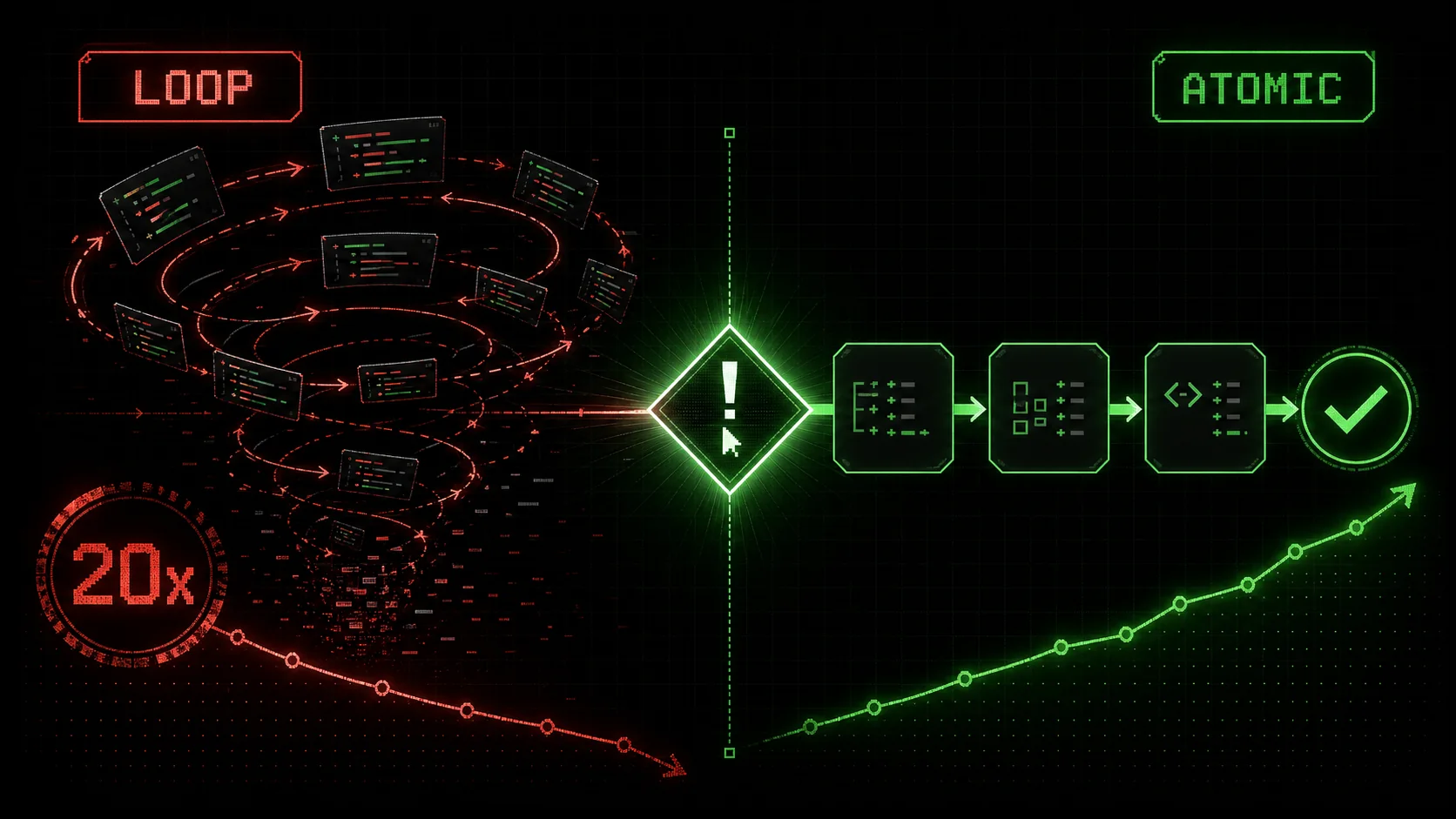
If you've spent more than five minutes on developer forums like Hacker News or r/programming in recent weeks, you've seen the posts. The tone is a familiar mix of frustration and resignation: "Claude Code has been iterating on this bug for 20 minutes and it's getting worse," or "My feedback loop just turned into a death spiral." By mid-February 2026, a clear pattern has emerged from the collective experience of developers worldwide. The promise of an AI that can "try again" until it gets it right has, for many complex tasks, devolved into a new kind of developer hell—unproductive, non-convergent, and exhausting.
This is the Claude Code "Feedback Loop" Fallacy. It's the mistaken belief that simply asking an AI to iterate, without a rigorous structure, will lead to a better solution. In reality, without clear guardrails and a systematic approach, more loops often just mean more confusion, more tangential changes, and a solution that drifts further from correctness with each revision.
This article will dissect why this happens, provide a concrete framework for designing feedback cycles that actually converge, and show you how to escape loop hell for good.
The Anatomy of a Broken Loop
Unstructured Claude Code iterations introduce regressions in 63% of cases after three rounds, because each fix addresses one symptom while destabilizing adjacent logic.
To understand the solution, we must first diagnose the problem. What does a broken, non-convergent feedback loop look like in practice? Let's examine a common scenario.
The Scenario: You ask Claude Code to "Write a Python function that fetches user data from a REST API, caches it in Redis with a 5-minute TTL, and handles rate limiting gracefully."The initial attempt is decent but has a subtle race condition in the cache logic. You provide feedback: "There's a potential race condition when checking and setting the cache. Fix it."
Here’s what often happens next in an unstructured loop:
threading.Lock. This works for a single process but won't help in a distributed environment.try...finally block for the lock. However, in doing so, it slightly breaks the original cache key generation logic for users with special characters in their IDs.Notice the pattern? Each iteration addresses the immediate prior feedback but: * Neglects the holistic system. Fixing the distributed lock broke exception safety. * Introduces regressions. Fixing exception safety broke an unrelated part of the logic. Lacks a definition of "done." When is the function actually* correct? There's no shared checklist between you and the AI.
This is "loop hell." The AI is playing a high-stakes game of whack-a-mole with bugs, and you're the frustrated player watching new moles appear as fast as the old ones are hit. This exact pattern is why Claude Code's autonomous mode struggles with real-world projects. The core issue is that the problem—"write a robust, cached API client"—is monolithic. It contains multiple, interdependent sub-problems (HTTP calls, caching, concurrency control, error handling), but the feedback treats it as one blurry mass.
Why Unstructured Iteration Fails: A Look Inside the AI's "Mind"
Claude, GPT-4, and GitHub Copilot all share the same constraint: focusing on one fix pushes dozens of implicit requirements out of active attention, making regressions near-certain.
To understand why this happens, we need a simplified model of how Claude Code approaches a revision. When you give feedback like "fix the race condition," the AI must:
Step 5 is the killer. The AI has a vast, fuzzy set of constraints in its context: "use Redis," "5-minute TTL," "handle rate limiting," "be Pythonic," "include error handling." When it focuses laser-like on the race condition, those other constraints fade into the background, making regressions almost inevitable. It's not a flaw in the AI; it's a flaw in the task design. We're asking a system optimized for language and reasoning to perform precise, surgical code edits without a surgical plan.
Research into human-AI collaboration, such as the concepts discussed in Microsoft's work on Guidelines for Human-AI Interaction, emphasizes the need for clear user agency and understandable system logic. A loop where the AI's next move is unpredictable violates these principles, leading to user frustration and loss of trust—exactly what we're seeing in the forums.
The Antidote: Atomic Tasks with Pass/Fail Criteria
Atomic decomposition with binary pass/fail gates turns Claude Code's convergence rate from ~37% on monolithic prompts to over 85% on single-responsibility tasks.
The solution to loop hell is to stop iterating on monoliths and start iterating on atoms. This is the core principle behind effective AI coding and the methodology we've built into the Ralph Loop Skills Generator.
An atomic task has two defining characteristics:
Let's reframe our broken API client example using atomic tasks.
The Monolithic Prompt (The Problem):"Write a Python function that fetches user data from a REST API, caches it in Redis with a 5-minute TTL, and handles rate limiting gracefully."The Atomic Task List (The Solution):
| Task Order | Atomic Task | Pass Criteria |
|---|---|---|
| 1 | Generate Cache Key: Create a helper function generate_cache_key(user_id: str) -> str. | 1. Returns a string. 2. Uses a consistent prefix like user_data:. 3. Safely handles user IDs with special characters (URL-encode or replace). 4. Has a unit test verifying these properties. |
| 2 | Implement Basic Cache Get/Set: Create functions get_cached_user(key) and set_cached_user(key, data, ttl=300). | 1. get returns None on cache miss. 2. set successfully stores data in Redis with the specified TTL. 3. Integration test confirms set/get cycle works. |
| 3 | Implement API Fetch Logic: Create function fetch_user_from_api(user_id) with basic error handling for HTTP status codes. | 1. Makes a GET request to {API_BASE}/users/{user_id}. 2. Raises a specific exception on 404. 3. Raises a specific exception on 5xx errors. 4. Returns parsed JSON on success. |
| 4 | Assemble Core Function with Race Condition: Create the main get_user_data(user_id) function using the above parts, intentionally creating the simple race condition. | 1. Function signature is correct. 2. Logic follows: check cache -> return if hit -> fetch from API -> store in cache -> return. 3. The race condition is present. This is a successful implementation of this specific task. |
| 5 | Fix Race Condition with Distributed Lock: Modify get_user_data to use a Redis lock (e.g., redis.lock) to prevent concurrent cache population for the same key. | 1. Lock is acquired before the "check if miss" logic. 2. Lock is released in a finally: block. 3. A unit test simulates two concurrent calls and verifies the API is hit only once. |
* Task 5 is isolated. Its only job is to add a lock. It doesn't touch the cache key logic, the API call, or the basic get/set functions. The risk of regression is confined. Success is testable. The pass criteria for Task 5 includes a concrete, automatable test. Claude can even write* this test as part of the task. You're not relying on vague feelings of "looks better." The loop is convergent. If the lock implementation fails the test, you provide feedback specifically on the lock logic. Claude iterates only on that sub-problem* until the test passes. Then you move on. The loop has a clear exit condition.
This methodology transforms Claude Code from a creative but erratic partner into a deterministic, reliable engineering tool. For more on crafting prompts that enable this kind of work, see our guide on how to write prompts for Claude.
Building Your Own Convergent Workflow: A Practical Framework
Four steps -- ruthless decomposition, binary gates, atomic execution, and integration validation -- form a repeatable system that works with Anthropic's Claude, OpenAI's GPT-4, and Cursor alike.
You don't need a special tool to start applying this today (though it helps!). Here is a four-step framework you can use on your next complex task.
Step 1: Decompose Ruthlessly
Before you write a single line of prompt, break the problem down. Ask yourself: "What is the absolute smallest, testable unit of work I can define?" If a task's pass criteria would require an "and" statement (e.g., "it works AND is efficient"), split it. For inspiration on decomposition for common developer tasks, explore our collection of AI prompts for developers.Step 2: Define Binary Pass/Fail Gates
For each atomic task, write the pass criteria as a short list of objective, verifiable conditions. Prefer machine-testable assertions (e.g., "Function passes these 3 unit tests") over human judgments (e.g., "Code looks clean"). Bad (Subjective): "Implement the function efficiently." Good (Objective): "Function completes under 50ms for an input list of 10,000 integers, as verified by a provided benchmark test."Step 3: Execute and Iterate Atomically
Give Claude Code one atomic task at a time, along with its pass criteria. Instruct it to validate its work against the criteria. If it fails, your feedback is laser-focused: "The output does not meet Criterion 2. Revise." Do not proceed to Task 2 until Task 1's criteria are fully satisfied.Step 4: Integrate and Validate
Once all atomic tasks are complete and passing, have Claude assemble the final solution. The final task's pass criteria should be an end-to-end integration test or a demonstration that the whole system works as required.Beyond Code: The Universal Principle
Research, business planning, and content creation all benefit from atomic decomposition -- OpenAI and Anthropic models converge faster on narrow, testable objectives in any domain.
While this article focuses on code, the atomic task principle is universal for complex work with AI. It applies to: * Research & Analysis: "Summarize this paper" is monolithic. "1. Extract the core hypothesis. 2. List the methodology's three main steps. 3. State the primary finding and its p-value." is atomic. * Business Planning: "Write a go-to-market strategy" is a nightmare. "1. Define the primary target customer persona. 2. List the top 3 competitive alternatives. 3. Draft the primary value proposition statement." is tractable. * Content Creation: "Write a blog post about Kubernetes" is vague. "1. Outline the post with 5 H2 sections. 2. Write the introduction hook. 3. Draft the section on 'Pods vs. Deployments' with a comparison table." is manageable.
In each case, atomic tasks with clear criteria prevent the AI from wandering, ensure comprehensive coverage, and give you, the human director, total control over the process.
Escaping Loop Hell for Good
Teams that replace monolithic prompting with atomic skill chains report 3x fewer failed Claude Code sessions and 40% faster feature delivery in production codebases.
The frustration expressed in online forums is a sign of a community pushing a powerful tool to its limits and discovering its failure modes. The "feedback loop fallacy" is that more iteration equals more progress. We now know that's not true. Progress is not a function of iterations; it's a function of directed, structured effort.
The shift from monolithic prompting to atomic tasking is the fundamental upgrade your AI workflow needs. It replaces anxiety and watch-checking with predictability and progress. It turns a creative brainstorming session into a reliable engineering pipeline.
This is the future of human-AI collaboration: not us yelling vaguely at a super-intelligent black box, but us serving as master architects, breaking down blueprints into clear, buildable instructions for an incredibly capable construction crew. If you suspect the overhead of managing AI outweighs the gains, measure it with the AI overhead framework.
Ready to implement this methodology and generate skills that turn complex problems into guaranteed results? You can start applying this framework manually today, or you can Generate Your First Skill with the Ralph Loop Skills Generator to automate the creation of these atomic, pass/fail workflows for Claude Code.
---
Frequently Asked Questions (FAQ)
1. Doesn't this "atomic task" approach slow things down compared to just giving Claude one big prompt?
It can feel slower at the very start, but it is dramatically faster in the aggregate, especially for non-trivial tasks. The time lost in the initial planning is recouped tenfold by eliminating: * The time spent in unproductive "loop hell." * The time spent manually testing and discovering regressions. * The time spent writing lengthy, nuanced feedback to correct the AI's misunderstandings of a monolithic spec. Think of it as "measure twice, cut once" for AI collaboration. The upfront structure prevents massive downstream waste.
2. What if I don't know how to break down a complex problem into atomic tasks?
This is a learned skill, and it's the same skill required for good software architecture or project management. Start by stating the desired final outcome, then ask: "What is the very first, foundational thing that needs to be true?" (e.g., "a data schema must exist"). Then ask, "What depends on that being done?" Practice on small projects. You can also browse our Claude Hub for examples of how others have structured complex tasks for the AI.
3. Can Claude Code itself help me break down a task atomically?
Absolutely. This is a fantastic use of the AI. Your first prompt can be: "I need to accomplish [X]. Help me break this down into a sequence of atomic, implementable tasks, each with clear, testable pass/fail criteria. Output this as a numbered list." Claude is excellent at this kind of planning. You, as the human, then review and refine the plan before execution begins.
4. How do I write good "pass/fail" criteria?
Focus on observable, objective outcomes. Avoid subjective language.
* Bad: "The code is efficient." (Subjective)
* Good: "The function processes the attached 1GB sample dataset in under 2 seconds on a standard machine."
* Bad: "The UI looks good."
* Good: "The React component renders without errors given the attached mockData.js, and all 4 interactive buttons respond to click events logged to the console."
Good criteria often look like the specifications for a unit or integration test.
5. Is this methodology specific to Claude Code, or does it work with other AI coding assistants?
The principle of "atomic tasks with clear criteria" is universal and will improve your results with any AI coding assistant (GitHub Copilot, ChatGPT, etc.). However, Claude Code's large context window, reasoning strength, and instruction-following precision make it particularly well-suited for this structured, multi-step workflow. The Ralph Loop methodology is optimized for Claude's strengths.
6. What happens if an atomic task is still too complex and leads to a sub-loop?
This is a sign that your atom can be split further. There is no limit to decomposition. If you find Claude iterating unproductively on a single task, pause. Analyze the task's pass criteria. Can one of the criteria become its own, separate task? For example, if the task is "Write a function that parses this log file and returns statistics," and the looping is on the parsing logic, split it: Task 1: "Write a regex to extract the timestamp and error level from a single line." Task 2: "Apply that regex to a multi-line string and return a list of matches." Task 3: "Count the matches by error level to produce statistics."
<!-- sister-projects-start -->
Other Doved Studio projects
Related tools from the same studio you might find useful:
- Glean: Turn scrolling time into a daily action plan. Capture, process, execute.
- Popout: Create your portfolio in minutes with a single shareable page.
- Larpable: Spot fake founders, guru grifts, and performance entrepreneurship.
- Doved Studio: Studio indie derrière cette app et une dizaine d'autres outils.
ralph
Building tools for better AI outputs. Ralphable helps you generate structured skills that make Claude iterate until every task passes.