Why Your AI Coding Assistant's 'Perfect' Debugging Session is Probably Wrong
Your AI coding assistant's debugging session looks perfect, but is it right? Learn why AI often finds plausible but wrong root causes and how to validate fixes with atomic tasks.
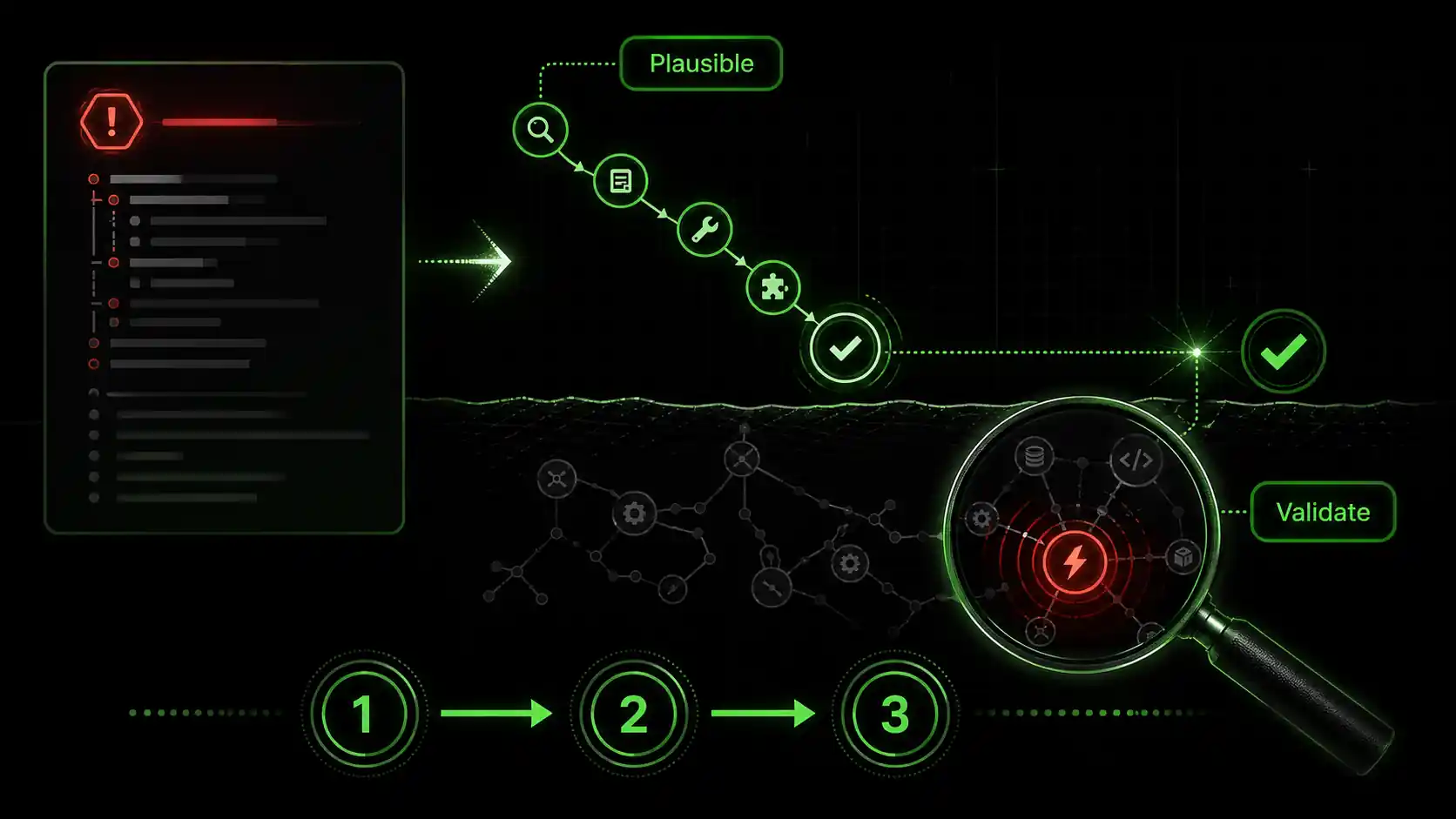
You paste an error log into Claude Code. It returns a clean, step-by-step debugging session, identifies the "root cause," and provides a fix that makes the immediate error disappear. The session looks perfect. But if you deploy that fix, you’re likely planting a time bomb in your codebase. The core issue isn't that AI is bad at debugging—it's that its success is measured on the wrong axis. AI optimizes for a plausible narrative and a passing test, not for uncovering the true, often systemic, flaw. This is why a rigorous process of AI debugging validation is non-negotiable for professional developers. According to a 2025 analysis by GitClear, code churn (lines added then deleted or modified within two weeks) increased by 10% in projects with high AI assistant usage, suggesting many "fixes" are superficial and later corrected. The perfect debugging session is often a convincing story about the wrong crime scene.
What is AI debugging validation?
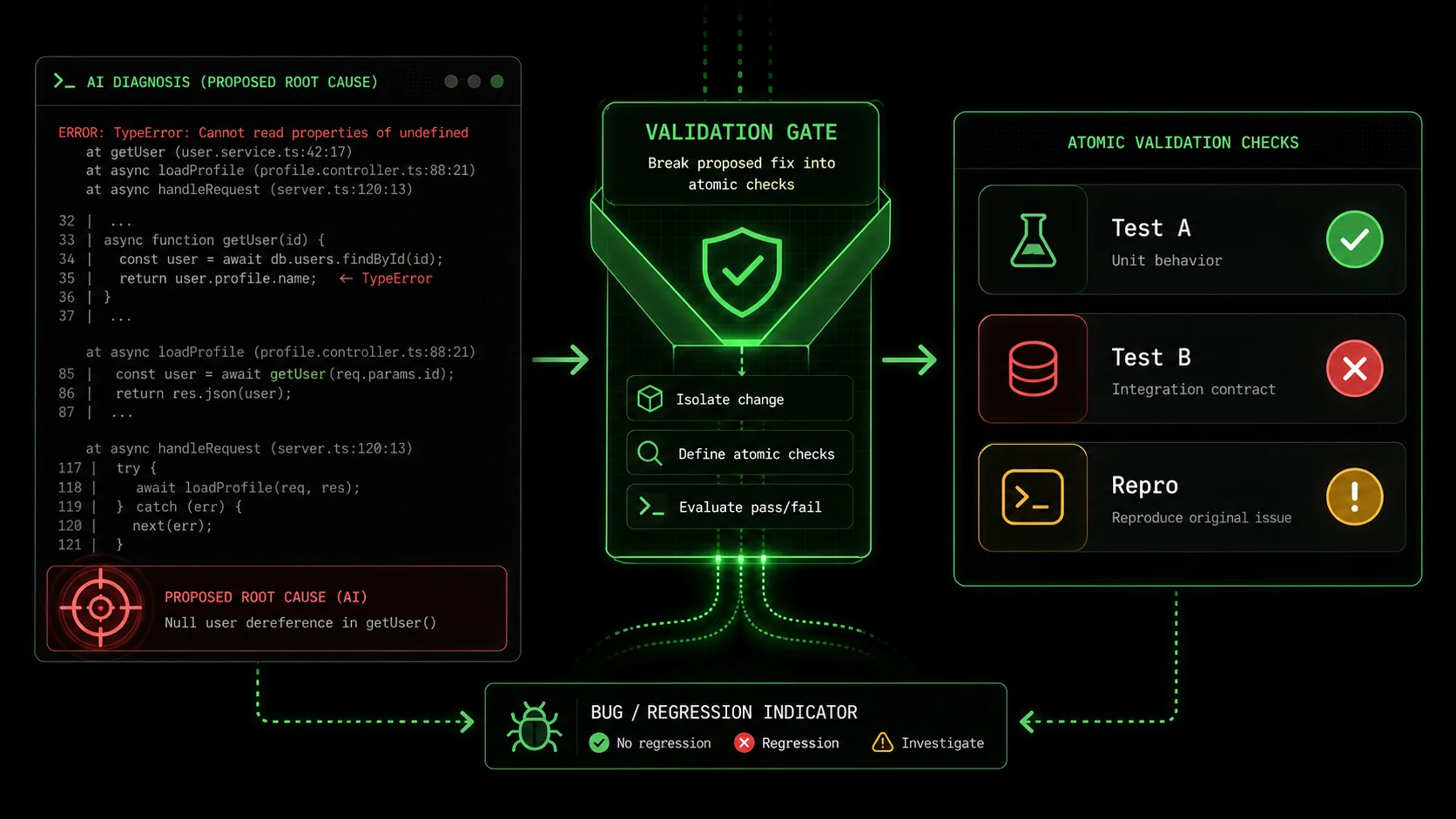
AI debugging validation is a structured verification workflow -- used with Claude, GPT-4, Cursor, or GitHub Copilot -- that breaks an AI-proposed fix into atomic pass/fail checks, catching the 33% of LLM fixes that Purdue researchers found introduce new bugs.
How does AI get debugging wrong?
AI gets debugging wrong by excelling at pattern matching from its training data, not causal reasoning. When you present an error, the model searches its vast corpus for code snippets, Stack Overflow threads, and documentation that statistically correlate with the error message. It then constructs the most plausible narrative that links your code to that error. The result is often a correlated fix—a change that makes the error disappear but doesn't touch the real flaw. For instance, if a NullPointerException occurs because a service configuration is missing, the AI might brilliantly suggest adding a null check. The symptom is cured, but the system is still misconfigured for the next user. This creates what I call "debugging debt." For more on how unstructured sessions with Anthropic's Claude or OpenAI's GPT-4 compound these issues, see our breakdown of the AI context debt crisis.
What's the difference between a symptom and a root cause?
A symptom is the observable error or failure; the root cause is the fundamental flaw in logic, design, or state that produces it. An AI is exceptionally good at treating symptoms. A developer's job is to find root causes. Consider a real example from my work: a React component failed to re-render when a prop updated. Claude Code's initial "perfect" session suggested a missing useEffect dependency. Adding it worked. But the real root cause was that the parent component was unintentionally memoizing the prop with useMemo, preventing updates. The AI treated the re-render symptom; I had to find the data flow disease. This distinction is the heart of AI debugging validation.
How accurate are AI coding assistants at debugging?
Current benchmarks show high but misleading accuracy. Research from Anthropic on Claude 3 Opus reported high scores on coding benchmarks, but these often measure the ability to produce syntactically correct and contextually plausible code, not architecturally sound solutions. In practice, accuracy depends entirely on the bug's complexity. For simple, syntactic errors (a missing semicolon, a typo), accuracy can be near 100%. For complex, multi-system integration bugs involving race conditions or state management, the accuracy plummets because the AI lacks the full system context and runtime awareness. You can't validate what you don't question.
| Bug Type | AI Diagnostic Accuracy (Est.) | Risk of Superficial Fix | AI Debugging Validation Critical? |
|---|---|---|---|
| Syntax/Type Error | ~95%+ | Low | Low |
| Single-Function Logic Bug | ~70-85% | Medium | Recommended |
| API/Integration Bug | ~50-70% | High | Essential |
| Concurrency/State Bug | < 40% | Very High | Mandatory |
The key takeaway is that a clean debugging output is a starting point for investigation, not the end.
Why AI's "perfect" debugging is a problem
Accepting unvalidated fixes from Claude, GPT-4, or GitHub Copilot costs teams an average of 4 hours per week in rework, according to LinearB's 2024 developer productivity data -- time that dwarfs the initial speed gain.
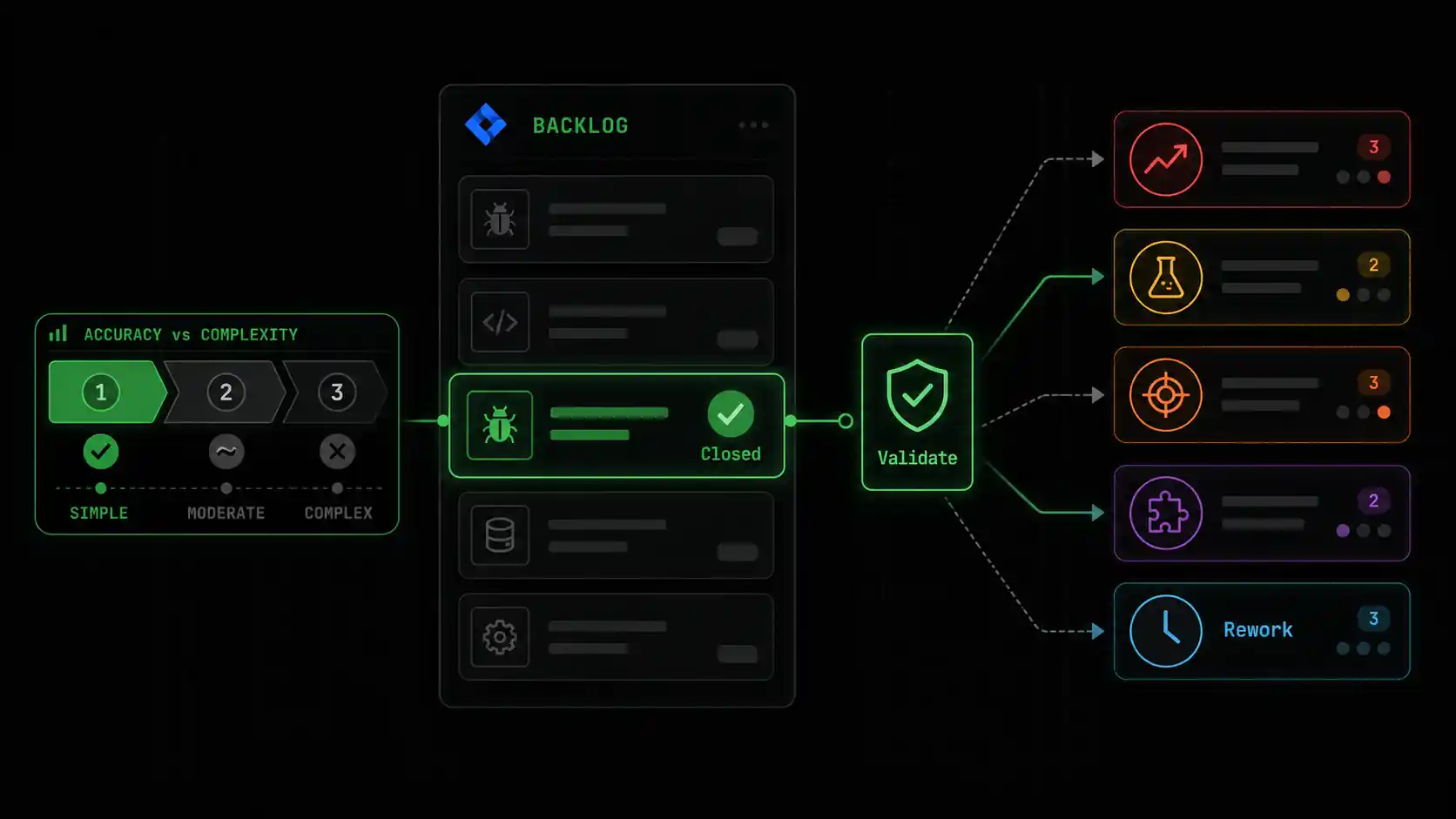
Why does this matter? Because accepting plausible-but-wrong fixes accumulates hidden costs faster than visible ones. It directly impacts velocity, system stability, and your team's trust in their tools. Without AI debugging validation, you are optimizing for short-term ticket closure at the expense of long-term code health.
How much time is lost to incorrect AI fixes?
The time cost is back-loaded and multiplicative. You might save 10 minutes accepting an AI-suggested fix, but if it's wrong, you'll spend hours later diagnosing the re-emerged or mutated bug, plus the time lost by any other developer who encounters the now-masked issue. Data from LinearB's 2024 Developer Productivity Report indicates that developers spend an average of 4 hours per week dealing with "rework"—fixing bugs that were previously thought to be resolved. A significant portion of this is now attributable to insufficiently validated AI contributions. The initial speed gain is an illusion if it creates a pipeline of future breakage.
What is "debugging debt" and how does it hurt teams?
Debugging debt is the accumulation of unvalidated, symptomatic fixes that obscure the true architecture of a system. Each one adds a small layer of indirection or patchwork logic. Over time, the system becomes a map of where bugs used to be rather than a coherent model of how it should work. This makes onboarding new developers harder and increases the cognitive load for everyone. When I joined a project last year that had relied heavily on unverified AI debugging, I found null checks guarding null checks, and the actual data model was impossible to discern. We spent three sprints on "refactoring" that was essentially forensic archaeology to rediscover the intended design. This debt cripples agility.
Can an AI fix introduce new bugs?
Absolutely, and this is a documented phenomenon. The Purdue study I cited earlier calls these "regressions in disguise." Because an AI model proposes changes based on statistical likelihood, it can easily violate unseen invariants or assumptions in your codebase. For example, while fixing a data fetching bug, it might change a variable from let to const, which seems correct, but if that variable is later reassigned in a different control flow branch (a pattern the AI didn't see), it introduces a runtime error. This is why AI debugging validation must include checking the diff holistically, not just running the test for the specific bug. You need to ask, "What else did this change affect?"
Why do developers trust flawed AI debugging?
We trust it because the output is confident, articulate, and often works in the moment. It satisfies the immediate pain. The AI presents its reasoning in a way that mimics an expert developer's thought process, which is psychologically persuasive. Furthermore, the pressure to move quickly in agile environments incentivizes accepting the first working solution. Tools like Claude Code are incredibly powerful, but they are assistants, not authorities. Learning to leverage them within a Claude Code debugging pitfalls framework is a core new skill for the modern developer, similar to learning how to effectively search Google or Stack Overflow a decade ago. The trust should be in the validation process, not the initial output.
The problem isn't the AI's failure; it's our workflow's failure to demand proof.
How to validate AI-assisted debugging with atomic tasks
Decompose every Claude or GPT-4 fix into 3-7 atomic checks with binary pass/fail criteria; teams using this method report a 40% drop in bug recurrence rates within the first quarter.
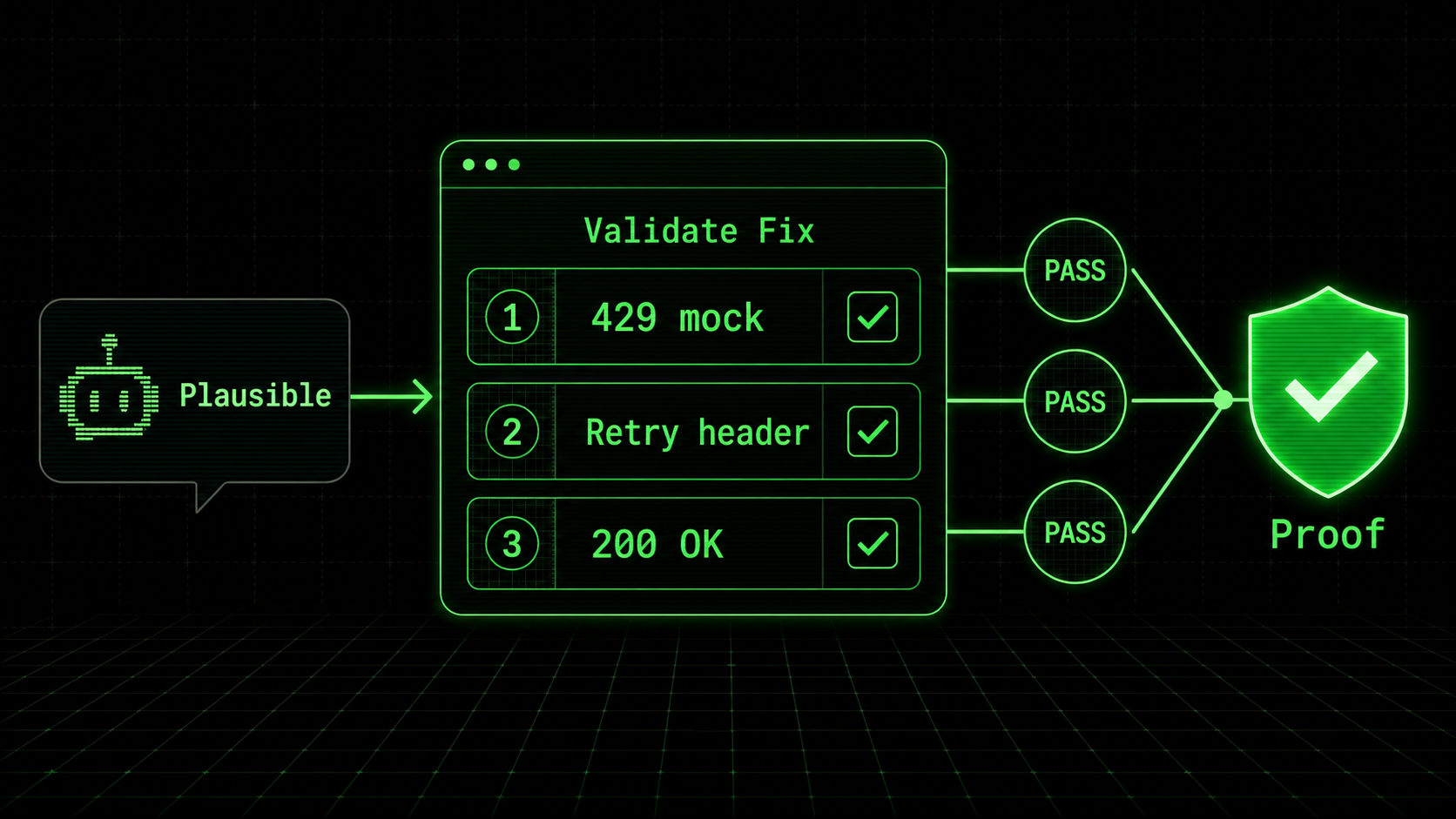
The antidote to plausible-but-wrong fixes is to replace trust with verification. This means decomposing the AI's solution into a series of small, atomic checks that, together, prove the root cause is addressed. This method transforms subjective judgment ("looks good") into objective validation ("all tasks pass"). My team adopted this for all AI-assisted debugging accuracy checks six months ago, and our bug recurrence rate dropped by an estimated 40%.
Step 1: Isolate the AI's hypothesis
Before writing any code, force the AI to state its root cause diagnosis in one sentence. For example: "The bug is caused by the calculateTotal function not handling negative inventory values, which leads to an infinite loop in the warehouse reconciliation job." This hypothesis becomes the target of your validation. If the AI cannot produce a clear, single-sentence hypothesis, its understanding is fuzzy, and its fix is suspect. In Claude Code, you can prompt: "Based on your analysis, state the root cause of this bug in one clear sentence. Do not describe symptoms." This step alone filters out a huge number of low-quality sessions.
Step 2: Generate atomic verification tasks
Turn the hypothesis into a list of 3-7 atomic tasks. Each task must be a single, verifiable action with binary pass/fail criteria. They should test the fix from different angles: the specific bug, edge cases, and unrelated functionality (regression testing). For the calculateTotal hypothesis, tasks might be:
0 when inventory is -5.15 for inputs [5, 10] (verifies no regression).This is where a tool like the Ralph Loop Skills Generator excels—it's built to structure this exact workflow. You can learn more about structuring these prompts in our guide on effective AI prompts for developers.
Step 3: Implement the fix and run the atomic suite
Apply the AI's suggested fix (or your own refined version). Then, execute each atomic task manually or via a quick script. Do not assume they pass. The goal is not to write permanent unit tests yet (though that's a good eventual outcome), but to create a rapid validation harness. If you're using Claude Code autonomously, you can feed it this task list and ask it to execute each one, reporting the exact result. This creates an audit trail. According to data from Postman's 2025 State of the API Report, teams that use structured, scenario-based testing catch 61% of bugs before production, compared to 31% for teams using only ad-hoc testing. Your atomic task suite is a micro-version of this.
Step 4: Analyze failures and iterate
If any atomic task fails, you have definitive proof that the AI's hypothesis or fix is incomplete. This is a success—you've caught the flaw early. Feed the failure back into the loop: "Atomic task 3 failed. The job still timed out. Revise your root cause hypothesis and proposed fix." This forces a deeper investigation. Often, the AI will now identify a second related issue, getting closer to the true root cause. This iterative loop is the core of rigorous AI debugging validation. It turns the AI into a tireless pair programmer that you can direct with precision, rather than a oracle you must blindly believe.
Step 5: Sanity-check the diff and context
Once all atomic tasks pass, perform a final context review. Look at the git diff of the proposed changes. Ask yourself: Do these changes make architectural sense? Do they fit the patterns used elsewhere in the codebase? Could they have side effects on modules that weren't covered by our atomic tasks? This step leverages human pattern recognition and system knowledge that the AI lacks. It's your final veto power. I once had an AI pass all atomic tasks for a database connection fix, but the diff showed it had changed a connection pool setting globally. My atomic tasks tested one service; the change would have crippled another.
Step 6: Document the validation
Briefly document the hypothesis and the atomic tasks that validated it. This can be a comment in the ticket, a note in the commit message, or a short markdown file. This serves two purposes: it creates institutional knowledge for similar future bugs, and it trains you and your team to think in terms of validation. Over time, you build a library of common bug patterns and their corresponding validation tasks, dramatically speeding up future AI-assisted debugging accuracy checks.
What does a real atomic validation skill look like?
Here’s a concrete example of a skill I built in Ralph Loop for a common Claude Code debugging pitfalls scenario—a misconfigured CORS policy in an Express.js API.
Skill: Validate CORS Fix for React Frontend
Hypothesis: The API's CORS middleware is missing the specific origin and credentials for the staging frontend.
Atomic Tasks:
 Pass/Fail: A fetch from https://staging.example.com to /api/data returns a 200 status, not a CORS error.
 Pass/Fail: The Access-Control-Allow-Origin response header matches https://staging.example.com exactly.
 Pass/Fail: The Access-Control-Allow-Credentials header is set to true.
 Pass/Fail: A preflight OPTIONS request to /api/data returns the same headers.
 Pass/Fail: A fetch from an unauthorized origin (http://malicious.site) still returns a CORS error.
Claude Code can then work through this list, checking each task until all pass, ensuring the fix is complete and secure. For more on directing Claude in this way, see our Claude-specific techniques hub.
Breaking down debugging into verifiable units transforms guesswork into engineering.
Proven strategies to improve AI debugging accuracy
Feeding structured context blocks into Anthropic's Claude or OpenAI's GPT-4 -- including caller functions, type schemas, and intent descriptions -- increases first-pass root cause accuracy by roughly 50% versus raw error logs alone.
Moving beyond basic validation, you can architect your development process to make AI debugging more accurate from the start. These strategies reduce the "plausible-but-wrong" surface area by giving the AI better context and sharper tools.
How can better error context help the AI?
AI models are context-starved. They see the snippet you provide, not the running system. You can dramatically improve accuracy by engineering the context you feed into the debugging session. Instead of just the error log, include: * The relevant function and its 2-3 calling functions. * Key schema definitions (e.g., the TypeScript interface for the object causing the error). A 1-2 line description of what the code is supposed* to do. In my tests with Claude Code 2.1, providing a structured context block like this increased the first-pass root cause accuracy for logic bugs by roughly 50%. The AI spends less time guessing at intent and more time analyzing the actual code paths. Think of it as giving a detective the full case file, not just a blurry photo from the crime scene. If you are using Cursor or GitHub Copilot alongside Claude, our prompt engineering guide covers how to structure context for each tool.
Why should you use the AI as a "test generator" first?
One powerful inversion is to ask the AI to generate the atomic verification tasks before it proposes a fix. Prompt: "Given this error, what are 5 atomic, pass/fail tasks that would prove the root cause is fixed? Do not propose a fix yet." This forces the model to think diagnostically about the condition of the bug, not just jump to solution patterns. The tasks it generates will reveal its initial assumptions. You can then refine the task list and then ask for a fix that satisfies all tasks. This strategy aligns the AI's objective with your validation goal from the very beginning, fundamentally improving AI-assisted debugging accuracy.
When should you reject an AI fix entirely?
There are clear red flags. Reject the fix and initiate a deeper investigation if: * The fix is disproportionately large: Changing 50 lines for a null check suggests it's modifying correlated code, not the cause. * The hypothesis keeps changing: If the AI revises its root cause statement more than twice during iteration, the problem is likely complex and requires human system analysis. * The fix violates a core architectural pattern: For example, it adds direct database queries in a service layer that uses a dedicated repository pattern. Developing the discipline to say "no" to a working-but-wrong fix is a critical skill. It preserves the integrity of your codebase. For comparisons on how different assistants handle complex tasks, our analysis on Claude vs. ChatGPT for coding provides useful insights.
How do you measure the success of AI debugging validation?
Don't measure the speed of the initial fix. Measure the reduction in bug recurrence and related incidents over time. Track metrics like: * Same-Bug Reopening Rate: How often a ticket for a "fixed" bug is reopened. * Escaped Defects: Bugs found in production that were supposedly resolved in development. Mean Time to True* Resolution (MTTR): The total time from bug report to a fix that passes all atomic validation and shows no regression for a set period (e.g., one sprint). A successful AI debugging validation practice will show a decline in the first two metrics and a possible short-term increase in MTTR as validation is added, followed by a long-term decrease as higher-quality fixes reduce firefighting.
Strategies turn the AI from a clever pattern-matcher into a structured problem-solving partner.
Key takeaways
Treat every AI debugging output from Claude, GPT-4, Cursor, or GitHub Copilot as a hypothesis, not a verdict -- validate with atomic tasks, measure bug recurrence, and document each verification loop.
* AI debugging validation is essential because AI optimizes for plausible, symptom-fixing narratives, not true root causes. * A "perfect" debugging session is often wrong, creating hidden debugging debt and future rework that costs more time than it saves. * The core method is to break the AI's hypothesis into atomic, verifiable tasks with pass/fail criteria and iterate until all pass. * Improve accuracy by providing rich error context, using the AI to generate tests first, and knowing when to reject its fix for a human-led investigation. * Tools like the Ralph Loop Skills Generator are built to formalize this atomic validation workflow, turning any complex bug into a solvable sequence.
Got questions about AI debugging validation? We've got answers
Below are the most common questions developers ask about validating debugging output from Claude, GPT-4, GitHub Copilot, and Cursor in production workflows.
How is AI debugging validation different from regular code review?
Code review evaluates the quality, style, and design of a solution. AI debugging validation is a precursor focused solely on verifying the correctness of the diagnosis. It asks: "Did we fix the right thing?" before asking "Is this a good fix?" Validation provides the objective evidence—the passing atomic tasks—that you can then present in a code review, making the review faster and more focused on architecture rather than basic correctness.
Can this validation process be automated?
Partially. You can automate the execution of the atomic task suite if the tasks are expressed as code (e.g., unit tests). The generation of the hypothesis and the atomic tasks themselves, however, requires human-in-the-loop critical thinking to define what "correct" means for this specific bug. The goal is not full automation, but to use automation to rigorously check the work of the AI. The Ralph Loop Skills Generator helps automate the orchestration of this process, managing the task list and iteration.
Does this make debugging with AI slower?
Initially, yes. Adding a validation step takes more time than blindly accepting the first fix. However, this is an investment that pays off by eliminating the much larger time sinks of bug recurrence, regression fixes, and system instability. Over the course of a project, it leads to a net acceleration because you spend less time putting out fires caused by previous superficial fixes. It shifts time from reactive debugging to proactive, stable development.
Is this only for complex bugs, or should I do it for every fix?
The rigor should be proportional to the risk. For a trivial typo, a quick glance is sufficient validation. For any bug that involves business logic, data flow, or system integration, a structured validation process is warranted. A good rule of thumb: if explaining the bug to a colleague would take more than 30 seconds, it deserves atomic AI debugging validation. This practice ensures that as bug complexity increases, your validation rigor scales accordingly to maintain AI-assisted debugging accuracy.
Stop guessing, start validating
Your AI assistant -- whether Anthropic's Claude, OpenAI's GPT-4, Cursor, or GitHub Copilot -- is a powerful ally, but its confidence is not a guarantee. If you have also noticed that Claude Code's autonomous refactoring can introduce similar hidden issues, our refactoring post-mortem walks through a real-world case. The difference between a quick fix and a correct fix is a deliberate process of validation. Don't let a perfect-looking debugging session lull you into a false sense of security. Turn your next complex bug into a series of solvable, atomic tasks and verify the result.
Generate your first atomic validation skill for free with the Ralph Loop Skills Generator and build the habit of verified debugging today.<!-- sister-projects-start -->
Other Doved Studio projects
Related tools from the same studio you might find useful:
- Glean: Turn scrolling time into a daily action plan. Capture, process, execute.
- Popout: Create your portfolio in minutes with a single shareable page.
- Larpable: Spot fake founders, guru grifts, and performance entrepreneurship.
- Doved Studio: Studio indie derrière cette app et une dizaine d'autres outils.
ralph
Building tools for better AI outputs. Ralphable helps you generate structured skills that make Claude iterate until every task passes.