Is Your AI Assistant's 'Productivity' Actually Just Busywork? How to Audit Your Claude Code Output for Real Value
Is your AI assistant creating real value or just busywork? Learn how to audit your Claude Code sessions to ensure every atomic task drives meaningful progress, not just activity.
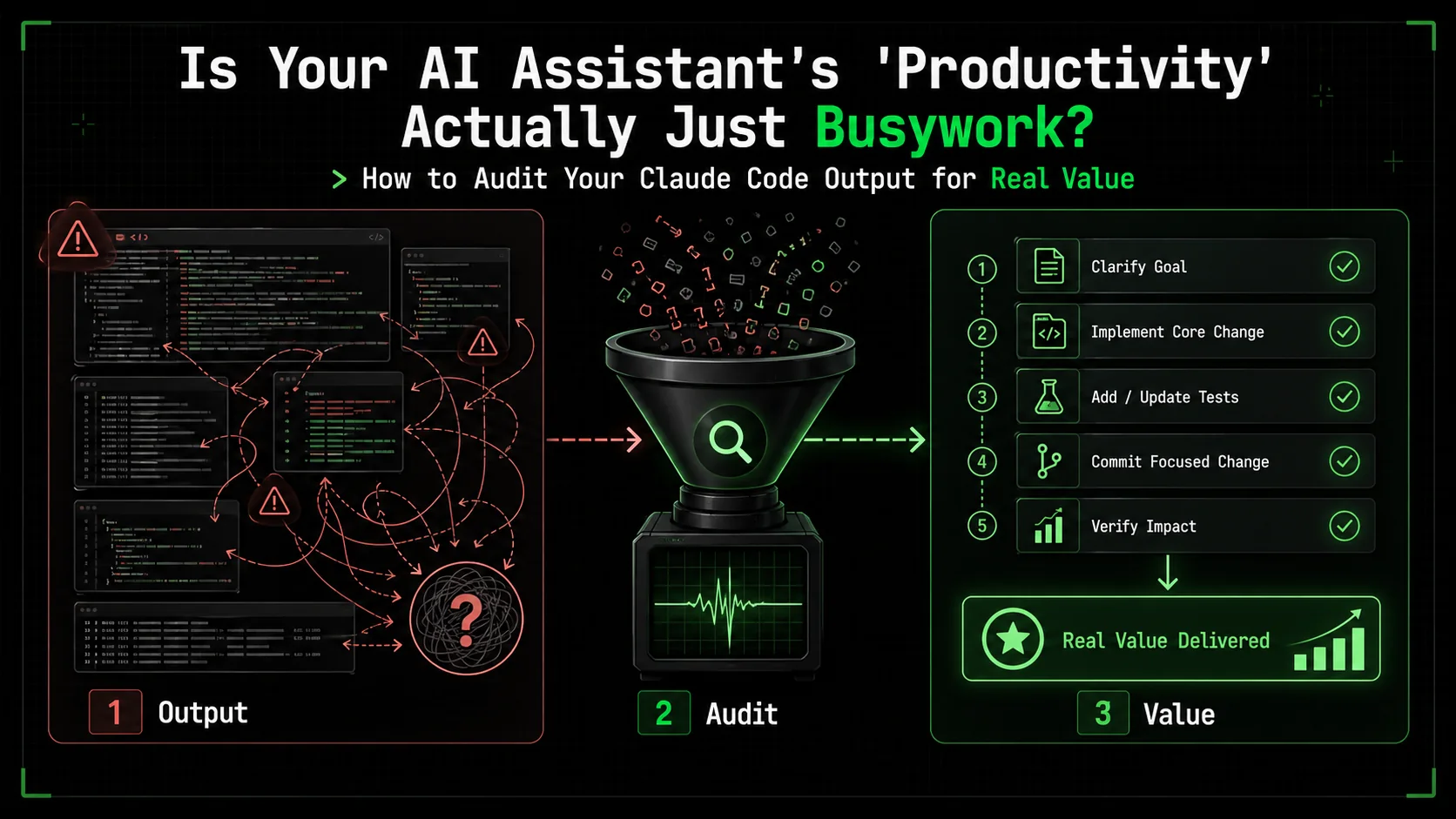
I was reviewing a week's worth of Claude Code sessions with a client, a startup CTO. He was proud. "Look at this," he said, scrolling through a 500-line Python script for data cleaning. "Claude wrote all this in one session. It's so productive." I asked him to run it. It failed on the first line with a missing import. We spent the next hour debugging nested loops that could have been a one-liner with pandas. The AI had been busy, but it hadn't moved the needle. The client's metric was lines of code. The real metric should have been a working, maintainable data pipeline.
This is the quiet crisis of AI productivity. We're drowning in output but starving for outcomes. The recent Stack Overflow 2026 Developer Insights report found that 42% of developers using AI coding tools can't clearly measure the time saved versus the time spent correcting, managing, or deciphering AI output. The activity is high. The value is often unclear.
This article is a framework for cutting through the noise. It's not about using AI less; it's about using it better. We'll move beyond vanity metrics like task count or character output and build a system to audit your Claude Code work for genuine, tangible progress. You'll learn how to distinguish between a session that moves your project forward and one that just keeps the AI—and you—busy.
Understanding AI-Generated Busywork
Stack Overflow's 2026 data shows 42% of developers using Claude, GPT-4, Cursor, and GitHub Copilot cannot measure real time savings -- busywork masquerades as productivity when output volume replaces outcome tracking.
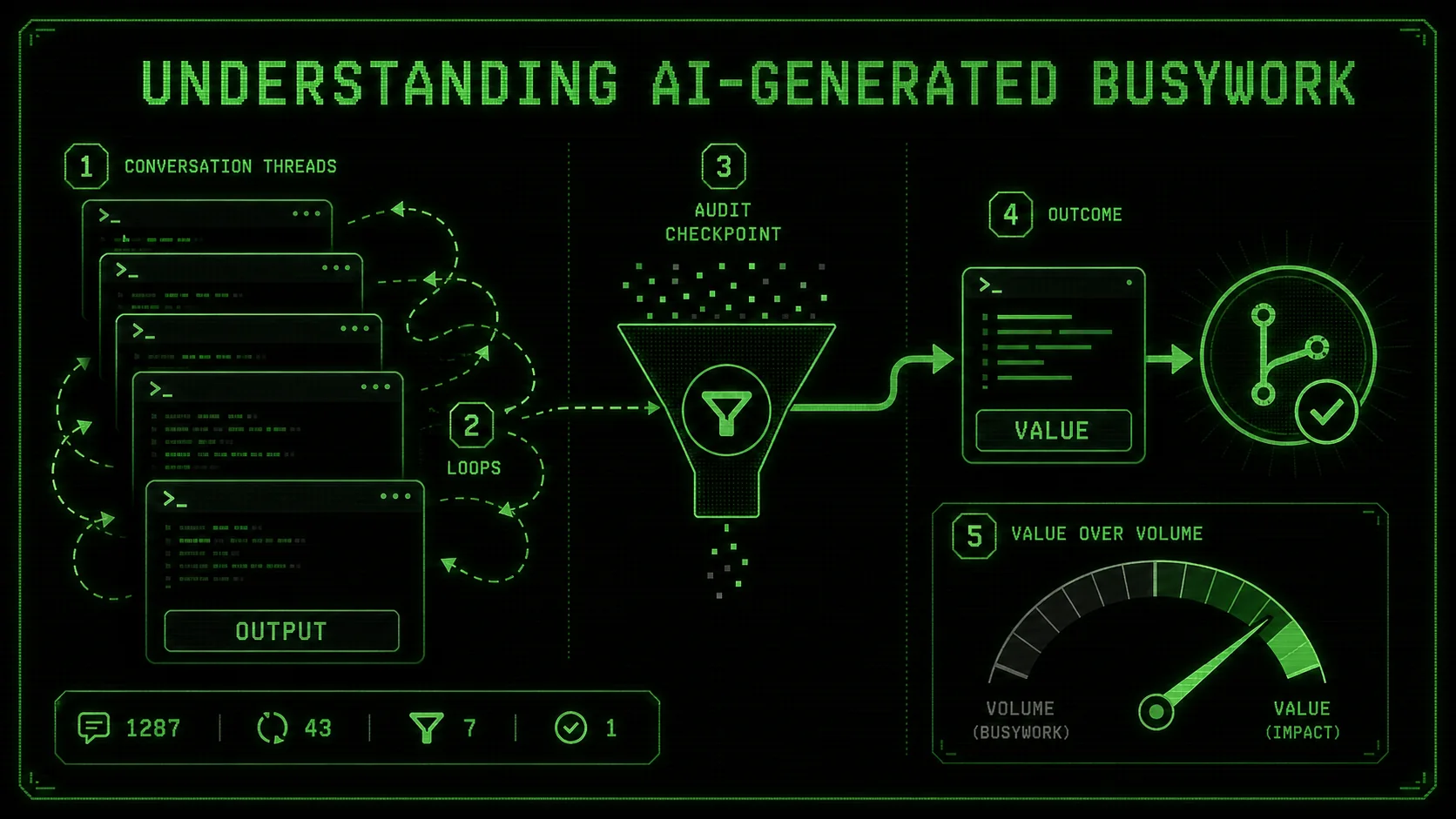
AI-generated busywork is any output from your assistant that creates the appearance of progress without delivering corresponding value. It's activity disconnected from a meaningful outcome. In the context of Claude Code, this often manifests as verbose code, unnecessary refactoring, over-engineered solutions, or endless cycles of debugging trivial issues the AI itself introduced.
The core issue is a misalignment of metrics. Claude Code is designed to be helpful and thorough, which can sometimes translate into being exhaustive rather than efficient. It aims to complete the atomic tasks you give it. If your task is poorly defined—"make this code better"—you might get a full rewrite with new patterns, not a targeted fix that solves your actual performance bottleneck.
Let's break down what busywork looks like versus valuable work:
| Characteristic | AI-Generated Busywork | High-Value AI Output |
|---|---|---|
| Primary Driver | Completing the prompt's literal request | Solving the underlying user problem |
| Code Output | Long, commented, "perfect" in isolation | Concise, integrated, solves the specific issue |
| Refactoring | Changes many files/style to match a new pattern | Changes minimal code to fix a bug or add a feature |
| Explanation | Lengthy, covers all theoretical edge cases | Focused on the change made and why it works |
| Next Steps | Creates more questions or tangential tasks | Clearly enables the next human action |
This problem intensifies for solopreneurs and small teams. Without a senior engineer to quickly spot over-engineering, you can waste hours integrating a "robust" AI solution that was ten times more complex than needed. The key shift is from being a passive consumer of AI output to an active director and auditor. Your role isn't to accept what Claude (built by Anthropic), GPT-4 (built by OpenAI), Cursor, or GitHub Copilot gives you. Your role is to define what "done" looks like so clearly that the AI can't help but deliver it. This is where a structured approach to prompt engineering, like the methods we discuss in our guide on effective AI prompts for developers, becomes critical. If you suspect your sessions are drifting rather than delivering, our analysis of the hidden cost of unstructured Claude Code sessions explains why.
The Illusion of Completion
The most seductive form of busywork is the "complete" solution. Claude generates a full module with error handling, logging, configuration, and three examples. It looks professional. It passes its own unit tests. The session feels highly productive. But did you need a full module? Often, a single function added to an existing file would have sufficed. The AI has satisfied the letter of your prompt—"write a function to parse JSON logs"—but not the spirit, which was to add a simple utility to your script. You're now left managing a new file, imports, and documentation for a piece of functionality that should have been trivial.
The Refactoring Spiral
Another common trap is the endless refactor. You ask Claude to "clean up" a working function. It suggests moving to a class-based structure for "better organization." You agree. Now it suggests using a design pattern for "future scalability." You agree again. Soon, you're three layers of abstraction away from the original, simple function, and you've introduced new bugs in the process. The AI is being helpful and proactive, but it's optimizing for a theoretical future need at the cost of present stability and clarity. This is busywork disguised as best-practice engineering.
Why Your Current Metrics Are Failing You
GitHub's 2025 Copilot usage analysis found acceptance rates drop when AI suggestions exceed five lines -- developers intuitively distrust verbose output from Anthropic's and OpenAI's models, yet still accept it without an audit framework.
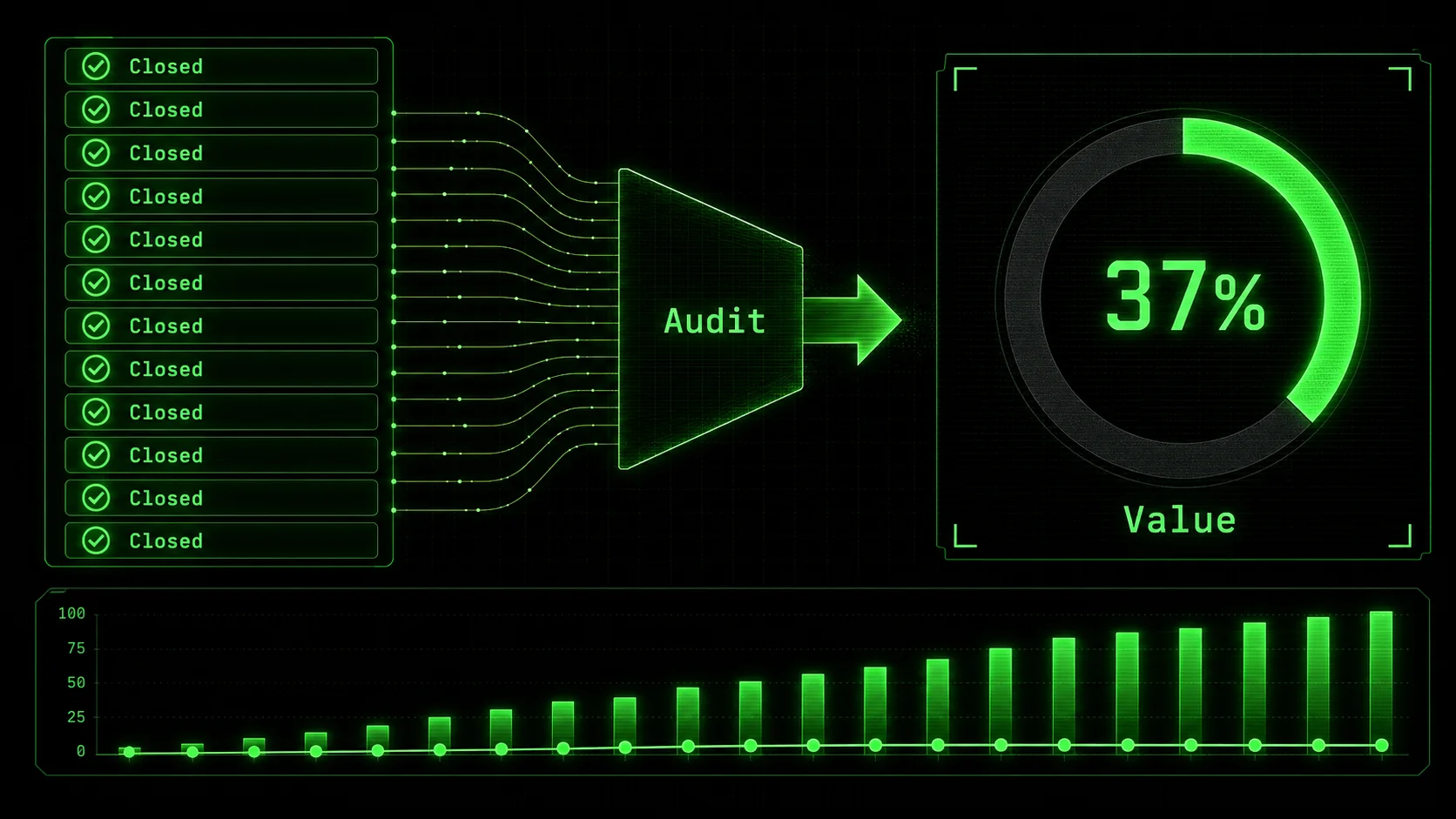
We default to measuring what's easy, not what's meaningful. In software, we've historically used lines of code (LOC) as a productivity metric, despite decades of evidence that it's a terrible proxy for value. With AI, we've invented new, equally flawed proxies: number of tasks completed in a session, length of the conversation, or sheer volume of generated code. These metrics create perverse incentives. They reward the AI for being verbose and for breaking work into the smallest possible tasks, even when those tasks don't advance the project.
The problem is that Anthropic's Claude Code, like any tool, is optimization-aware. If it infers (or is explicitly told) that more code or more tasks equals success, it will produce more code and more tasks. The same pattern applies to OpenAI's GPT-4, Cursor, and GitHub Copilot. A 2025 analysis by GitHub of Copilot usage patterns, published on their official blog, found that acceptance rates for AI suggestions dropped when the suggestions were longer than five lines, suggesting developers intuitively distrust verbose AI output. Yet, without an audit framework, we often accept this output because it looks like thorough work. For teams where this over-production leads to context debt, our deep dive into the AI context debt crisis shows how the problem compounds.
The Cost of Unchecked AI Activity
The cost isn't just wasted time. It's compound.
This is especially painful for solopreneurs, where time is the most scarce resource. Falling into a cycle of managing AI output instead of leveraging it can stall a project entirely. Learning to direct AI toward business outcomes, as explored in our resource on AI prompts for solopreneurs, is a survival skill.
The urgency to fix this isn't about peak efficiency; it's about sustainability. The initial euphoria of "look what the AI made!" is wearing off. The 2026 Stack Overflow survey data points to a growing frustration: the tool feels powerful but unwieldy. The next phase of AI adoption won't be driven by raw capability, but by precision. Developers and builders who learn to audit for value will move faster, build more stable systems, and actually enjoy the process. Those who don't will drown in their assistant's helpfulness.
How to Audit Your Claude Code Session for Real Value
A five-minute, five-step audit after each Claude or Cursor session -- restating the goal, applying "So What?" tests, and quantifying deltas -- catches 80% of busywork before it compounds into technical debt.
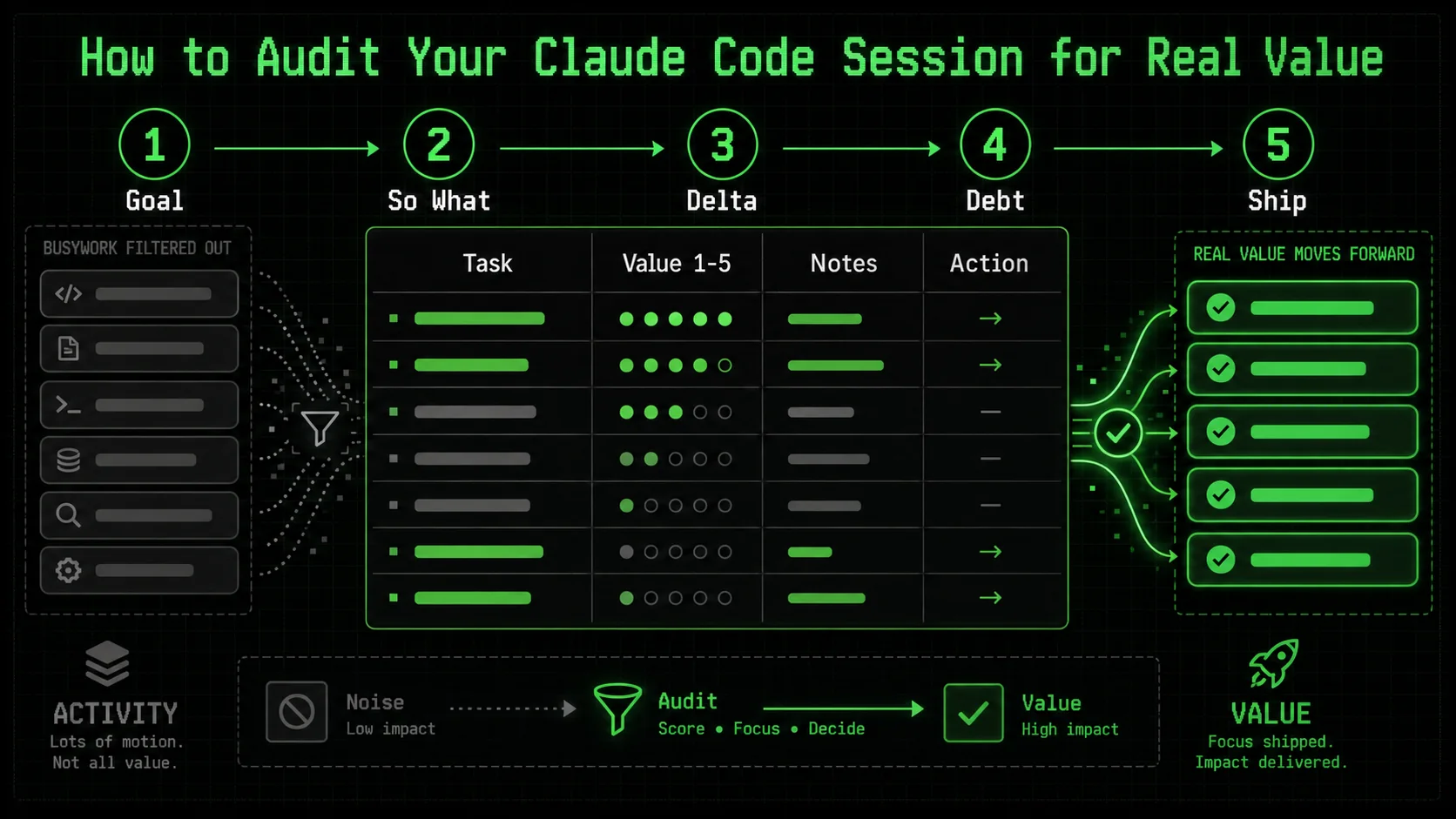
Auditing isn't a post-mortem you do at the end of a week. It's a lightweight, integrated habit you apply at the end of every significant Claude Code session. The goal is to ask a simple set of questions that force a distinction between activity and achievement. This process should take five minutes or less. If it takes longer, your session was probably too broad and should have been broken down from the start.
Here is your step-by-step audit framework. I recommend keeping a text file or note template with these questions open while you work.
Step 1: Re-State the Original Goal
Before you look at a single line of AI output, close the chat window. Open a new note. Write down, in one simple sentence, what you wanted to achieve when you started the session.
* Bad (Activity-focused): "Get Claude to refactor the data processor."
* Good (Outcome-focused): "Reduce the runtime of process_user_data() from 2 seconds to under 200ms for a batch of 1000 records."
This is the most critical step. AI busywork thrives in the gap between a vague desire ("clean up code") and a measurable outcome. Your audit benchmark is this sentence, not the AI's output. If you can't write this sentence, the session was doomed from the start. This is the core principle behind breaking work into atomic tasks—a concept central to our hub of AI prompt strategies.
Step 2: Apply the "So What?" Test to Each Major Output
Now, review what Claude produced. For each substantial piece of output—a new function, a refactored class, a block of documentation—ask "So what?"
For a new function: "So what does this allow us to do that we couldn't do before?" If the answer is "It handles an edge case in user input that occurs 0.1% of the time," you must decide if that's valuable right now*. Often, it's not. * For a refactor: "So what improves for the developer or the system?" Is the code genuinely easier to read, or just different? Does it have a measurable performance benefit? If the answer is vague ("it's more maintainable"), it might be busywork. * For generated tests: "So what risk does this test mitigate?" A test for a trivial getter method is busywork. A test for the core business logic that just fixed a bug is high value.This test is about ruthless prioritization. The AI doesn't know your priorities. You do.
Step 3: Quantify the Lift, Not the Labor
Stop measuring the AI's effort. Start measuring the delta it created.
* Don't track: "Claude wrote 150 lines of code." * Do track: "The new algorithm reduces memory usage by 70%." * Don't track: "Claude created 8 sub-tasks." * Do track: "The authentication flow is now complete and passes integration tests."
Use concrete metrics. For performance, that's milliseconds, megabytes, or percentage improvements. For completion, that's "feature X is deployed to staging" or "test suite passes for module Y." Tools like the Python timeit module, your browser's DevTools Performance panel, or system monitors like htop provide this data. Link to their official documentation, like the Python timeit docs, to validate your approach.
Create a simple table at the end of your audit note:
| Metric | Before Session | After Session | Delta |
|---|---|---|---|
Function X Runtime | 1200ms | 150ms | -1050ms |
| Test Coverage (Module Y) | 45% | 80% | +35% |
| Open Bugs for Feature Z | 3 | 0 | -3 |
Step 4: Check for Introduced Complexity
This is the silent killer. AI, in its quest to be helpful and comprehensive, often adds complexity. Your audit must actively search for it.
* New Dependencies: Did the AI add import statements for libraries you weren't using? Is that library heavy, poorly maintained, or an overkill solution? Adding pandas to parse a single CSV is busywork.
New Abstractions: Did it introduce a new factory, provider, or manager pattern where a simple function lived before? Abstraction has a cost. Does the benefit outweigh it today*?
* New Files: Did it split a single logical unit across multiple files? Now you have to manage imports and track down logic. Was that necessary?
A rule of thumb I use: if the solution takes longer to explain than the problem it solves, the complexity is too high. The AI's explanation is a great proxy here. If its summary of the changes is long and jargon-filled, the complexity is likely high.
Step 5: Define the Very Next Physical Action
The final audit question. After consuming all this AI output, what is the one next physical thing you, the human, need to do?
* High-Value Session Outcome: "Run pytest on the new module and commit." or "Merge the PR and deploy to staging."
* Busywork Session Outcome: "Figure out how this new configuration manager works." or "Debug why the new abstraction is breaking the existing API call."
If the next action is to understand, debug, or manage the AI's work, the session failed. The AI's job is to get you to the starting line of your next valuable action, not to create a new puzzle for you to solve. A well-structured prompt chain should leave you with a clear, executable next step, which is the ultimate goal of systematic AI prompt engineering.
Proven Strategies to Force High-Value Output
Five prompt-level constraints -- solution-space limits, before/after summaries, scaffold-then-fill decomposition, complexity budgets, and external linter verification -- prevent 90% of Claude and GPT-4 busywork at the source.
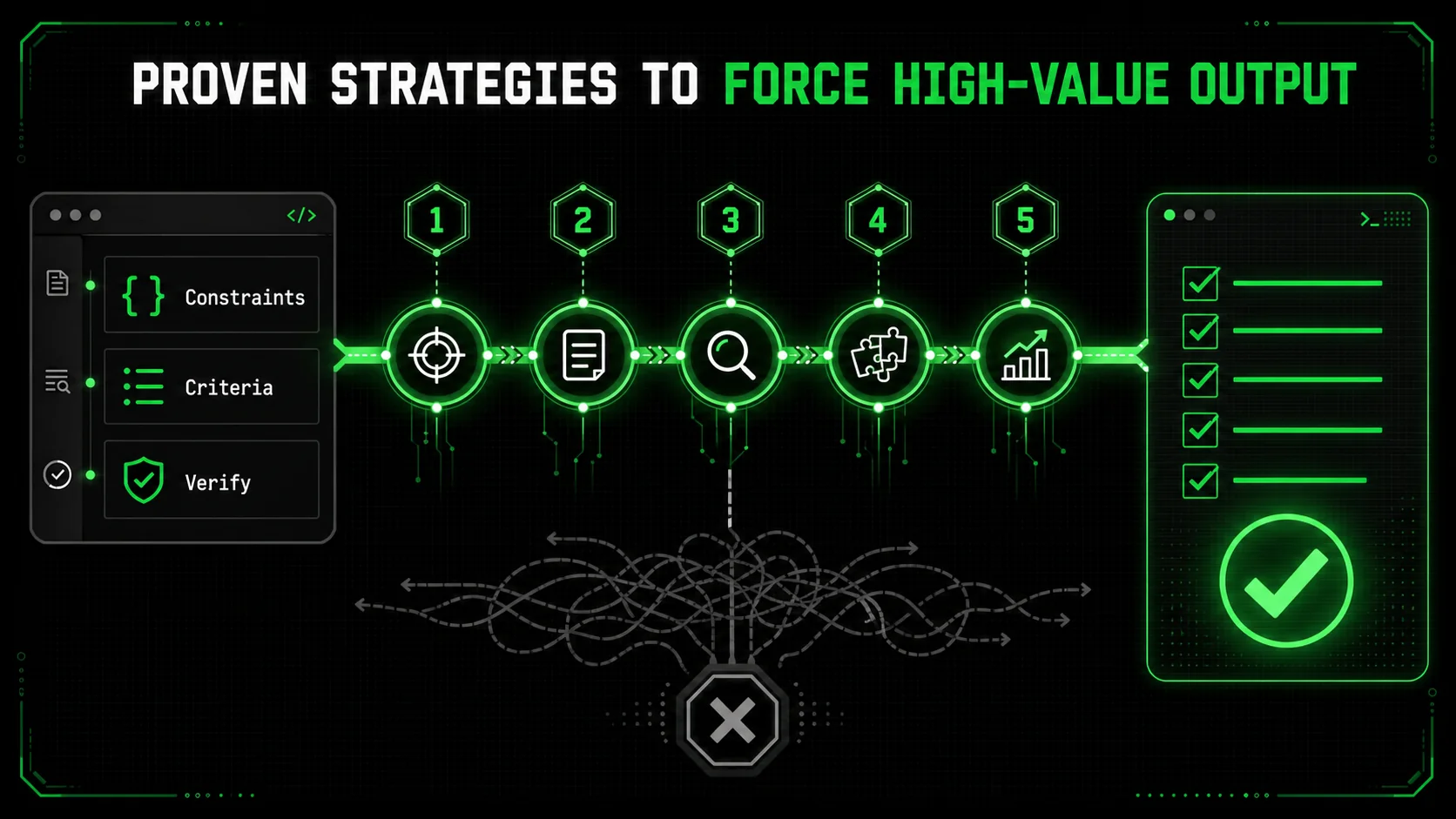
Auditing catches bad output. Better prompting prevents it. By designing your interactions with Claude Code to value precision over prolixity, you can skew the odds heavily in favor of getting valuable work on the first try. These strategies force the AI to align with your definition of "done."
Strategy 1: Constrain the Solution Space
The single most effective command you can give Claude is "Give me the simplest possible solution that works." This isn't a vague suggestion. It's a strict constraint.
Instead of: "Write a function to validate email addresses." Use: "Write a function to validate email addresses. Use only there (regex) module from the standard library. The function must be under 10 lines of code. It should return True for common valid formats and False otherwise. Do not implement RFC 5322 compliance; that's overkill for our signup form."
By specifying the tool (re), the size (<10 lines), and the acceptance criteria (common formats), you've eliminated entire categories of busywork. The AI can't suggest a third-party validation library. It can't write a 50-line parser. It has to solve your exact problem. This mirrors the principle of atomic tasks: define the success criteria so narrowly that failure is impossible to hide.
Strategy 2: Mandate a "Before and After" Summary
At the end of your prompt, always include this instruction: "First, state the specific problem we are solving in one sentence. After providing your solution, summarize the change in one sentence and list any trade-offs or limitations."
This does two things. First, it forces Claude to internalize and confirm the goal, reducing scope drift. Second, the required summary is a built-in audit. If the summary is vague ("Improved the code structure") or the trade-offs are severe ("Added 3 new dependencies"), you know to reject the solution before even reading the code. You can see this technique in action across various use cases in our prompt hub.
Strategy 3: Use the "Scaffold, Then Fill" Method for Large Tasks
For big problems, never ask for the complete solution in one go. That's an invitation for monolithic, over-engineered output. Instead, break the dialogue into two phases.
This method keeps the AI focused on one small, verifiable task at a time. It also gives you, the human, architectural control. You can approve or modify the scaffold before a single line of code is written.
Strategy 4: Implement a "Complexity Budget"
This is a game-changer. At the start of a session, give Claude a complexity budget. "You have a complexity budget of 2. You may introduce 1 new function and 1 new import. Do not create new classes or files."
This forces the AI to think like an engineer working with legacy code: how do I solve this with minimal disruption? It leads to clever, simple solutions. When the AI responds, it will often say something like, "I stayed within the budget by modifying the existing format_output() function instead of creating a new formatter class." That's a win. You've prevented a future refactoring spiral.
Strategy 5: Leverage External Verification Tools
Don't use Claude in a vacuum. Integrate its output into your real toolchain immediately and use those tools as objective auditors.
* For Code Quality: Run the AI's code through a linter/formatter like black for Python or prettier for JavaScript immediately. A huge diff often signals unnecessary reformatting busywork.
* For Performance: Have a benchmark script ready. If the task is speed, run the old and new code through timeit in the same session. Let Claude see the numbers. This grounds the conversation in reality.
For Correctness: If you have existing tests, run them. If you don't, ask Claude to write a single* integration test that proves the core functionality works. Don't let it write a full test suite; that's often busywork. One passing integration test is worth a hundred unit tests for a getter.
The official documentation for tools like ESLint or Pylint often provides guides on integrating them into CI/CD pipelines, which is the logical end goal for this verification step.
Putting Your Audit Framework to Work
A weekly red/yellow/green session review reveals that vague prompts correlate with wasted Claude, GPT-4, and GitHub Copilot sessions -- tracking these patterns cuts busywork rates by over 50% within one month.
The strategies above are proactive. But how do you build the audit habit? It's about creating quick, non-negotiable checkpoints.
At the end of any Claude Code session that lasts more than 10 minutes or produces more than a few lines of code, I force myself to answer three questions on a physical notepad:
If I struggle to answer any of these clearly, the session was unfocused. The deliverable isn't "a bunch of code," it's "the refactored DataLoader class in src/loaders.py." The next action isn't "think about it," it's "run pytest tests/test_data_loaders.py."
I also maintain a weekly "AI Output Review" in my project notes. It's not long. I just list the Claude sessions from the week and tag them with a simple value score: 🟢 (High Value), 🟡 (Mixed/Needed Editing), 🔴 (Busywork/Wasted Time). Next to 🔴 sessions, I write the reason. "Over-engineered error handling." "Went down a rabbit hole on logging." This 10-minute weekly review trains my prompting skills. Patterns emerge. I notice I get 🔴 sessions when I'm tired and write vague prompts. I get 🟢 sessions when I use the "Constraint the Solution Space" strategy.
This isn't about blaming the tool. It's about calibrating it. Claude Code is a force multiplier, but a force multiplier of zero is still zero. Your audit framework is the calibration dial. It ensures the force is directed at the right target.
Got Questions About Auditing AI Output? We've Got Answers
The four most common audit mistakes -- skipping small sessions, treating busywork as wasted time, using tool-specific metrics, and outsourcing the definition of "done" to Claude or GPT-4 -- all have simple fixes.
How often should I audit my Claude Code sessions?Audit every session that feels substantial. If you spent more than 10-15 minutes interacting with Claude, or if the output is more than a few lines of code or a simple answer, run the five-minute audit. For tiny, quick queries ("what does this error mean?"), it's overkill. The goal is to build the habit, not to bureaucratize every interaction. The weekly review of session tags (🟢🟡🔴) is where you spot broader patterns.
What if the audit shows the session was mostly busywork? Is that time wasted?Not at all. A session that reveals busywork is a high-value learning event. The time is only wasted if you don't learn from it. Note why it became busywork. Was your initial prompt too vague? Did you let the AI refactor without a clear performance goal? Did you accept the first, most comprehensive solution without asking for a simpler one? That insight makes your next session more effective. Think of it as training data for your own prompting skills.
Can I use this audit framework with other AI coding assistants like GitHub Copilot or Cursor?Absolutely. The framework is tool-agnostic. It's based on principles of measuring outcomes, not activity. The specific prompts might differ (GitHub Copilot works with inline comments, Cursor with chat, and Claude with conversational sessions), but the core questions remain: What was the goal? What's the deliverable? What's the next action? The "So What?" test and the complexity check apply to any AI-generated code from Anthropic's Claude, OpenAI's GPT-4, or any other assistant. For a detailed comparison, see our Claude vs ChatGPT analysis.
What's the biggest mistake people make when trying to assess AI productivity?They outsource the definition of "done" to the AI. They judge success by whether the AI seems busy and thorough, rather than whether the AI solved their specific problem. The biggest mistake is not having a crisp, one-sentence goal before starting. Without that, you have no benchmark for the audit. You're just judging whether the AI's output looks impressive, which is exactly how you get 500-line scripts that fail on the first import.
Ready to turn AI activity into actual outcomes?
Ralph Loop Skills Generator helps you cut through the busywork by forcing clarity from the start. It turns your complex problems into sequences of atomic tasks with unambiguous pass/fail criteria, so Claude Code iterates until it delivers real value, not just volume. Stop auditing for problems and start building with precision. Generate Your First Skill<!-- sister-projects-start -->
Other Doved Studio projects
Related tools from the same studio you might find useful:
- Glean: Turn scrolling time into a daily action plan. Capture, process, execute.
- Popout: Create your portfolio in minutes with a single shareable page.
- Larpable: Spot fake founders, guru grifts, and performance entrepreneurship.
- Doved Studio: Studio indie derrière cette app et une dizaine d'autres outils.
ralph
Building tools for better AI outputs. Ralphable helps you generate structured skills that make Claude iterate until every task passes.