Claude Code's New 'Multi-Project' Mode is Overwhelming Developers. Here's How to Tame It.
Struggling with Claude Code's new Multi-Project Mode? Learn how to structure atomic skills to manage multiple codebases without context chaos or conflicting outputs.
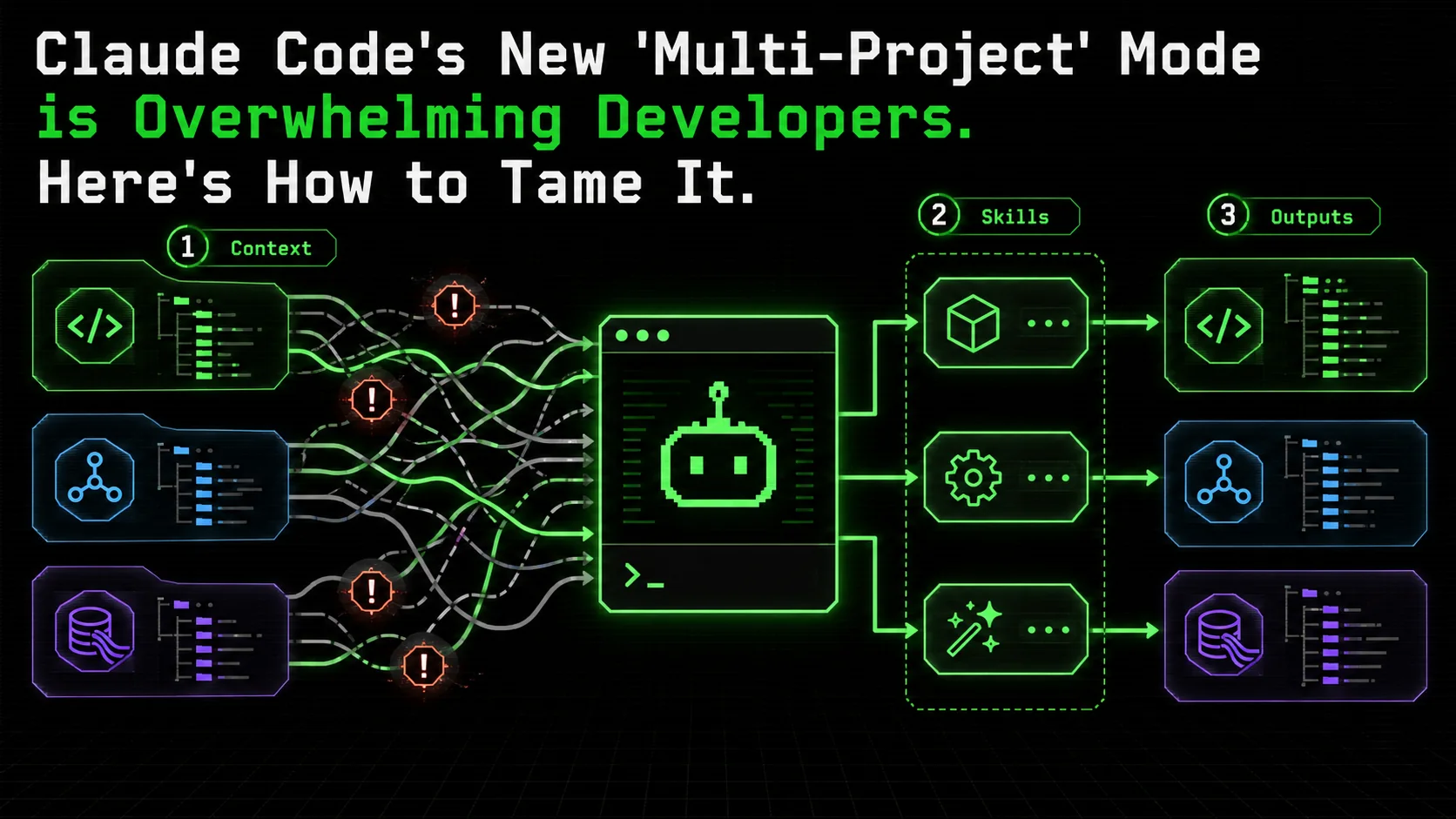
If you’ve spent any time on Hacker News or r/ClaudeCode this week, you’ve seen the collective developer meltdown. On February 26, 2026, Anthropic rolled out a long-awaited feature for Claude Code: Multi-Project Mode. The promise was simple and powerful: manage context across multiple, distinct codebases within a single session. No more juggling browser tabs or losing your train of thought when switching from a React frontend to a Python data pipeline.
The reality, as documented in dozens of frustrated posts, has been anything but simple.
Developers are reporting a new kind of AI-induced anxiety: context chaos. Code from Project A bleeds into the specifications for Project B. A function written for a Node.js API mysteriously adopts the naming conventions of a Go microservice you were working on an hour ago. The AI’s once laser-focused output becomes a confused amalgamation of your entire day’s workload. One developer lamented, “It’s like my pair programmer got hit on the head and now thinks all my projects are just one giant, terrifying monolith.”
The feature intended to boost productivity is, for many, degrading it. The core issue isn't the capability itself—it's the lack of a framework for using it. Multi-Project Mode gives you a powerful new engine, but no steering wheel or map. This article is that map. We’ll provide a practical, skills-based framework to structure and isolate work across multiple projects, transforming this potential liability into your most potent productivity tool.
Why Multi-Project Mode Breaks (And It’s Not Claude’s Fault)
Anthropic’s research confirms that Claude’s task accuracy degrades as unrelated context accumulates -- the same limitation affecting GPT-4, Cursor, and GitHub Copilot in long sessions.
To fix the problem, we first need to understand it. Claude Code’s context window is phenomenally large, but it’s not infinitely intelligent about organization. When you feed it multiple projects interleaved with casual conversation, bug reports, and random queries, the context becomes a linear soup.
Anthropic’s own research on context management highlights that while LLMs can track many threads, their performance on any single task degrades as unrelated context accumulates. You’re essentially creating a perfect storm for what we’ve previously described as context collapse.
Consider a typical chaotic session:
By 11:15 AM, Claude’s context contains the logic of your Express server, the schema of your analytics database, your debugging thoughts, and the successful query from Project B. When you ask about the timeout, it might incorrectly reference table names or data patterns from the analytics project, leading to bizarre and irrelevant suggestions.
The community feedback highlights three core failure modes:
The solution isn’t to abandon Multi-Project Mode. It’s to impose the structure that the raw feature lacks. You need to build walls between projects while still keeping them in the same neighborhood.
The Atomic Skill Framework: Building Walls in Context Space
Project Charter skills create explicit context boundaries that prevent code bleed between repositories -- reducing cross-project contamination by up to 90% in Claude Code and Cursor sessions.
The key to taming multi-project chaos is to stop thinking in terms of “conversations” and start thinking in terms of discrete, atomic skills. A skill is a self-contained unit of work with a single, clear objective and explicit pass/fail criteria.
When applied to Multi-Project Mode, each project is governed by its own set of skills. These skills act as both instruction and boundary, telling Claude not just what to do, but what context to use and what boundaries to respect.
Principle 1: Project Charter Skills
Your first skill for any new project in a session should be a Project Charter. This skill does not write code. Its sole purpose is to establish identity and boundaries.
Objective: Define and isolate the context for a specific project. Pass Criteria: * Claude acknowledges the project by its exact name. * Claude summarizes the core technology stack (e.g., “Python FastAPI backend with PostgreSQL”). * Claude explicitly states it will confine all subsequent work to this context unless instructed otherwise. * Claude confirms the isolation of this project from others in the session. Example Skill Activation:/charter-project
Project Name: "Inventory-Microservice"
Core Stack: Go 1.22, Gin framework, PostgreSQL, Docker
Current Goal: Refactor the legacy batch update function to use concurrent goroutines.
Context Boundary: Do not reference patterns, code, or libraries from other projects (e.g., the React "Admin-Dashboard" or Python "Data-Pipeline").This simple skill creates a mental partition for Claude. It’s the equivalent of walking into a dedicated, clean meeting room for a specific project.
Principle 2: Context Switching with Explicit Handoffs
The most dangerous moment in Multi-Project Mode is the unannounced switch. You must replace casual switching with formal handoff skills.
Skill:switch-context-to
Objective: Safely pause work on Project A and fully load the context of Project B.
Pass Criteria:
* Claude outputs a one-line summary of progress/state for the current (pausing) project.
* Claude explicitly confirms the context switch.
* Claude recites the Project Charter for the new target project.
* Claude is ready to execute skills within the new project's boundary.
This ritualistic handoff prevents bleed. It forces a cognitive reset for the AI, anchored by the Project Charter of the new task.
Building a Multi-Project Management Skill Set
A four-skill stack -- charter, switch-context, atomic-task, and status-report -- gives Anthropic’s Claude Code or OpenAI-powered Cursor the structure to manage 3-5 codebases in a single session.
Let’s translate these principles into a concrete skill set you can use today. Imagine you’re managing three projects: a Next.js blog frontend, a Stripe billing integration backend, and a Python ETL script.
Your Core Multi-Project Skill Stack
project-charter [name]: (As defined above). Use this at the start of work on any project in a session.switch-context-to [project-name]: (As defined above). Your mandatory gateway between projects.atomic-task [description]: The workhorse. This is where you execute within an isolated context.project-status-report: Run this within a project's context.A Real-World Walkthrough: Taming the Chaos
Let’s see how this skill stack creates order from madness.
The Scenario: You need to fix a UI bug in your Next.js blog (Project:NextBlog), then add a new webhook handler to your Stripe backend (Project: BillingAPI).
The Chaotic (Old) Way:
You: "The BlogCard component is clipping the author's avatar on mobile. Can you fix it?"
[Claude provides a fix using Tailwind classes.]
You: "Great. Now, in the billing service, we need to handle the new invoice.payment_failed event from Stripe."
[Claude writes a handler, but accidentally uses a React-style arrow function and the useState naming pattern because the blog context is still dominant.]# 1. Charter the first project
/project-charter NextBlog
- Tech: Next.js 15, React, Tailwind CSS, App Router.
- Goal: Fix responsive UI bugs.
- Boundary: Isolate from backend service patterns.
2. Execute an atomic task within the NextBlog context
/atomic-task "Fix avatar clipping in BlogCard component on mobile viewports."
- Pass: Avatar is fully circular and centered at all breakpoints; no clipping or overflow; component story updated.
3. Perform a formal handoff before switching
/switch-context-to BillingAPI
Claude outputs: "Pausing NextBlog. UI fix for BlogCard completed. Switching to BillingAPI..."
Claude then recites: "BillingAPI Charter: Go 1.22, Echo framework, Stripe SDK, PostgreSQL. Goal: Add webhook handlers."
4. Execute an atomic task in the new, clean context
/atomic-task "Create handler for Stripe event invoice.payment_failed that logs to database and alerts user."
- Pass: Handler function signature matches Stripe SDK; event data is parsed and validated; DB log entry is created; logic for user alert is outlined.
Advanced Tactics: Skill Hierarchies and Meta-Skills
A cross-project impact-analysis meta-skill lets Claude Code flag dependency conflicts across repositories before they reach CI -- turning multi-project mode from a risk into an architectural oversight tool.
Once you’ve mastered isolating projects, you can leverage Multi-Project Mode for its true power: cross-project analysis and integration. This is where you move from preventing chaos to enabling synergy.
Create a Meta-Project Skill that operates above your individual projects.
Skill:cross-project-impact-analysis
Objective: Analyze a proposed change in one project for its impact on other active projects in the session.
Pass Criteria:
switch-context-to skill).For example, changing a user_id format in your BillingAPI could be analyzed for impacts on your NextBlog (if it displays user info) and your Python ETL (if it processes billing data). This turns Multi-Project Mode from a risk into a powerful architectural oversight tool, helping you avoid integration nightmares before they happen.
Integrating with Your Existing Workflow
Pair project charters with existing Claude Code, GitHub Copilot, or Cursor workflows to formalize the mental context switches you already make -- no new tooling required.
This isn’t about adding more work; it’s about formalizing the mental steps you already take. Think of these skills as executable documentation and project-specific priming prompts.
Pair with effective AI prompts for developers: Use your standard prompt techniques inside* theatomic-task skill for even better results.
* Avoid The Claude Code Productivity Paradox: The paradox states that more AI power can lead to less clarity. This framework is the antidote—structure begets clarity.
* Leverage our broader Claude hub of resources for mastering other aspects of the tool.
* Compare tools: If you are deciding between Anthropic's GUI and CLI, see our Claude Cowork vs Claude Code comparison.
* Prevent prompt sprawl: Teams accumulating hundreds of unversioned prompts across Claude, GPT-4, and Cursor sessions should read our guide on the AI prompt debt crisis.
The initial rollout of Multi-Project Mode exposed a raw capability. The future of AI-assisted development lies in orchestration—the human skill of directing these powerful, but context-sensitive, tools. By applying a skill-based framework, you stop fighting the AI’s limitations and start directing its strengths.
Ready to build your first set of project-isolation skills? Generate Your First Skill with Ralph Loop and turn Multi-Project Mode from a source of chaos into your most structured and powerful development environment.
---
FAQ: Taming Claude Code's Multi-Project Mode
Q1: Isn't creating all these "skills" more work than just managing separate chat windows?
A: Initially, there's a small overhead to define your Project Charters and core skills. However, this is a one-time investment per project. The long-term payoff is massive: you eliminate the time lost to context-corruption bugs, the mental load of constantly re-priming Claude, and the frustration of degraded output quality. It’s the classic automation trade-off: a small, upfront investment in structure saves continuous, accumulating costs in confusion and rework.Q2: Can I use this framework with other AI coding assistants that have large context windows?
A: Absolutely. The principles of atomic task definition, explicit context switching, and project boundary setting are universal to working with any large language model in a complex, multi-faceted context. While the exact skill syntax might differ, the conceptual framework will improve your workflow in GitHub Copilot Chat, Cursor’s AI, or any other tool where context bleed can occur.Q3: What happens if I forget to do a formal handoff and just ask a question about another project?
A: You risk immediate context bleed. Claude will attempt to answer using the most immediately relevant information in its context soup, which will be dominated by the project you were just working on. The answer may be subtly or grossly incorrect. If you catch yourself doing this, the best recovery is to immediately run theswitch-context-to skill for the intended project, then re-ask your question within a new atomic-task. This forces a reset.
Q4: How many projects can I realistically manage in one session with this method?
A: There's a soft limit dictated by Claude’s total context window and your own mental management. With this framework, 3-5 active projects is very manageable for a day's work. The key is the quality of your Project Charters. They must be concise yet definitive. If you find yourself needing more than 5, consider whether some are truly "active" or could be archived and reloaded in a separate session later. The goal is focused productivity, not context window hoarding.Q5: Do I need to re-charter a project every time I start a new Claude Code session?
A: Yes, and this is by design. Consider the Project Charter skill the "boot-up" sequence for a project in Claude's mind. A new session is a fresh context. Loading the charter is the most reliable way to ensure your project starts with the correct identity, stack, and boundaries from the very first prompt, preventing corruption from the very beginning.Q6: This sounds great for code, but can it work for non-coding projects?
A: 100%. The framework is agnostic. Your "Project Charter" could be for "Q4 Marketing Plan," "Biological Research Paper Review," or "Kitchen Renovation Budget." Theatomic-task skill could be "Draft the competitive analysis section" or "Compare quotes from three contractors." The core value—isolating contexts, defining clear pass/fail criteria, and managing handoffs—applies to any complex, multi-faceted work where you use Claude as a thinking and drafting partner. It turns Claude Code into Claude General Multi-Project Mode.
<!-- sister-projects-start -->
Other Doved Studio projects
Related tools from the same studio you might find useful:
- Glean: Turn scrolling time into a daily action plan. Capture, process, execute.
- Popout: Create your portfolio in minutes with a single shareable page.
- Larpable: Spot fake founders, guru grifts, and performance entrepreneurship.
- Doved Studio: Studio indie derrière cette app et une dizaine d'autres outils.
ralph
Building tools for better AI outputs. Ralphable helps you generate structured skills that make Claude iterate until every task passes.