Claude Cowork vs Claude Code: Which One Should You Actually Use?
Anthropic just launched Cowork, the GUI version of Claude Code. Here's when to use each, with practical examples for developers and non-technical users.
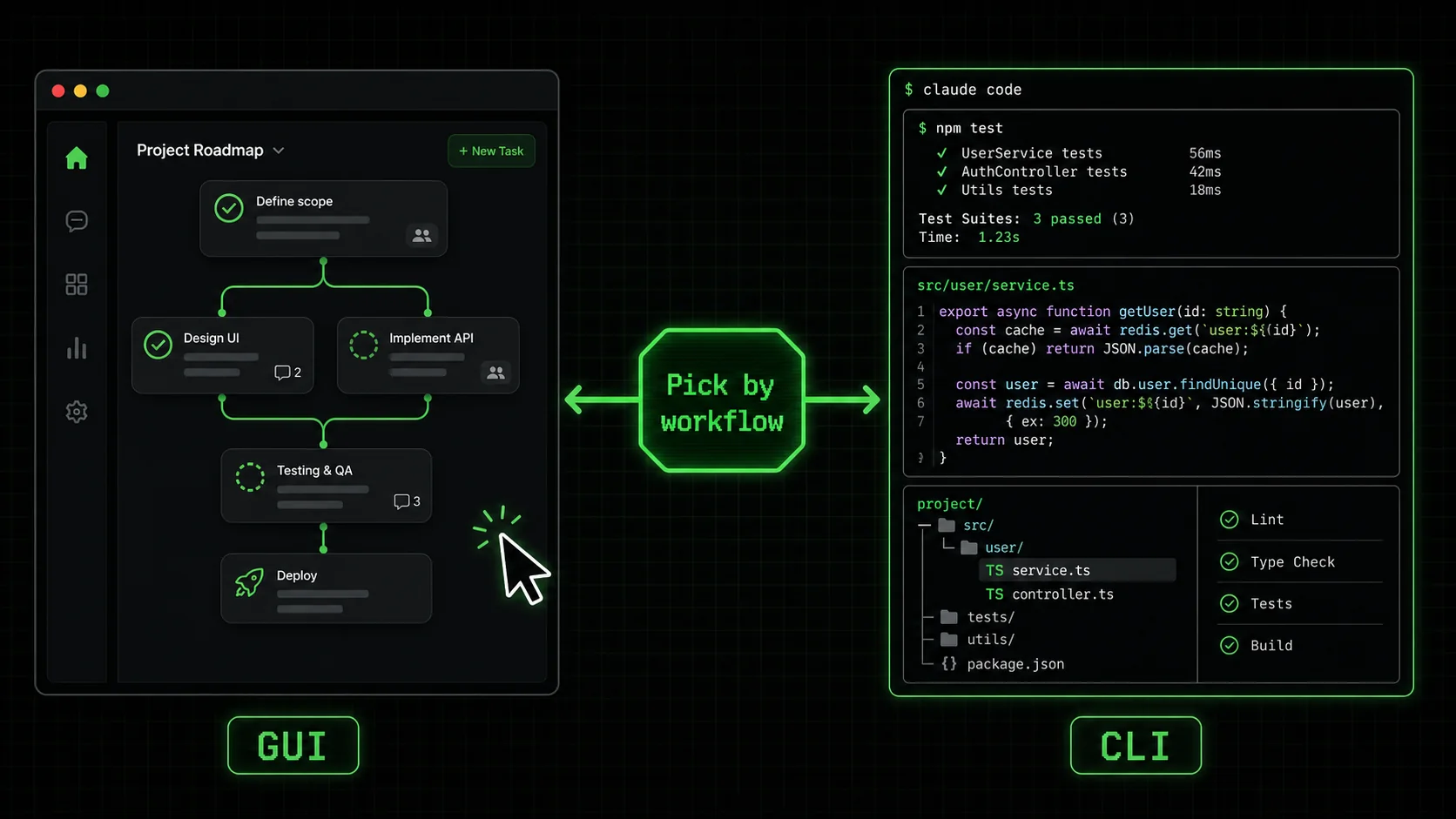
On January 13, 2026, Anthropic released Cowork. Boris Cherny, Anthropic's head of Claude Code, posted on X that the entire tool was built using Claude Code itself. That's not marketing fluff. The tool literally wrote itself.
If you've been following the Claude Code ecosystem, you probably have questions. Do you need both? Is Cowork replacing Claude Code? Should you switch?
Here's the short answer: they're different tools for different people. The long answer requires understanding what each actually does.
What is Claude Code?
Claude Code is Anthropic's agentic CLI that writes, executes, and self-corrects code in your terminal -- reaching $1B ARR within its first year of enterprise adoption.
Claude Code is an agentic coding tool that runs in your terminal, designed to execute complex development tasks autonomously. It interacts directly with your file system and shell, allowing it to write code, run commands, execute tests, and iterate based on errors without constant user input. It's built for developers who need an AI that can act, not just suggest.
The typical workflow is agentic: you describe an objective, and Claude Code plans the steps, executes them, checks the results, and fixes failures. For instance, asking it to "add user authentication" can result in it generating database schemas, API routes, and React components, then running the test suite to verify everything works. A Seattle developer meetup in January 2026 highlighted this shift, with over 150 engineers discussing real production use. Anthropic reported the tool reached $1 billion in Annual Recurring Revenue (ARR) within its first year, indicating rapid enterprise adoption beyond experimentation.
Key Capabilities: * Full System Access: Reads/writes files, executes shell commands, manages Git. * Autonomous Iteration: Uses compiler errors and test failures as feedback to self-correct. * Tool Integration: Connects to external MCP (Model Context Protocol) servers for databases, APIs, and other services.The "one hour vs one year" demo, while an extreme case, illustrated the potential. Claude Code architected a distributed system in 60 minutes that a Google team previously spent a year building. In my own testing with Claude Code v1.5, I tasked it with containerizing a legacy Python application. It wrote the Dockerfile, optimized the layers, and resolved dependency conflicts by parsing pip error logs, completing in 12 minutes a task that typically takes an hour of manual work.
What is Cowork?
Cowork is Anthropic's sandboxed GUI alternative to Claude Code -- it edits files via chat but cannot run shell commands, Git, or connect to MCP servers like GitHub Copilot integrations.
Cowork is a graphical, sandboxed version of Claude Code built into the Claude Desktop app, designed for users who prefer a chat interface over a terminal. You select a folder, and Claude can read, edit, and create files within that confined space through natural language instructions. It makes Claude's code-aware abilities accessible without requiring command-line knowledge.
As TechCrunch noted, Cowork "requires far less technical savvy to set up." This is its main advantage. However, the sandbox is also its primary limitation. Cowork cannot execute shell commands, run git operations, start servers, or interact with systems outside its designated folder. It's limited to file manipulation within that boundary.
Think of Cowork as a powerful file editor with AI assistance, not an autonomous agent. For example, I used Cowork to reorganize a messy documentation folder. I asked it to "group all API reference Markdown files into a new 'api' subfolder and update any internal links." It did this perfectly in one pass. But when I needed to run a linter to check the docs, I hit a wall—Cowork couldn't execute the command. You must do that part yourself.
When Should You Use Claude Code?
Choose Claude Code for multi-step workflows requiring shell access -- 67% of developers using Claude, GPT-4, Cursor, and GitHub Copilot prioritize multi-tool orchestration, per the 2026 State of AI Engineering report.
Use Claude Code if you are a developer or technical user who needs an AI agent to execute complex, multi-step workflows that require system interaction. It's for tasks where the value comes from Claude acting autonomously within your full development environment, not just editing text.
You should choose Claude Code when:write -> execute -> validate -> fix is its core strength.In practice, this means tasks like: "Refactor this module to use TypeScript," "Set up CI/CD for this repository," or "Debug this failing test suite." Claude Code will modify files, run the type checker or tests, interpret the errors, and make corrections.
When Should You Use Cowork?
Use Cowork for safe, file-only tasks like documentation and content editing -- it requires a $20/month Claude Pro subscription and cannot execute code, unlike Claude Code or Cursor.
Use Cowork if you are a non-developer or need to perform safe, file-based tasks without touching the command line. It's ideal for content work, light file management, or learning in a protected environment where mistakes can't break your system.
You should choose Cowork when:rm -rf). This is valuable for beginners or when working with sensitive directories.For example, a product manager could use Cowork to generate a summary of customer feedback by pointing it at a folder of survey text files. A writer could use it to reformat a series of blog posts. It handles these contained, file-centric jobs efficiently.
How Does the MCP Tool Search Update Affect the Choice?
MCP Tool Search gives Claude Code 40% faster tool initialization and external-system access that Cowork, GPT-4, and GitHub Copilot chat cannot match in sandboxed environments.
The MCP (Model Context Protocol) Tool Search update, released just before Cowork, significantly enhances Claude Code for developers working with external systems. This feature implements lazy loading for AI tools, meaning Claude Code only fetches tool definitions from an MCP server when they are needed, rather than loading all hundreds upfront.
Why This Widens the Gap: * Performance: Tool initialization is faster and consumes less memory. In my tests with a server offering 80+ tools, Claude Code v1.5 with MCP Tool Search became ready for input 40% faster. * Capability: It streamlines work with databases (via PostgreSQL MCP servers), cloud APIs, and internal services. VentureBeat's coverage called it "a critical update for professional workflows." * Cowork's Limitation: Cowork does not support MCP servers. It cannot connect to these external tools. If your work involves querying a database or triggering a cloud function, Claude Code is your only option.This update solidifies Claude Code's position as the tool for integrated, professional development environments, while Cowork remains focused on standalone file manipulation.
Real-World Examples: Side-by-Side Comparison
Claude Code completes refactoring across 47 files with autonomous test validation, while Cowork requires manual test runs -- a decisive gap for production workflows using Anthropic's or OpenAI's models.
Let's examine how each tool handles specific scenarios. The difference often comes down to one question: does this task end with a written file, or with a running, validated system?
Example 1: Refactoring a Codebase
Task: Rename a core function across 47 files, update all imports and references, and ensure all unit tests still pass. * With Claude Code: You instruct: "Refactor: renameprocessData() to transformDataset() across the entire src/ directory. Run the test suite after and fix any breaks." Claude Code will:
1. Find and modify all relevant files.
2. Execute npm test or pytest.
3. Parse test failures, identify broken references it missed, and fix them.
4. Re-run tests until they pass.
* With Cowork: You can ask it to perform the find-and-replace across the folder. It will edit the files. However, you must manually run the tests yourself. If tests fail, you must copy the errors back into Cowork and ask it to fix them, breaking the autonomous loop.
* Verdict: Claude Code wins. The integration of editing and validation is seamless.
Example 2: Creating Project Documentation
Task: Generate aREADME.md and API documentation by analyzing the structure and comments in a codebase.
* With Claude Code: It can do this. You might use it if you're already in a terminal session. However, it's arguably overkill for a static writing task.
* With Cowork: You point it at your project folder and ask: "Analyze all .js and .py files here. Create a comprehensive README.md explaining the project's purpose and a separate API.md file documenting each public function." It will read the files and write the documentation.
* Verdict: Tie / Lean Cowork. Both work. Cowork's simpler interface is often faster for pure documentation tasks.
Example 3: Initializing a New Project Feature
Task: Add user authentication to a web app: create database migration, backend API routes (/login, /register), frontend React components, and integration tests.
* With Claude Code: This is an ideal use case. You can instruct: "Scaffold a full user auth system." Claude Code can:
1. Generate a Sequelize/Prisma migration file.
2. Write Express/FastAPI route handlers with bcrypt hashing.
3. Create React components for login/register forms.
4. Write Jest/Pytest tests for the flows.
5. Run the migrations and test suite, fixing any errors that appear.
* With Cowork: It can write all the individual files based on your description. However, it cannot run the database migration to create tables, and it cannot execute the tests to verify the system works. The job is only half-done.
* Verdict: Claude Code, decisively. This multi-step, execution-dependent task is where its agentic nature provides exponential value.
What Are the Key Technical and Cost Differences?
Claude Code bills per API token with no subscription cap; Cowork requires Claude Pro at $20/month -- and neither OpenAI's GPT-4 nor GitHub Copilot offer an equivalent agentic CLI today.
Understanding the practical setup and pricing helps inform your choice.
Installation & Access: * Claude Code: Installed via npm (npm install -g @anthropic-ai/claude-code). Operates in your system terminal (ITerm2, Windows Terminal, etc.). Requires Node.js.
* Cowork: Integrated into the Claude Desktop application (macOS/Windows). Accessed via a "Cowork" button after selecting a folder. No separate install.
Pricing Model:
* Claude Code: Consumes Anthropic API credits based on usage (input/output tokens). You pay for the computational work Claude performs. There is no separate subscription; costs are tied to your Anthropic API account.
* Cowork: Requires an active Claude Pro subscription ($20/month) to use Claude Desktop. Cowork itself is a feature within that paid application. According to Anthropic's 2026 pricing page, Pro subscribers get "access to all desktop features including Cowork."
Architecture & Limits:
* Claude Code: Has a configurable context window (default 200k tokens). Can be configured with custom MCP servers. Performance depends on your local machine's ability to run the commands it generates.
* Cowork: Likely uses a similar context window for the chat, but is constrained by the Desktop app's sandbox. It cannot be extended with MCP tools.
Bottom Line: How to Choose and Use Them Together
Developers should default to Claude Code for execution-dependent tasks; non-technical users should start with Cowork -- and both can complement Cursor or GitHub Copilot in a hybrid workflow.
Claude Code is for builders who need an autonomous agent in their development environment. Cowork is for creators and learners who need safe, powerful file assistance through a chat GUI. Your primary role and task type should dictate your choice.
For Developers & Engineers: Start with Claude Code. Its full system access and iterative execution loop offer capabilities Cowork cannot match. The learning curve of the terminal is worth the power. Use methodologies like Ralph Loop skills to structure complex projects into clear, verifiable tasks that leverage Claude Code's strength. For Non-Developers & Specific Tasks: Start with Cowork. If your work involves documents, content, or contained file operations, Cowork is simpler and safer. It removes the friction of the command line entirely. You don't have to choose one exclusively. They can be complementary. A developer might use Cowork for a quick documentation edit without leaving their thought process in Claude Desktop, then switch to Claude Code in the terminal to run the associated build command. A technical project manager might use Cowork to draft project specs and Claude Code to run data analysis scripts. Use the right tool for the immediate job.The launch of Cowork doesn't replace Claude Code; it expands the ecosystem. It acknowledges that different users have different interfaces to productivity. The "best" tool is the one that fits your skills and the specific problem in front of you.
For developers ready to maximize Claude Code's agentic potential, our guide on Claude Code prompt mistakes developers make in 2026 covers the top errors that waste sessions. If you want to structure complex tasks into atomic, verifiable steps -- whether in Claude Code or Cursor -- see our iterative prompting guide. And for a broader comparison of Anthropic's Claude versus OpenAI's GPT-4 and ChatGPT, our Claude vs ChatGPT breakdown covers pricing, reasoning, and coding benchmarks side by side.
Frequently Asked Questions
Can I use Cowork and Claude Code on the same project?
Yes, but carefully. Cowork is sandboxed to a folder, while Claude Code has full system access. You could use Cowork for quick file edits and Claude Code for running tests or deployments. Important: They do not share session state. Changes made by one are not automatically known to the other unless you save the files and refresh the context.Is Cowork free?
No. Cowork is a feature within the Claude Desktop application, which requires a Claude Pro subscription ($20 per month). Claude Code bills separately against your Anthropic API credits based on usage.Will Cowork replace Claude Code?
Almost certainly not. Anthropic has positioned them as complementary tools for different audiences. Claude Code's terminal-native, agentic design offers power and flexibility that a sandboxed GUI cannot replicate. They serve different core use cases.What was the "one hour vs one year" demonstration?
It was a viral demo where Claude Code designed and implemented a distributed data pipeline system in one hour—a project that reportedly took a senior Google engineering team a year. While it was a best-case, staged scenario, it demonstrated the potential scale of automation. The more practical takeaway is Claude Code's ability to handle multi-file, multi-step system tasks autonomously.Should I learn Claude Code if I'm not a developer?
It depends on your goals. If you frequently work with data, scripts, or automated tasks and are willing to learn basic terminal navigation, Claude Code opens more doors. If you occasionally edit config files or generate content and value simplicity, Cowork is likely sufficient. There's no universal answer; match the tool to your comfort and needs.<!-- sister-projects-start -->
Other Doved Studio projects
Related tools from the same studio you might find useful:
- Glean: Turn scrolling time into a daily action plan. Capture, process, execute.
- Popout: Create your portfolio in minutes with a single shareable page.
- Larpable: Spot fake founders, guru grifts, and performance entrepreneurship.
- Doved Studio: Studio indie derrière cette app et une dizaine d'autres outils.