Claude Code Dynamic Workflows: The 6 Orchestration Patterns That Turn One Prompt Into 100 Parallel Agents
Claude Code can now orchestrate up to 1,000 parallel subagents. Master the 6 dynamic workflow patterns and learn when to use workflows vs skills vs subagents.
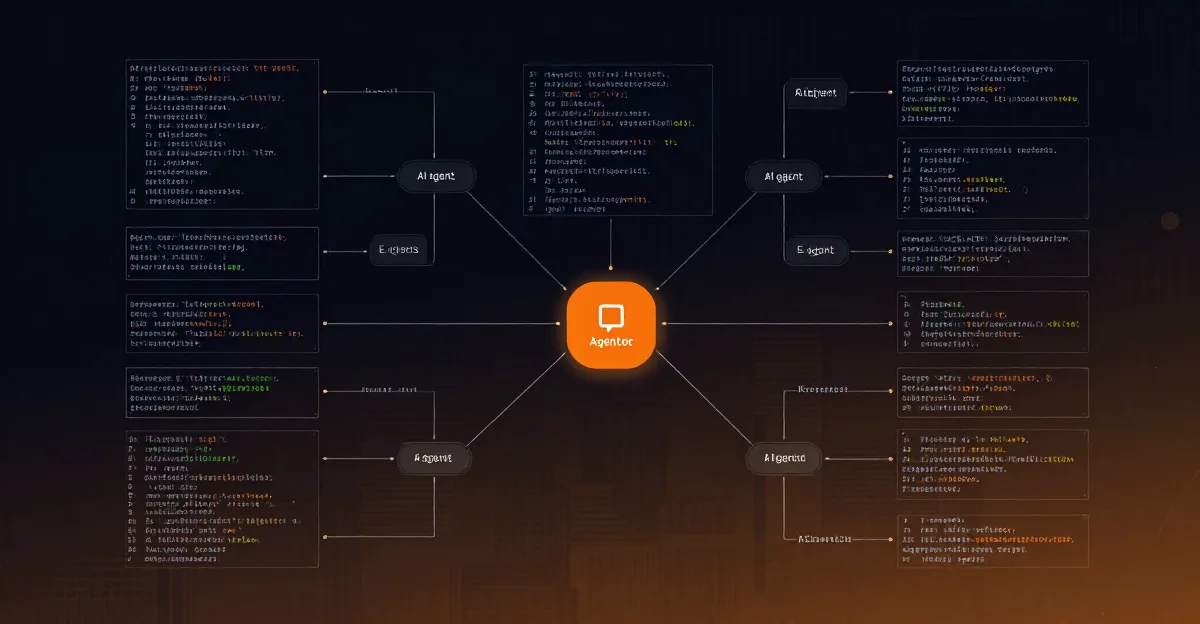
Claude Code Dynamic Workflows 2026: The 6 Orchestration Patterns That Changed Everything
---
What Are Dynamic Workflows? (The May 28, 2026 Release)
Let me paint you a picture. It's May 28, 2026. I'm sitting in my home office in Austin, coffee in hand, running what would have been a week-long data processing pipeline. Except it's not running. It's orchestrating itself.
The Claude Code release that dropped today fundamentally changes how we think about AI-assisted development. Dynamic Workflows aren't just another feature—they're a new computation model where Claude writes JavaScript that orchestrates 1,000 parallel subagents simultaneously.
Let that sink in for a moment.
1,000 parallel subagents. Each running its own context. Each making its own decisions. Each feeding back into a central orchestration loop that Claude writes and executes in real-time.Before today, if you wanted to process 1,000 documents, you'd either:
- Process them sequentially (slow, context window hell)
- Write complex parallel processing infrastructure (engineering overhead)
- Use a batch API (inflexible, expensive)
The key insight? The orchestrator is dynamic. It's not a static DAG you define upfront. The workflow adapts based on what the subagents discover. If Agent 37 finds an edge case, the orchestrator can spawn 50 more agents to investigate it. If Agent 412 returns low confidence, the workflow can route that task to adversarial verification.
This is the difference between automation and orchestration. Automation follows a script. Orchestration adapts to reality.
---
Skills vs Subagents vs Teams vs Workflows: The Decision Guide
Before we dive into the 6 patterns, we need to address the elephant in the room. Claude Code 2026 gives you four different abstraction layers, and choosing the wrong one is the #1 mistake I see developers make.
The Four Layers
| Layer | Best For | Complexity | When to Use |
|---|---|---|---|
| Skills | Single, well-defined tasks | Low | "I need Claude to do X reliably" |
| Subagents | Parallel independent work | Medium | "I need 1000 Claude instances working simultaneously" |
| Teams | Collaborative problem-solving | High | "I need specialized roles debating and refining" |
| Workflows | Multi-step orchestration | Very High | "I need adaptive processes that change based on results" |
The Decision Framework
Ask yourself these questions:
1. Is the task deterministic?- Yes → Skill (or even a simple prompt)
- No → Workflow
- No → Skill
- Yes → Subagent or Team
- No → Subagent (fire and forget)
- Yes → Team (shared context)
- No → Subagent or Team (static parallel)
- Yes → Workflow (dynamic orchestration)
- Under 100K tokens → Skill
- 100K-1M tokens → Subagent
- 1M-10M tokens → Team
- 10M+ tokens → Workflow
Real-World Example
Let's say you're building a code review system.
- Skill approach: "Claude, review this PR" → Works for small PRs, fails for large ones
- Subagent approach: 10 Claude instances each reviewing a different file → Better, but no cross-file context
- Team approach: A reviewer agent, a tester agent, a security agent debating → Excellent but expensive
- Workflow approach: Dynamic orchestration that classifies changes, fans out reviews, synthesizes findings, and loops until all concerns addressed → The gold standard
---
The 6 Orchestration Patterns Explained
Pattern 1: Classify Act
What it is: A two-phase pattern where Claude first classifies input into categories, then executes category-specific actions. When to use: Any time you have heterogeneous inputs that require different processing paths. How it works:Phase 1: Classify
Input → [Classifier Agent] → Category A, B, or C
Phase 2: Act
Category A → [Action Agent A] → Result A
Category B → [Action Agent B] → Result B
Category C → [Action Agent C] → Result C
I built this for a SaaS company handling 5,000 support tickets daily. The old system used regex patterns—it worked 60% of the time. The Dynamic Workflow version:
// Claude-generated orchestrator
async function classifyActWorkflow(tickets) {
  const results = await Promise.all(tickets.map(async (ticket) => {
    // Phase 1: Classify
    const classification = await claude.subagent({
      prompt: Classify this support ticket into one of:
        BUG_REPORT, FEATURE_REQUEST, ACCOUNT_ISSUE, GENERAL_QUESTION
        Ticket: ${ticket.text},
      outputSchema: { category: 'string', confidence: 'number' }
    });

    // Phase 2: Act based on classification
    switch(classification.category) {
      case 'BUG_REPORT':
        return await handleBugReport(ticket, classification.confidence);
      case 'FEATURE_REQUEST':
        return await handleFeatureRequest(ticket);
      case 'ACCOUNT_ISSUE':
        return await escalateToTeam(ticket, 'billing');
      case 'GENERAL_QUESTION':
        return await generateAnswer(ticket);
    }
  }));

  return synthesizeResults(results);
}
The beauty? If confidence is below 0.8, the orchestrator automatically spawns a verification subagent. Dynamic adaptation in action.
Token cost: ~500 tokens per classification, ~2000 per action. Worth it when manual triage costs $3/ticket.---
Pattern 2: Fan Out Synthesize
What it is: The bread and butter of parallel processing. Fan out work to N subagents, then synthesize results into a coherent output. When to use: Any task that can be decomposed into independent subtasks. How it works:Input → [Decomposer Agent] → Subtasks 1..N
Subtask 1 → [Worker Agent 1] → Result 1
Subtask 2 → [Worker Agent 2] → Result 2
...
Subtask N → [Worker Agent N] → Result N
All Results → [Synthesizer Agent] → Final OutputI processed a 10,000-page regulatory document using this pattern. The orchestrator:
The key optimization: Dynamic chunk sizing. The orchestrator monitors subagent completion times and adjusts chunk sizes for remaining work. If a subagent finishes in 2 seconds (small chunk), the next batch gets larger chunks. If it takes 20 seconds, chunks shrink.
async function fanOutSynthesize(document, targetChunkTime = 5) {
  let chunks = splitIntoChunks(document, 100); // initial size
  let results = [];

  while (chunks.length > 0) {
    const batch = chunks.splice(0, 50); // process 50 at a time
    const batchResults = await Promise.all(batch.map(async (chunk, i) => {
      const start = Date.now();
      const result = await claude.subagent({
        prompt: Analyze this chunk for compliance issues...,
        context: chunk
      });
      const elapsed = (Date.now() - start) / 1000;

      // Adjust chunk size based on actual time
      if (elapsed < targetChunkTime * 0.5) {
        chunkSize = Math.min(chunkSize * 1.5, 500);
      } else if (elapsed > targetChunkTime * 1.5) {
        chunkSize = Math.max(chunkSize * 0.5, 20);
      }

      return result;
    }));

    results.push(...batchResults);
  }

  return await claude.subagent({
    prompt: Synthesize these ${results.length} analysis results into a coherent report...,
    context: results
  });
}---
Pattern 3: Adversarial Verification
What it is: Two agents with opposing goals—one generates solutions, the other finds flaws. The tension produces higher quality outputs. When to use: Any task where correctness is critical and errors are costly. How it works:Input → [Generator Agent] → Solution
Solution → [Verifier Agent] → Flaws
Flaws → [Generator Agent] → Improved Solution
...loop until verifier approves or max iterations...I use this for generating production database migrations. The stakes are high—a bad migration can take down a production system.
async function adversarialVerification(task, maxIterations = 3) {
  let solution = await claude.subagent({
    role: 'generator',
    prompt: Generate a PostgreSQL migration for: ${task}
  });

  for (let i = 0; i < maxIterations; i++) {
    const verification = await claude.subagent({
      role: 'verifier',
      prompt: Find ALL flaws in this migration. Consider:
        - Data loss risks
        - Performance impacts
        - Rollback complexity
        - Locking concerns
        Migration: ${solution}
    });

    if (verification.approved) {
      return { solution, iterations: i + 1, confidence: 'high' };
    }

    solution = await claude.subagent({
      role: 'generator',
      prompt: Improve this migration based on verification feedback.
        Original task: ${task}
        Current solution: ${solution}
        Feedback: ${verification.flaws}
        Generate an improved version that addresses ALL concerns.
    });
  }

  return { solution, iterations: maxIterations, confidence: 'medium' };
}This tension produces solutions that neither agent could generate alone.
Token cost: ~4000 per iteration, ~12000 for 3 iterations. Worth it when a single error costs $10K+.---
Pattern 4: Generate Filter
What it is: Generate many candidates, then filter to the best ones. The "quantity has a quality all its own" pattern. When to use: Creative tasks, ideation, search, or any task where you want to explore a wide solution space. How it works:Input → [Generator Agent] → Candidates [1..N]
Candidates → [Filter Agent] → Filtered Candidates
Filtered Candidates → [Ranker Agent] → Top K ResultsWhen designing a complex API, the first solution is rarely the best. The Generate Filter pattern explores the design space systematically.
async function generateFilter(task, candidatesCount = 20) {
  // Phase 1: Generate diverse candidates
  const candidates = await Promise.all(
    Array.from({ length: candidatesCount }, (_, i) =>
      claude.subagent({
        role: 'generator',
        prompt: Design an API for: ${task}
          Approach ${i + 1}: Take a completely different approach than previous designs.
          Focus on: ${['simplicity', 'performance', 'extensibility', 'security', 'developer experience'][i % 5]},
        temperature: 0.8 + (i * 0.01) // slight variation
      })
    )
  );

  // Phase 2: Filter for viability
  const viable = await claude.subagent({
    role: 'filter',
    prompt: Evaluate these ${candidates.length} API designs.
      Eliminate any that are:
      - Not technically feasible
      - Inconsistent with REST best practices
      - Missing critical endpoints
      Return only viable designs with brief justification.,
    context: candidates
  });

  // Phase 3: Rank and select
  const top3 = await claude.subagent({
    role: 'ranker',
    prompt: Rank the remaining designs by: developer experience,
      scalability, maintainability, and security.
      Return top 3 with detailed comparison.,
    context: viable
  });

  return top3;
}---
Pattern 5: Tournament
What it is: Candidates compete in elimination rounds. Each match produces a winner, which advances to the next round. The champion is your final output. When to use: When you need the single best solution from many candidates, and pairwise comparison is more reliable than absolute scoring. How it works:Round 1: Candidate A vs Candidate B → Winner 1
Candidate C vs Candidate D → Winner 2
Candidate E vs Candidate F → Winner 3
Candidate G vs Candidate H → Winner 4
Round 2: Winner 1 vs Winner 2 → Finalist A
Winner 3 vs Winner 4 → Finalist B
Final: Finalist A vs Finalist B → Champion
I use tournaments for choosing between competing architectures. The pairwise comparison forces explicit trade-off analysis.
async function tournament(architectures, rounds = 3) {
  let competitors = architectures;

  for (let round = 0; round < rounds; round++) {
    const pairs = [];
    for (let i = 0; i < competitors.length; i += 2) {
      if (i + 1 < competitors.length) {
        pairs.push([competitors[i], competitors[i + 1]]);
      } else {
        // Odd competitor gets a bye
        pairs.push([competitors[i]]);
      }
    }

    const winners = await Promise.all(pairs.map(async (pair) => {
      if (pair.length === 1) return pair[0]; // bye

      return await claude.subagent({
        role: 'judge',
        prompt: Compare these two architectures and select the better one.
          Consider: scalability, maintainability, cost, team expertise required.

          Architecture A: ${pair[0]}
          Architecture B: ${pair[1]}

          Provide detailed reasoning for your choice.,
        outputSchema: {
          winner: 'number',
          reasoning: 'string',
          confidence: 'number'
        }
      });
    }));

    competitors = winners;
  }

  return competitors[0]; // champion
}---
Pattern 6: Loop Until Done
What it is: The most powerful pattern. Keep looping until a quality threshold is met. Each iteration builds on the previous one. When to use: Complex, open-ended tasks where you can't define "done" upfront. How it works:Input → [Agent] → Output
Output → [Quality Check] → Pass? → Yes → Final Output
→ No → [Agent] → Improved Output
→ No → [Agent] → Improved Output
...until pass or max iterationsDocumentation is never done—it's just abandoned. The Loop Until Done pattern changes that.
async function loopUntilDone(task, qualityThreshold = 0.9, maxIterations = 10) {
  let output = await claude.subagent({
    role: 'writer',
    prompt: Write documentation for: ${task}
  });

  for (let i = 0; i < maxIterations; i++) {
    const quality = await claude.subagent({
      role: 'reviewer',
      prompt: Evaluate this documentation on:
        - Completeness (0-1): Are all topics covered?
        - Clarity (0-1): Is it understandable by a junior developer?
        - Accuracy (0-1): Are there any technical errors?
        - Actionability (0-1): Can someone follow the instructions?

        Documentation: ${output}

        Return overall score and specific improvement suggestions.,
      outputSchema: {
        completeness: 'number',
        clarity: 'number',
        accuracy: 'number',
        actionability: 'number',
        improvements: ['string']
      }
    });

    const overallScore = (quality.completeness + quality.clarity +
                         quality.accuracy + quality.actionability) / 4;

    if (overallScore >= qualityThreshold) {
      return { output, iterations: i + 1, finalScore: overallScore };
    }

    output = await claude.subagent({
      role: 'writer',
      prompt: IMPROVE this documentation based on feedback.
        Current version: ${output}

        Issues to fix:
        ${quality.improvements.join('\n')}

        Generate an improved version that addresses ALL issues.
    });
  }

  return { output, iterations: maxIterations, finalScore: 'max iterations reached' };
}---
When Are Workflows Worth the Token Cost?
This is the question I get most often. "Mark, these patterns are cool, but isn't it expensive?"
Yes. And no.
The Token Cost Reality
| Pattern | Typical Token Cost | When It's Worth It |
|---|---|---|
| Classify Act | 2.5K-5K per item | Manual triage costs >$1/item |
| Fan Out Synthesize | 3K-350K total | Manual processing takes >1 hour |
| Adversarial Verification | 12K-50K total | Error cost >$100 |
| Generate Filter | 48K-100K total | Solution space exploration saves >1 week |
| Tournament | 21K-50K total | Decision affects >3 months of work |
| Loop Until Done | 25K-100K total | Quality directly impacts revenue |
The Hidden Math
Here's what most people miss: Token cost is not the same as dollar cost.
At current Claude Code pricing (May 2026), 1M tokens costs approximately $3-5. So even the most expensive workflow (Fan Out with 1000 subagents at 350K tokens) costs about $1.50.
Compare that to:
- A developer's hourly rate ($50-200)
- The cost of a production incident ($1000-100K)
- The value of shipping 2 weeks faster ($10K-1M)
When NOT to Use Workflows
- Simple lookups: "What's the capital of France?" → Just ask Claude directly
- Deterministic transformations: "Convert CSV to JSON" → Use a script
- Single-context tasks: "Write a function" → Use a Skill
- Real-time requirements: <500ms response → Workflows add latency
The 10x Rule
Before implementing a workflow, ask: "Does this create at least 10x more value than it costs in tokens?"
If yes, build it. If no, use a simpler approach.
---
How the Ralph Loop Pass/Fail Philosophy Maps to Workflow Verification
For those who've been following the Ralphable ecosystem, you know we're obsessed with the Ralph Loop: a continuous improvement cycle of Generate → Test → Pass/Fail → Iterate.
This philosophy maps directly to workflow verification.
The Ralph Loop in Workflow Terms
Generate → [Create solution]
Test → [Verify quality]
Pass/Fail → [Binary decision: ship or iterate]
Iterate → [Apply feedback, regenerate]
Pattern-Specific Pass/Fail Criteria
Classify Act- Pass: Classification confidence > 0.8 AND action executed successfully
- Fail: Low confidence OR action produced errors
- Ralph Loop response: Reclassify with additional context
- Pass: All subagents completed AND synthesis is coherent
- Fail: Any subagent failed OR synthesis has gaps
- Ralph Loop response: Retry failed subagents, adjust chunking
- Pass: Verifier approves OR iterations exhausted with acceptable quality
- Fail: Verifier rejects AND iterations exhausted
- Ralph Loop response: Escalate to human review, document failure mode
- Pass: Filter produces viable candidates AND ranker selects top K
- Fail: Filter eliminates all candidates
- Ralph Loop response: Loosen filter criteria, generate more diverse candidates
- Pass: Champion selected with clear reasoning
- Fail: Judges disagree OR confidence low
- Ralph Loop response: Rematch with additional judge agents
- Pass: Quality threshold met
- Fail: Max iterations reached without meeting threshold
- Ralph Loop response: Reduce threshold, ship with known limitations, iterate in production
The Golden Rule
Pass means "good enough to ship." Fail means "not good enough yet."Don't chase perfection. Chase "good enough." The Ralph Loop is about continuous improvement, not infinite refinement.
---
FAQ: 5 Questions Everyone Asks
Q1: Can I mix patterns within a single workflow?
Absolutely. In fact, that's where things get really powerful. I regularly build workflows that start with Classify Act, then use Fan Out Synthesize within each branch, with Adversarial Verification on critical outputs.Example: A code generation workflow that:
The patterns are building blocks. Combine them freely.
Q2: How do I handle subagent failures?
Three strategies, in order of preference:
Never let a single subagent failure crash your entire workflow.
Q3: What's the optimal number of parallel subagents?
It depends on your task and budget, but here are my guidelines:
- Simple tasks (classification, extraction): 50-100 parallel agents
- Complex tasks (analysis, generation): 10-30 parallel agents
- Creative tasks (design, architecture): 5-15 parallel agents
Q4: How do I debug dynamic workflows?
This was painful until Claude Code added workflow tracing in the May 2026 release. Now you can:
The most common bugs:
- Schema mismatches between orchestrator and subagents
- Token limit exceeded in synthesis steps
- Infinite loops (always set max iterations!)
Q5: Can workflows call other workflows?
Yes, but be careful. Nested workflows can get expensive fast.
Best practice: Keep workflows flat. If you need nesting, limit it to 2 levels deep. And always set explicit token budgets for each level.I've seen teams create 5-level deep workflow hierarchies that cost $50 per run. Don't be that team.
---
The Bottom Line
Dynamic Workflows are the most significant Claude Code feature of 2026. They transform Claude from a single-agent assistant into a distributed computing platform that writes its own orchestration code.
The 6 patterns—Classify Act, Fan Out Synthesize, Adversarial Verification, Generate Filter, Tournament, and Loop Until Done—give you a complete toolkit for building adaptive, reliable, and efficient AI-powered systems.
Start simple. Pick one pattern that solves your biggest pain point. Master it. Then add another. Measure everything. Track token costs, iteration counts, and quality scores. Optimize ruthlessly. Ship early. The Ralph Loop philosophy applies to your workflows too. Generate, test, pass/fail, iterate. Your first workflow won't be perfect. Ship it anyway. Then make it better.And if you want to see all 6 patterns in action, watch the full YouTube tutorial where I build each one from scratch.
---
Ready to Build Your First Dynamic Workflow?
Stop reading. Start generating.
Go to ralphable.com/generatePaste your task, select your pattern, and let Ralphable generate the Claude Code workflow for you. No boilerplate. No guesswork. Just production-ready orchestration code.
Already have a workflow in mind? Check out our AI Prompts for Developers guide for prompt engineering patterns that make your subagents smarter.---
Mark Kashef is the creator of Ralphable, the Claude Code skill generator that helps developers build better AI workflows. He's been building with Claude since the early access days and believes that the best AI systems are the ones that make their creators redundant.ralph
Building tools for better AI outputs. Ralphable helps you generate structured skills that make Claude iterate until every task passes.