Claude Code vs Cursor vs GitHub Copilot 2026: Honest Comparison After 3 Months of Daily Use
Claude Code vs Cursor vs GitHub Copilot: detailed 2026 comparison after 3 months of daily use. Speed, accuracy, autonomy, and real code examples.
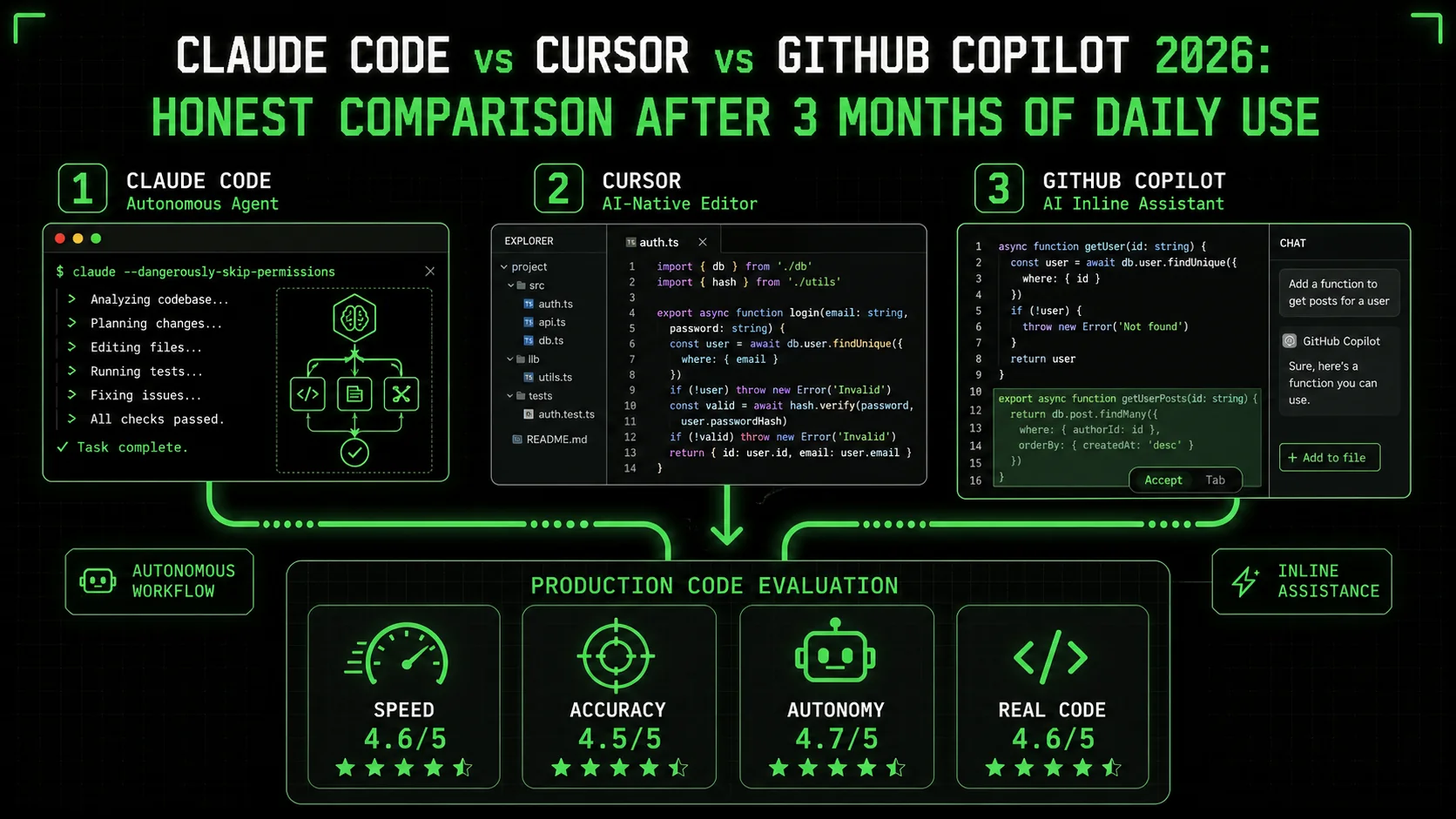
Three AI coding assistants dominate developer workflows in 2026: Claude Code, Cursor, and GitHub Copilot. They approach the same problem — help you write code faster — from fundamentally different angles. Claude Code is terminal-first and autonomous. Cursor is a VS Code fork with deep AI integration. GitHub Copilot is an inline autocomplete engine with a chat sidebar.
We used all three daily for three months on real production projects. Not toy examples, not tutorial apps — a Next.js 15 SaaS platform, a Swift 6 iOS app with strict concurrency, and a Python data pipeline processing 2M records per run. This isn't a feature checklist or a marketing comparison. It's what actually happened when we put each tool through identical real-world tasks and measured the outcomes.
The Setup: How We Tested
We designed the evaluation to eliminate as much subjectivity as possible. Each tool was used on the same projects, performing the same categories of tasks, with measurable outcomes tracked in a shared spreadsheet.
The projects:- A Next.js 15 SaaS application with App Router, Server Components, Stripe billing, and Supabase backend (TypeScript, ~45k lines)
- A Swift 6 iOS application using SwiftUI, SwiftData, and strict concurrency (~22k lines)
- A Python data pipeline with Pandas, SQLAlchemy, and custom ETL logic (~8k lines)
- Task completion time: Wall clock from prompt to working code
- First-run accuracy: Did the generated code work without modification?
- Autonomy: How many follow-up prompts or manual interventions were needed?
- Context understanding: Did the tool correctly account for existing code patterns, types, and architecture?
- Subjective preferences about UI or "feel"
- Edge cases we couldn't reproduce consistently
- Performance on languages or frameworks none of us use daily
Quick Comparison Table
Before the detailed rounds, here's the high-level overview:
| Claude Code | Cursor | GitHub Copilot | |
|---|---|---|---|
| Interface | Terminal CLI | VS Code fork | VS Code extension |
| Model | Claude Opus / Sonnet | GPT-4o / Claude (selectable) | GPT-4o |
| Autonomy | High (multi-file, self-correcting) | Medium (chat-driven) | Low (autocomplete) |
| Context window | 200k tokens | 128k tokens | 8k tokens (chat) |
| File editing | Direct (reads and writes files) | In-editor diffs with accept/reject | Inline suggestions |
| Multi-file operations | Native | Via Composer mode | Not supported |
| Terminal integration | Native (it is the terminal) | Integrated terminal | Separate |
| Price | $20/mo (Pro) | $20/mo (Pro) | $10/mo |
| Best for | Complex multi-file tasks | IDE-integrated AI | Quick inline completions |
Round 1: Bug Fixing
Task: Fix a production bug — a React hydration mismatch in our Next.js application. The error appeared in production logs but was intermittent. The root cause involved auseEffect in a client component that depended on server-rendered HTML containing a timestamp, plus a mismatch in how a shared utility formatted dates on server vs. client.
Claude Code
We pasted the hydration error into Claude Code and asked it to find and fix the root cause. Claude Code immediately began reading the error stack trace, identified the component, then searched the codebase for the date formatting utility used in that component. It traced the issue across three files: the page component, the shared formatDate utility, and a layout wrapper that was passing a server timestamp as a prop.
The fix involved making the date formatting timezone-aware on the server side and adding suppressHydrationWarning as a temporary measure on the specific element while the proper fix propagated. Claude Code applied edits to all three files, ran the dev server to verify no hydration warnings appeared, and completed the task.
Cursor
We pasted the same error into Cursor's chat panel. Cursor identified the component correctly and suggested a fix — but for the wrong file. It proposed modifying the client component to use useEffect for the timestamp rendering (a valid but incomplete fix that would cause a layout shift). After we pointed it to the formatDate utility, it generated the correct server-side fix. The layout wrapper change required a separate prompt.
GitHub Copilot
Copilot's inline suggestions were not useful for this task — it's not designed for diagnostic work. Using the chat sidebar, we described the error. Copilot suggested a generic hydration mismatch fix (suppressHydrationWarning on the root element) without understanding the actual cause. We had to manually investigate the formatDate utility, at which point Copilot was able to suggest the correct timezone fix when we highlighted the specific function.
Round 2: New Feature Implementation
Task: Implement a Stripe webhook handler with signature verification, idempotency (using a database-backed idempotency key), and real-time database sync for subscription status changes. This is a non-trivial integration touching API routes, database schemas, and error handling.Claude Code
We described the requirements in a single prompt. Claude Code generated the webhook route handler with proper crypto.timingSafeEqual signature verification, created a new webhook_events table migration for idempotency tracking, updated the subscription sync logic, and wrote 12 unit tests covering the happy path, duplicate events, invalid signatures, and database failure scenarios.
On the first run, one test failed due to a TypeScript type mismatch in the mock setup. Claude Code identified the type error from the test output, corrected the mock, and all tests passed.
Time: 12 minutes. One self-corrected iteration.Cursor
Cursor generated the webhook handler in its Composer mode. The code quality was high — comparable to Claude Code's output in structure and correctness. The difference was operational: Cursor generated the handler as a single file in its diff view. We had to manually create the migration file, update the database types, and write the test file in separate conversations. Each individual generation was good, but orchestrating the multi-file feature required us to drive the process.
Time: 18 minutes. Four separate prompts for the full feature.GitHub Copilot
Copilot handled individual function completions well. When we started typing the signature verification function, it completed it correctly. The webhook event type switching was mostly correct. But there was no architectural understanding of the full flow. We wrote the scaffold, and Copilot filled in function bodies. The migration, test file, and integration between components were entirely manual.
Time: 35 minutes. Manual orchestration throughout. Winner: Claude Code. Multi-file feature creation without leaving the terminal is a genuine productivity multiplier. Cursor produces comparable code quality per file, but the orchestration overhead adds up. Copilot requires you to be the architect and the driver — it only assists with the typing.Round 3: Code Review
Task: Review a 500-line pull request implementing a payment integration with concurrent webhook processing. The PR touched 8 files across API routes, database utilities, and type definitions.Claude Code
We pointed Claude Code at the PR diff. It read through all 500 lines across the 8 files, then flagged a race condition: two concurrent webhook events for the same subscription could both pass the "check if already processed" query before either wrote its result, leading to duplicate processing. It suggested an advisory lock pattern using PostgreSQL's pg_advisory_xact_lock and provided the implementation.
Beyond the race condition, it identified two other issues: a missing error boundary around the Stripe API call that could leak customer IDs in error logs, and an incorrect TypeScript generic that would allow null to pass through a type guard silently.
Cursor
We opened the PR files in Cursor and used the chat to review sections. It identified the TypeScript generic issue when we highlighted that specific code block. It did not identify the race condition, likely because the two relevant code paths were in different files and we discussed them in separate chat messages. The context fragmentation meant Cursor reviewed each file well in isolation but missed the cross-file interaction.
Time: 10 minutes. One issue found.GitHub Copilot
Copilot's standard extension doesn't have a PR review feature. Using the chat sidebar on individual files, it provided surface-level feedback (naming suggestions, minor style issues) but nothing architecturally significant. This isn't really a fair comparison — PR review isn't in Copilot's design scope.
Time: Not applicable. Winner: Claude Code. The 200k token context window reading the full diff at once — rather than file-by-file in separate conversations — is the difference between catching cross-file bugs and missing them. For any review involving more than 2-3 files, Claude Code's holistic view is significantly more valuable.Round 4: Refactoring
Task: Migrate a 2,000-line Express.js API to Hono with type-safe routes. The existing API had 15 route files, shared middleware, and custom error handling. The target was Hono's typed router with Zod validation on all endpoints.Claude Code
Claude Code processed the migration in a single session. It read all 15 route files, the middleware stack, and the error handling utilities. It generated the Hono equivalents with typed routes and Zod schemas, preserving the existing URL structure and adding input validation that the Express version lacked. The middleware was converted to Hono's middleware pattern.
Two bugs in the initial pass: one middleware ordering issue (authentication ran after rate limiting instead of before) and one Zod schema that used .optional() where the Express version actually required the field. Claude Code caught both when we ran the existing integration tests and corrected them without additional prompting.
Cursor
Cursor handled individual file transforms with high precision. Each route file conversion was clean, with correct Hono syntax and well-structured Zod schemas. The tradeoff was that each file required its own Composer session, and maintaining consistency across 8 separate conversations required us to paste the established patterns into each new context. By the end, the quality was comparable to Claude Code's output.
Time: 40 minutes. Eight separate Composer sessions.GitHub Copilot
Not suited for this task. Copilot can suggest Hono syntax when you're actively writing it, but it can't orchestrate a multi-file migration. We didn't attempt a full migration with Copilot.
Winner: Claude Code for speed, Cursor for per-file precision. If time is the constraint, Claude Code's ability to process 15 files in one session saves 15 minutes compared to Cursor. If per-file correctness matters more (e.g., you're migrating incrementally over a week), Cursor's focused file-by-file approach produces slightly tighter code per individual transform. Over the full migration, the end results were equivalent in quality.Round 5: Learning a New Framework
Task: Build a SwiftUI view using the Observation framework (@Observable macro) with strict concurrency patterns — something our team was actively learning during the test period.
Claude Code
Claude Code generated functional SwiftUI code using @Observable, @MainActor, and structured concurrency with Task groups. The code compiled and ran. However, it occasionally generated patterns from SwiftUI's earlier ObservableObject paradigm — using @Published properties inside an @Observable class, which is redundant and triggers warnings. When we pointed this out, it corrected immediately, but the fact that it mixed paradigms suggests its training data spans multiple SwiftUI eras.
Cursor
Cursor produced similar-quality SwiftUI code with the same occasional paradigm mixing. The advantage was contextual: because Cursor runs inside the IDE, it could see our existing SwiftUI code in open tabs and adjacent files. When our existing code used @Observable consistently, Cursor's suggestions followed suit more reliably. The IDE context acted as an implicit style guide.
GitHub Copilot
Copilot's inline completions were surprisingly useful here. Because it works directly in Xcode (via the extension) and sees the file you're editing, its autocomplete suggestions naturally followed the patterns you'd already established. If your file started with @Observable class, Copilot continued in that style. It didn't generate the full view, but the line-by-line completions were consistent with your existing code — which is exactly what you want when learning a new framework and establishing patterns.
Where Each Tool Actually Fails
Three months of daily use exposed the failure modes of each tool clearly enough to categorize them. These aren't edge cases — they're patterns you'll hit regularly.
Claude Code Failures
Over-autonomy. Claude Code sometimes makes changes you didn't ask for. When fixing a bug in one file, it might "notice" a related issue in another file and fix that too — without asking. Most of the time, the unsolicited fix is correct. But when it's not, you've now got two problems: the original task and an unwanted change to debug. The--allowedTools flag and permission system mitigate this, but the default behavior leans toward doing more, not less.
Terminal-only UX. For developers who think in terms of visual diffs, Claude Code's text-based output requires adjustment. You don't see the change highlighted in your editor — you see a description of what changed and the file path. This is a learning curve, not a limitation, but it's real. The integration with VS Code via the Claude Code extension helps, but the core experience remains terminal-first.
Cost scaling. Heavy use of Claude Code burns through API calls faster than the other tools. A day of intensive autonomous coding — multiple multi-file tasks, large codebase searches, iterative debugging — can feel expensive. The Pro plan's rate limits are reasonable for normal use but become noticeable during crunch periods.
Cursor Failures
Context fragmentation. Cursor's conversation model means that context from one chat session doesn't carry into the next. If you're working on a feature that spans 10 files, you need to either use Composer mode (which has its own limitations) or manually re-establish context in each conversation. This is the single biggest source of repeated work with Cursor. Composer overwrites. Composer mode generates diffs for multiple files, which is powerful. But it occasionally proposes changes to files you didn't intend to modify, and accepting the diff batch applies all changes. The workaround is reviewing each file's diff individually, but the UX encourages bulk acceptance. We lost work twice to Composer overwrites during the test period. Model confusion. Cursor lets you switch between GPT-4o, Claude Sonnet, and other models. The quality difference between models is real, and the default isn't always the best for a given task. Developers who don't actively manage model selection get inconsistent results. The "auto" mode is better than it was, but not reliable enough to ignore.GitHub Copilot Failures
8k token context window. In 2026, an 8k token context window for the chat feature is painfully small. Any conversation about a file longer than ~300 lines loses context. This is Copilot's most fundamental limitation, and it constrains everything else — code review, debugging, refactoring, and feature planning all hit the context ceiling quickly. Fighting your intent. Copilot's inline suggestions sometimes predict the wrong continuation. You're writing an error handler, and it suggests a happy-path return. You're building a type guard, and it suggests a type assertion. The suggestions are syntactically valid but semantically wrong, and dismissing them becomes muscle memory. This is the cost of inline autocomplete — when it's wrong, it interrupts flow instead of supporting it. No autonomous capabilities. Copilot fundamentally cannot perform multi-step tasks. It cannot read a file you haven't opened, cannot run a test to verify its suggestion, and cannot iterate on a failed approach. Every action beyond autocomplete requires human orchestration. For simple completions, this is fine. For anything architectural, it's a significant constraint.The Ralph Loop Advantage
During the test period, we identified a workflow pattern that dramatically amplified Claude Code's effectiveness over the other tools. We call it the Ralph Loop: a structured iteration cycle with explicit pass/fail criteria embedded in the prompt.
The concept is simple. Instead of prompting "write tests for this module," you prompt with criteria: "Write tests for the PaymentService module. Pass criteria: 100% branch coverage as reported by vitest --coverage, all tests pass on first run, no mocking of external services — use the existing test database factory instead."
Claude Code is the only tool that natively supports this workflow. It writes the tests, runs them, checks coverage, identifies uncovered branches, writes additional tests, and repeats until all criteria are met. The loop is autonomous — you set the criteria, and Claude Code iterates until they're satisfied or reports that a criterion can't be met (with an explanation of why).
With Cursor, you can approximate this loop, but each iteration requires manual re-prompting. You run the tests yourself, paste the coverage report back into chat, and ask for additional tests. The cognitive overhead is on you. With Copilot, the loop isn't possible at all — there's no mechanism for iterative execution and evaluation.
The Ralph Loop transforms Claude Code from a code generation tool into a code completion system — where "completion" means "the task is done to specification," not "the line of code is finished." This is the workflow we've documented extensively on Ralphable, including templates for common loop types: test writing, migration validation, performance optimization, and accessibility compliance.
For deeper examples of structured prompting patterns, see our guide to autonomous coding workflows and the Ralph Loop template library.
Verdict: Which Should You Use?
After three months, the answer isn't "one tool wins." It's "each tool wins at a different scope of work."
Use Claude Code if: You work on complex codebases with frequent multi-file changes. Bug hunting, feature implementation, refactoring, and code review across large PRs are where Claude Code's autonomous codebase navigation and 200k context window create the biggest advantage. If you're building CI/CD automation or want AI that iterates until criteria are met (the Ralph Loop), Claude Code is currently the only viable option. Use Cursor if: You live in VS Code and value visual diffs. Cursor's in-editor experience is the most natural for developers who think in terms of highlighted changes and inline annotations. Team collaboration features (shared conversations, project-level context) make it the strongest choice for paired or team AI usage. Per-file code generation quality is on par with Claude Code. Use Copilot if: You want cost-effective autocomplete integrated into your existing editor. At $10/month, Copilot's inline suggestions reduce typing on routine code. If you're primarily writing new code (not debugging, reviewing, or refactoring), the autocomplete experience is fast and low-friction. The GitHub ecosystem integration (Copilot for PRs, Copilot in the CLI) adds value if your team is all-in on GitHub. Use Claude Code + Cursor together: This is what most of our team settled on. Claude Code handles the heavy lifting — multi-file features, complex debugging, large refactors, and Ralph Loop iterations. Cursor handles in-editor polish — quick fixes, inline suggestions while typing, and visual review of changes Claude Code made. The combination covers the full spectrum from autonomous multi-file work to fine-grained in-editor assistance.The tools are converging. Cursor is adding more autonomous capabilities. Copilot's context window will grow. Claude Code is improving its editor integrations. But in March 2026, the landscape is clear: autonomy and context are the differentiators, and Claude Code leads on both.
FAQ
Is Claude Code worth $20/month?
If you regularly work on tasks involving multiple files, debugging production issues, or writing comprehensive test suites, the time savings pay for the subscription within the first week. Our logged data shows an average of 35% time reduction on multi-file tasks compared to Cursor, and 60% compared to manual coding with Copilot. For simple, single-file work, the advantage shrinks significantly. If most of your work is writing new single-file components, Cursor or Copilot may be more cost-effective.
Can I use Claude Code and Cursor together?
Yes, and we recommend it. Claude Code runs in the terminal and edits files directly. Cursor runs as your IDE and picks up those file changes in real time. Use Claude Code for multi-file generation and debugging, then switch to Cursor for in-editor refinement and visual review. The Claude Code documentation covers IDE integration patterns.
Which is better for Python development?
Claude Code. Python's dynamic typing means bugs often manifest at runtime, not compile time. Claude Code's ability to run code, observe errors, and iterate is more valuable in Python than in TypeScript or Swift where the compiler catches type issues. For data science and ML workflows specifically, Claude Code's ability to read large datasets and iterate on analysis scripts in the terminal is a natural fit.
Does Cursor use Claude or GPT-4?
Both. Cursor supports GPT-4o, Claude Sonnet, and Claude Haiku as selectable models, with an "auto" mode that chooses based on the task. In our testing, Claude Sonnet via Cursor produced the highest-quality code generation. GPT-4o was slightly faster for simple completions. The model selection is available in Cursor Pro ($20/month). See the Cursor documentation for current model availability.
Is GitHub Copilot getting better in 2026?
Incrementally, yes. The Copilot Chat context window has grown from 4k to 8k tokens over the past year, and the autocomplete suggestions are noticeably better for TypeScript and Python. GitHub's investment in Copilot Workspace (a more autonomous feature) suggests they're moving toward Claude Code's territory. But as of March 2026, Copilot's core identity remains inline autocomplete, and the gap in autonomous capabilities is still wide.
What's the Ralph Loop and why does it matter?
The Ralph Loop is a structured prompting pattern where you define explicit pass/fail criteria for a task, and the AI tool iterates autonomously until those criteria are met. Example: "Refactor this module. Pass criteria: all existing tests pass, no any types remain, cyclomatic complexity under 10 per function." Claude Code is currently the only mainstream tool that supports this loop natively — it runs the checks, identifies failures, applies fixes, and re-runs until done. We've documented the pattern with templates and examples on Ralphable. It's the single workflow pattern that most changed how our team uses AI coding tools.
<!-- sister-projects-start -->
Other Doved Studio projects
Related tools from the same studio you might find useful:
- Glean: Turn scrolling time into a daily action plan. Capture, process, execute.
- Popout: Create your portfolio in minutes with a single shareable page.
- Larpable: Spot fake founders, guru grifts, and performance entrepreneurship.
- Doved Studio: Studio indie derrière cette app et une dizaine d'autres outils.
ralphable
Building tools for better AI outputs. Ralphable helps you generate structured skills that make Claude iterate until every task passes.