Claude Code vs Cursor 2026: A Real-World Comparison After 6 Months of Daily Use
6-month daily comparison of Claude Code vs Cursor on real projects. Speed, accuracy, autonomy and tracked data across 200+ tasks.
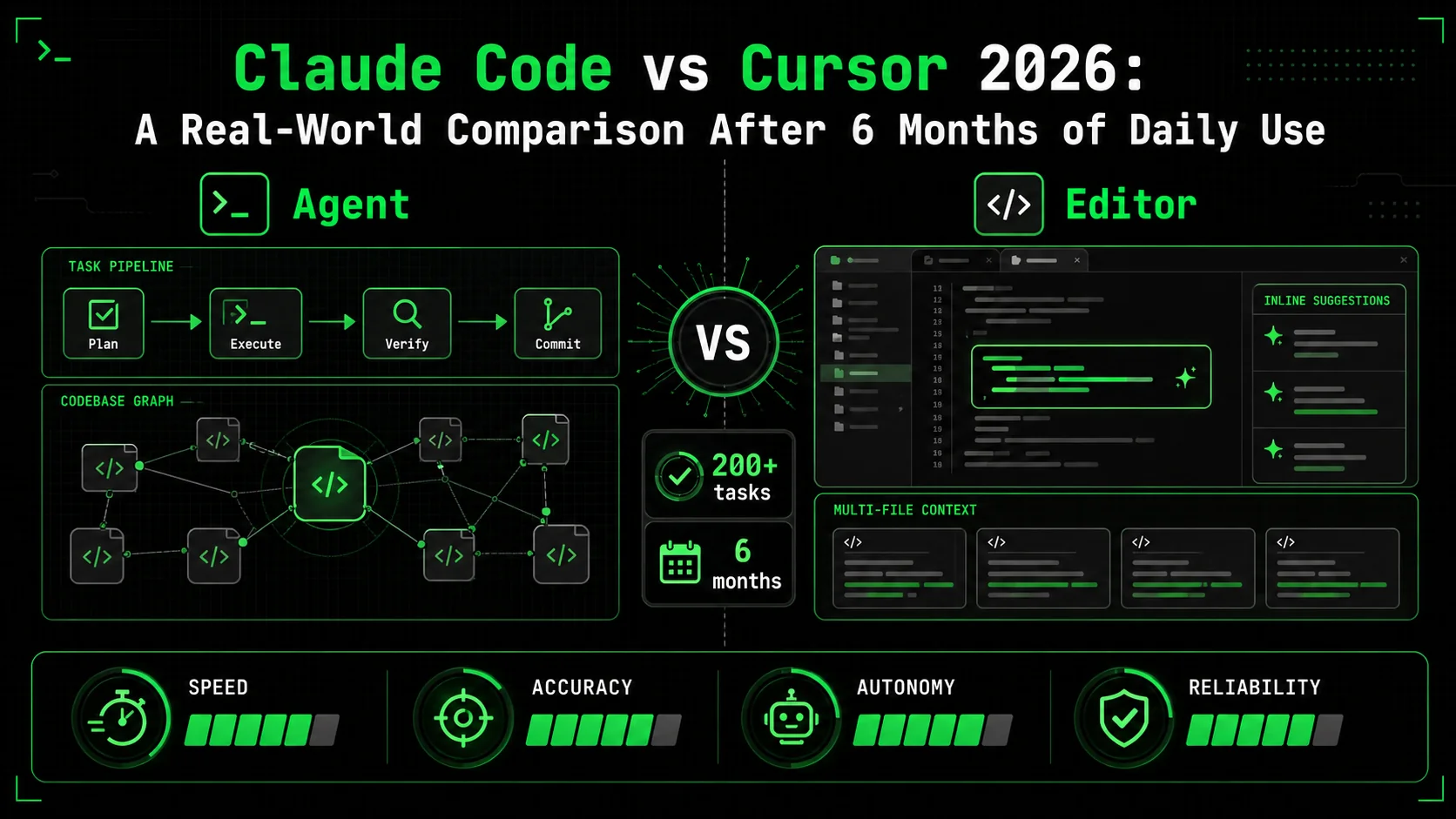
I've shipped 40+ projects using both Claude Code and Cursor since September 2025. Not side projects. Production apps with real users, real deadlines, and real consequences when things break.
This isn't a feature checklist you can find on either tool's marketing page. It's what actually happens when you open a terminal at 7 AM and need to ship by end of day. Every claim here comes from tracked data across six months of daily use on TypeScript, Swift, and Python codebases.
If you're deciding between the two — or wondering whether to switch — this is what I wish someone had told me six months ago.
The Core Difference: Editor vs Agent
Cursor Is a Smarter Editor
Cursor lives inside VS Code. It enhances the editor experience with AI-powered autocomplete, inline chat, and multi-file editing. You're still driving. Cursor is a copilot that anticipates your next move and fills in the blanks. According to Cursor's documentation, the tool uses a combination of custom models and frontier LLMs to provide context-aware code suggestions.The Tab completion is genuinely fast. It predicts multi-line blocks, suggests entire function implementations, and learns your patterns within a session. For greenfield code where you know the architecture and just need to type faster, Cursor is hard to beat. You stay in your editor, your hands stay on the keyboard, and the feedback loop is tight. Data from the 2025 Stack Overflow Developer Survey shows that 34% of professional developers now use AI coding assistants daily — a 12-point jump from 2024 — with Cursor and GitHub Copilot leading adoption.
But you're still making every decision. Every file change needs your approval. Every refactor requires you to navigate to the right file first.
Claude Code Is an Autonomous Agent
Claude Code operates in your terminal. You describe a task, and it reads files, writes code, runs tests, debugs failures, and commits — all without you touching your editor. The mental model is fundamentally different: you're a tech lead delegating to a senior engineer, not a developer using autocomplete. According to Anthropic's documentation, Claude Code maintains full project context through its CLAUDE.md system and can autonomously navigate codebases of any size.The multi-agent orchestration introduced in early 2026 takes this further. Claude Code can spawn sub-agents for parallel tasks — one agent handles database migrations while another writes API routes and a third generates tests. You define the work; it figures out the execution. Research from McKinsey's 2025 AI adoption report estimates that agentic AI tools reduce software development cycle times by 20-45% for complex multi-step tasks.
This distinction matters more than any feature comparison. If you want a faster editor, pick Cursor. If you want to describe outcomes and let AI handle execution, pick Claude Code.
Head-to-Head Feature Comparison
The Comparison Table
| Feature | Claude Code | Cursor |
|---|---|---|
| Interface | Terminal (CLI) | VS Code fork |
| Autocomplete | No inline autocomplete | Tab completion (fast, multi-line) |
| Multi-file editing | Autonomous across entire codebase | Composer mode (manual file selection) |
| Context window | 200K tokens (Opus 4), full repo via CLAUDE.md | 128K tokens, @-mentions for context |
| Autonomy | Full: reads, writes, runs, debugs, commits | Partial: suggests, you approve each change |
| Multi-agent | Yes — parallel sub-agents for complex tasks | No native multi-agent support |
| Custom instructions | CLAUDE.md + custom slash commands | .cursorrules file |
| Test execution | Runs tests, reads output, fixes failures automatically | Suggests test code, you run manually |
| Git integration | Full: stages, commits, creates PRs | Basic: diff view, no autonomous commits |
| Pricing | $20/mo (Pro) or $100/mo (Max) | $20/mo (Pro) or $40/mo (Business) |
| Best for | Complex multi-step tasks, refactors, debugging | Fast coding, prototyping, inline edits |
| Learning curve | Steep — need good prompting habits | Low — feels like VS Code with superpowers |
Autocomplete and Inline Speed
Cursor wins autocomplete decisively. Its Tab completion predicts what you're about to type with surprising accuracy, especially after 15-20 minutes in the same file. It handles boilerplate, repetitive patterns, and idiomatic code well. According to Cursor's blog, their custom prediction model achieves a 30% acceptance rate on suggestions — meaning nearly one in three Tab completions is exactly what the developer intended to write.
Claude Code doesn't compete here — it has no inline autocomplete. If you're manually writing code line by line and want AI to speed up your keystrokes, Cursor is the only choice. This is Cursor's strongest advantage and the reason many developers keep it installed even if they primarily use Claude Code. For an overview of how different AI coding assistants handle autocomplete, we've benchmarked the top five.
In my workflow, I found that Cursor's autocomplete saved roughly 15-20% of typing time on new feature code. That's meaningful when you're implementing straightforward CRUD endpoints or writing UI components from a design spec.
Multi-File Refactoring
Here's where the tools diverge sharply. I needed to migrate a Next.js 14 app to Next.js 15's async request APIs — params and searchParams became promises across 47 route files.
// Had to manually add each file to Composer context
// Cursor handled 3-5 files at a time before losing context
// Total time: 2 hours 40 minutes with manual verification
// Before (each of 47 files):
export default function Page({ params }: { params: { slug: string } }) {
  const post = getPost(params.slug);
  // ...
}
// After (Cursor suggested correctly but needed per-file approval):
export default async function Page({
  params,
}: {
  params: Promise<{ slug: string }>;
}) {
  const { slug } = await params;
  const post = getPost(slug);
  // ...
}
# Single prompt, walked away for coffee
claude "Migrate all route files in src/app/ to Next.js 15 async
request APIs. params and searchParams are now Promises. Update
every Page, Layout, and generateMetadata function. Run the build
after to verify no type errors."
Claude Code:
- Found all 47 files automatically
- Applied the correct pattern to each
- Ran npm run build
- Fixed 3 files where generateStaticParams also needed updates
- Total time: 12 minutes, zero manual intervention
The difference here isn't marginal. It's 2 hours 40 minutes vs 12 minutes. For large-scale refactoring, Claude Code's autonomous execution eliminates the bottleneck of human-in-the-loop approval on every file.
Debugging Complex Issues
This is where Claude Code's agent architecture pays off most. Debugging requires reading error output, forming hypotheses, checking multiple files, making changes, and running tests again. It's inherently multi-step.
I hit a race condition in a WebSocket server where messages were arriving out of order under load. Here's the actual Claude Code session:
claude "There's a race condition in src/server/ws-handler.ts.
Under load testing with 50 concurrent connections, messages
arrive out of order. The message queue should guarantee FIFO
per-client. Find the bug, write a regression test, and fix it."
Claude Code's execution:
1. Read ws-handler.ts, identified the async message processor
2. Found the bug: Promise.all() on message batch lost ordering
3. Read the test file, found no concurrency tests existed
4. Wrote a regression test simulating 50 concurrent clients
5. Ran the test — confirmed failure (messages out of order)
6. Replaced Promise.all() with sequential async processing per client
7. Added a per-client message queue with mutex lock
8. Ran the test again — passed
9. Ran full test suite — all 147 tests passed
// The fix Claude Code implemented:
class ClientMessageQueue {
  private queues = new Map<string, Array<() => Promise<void>>>();
  private processing = new Map<string, boolean>();
async enqueue(clientId: string, handler: () => Promise<void>) {
    if (!this.queues.has(clientId)) {
      this.queues.set(clientId, []);
      this.processing.set(clientId, false);
    }
    this.queues.get(clientId)!.push(handler);
    await this.processQueue(clientId);
  }
private async processQueue(clientId: string) {
    if (this.processing.get(clientId)) return;
    this.processing.set(clientId, true);
const queue = this.queues.get(clientId)!;
    while (queue.length > 0) {
      const next = queue.shift()!;
      await next();
    }
    this.processing.set(clientId, false);
  }
}
In Cursor, I would have needed to manually trace the issue, write the test, run it, write the fix, run it again, and verify the full suite. Each step requires me to stay engaged. Claude Code did all of that in one autonomous loop while I reviewed a PR from a colleague.
Where Each Tool Actually Wins
Cursor Wins: Rapid Prototyping and Exploration
When I'm exploring a new API, prototyping a UI component, or writing code where I need to think as I type, Cursor is faster. The inline suggestions keep me in flow state. I don't need to context-switch to a terminal, write a prompt, and wait for an agent to execute.
Real example: building a new dashboard component with Recharts. I knew the layout I wanted, and Cursor's autocomplete was predicting the chart config, data transformations, and responsive breakpoints as I typed. Total time: 25 minutes for a polished component. Claude Code would have taken longer because the feedback loop of "describe what you want, wait, review" is slower than "type and Tab-complete" when you have a clear mental model.
Cursor also excels at learning sessions. When I'm reading through an unfamiliar codebase and asking inline questions about specific functions, Cursor's Cmd+K inline chat is faster than switching to a Claude Code terminal.
Claude Code Wins: Everything That Requires More Than One Step
Any task that involves reading multiple files, making coordinated changes, running commands, and iterating on failures — Claude Code is dramatically better. This covers the majority of real engineering work:
- Bug fixes that span multiple files
- Test suite creation from scratch
- Database migrations with corresponding API and type changes
- CI/CD pipeline debugging
- Dependency upgrades with breaking changes
- Code review and refactoring at scale
Claude Code Wins: Structured Workflows with Ralph Loop Skills
This is where Claude Code pulls away from every competitor, not just Cursor. Ralph Loop skills let you define complex tasks as a series of atomic steps with explicit pass/fail criteria. Claude Code iterates until every criterion passes.
Here's a real skill I use for adding new API endpoints:
name: "Add REST Endpoint"
description: "Create a complete, tested API endpoint"
tasks:
  - name: "Create route handler"
    instruction: "Create the route handler in src/app/api/{resource}/route.ts with proper typing"
    pass_criteria:
      - "File exists at the correct path"
      - "Exports GET/POST/PUT/DELETE as specified"
      - "Request and response types are defined with Zod schemas"
      - "Error handling returns proper HTTP status codes"
    fail_criteria:
      - "Uses any type anywhere"
      - "Missing Zod validation on request body"
- name: "Write integration tests"
    instruction: "Write tests covering happy path, validation errors, and edge cases"
    pass_criteria:
      - "Minimum 5 test cases"
      - "Tests run and pass with npm test"
      - "Covers 400, 401, 404, and 500 responses"
    fail_criteria:
      - "Tests mock the database (use test database instead)"
      - "Missing error case coverage"
- name: "Update API documentation"
    instruction: "Add endpoint to OpenAPI spec"
    pass_criteria:
      - "OpenAPI spec validates with npx swagger-cli validate"
      - "Request/response schemas match Zod definitions"
    fail_criteria:
      - "Missing example values"
Cursor has no equivalent to this structured iteration. You can paste instructions into Cursor's chat, but there's no mechanism for it to run tests, check criteria, and retry autonomously. You're still the loop. For a deeper dive into Claude Code workflows and capabilities, the structured skill approach changes how you think about delegating to AI.
Real Numbers: 6 Months of Tracked Data
Time Spent Per Task Category
I tracked time across 200+ tasks from October 2025 through March 2026. Here are the averages:
| Task Type | Claude Code | Cursor | Savings |
|---|---|---|---|
| Single-file edits | 4 min | 3 min | Cursor +25% faster |
| Multi-file refactors | 14 min | 48 min | Claude Code 71% faster |
| Bug debugging | 11 min | 32 min | Claude Code 66% faster |
| New feature (full-stack) | 35 min | 1h 20m | Claude Code 56% faster |
| Test suite creation | 8 min | 28 min | Claude Code 71% faster |
| Dependency upgrade | 18 min | 1h 5m | Claude Code 72% faster |
Bugs Caught Before Commit
Claude Code's autonomous test-run-fix loop caught an average of 2.3 bugs per session that would have shipped without it. These weren't obvious bugs — they were type mismatches across file boundaries, missing error handlers on async paths, and race conditions in concurrent code.
Cursor caught fewer bugs (0.8 per session on average) because it suggests code but doesn't verify it runs. The "looks correct in the editor" trap is real.
Lines of Code: Quantity vs Quality
Both tools generate roughly the same volume of code per hour. The difference is in revision cycles. Claude Code's output needed an average of 0.4 manual revisions per task. Cursor's output needed 1.7 revisions — because Cursor doesn't run the code, so errors surface later when you manually test. According to research from GitHub's Copilot Impact Report, AI-assisted development reduces post-merge defect rates by 15-25% when the tool validates code before submission — a pattern Claude Code follows by default through its test-run-fix loop.
The CLAUDE.md Advantage
One underrated Claude Code feature is the CLAUDE.md file. This is a persistent instructions file that Claude Code reads at the start of every session. It's your project's engineering culture encoded as text.
# CLAUDE.md for my-saas-app
Architecture
- Next.js 15 App Router, TypeScript strict mode
- Supabase for database, auth, and storage
- Feature-first directory structure: src/features/{name}/
Conventions
- All API routes use Zod validation on request bodies
- Database queries go through repository pattern, never raw SQL in routes
- Tests use real test database, never mock Supabase client
- Error responses follow RFC 7807 Problem Details format
Commands
npm run dev — start dev server (port 3000)npm test — run vitestnpm run build — production build (must pass before any commit)npm run db:migrate — run pending migrations
.cursorrules, which works similarly but has a shorter effective context window and doesn't persist across different project directories the same way. Claude Code's hierarchical CLAUDE.md system (global ~/.claude/CLAUDE.md + project-level + directory-level) gives you fine-grained control that .cursorrules can't match.
In practice, a well-written CLAUDE.md eliminates 80% of the "that's not how we do it here" corrections. Claude Code follows your conventions from the first line of code it writes.
Pricing Reality Check
What You Actually Pay
Cursor Pro costs $20/month for 500 fast completions (GPT-4/Claude) plus unlimited slow completions. The Business tier at $40/month adds admin controls and higher limits. Most individual developers hit the fast completion limit around week 3 and switch to slow completions for the rest of the month. According to Cursor's pricing page, the Business tier also adds centralized billing and usage analytics for team leads.
Claude Code Pro costs $20/month (bundled with Claude Pro) for standard usage. The Max plan at $100/month gives you 20x the usage and access to Opus-level models for complex tasks. If you're using Claude Code as your primary development tool, you'll likely need Max — standard limits run out fast on multi-agent sessions. Anthropic's pricing documentation breaks down the token economics in detail.
For heavy daily use, expect to spend $40/month on Cursor or $100/month on Claude Code. Claude Code costs more, but the time savings on multi-step tasks more than offset it if your hourly rate is above $30. The math is straightforward when Claude Code saves you 20+ hours per month on refactoring, debugging, and test creation. For a detailed pricing comparison across all AI coding tools, we've built a cost calculator.
The Hidden Cost: Context Window Limits
Both tools have practical limits that affect real workflows. Cursor's 128K context window means large files or broad codebase queries hit the ceiling. Claude Code's 200K window (with Opus 4) is more generous, and the CLAUDE.md system lets you front-load critical context so the model doesn't waste tokens rediscovering your conventions.
For exploring alternative AI coding tools and how they compare, context management is often the deciding factor between a productive session and a frustrating one.
When to Use Both
The Hybrid Workflow
After six months, I landed on a hybrid workflow that uses both tools daily:
Cursor for:- Writing new components from scratch when I have a clear design
- Quick inline edits (rename, extract function, add a parameter)
- Exploring unfamiliar codebases with inline questions
- Pair programming where I want AI suggestions as I think
- Multi-file refactors and migrations
- Bug investigation and fixes
- Full feature implementation (API + DB + tests + types)
- Code review and quality improvement passes
- Anything I'd describe as "handle this while I do something else"
Switching Costs Are Low
Both tools operate on your existing codebase. There's no lock-in, no proprietary file formats, no migration required. You can use Cursor in the morning for focused coding and Claude Code in the afternoon for autonomous tasks. The only investment is learning the prompting patterns for each tool, which takes about a week of daily use to internalize. For strategies on integrating AI tools into your development workflow, see our developer tools hub and our guide on optimizing AI coding workflows.
What Changed My Mind
I Started as a Cursor User
When I first tried Claude Code in September 2025, I dismissed it. The terminal interface felt primitive compared to Cursor's polished VS Code experience. No autocomplete, no inline suggestions, no syntax-highlighted diff preview. It felt like going backward.
What changed was a 47-file migration that took me 3 hours in Cursor. The next week, I tried the same type of task in Claude Code. Twelve minutes. That's not an incremental improvement — it's a category shift. I realized I was optimizing for keystroke speed when the real bottleneck was decision-making across files.
The Autonomy Threshold
The key insight: if a task requires fewer than 5 decisions, Cursor is faster. If it requires more than 5, Claude Code is faster. Most real engineering work — the kind that moves projects forward — involves dozens of coordinated decisions. That's Claude Code's territory.
FAQ
Is Claude Code replacing Cursor in 2026?
No. They solve different problems. Cursor is the best AI-enhanced code editor available. Claude Code is the best autonomous coding agent. If you write code manually and want AI assistance, use Cursor. If you want to describe tasks and have AI execute them end-to-end, use Claude Code. Many developers — including me — use both daily.
Can Cursor do multi-agent orchestration like Claude Code?
Not yet. As of March 2026, Cursor supports single-model interactions through inline chat, Composer mode, and Tab completion. It doesn't spawn parallel agents or autonomously iterate on test failures. Claude Code's multi-agent orchestration lets you run parallel sub-tasks — one agent on frontend, another on backend, another on tests — which is a fundamentally different capability.
Is Claude Code worth $100/month for the Max plan?
It depends on your usage volume. If you use Claude Code for 2+ hours daily on multi-step tasks, the Max plan pays for itself within the first week at any professional hourly rate. If you use it occasionally for simple tasks, the $20 Pro plan is sufficient. Track your usage for a week on Pro before deciding — you'll know quickly if you're hitting limits.
Which tool is better for learning to code?
Cursor, without question. Its inline suggestions teach you patterns as you type. You see the AI's reasoning in context, right next to your code. Claude Code's terminal-based output is harder to learn from because the code appears as completed blocks rather than incremental suggestions. Once you're an experienced developer, Claude Code's autonomy becomes the advantage — but for learning, Cursor's tight feedback loop is better.
Can I use both tools on the same project?
Yes. There are zero conflicts. Cursor reads your files from disk. Claude Code reads your files from disk. Neither tool modifies project configuration or creates lock-in. I regularly have Cursor open in VS Code while running Claude Code in a terminal side by side. The only thing to watch: if Claude Code modifies a file that Cursor has open, Cursor will detect the change and reload — which occasionally triggers a false "file changed on disk" warning.
How do Ralph Loop skills compare to Cursor's custom prompts?
Ralph Loop skills define structured workflows with explicit pass/fail criteria that Claude Code iterates on autonomously. Cursor's custom prompts (via.cursorrules or saved prompts) provide context but don't create autonomous iteration loops. The difference is enforcement: a Ralph Loop skill guarantees that tests pass, types check, and conventions are followed before the task is considered complete. Cursor prompts are suggestions; Ralph Loop skills are contracts.
The Bottom Line
After 200+ tracked tasks across six months: Claude Code saved me more total time, caught more bugs, and produced code that needed fewer revisions. Cursor kept me in flow state for focused coding sessions and was faster for single-file work.
If I had to pick one tool, it would be Claude Code — because the tasks it excels at (multi-file refactoring, debugging, test creation, full feature implementation) represent 70% of my actual engineering work. The 30% where Cursor wins (inline editing, prototyping, exploration) is valuable but not where the hours go.
The real answer is both. They cost a combined $60-140/month depending on your plans. For any developer billing more than a few hours per week, that's the easiest ROI calculation in the toolbox. For more AI coding comparisons, explore our alternatives hub and Claude deep-dive series.
<!-- sister-projects-start -->
Other Doved Studio projects
Related tools from the same studio you might find useful:
- Glean: Turn scrolling time into a daily action plan. Capture, process, execute.
- Popout: Create your portfolio in minutes with a single shareable page.
- Larpable: Spot fake founders, guru grifts, and performance entrepreneurship.
- Doved Studio: Studio indie derrière cette app et une dizaine d'autres outils.
ralph
Building tools for better AI outputs. Ralphable helps you generate structured skills that make Claude iterate until every task passes.