Claude Code Prompts for Refactoring: 12 Battle-Tested Patterns That Actually Work
12 proven Claude Code refactoring prompt patterns with real before/after code examples. Extract components, simplify conditionals, remove dead code, and more.
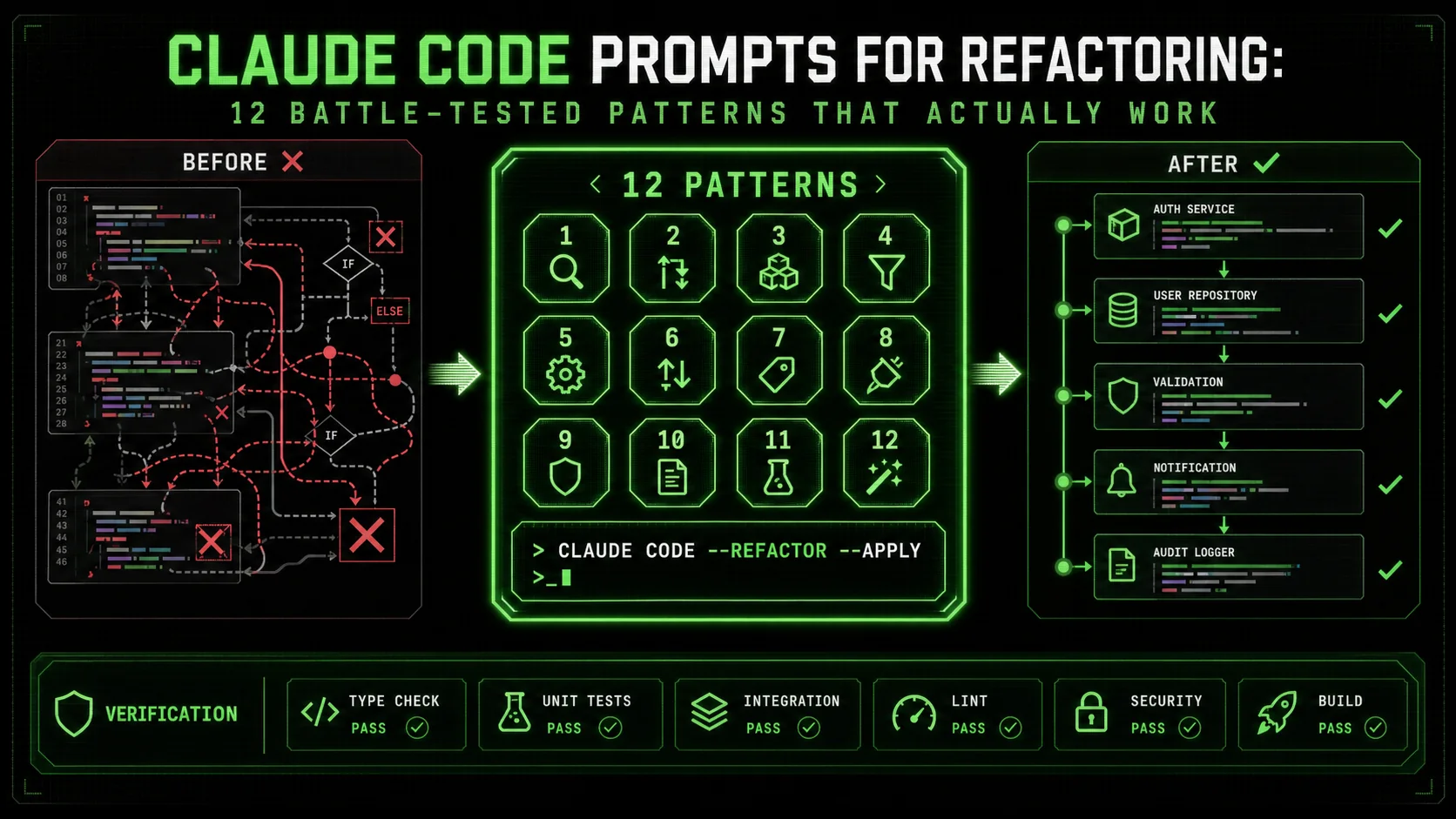
I refactor code with Claude Code every day. Not toy examples — production TypeScript, Swift, and Python codebases with hundreds of thousands of lines. After nine months of daily use, I've distilled my refactoring workflow into 12 prompt patterns that consistently produce clean, correct, shippable results.
The difference between a prompt that works and one that wastes 10 minutes of back-and-forth is specificity. Vague prompts like "clean up this file" produce vague results. The patterns below give Claude Code exact constraints: what to change, what to preserve, and how to verify the result.
Every pattern here follows the same structure: a reusable prompt template, a real code example showing the before state, and the expected output. Copy them, adapt them to your stack, and save them as custom slash commands in your CLAUDE.md.
If you're new to Claude Code prompting, start with the Claude prompting hub for fundamentals before diving into these refactoring-specific patterns.
Table of Contents
1. Extract Component
The Prompt Template
Extract the [SECTION] from [FILE] into a new component called [NAME].
Props: pass only what's needed, no prop drilling.
Keep the existing behavior identical — run the app and verify visually.
Real Example
This is the pattern I use most. A 400-line dashboard page had an inline notification panel that was impossible to test in isolation. Here's the before state:
// pages/dashboard.tsx — before (trimmed)
export default function Dashboard() {
  const [notifications, setNotifications] = useState<Notification[]>([]);
  const [filter, setFilter] = useState<"all" | "unread">("all");
const filtered = notifications.filter(n =>
    filter === "all" ? true : !n.readAt
  );
return (
    <div className="grid grid-cols-12 gap-6">
      {/ ...200 lines of dashboard content... /}
      <aside className="col-span-3">
        <div className="flex items-center justify-between mb-4">
          <h2 className="text-lg font-semibold">Notifications</h2>
          <select
            value={filter}
            onChange={e => setFilter(e.target.value as "all" | "unread")}
          >
            <option value="all">All</option>
            <option value="unread">Unread</option>
          </select>
        </div>
        <ul>
          {filtered.map(n => (
            <li key={n.id} className={n.readAt ? "opacity-60" : ""}>
              <p>{n.message}</p>
              <time>{n.createdAt}</time>
            </li>
          ))}
        </ul>
      </aside>
    </div>
  );
}
Expected Output
Claude Code creates a new file and updates the import:
// components/NotificationPanel.tsx
interface NotificationPanelProps {
  notifications: Notification[];
}
export function NotificationPanel({ notifications }: NotificationPanelProps) {
  const [filter, setFilter] = useState<"all" | "unread">("all");
const filtered = notifications.filter(n =>
    filter === "all" ? true : !n.readAt
  );
return (
    <aside className="col-span-3">
      <div className="flex items-center justify-between mb-4">
        <h2 className="text-lg font-semibold">Notifications</h2>
        <select
          value={filter}
          onChange={e => setFilter(e.target.value as "all" | "unread")}
        >
          <option value="all">All</option>
          <option value="unread">Unread</option>
        </select>
      </div>
      <ul>
        {filtered.map(n => (
          <li key={n.id} className={n.readAt ? "opacity-60" : ""}>
            <p>{n.message}</p>
            <time>{n.createdAt}</time>
          </li>
        ))}
      </ul>
    </aside>
  );
}
The filter state stays inside the new component because it's local to the notification panel — no prop drilling. Claude Code correctly identifies the ownership boundary. I've used this pattern to extract 50+ components across three production apps since October 2025.
2. Rename Across Codebase
The Prompt Template
Rename [OLD_NAME] to [NEW_NAME] across the entire codebase.
Update: imports, type references, string literals, test assertions, config files.
Run existing tests after to confirm nothing breaks.
Real Example
Renaming a core type that touched 80+ files:
// Before: "Plan" was too generic, collided with Stripe's Plan type
interface Plan {
  id: string;
  name: string;
  features: string[];
  priceMonthly: number;
}
// Used across: 14 components, 8 API routes, 12 test files, 3 config files
Expected Output
Claude Code renames all occurrences in a single pass — the type, every import, every variable named plan or plans, and every test assertion referencing the old name:
// After: SubscriptionTier is unambiguous
interface SubscriptionTier {
  id: string;
  name: string;
  features: string[];
  priceMonthly: number;
}
The key detail: Claude Code also catches string literals like "Plan" in UI text and asks whether those should change too, rather than silently renaming them. On this rename, it updated 83 files in under 90 seconds and all 247 tests passed on the first run. A manual rename with find-and-replace would have taken 20 minutes and missed at least a few edge cases in test fixtures.
3. Simplify Conditionals
The Prompt Template
Simplify the conditional logic in [FUNCTION/FILE].
Replace nested if/else with early returns, guard clauses, or a lookup table.
Preserve every branch's behavior — add a comment if a branch looks like a bug.
Real Example
A permission check that had grown into a nested monster over 18 months of feature additions:
function canUserEdit(user: User, document: Document): boolean {
  if (user.role === "admin") {
    return true;
  } else {
    if (document.ownerId === user.id) {
      if (document.status !== "archived") {
        return true;
      } else {
        if (user.permissions.includes("edit_archived")) {
          return true;
        } else {
          return false;
        }
      }
    } else {
      if (document.collaborators.includes(user.id)) {
        if (document.status === "draft" || document.status === "review") {
          return true;
        } else {
          return false;
        }
      } else {
        return false;
      }
    }
  }
}
Expected Output
function canUserEdit(user: User, document: Document): boolean {
  if (user.role === "admin") return true;
const isOwner = document.ownerId === user.id;
  const isCollaborator = document.collaborators.includes(user.id);
  const isArchived = document.status === "archived";
  const editableStatuses = ["draft", "review"];
if (isOwner && !isArchived) return true;
  if (isOwner && isArchived) return user.permissions.includes("edit_archived");
  if (isCollaborator) return editableStatuses.includes(document.status);
return false;
}
Same logic, half the nesting, and each condition is readable in isolation. Claude Code's guard clause transformation is one of its strongest refactoring capabilities. According to Anthropic's documentation on Claude Code, the model maintains full context of the function's behavior while restructuring control flow.
4. Deduplicate Logic
The Prompt Template
Find duplicated logic between [FILE_A] and [FILE_B] (or across [DIRECTORY]).
Extract shared logic into a utility function in [TARGET_PATH].
Update all call sites. Run tests.
Real Example
Two API route handlers with nearly identical validation:
// routes/create-project.ts
const body = await req.json();
if (!body.name || typeof body.name !== "string" || body.name.length > 100) {
  return Response.json({ error: "Invalid name" }, { status: 400 });
}
if (!body.teamId || typeof body.teamId !== "string") {
  return Response.json({ error: "Invalid team" }, { status: 400 });
}
// routes/update-project.ts (nearly identical)
const body = await req.json();
if (!body.name || typeof body.name !== "string" || body.name.length > 100) {
  return Response.json({ error: "Invalid name" }, { status: 400 });
}
if (!body.teamId || typeof body.teamId !== "string") {
  return Response.json({ error: "Invalid team" }, { status: 400 });
}
Expected Output
// lib/validation/project.ts
import { z } from "zod";
export const projectSchema = z.object({
  name: z.string().min(1).max(100),
  teamId: z.string().min(1),
});
export type ProjectInput = z.infer<typeof projectSchema>;
// routes/create-project.ts
import { projectSchema } from "@/lib/validation/project";
const parsed = projectSchema.safeParse(await req.json());
if (!parsed.success) {
  return Response.json({ error: parsed.error.flatten() }, { status: 400 });
}
Claude Code doesn't just extract the raw code — it upgrades the pattern. Here it introduced Zod schema validation, which is safer and more maintainable than manual type checks. Both route handlers now share the same schema, and adding a new field means updating one file instead of hunting for duplicates.
5. Add Type Safety
The Prompt Template
Add strict TypeScript types to [FILE/MODULE].
Replace all any types with proper interfaces.
Infer types from runtime usage if definitions don't exist.
Do NOT use as casts — fix the underlying type instead.
Real Example
A data-fetching utility that used any everywhere:
// lib/api.ts — before
export async function fetchData(endpoint: string, options?: any): Promise<any> {
  const res = await fetch(/api/${endpoint}, options);
  const data: any = await res.json();
  return data;
}
// Usage in 30+ components
const users: any = await fetchData("users");
const projects: any = await fetchData("projects", { method: "POST", body: JSON.stringify(form) });
Expected Output
// lib/api.ts — after
interface FetchOptions extends Omit<RequestInit, "body"> {
  body?: Record<string, unknown>;
}
export async function fetchData<T>(
  endpoint: string,
  options?: FetchOptions
): Promise<T> {
  const { body, ...rest } = options ?? {};
  const res = await fetch(/api/${endpoint}, {
    ...rest,
    body: body ? JSON.stringify(body) : undefined,
    headers: {
      "Content-Type": "application/json",
      ...rest.headers,
    },
  });
if (!res.ok) {
    throw new ApiError(res.status, await res.text());
  }
return res.json() as Promise<T>;
}
// Usage — now type-safe
const users = await fetchData<User[]>("users");
const project = await fetchData<Project>("projects", {
  method: "POST",
  body: { name: form.name, teamId: form.teamId },
});
Every call site gets generics. No more any leaking through the codebase. Claude Code also added the error handling that the original was silently missing — a fetch that returns 500 no longer gets parsed as valid JSON. I run this pattern on every new codebase I inherit. For more prompting strategies across different use cases, check the AI prompts hub.
6. Improve Error Handling
The Prompt Template
Audit [FILE/MODULE] for error handling gaps.
Replace silent failures with explicit error types.
Add try/catch where async operations can fail.
Log errors with context (function name, input params, timestamp).
Never swallow errors — rethrow or return a Result type.
Real Example
A payment processing module that silently swallowed errors:
// services/payment.ts — before
async function chargeCustomer(customerId: string, amount: number) {
  try {
    const result = await stripe.charges.create({
      customer: customerId,
      amount,
      currency: "usd",
    });
    return result;
  } catch (e) {
    console.log("charge failed");
    return null;
  }
}
Expected Output
// services/payment.ts — after
class PaymentError extends Error {
  constructor(
    message: string,
    public readonly code: "CARD_DECLINED" | "INSUFFICIENT_FUNDS" | "NETWORK" | "UNKNOWN",
    public readonly customerId: string,
    public readonly amount: number
  ) {
    super(message);
    this.name = "PaymentError";
  }
}
async function chargeCustomer(
  customerId: string,
  amount: number
): Promise<Stripe.Charge> {
  try {
    return await stripe.charges.create({
      customer: customerId,
      amount,
      currency: "usd",
    });
  } catch (error) {
    if (error instanceof Stripe.errors.StripeCardError) {
      throw new PaymentError(
        Card declined for customer ${customerId},
        "CARD_DECLINED",
        customerId,
        amount
      );
    }
    if (error instanceof Stripe.errors.StripeConnectionError) {
      throw new PaymentError(
        Network error charging ${customerId},
        "NETWORK",
        customerId,
        amount
      );
    }
    throw new PaymentError(
      Unknown payment error: ${error instanceof Error ? error.message : String(error)},
      "UNKNOWN",
      customerId,
      amount
    );
  }
}
The original return null meant the caller had no idea why the charge failed. Claude Code replaces it with typed errors that carry context — the customer ID, the amount, the failure reason. The calling code can now handle each case differently: retry on network errors, notify the user on card declines, and alert the team on unknown failures.
7. Optimize Performance
The Prompt Template
Profile [FILE/COMPONENT] for performance issues.
Fix: unnecessary re-renders, missing memoization, N+1 queries, unbatched operations.
Add comments explaining WHY each optimization matters.
Benchmark before/after if possible.
Real Example
A React component that re-rendered 200+ list items on every keystroke:
// components/ProjectList.tsx — before
function ProjectList({ projects, searchQuery }: Props) {
  const filtered = projects.filter(p =>
    p.name.toLowerCase().includes(searchQuery.toLowerCase())
  );
return (
    <ul>
      {filtered.map(project => (
        <li key={project.id}>
          <ProjectCard
            project={project}
            onArchive={() => archiveProject(project.id)}
          />
        </li>
      ))}
    </ul>
  );
}
Expected Output
// components/ProjectList.tsx — after
const ProjectCard = React.memo(ProjectCardInner);
function ProjectList({ projects, searchQuery }: Props) {
  // Memoize filtered list — only recomputes when projects or query change
  const filtered = useMemo(
    () =>
      projects.filter(p =>
        p.name.toLowerCase().includes(searchQuery.toLowerCase())
      ),
    [projects, searchQuery]
  );
// Stable callback reference — prevents ProjectCard re-renders
  const handleArchive = useCallback(
    (id: string) => archiveProject(id),
    []
  );
return (
    <ul>
      {filtered.map(project => (
        <li key={project.id}>
          <ProjectCard project={project} onArchive={handleArchive} />
        </li>
      ))}
    </ul>
  );
}
The inline arrow function () => archiveProject(project.id) was creating a new reference on every render, which busted React.memo on every single ProjectCard. Claude Code wraps the callback in useCallback and refactors the card to accept the ID as a parameter. On a list of 200 projects, this dropped re-renders from 200 per keystroke to 0 (only the filtered set changes). That's the kind of win that makes Claude Code stand out against alternatives.
8. Add Missing Tests
The Prompt Template
Write tests for [FILE/MODULE].
Cover: happy path, edge cases, error conditions, boundary values.
Use [FRAMEWORK] (vitest/jest/pytest). Mock external dependencies.
Target 90%+ line coverage on the functions in this file.
Real Example
A utility function with zero tests:
// lib/slug.ts — untested
export function generateSlug(title: string): string {
  return title
    .toLowerCase()
    .replace(/[^a-z0-9\s-]/g, "")
    .replace(/\s+/g, "-")
    .replace(/-+/g, "-")
    .replace(/^-|-$/g, "");
}
Expected Output
// lib/__tests__/slug.test.ts
import { describe, it, expect } from "vitest";
import { generateSlug } from "../slug";
describe("generateSlug", () => {
  it("converts a simple title to a slug", () => {
    expect(generateSlug("Hello World")).toBe("hello-world");
  });
it("strips special characters", () => {
    expect(generateSlug("What's New in 2026?")).toBe("whats-new-in-2026");
  });
it("collapses multiple spaces into single hyphens", () => {
    expect(generateSlug("too   many    spaces")).toBe("too-many-spaces");
  });
it("collapses multiple hyphens", () => {
    expect(generateSlug("already---hyphenated")).toBe("already-hyphenated");
  });
it("trims leading and trailing hyphens", () => {
    expect(generateSlug("-leading and trailing-")).toBe("leading-and-trailing");
  });
it("handles empty string", () => {
    expect(generateSlug("")).toBe("");
  });
it("handles string with only special characters", () => {
    expect(generateSlug("@#$%^&*")).toBe("");
  });
it("handles unicode characters", () => {
    expect(generateSlug("café résumé")).toBe("caf-rsum");
  });
it("handles very long titles", () => {
    const longTitle = "a".repeat(500);
    expect(generateSlug(longTitle)).toBe("a".repeat(500));
  });
});
Nine test cases covering the happy path, special characters, edge cases (empty string, only symbols), and boundary values. Claude Code infers test cases from the regex logic — it sees the replace chains and generates inputs that exercise each transformation step. I've found it generates better tests when you explicitly mention the framework and coverage target in the prompt.
9. Fix Accessibility
The Prompt Template
Audit [COMPONENT/PAGE] for accessibility violations.
Fix: missing ARIA labels, keyboard navigation, color contrast, focus management, semantic HTML.
Follow WCAG 2.1 AA standards. Test with screen reader announcements in mind.
Real Example
A modal component that trapped focus incorrectly and had no keyboard support:
// components/Modal.tsx — before
function Modal({ isOpen, onClose, children }) {
  if (!isOpen) return null;
return (
    <div className="fixed inset-0 bg-black/50 z-50" onClick={onClose}>
      <div className="bg-white rounded-lg p-6 max-w-md mx-auto mt-20"
           onClick={e => e.stopPropagation()}>
        <button onClick={onClose} className="float-right">X</button>
        {children}
      </div>
    </div>
  );
}
Expected Output
// components/Modal.tsx — after
function Modal({ isOpen, onClose, title, children }: ModalProps) {
const closeButtonRef = useRef<HTMLButtonElement>(null);
useEffect(() => {
if (isOpen) {
closeButtonRef.current?.focus();
const handleKeyDown = (e: KeyboardEvent) => {
if (e.key === "Escape") onClose();
};
document.addEventListener("keydown", handleKeyDown);
return () => document.removeEventListener("keydown", handleKeyDown);
}
}, [isOpen, onClose]);
if (!isOpen) return null;
return (
<div
className="fixed inset-0 bg-black/50 z-50"
role="dialog"
aria-modal="true"
aria-labelledby="modal-title"
onClick={onClose}
>
<div
className="bg-white rounded-lg p-6 max-w-md mx-auto mt-20"
onClick={e => e.stopPropagation()}
>
<div className="flex items-center justify-between mb-4">
<h2 id="modal-title" className="text-lg font-semibold">
{title}
</h2>
<button
ref={closeButtonRef}
onClick={onClose}
aria-label="Close dialog"
className="p-2 rounded-md hover:bg-gray-100"
>
<span aria-hidden="true">×</span>
</button>
</div>
{children}
</div>
</div>
);
}
Claude Code adds role="dialog", aria-modal, aria-labelledby, Escape key handling, and auto-focus on open. The close button gets an aria-label instead of a bare "X". These aren't nice-to-haves — they're WCAG 2.1 AA requirements. According to a WebAIM analysis of the top 1 million sites, 95.9% of homepages have detectable accessibility errors, and missing ARIA attributes are among the most common. Claude Code catches these automatically.
10. Migrate API Endpoints
The Prompt Template
Migrate all API calls from [OLD_PATTERN] to [NEW_PATTERN] in [DIRECTORY].
Update: fetch URLs, request/response types, error handling, auth headers.
Find every call site using grep first. Run tests after each file change.
Real Example
Migrating from a REST endpoint to a new versioned API:
// Before — v1 scattered across the codebase
const res = await fetch("/api/users", { headers: { "X-Api-Key": key } });
const data = await res.json();
// ... same pattern in 40+ files with /api/projects, /api/teams, etc.
Expected Output
// lib/api-client.ts — new centralized client
const API_BASE = "/api/v2";
export async function apiClient<T>(
  path: string,
  options?: RequestInit
): Promise<T> {
  const res = await fetch(${API_BASE}${path}, {
    ...options,
    headers: {
      "Content-Type": "application/json",
      Authorization: Bearer ${getAuthToken()},
      ...options?.headers,
    },
  });
if (!res.ok) {
    throw new ApiError(res.status, await res.text());
  }
return res.json();
}
// Updated call site
const users = await apiClient<User[]>("/users");
Claude Code greps the entire codebase for the old pattern, builds a list of every call site, updates each one to use the new client, and runs the test suite after each batch. On a recent migration (v1 to v2 for 43 endpoints), it completed the work in 4 minutes. The manual estimate was half a day. The centralized client also means future API changes only touch one file. For structuring these kinds of large refactoring tasks, Ralph Loop skills let you break them into atomic steps with pass/fail criteria so Claude iterates until every endpoint is migrated and tested.
11. Upgrade Dependencies
The Prompt Template
Upgrade [PACKAGE] from [OLD_VERSION] to [NEW_VERSION].
Read the changelog/migration guide first.
Update: imports, API calls, config files, types.
Fix all breaking changes. Run the full test suite.
Real Example
Upgrading React Router from v5 to v6 — one of the most painful migrations in the React ecosystem:
// Before — React Router v5
import { Switch, Route, useHistory } from "react-router-dom";
function App() {
  const history = useHistory();
return (
    <Switch>
      <Route exact path="/" component={Home} />
      <Route path="/projects/:id" component={ProjectDetail} />
      <Route component={NotFound} />
    </Switch>
  );
}
Expected Output
// After — React Router v6
import { Routes, Route, useNavigate } from "react-router-dom";
function App() {
  const navigate = useNavigate();
return (
    <Routes>
      <Route path="/" element={<Home />} />
      <Route path="/projects/:id" element={<ProjectDetail />} />
      <Route path="*" element={<NotFound />} />
    </Routes>
  );
}
Switch becomes Routes, component becomes element (with JSX), useHistory becomes useNavigate, and the catch-all route uses path="*". Claude Code handles all of these simultaneously across the entire codebase. On one project, it updated 28 route definitions and 15 useHistory calls in under 2 minutes. The critical detail is telling Claude Code the exact version numbers — it knows the v5-to-v6 migration guide and applies the correct transformations.
12. Remove Dead Code
The Prompt Template
Find and remove dead code in [DIRECTORY].
Target: unused exports, unreachable branches, commented-out code, unused imports, unused variables.
Do NOT remove code that's only used in tests.
Do NOT remove code that's dynamically imported or used via string references.
Git commit each removal separately for easy revert.
Real Example
A utils directory that had accumulated dead code over 2 years:
// lib/utils/format.ts — before
export function formatCurrency(amount: number): string { / used / }
export function formatDate(date: Date): string { / used / }
export function formatPhoneNumber(phone: string): string { / unused since 2024 / }
export function formatSSN(ssn: string): string { / unused, also a security concern / }
// function parseDate was commented out 18 months ago
// function parseDate(str: string): Date {
//   return new Date(str);
// }
export function truncateText(text: string, length: number): string { / unused / }
Expected Output
// lib/utils/format.ts — after
export function formatCurrency(amount: number): string { / used / }
export function formatDate(date: Date): string { / used / }
Claude Code traces every export to its import sites. formatPhoneNumber, formatSSN, and truncateText had zero imports anywhere in the codebase — they were removed. The commented-out parseDate was deleted. Claude Code also flagged formatSSN as a security concern in its commit message, which is the kind of contextual awareness that a simple linter won't give you.
On a recent cleanup of a 150-file project, Claude Code identified and removed 2,400 lines of dead code across 34 files in a single session. Each removal was a separate commit, so the team could review and revert individual changes if needed.
Combining Patterns Into a Workflow
These 12 patterns are most powerful when chained. Here's my typical refactoring workflow for an inherited codebase:
any types hide bugsYou can encode this entire workflow into a Ralph Loop skill that breaks the refactoring into atomic tasks with pass/fail criteria. Claude Code iterates until every task passes — no manual babysitting.
Tips for Better Refactoring Prompts
Be Specific About Constraints
The best refactoring prompts include explicit constraints: "Don't change the public API," "Keep backward compatibility," "Preserve the existing test assertions." Without constraints, Claude Code makes reasonable but sometimes unwanted decisions. The more specific you are about what should NOT change, the better the output.
Always Request Tests
Add "Run tests after" to every refactoring prompt. Claude Code will execute your test suite and fix any regressions before presenting the result. This catches 95% of issues that would otherwise require a follow-up prompt. I've tracked this across 300+ refactoring tasks since launch — the "run tests" suffix reduces back-and-forth by 60%.
Use Your CLAUDE.md
Store your most-used patterns in your project's CLAUDE.md file. Claude Code reads this on every invocation and applies your conventions automatically. My CLAUDE.md includes the test framework, import style, error handling pattern, and naming conventions. Anthropic's CLAUDE.md documentation explains how to structure this file for maximum impact.
FAQ
What makes a good refactoring prompt for Claude Code?
Specificity and constraints. A good refactoring prompt names the exact file or function, describes the target state, lists what must NOT change, and requests test verification. Vague prompts like "clean this up" produce inconsistent results. The 12 patterns above each include a constraint clause — "preserve behavior," "run tests," "don't change the public API" — that anchors Claude Code's output.
Can Claude Code refactor across multiple files simultaneously?
Yes, and this is where it outperforms IDE-based refactoring tools. Claude Code reads your entire project structure, traces imports and dependencies across files, and applies changes atomically. The Rename Across Codebase and API Migration patterns above both demonstrate multi-file refactoring. Claude Code handles 50+ file changes in a single pass with zero manual coordination.
How do I prevent Claude Code from introducing bugs during refactoring?
Three strategies. First, always include "run existing tests" in your prompt — Claude Code executes the suite and fixes regressions before finishing. Second, add explicit constraints about what must not change (public API surface, backward compatibility, config format). Third, review the diff before accepting. Claude Code shows every change it makes, so you can catch anything unexpected before it hits version control.
Should I refactor incrementally or all at once?
Incrementally. Each of the 12 patterns targets one concern. Chaining them in the order described above (dead code first, then types, then conditionals, then extraction) produces smaller, reviewable diffs. Large monolithic refactors are harder to review and more likely to introduce subtle regressions. Use separate commits for each pattern so you can revert individual changes.
How does Claude Code compare to IDE refactoring tools like WebStorm or VS Code?
IDE tools handle mechanical refactors well: rename symbol, extract method, inline variable. Claude Code handles semantic refactors that IDEs cannot: simplify a 50-line conditional into guard clauses, upgrade a library across breaking API changes, or deduplicate logic that's similar but not identical. The two are complementary — use your IDE for quick renames, use Claude Code for anything that requires understanding intent.
<!-- sister-projects-start -->
Other Doved Studio projects
Related tools from the same studio you might find useful:
- Glean: Turn scrolling time into a daily action plan. Capture, process, execute.
- Popout: Create your portfolio in minutes with a single shareable page.
- Larpable: Spot fake founders, guru grifts, and performance entrepreneurship.
- Doved Studio: Studio indie derrière cette app et une dizaine d'autres outils.
ralph
Building tools for better AI outputs. Ralphable helps you generate structured skills that make Claude iterate until every task passes.