Claude Code Nested Sub-Agents: Complete Guide to 5-Level Agent Hierarchies for AI Engineering Teams
Deep dive into Claude Code's June 10 update: recursive sub-agent spawning up to 5 levels. Architecture, cost optimization, model routing, and real-world patterns for AI engineering teams.
On June 10, 2026, Anthropic shipped Claude Code v2.1.172 with a game-changing architectural feature: sub-agents can now spawn their own sub-agents, up to 5 levels deep. This isn't a cosmetic update - it transforms Claude Code's agent runtime into a hierarchical delegation engine.
If you've been using Claude Code as a single-agent system—one Claude instance handling an entire task from start to finish—you've been leaving serious efficiency on the table. The new nested sub-agent architecture lets you build multi-level agent hierarchies that mirror how real engineering teams operate: a lead architect plans the work, senior engineers break it into modules, junior engineers execute, and QA verifies.
This guide covers everything you need to know about the 5-level hierarchy, model routing strategies, cost optimization, fallback patterns, governance controls, and real-world implementation patterns. By the end, you'll know how to structure AI engineering teams inside your terminal.
Watch First: Claude Code Full Tutorial (June 2026 Update) — A complete walkthrough of Claude Code's latest features including nested agents and dynamic workflows.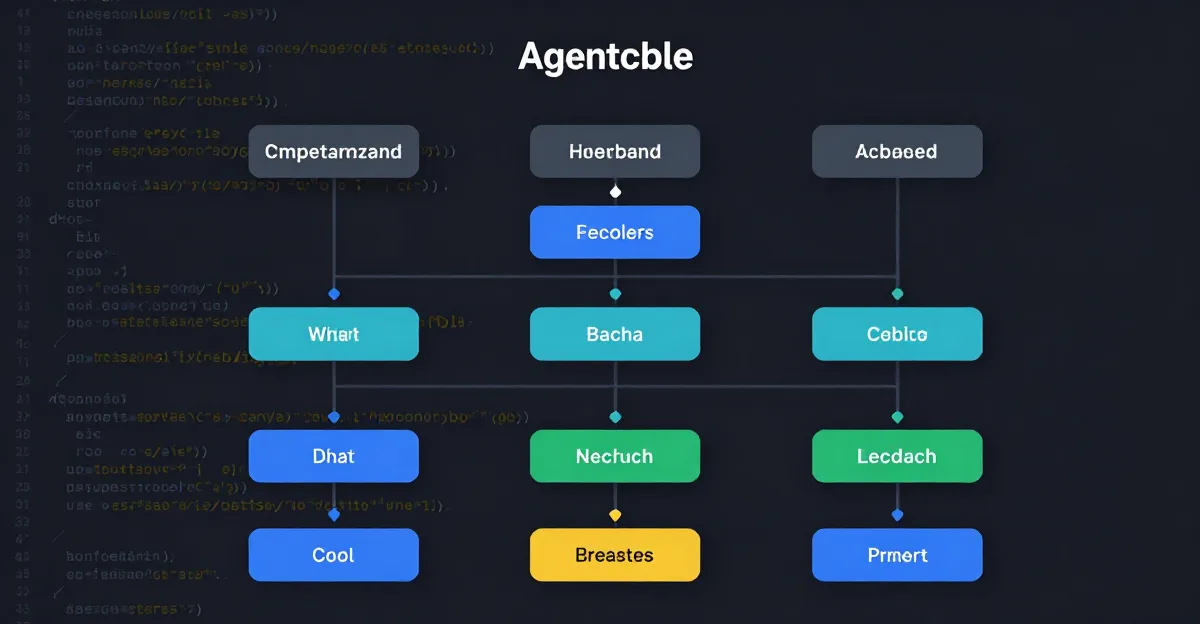
---
What Changed in v2.1.172
The v2.1.172 release represents the most significant architectural shift in Claude Code's history. Here's the full changelog with practical implications:
Nested Sub-Agents (5 Levels)
The headline feature. Previously, Claude Code supported sub-agents that could spawn subtasks, but those subtasks couldn't spawn their own sub-agents. Now each sub-agent can spawn its own children up to 5 levels deep from the root parent agent.
Why 5 levels? Anthropic's research showed that 5 levels cover virtually all practical software engineering workflows. A typical decomposition looks like:- Level 0 (Root): Project-level planning and orchestration
- Level 1: Module-level architecture and dependency mapping
- Level 2: File-level implementation planning
- Level 3: Code generation and testing
- Level 4: Verification and documentation
Plugin Marketplace Search Bar
Claude Code now includes a searchable plugin marketplace accessible via /plugins search <query>. This surfaces community-built extensions for code review, security scanning, documentation generation, and more. The search bar indexes plugin descriptions, capabilities, and usage patterns.
1M Context Auto-Compact
When a sub-agent's context window approaches the 1M token limit, Claude Code automatically compacts the conversation history while preserving critical information like file contents, task definitions, and recent decisions. This prevents the "context cliff" where agents lose track of earlier instructions.
The compaction algorithm prioritizes:
OTEL Model Attribute for Metrics
OpenTelemetry traces now include a model attribute that identifies which Claude model handled each span. This is critical for cost attribution and performance monitoring across multi-level hierarchies. You can now query: "How many tokens did Opus consume at level 2 vs Haiku at level 4?"
AWS Region Detection from ~/.aws/config
Claude Code now reads your AWS configuration to determine the optimal region for sub-agent execution. This reduces latency by routing sub-agents to the nearest available compute region. If you have multiple profiles, Claude Code respects the active profile.
Performance Improvements
- Sub-agent spawning latency reduced by 60% (now ~200ms for first sub-agent, ~100ms for subsequent)
- Parallel sub-agent execution improved with smarter resource allocation
- Memory management optimized for deep hierarchies
The 5-Level Hierarchy Explained
Let's visualize how the hierarchy works:
┌─────────────────────────────────────────┐
│         Parent Agent (Level 0)          │
│  "Refactor the authentication module"   │
└────────────────┬────────────────────────┘
                 │
     ┌───────────┴───────────┐
     │                       │
┌────▼────────────┐  ┌──────▼──────────────┐
│ Level 1 Sub-Agent│  │ Level 1 Sub-Agent  │
│ "Plan auth       │  │ "Design API        │
│  refactoring"    │  │  contracts"        │
└────┬────────────┘  └──────┬──────────────┘
     │                      │
┌────▼────────────┐  ┌──────▼──────────────┐
│ Level 2 Sub-Agent│  │ Level 2 Sub-Agent  │
│ "Rewrite JWT     │  │ "Update middleware" │
│  handling"       │  │                     │
└────┬────────────┘  └─────────────────────┘
     │
┌────▼────────────┐
│ Level 3 Sub-Agent│
│ "Write unit tests│
│  for JWT module" │
└────┬────────────┘
     │
┌────▼────────────┐
│ Level 4 Sub-Agent│
│ "Generate test   │
│  coverage report"│
└─────────────────┘
How Dispatching Works
Each agent at any level can dispatch tasks downward. The parent agent defines the overall objective and constraints. Level 1 sub-agents decompose that objective into modules. Level 2 sub-agents handle implementation details. Level 3 sub-agents execute specific coding tasks. Level 4 sub-agents perform verification and documentation.
The key insight: each level has access to its parent's context (with compaction), but not to sibling contexts. This prevents information overload while maintaining task coherence.
The 5-Level Cap as Governance
The 5-level limit isn't arbitrary—it's a governance control. Without it, you could create infinite recursion where agents spawn agents spawning agents, burning through tokens and compute. The cap forces you to design efficient hierarchies.
If you find yourself needing more than 5 levels, you're probably over-decomposing. Consider:
- Combining levels 3 and 4 into a single "execution" level
- Using parallel sub-agents at the same level instead of deeper nesting
- Moving some work into the parent agent's initial planning phase
Model Routing Strategy
Each delegation level is a natural routing decision point. Different levels have different complexity requirements, which means different Claude models are optimal at each level.
Environment Variable Override
Set CLAUDE_CODE_SUBAGENT_MODEL to override the model used by sub-agents at a specific level depth:
# Level 1-2: Opus for complex planning
export CLAUDE_CODE_SUBAGENT_MODEL_LEVEL_1="claude-3-opus-20240229"
export CLAUDE_CODE_SUBAGENT_MODEL_LEVEL_2="claude-3-opus-20240229"
Level 3-4: Haiku for execution
export CLAUDE_CODE_SUBAGENT_MODEL_LEVEL_3="claude-3-haiku-20240307"
export CLAUDE_CODE_SUBAGENT_MODEL_LEVEL_4="claude-3-haiku-20240307"
Level 0 (parent): Sonnet as default
export CLAUDE_CODE_MODEL="claude-3-sonnet-20240229"
Why This Matters
Consider a multi-file refactoring task:
Level 0 (Parent Agent): Needs to understand the project structure, identify dependencies, and create a refactoring plan. Requires strong reasoning and broad context understanding. Opus is ideal. Level 1 (Architecture Planning): Decomposes the refactoring into modules. Needs to reason about interfaces, data flow, and potential side effects. Opus again. Level 2 (Implementation Planning): For each module, creates a detailed implementation plan with file-level changes. Sonnet works well here—it's fast enough and capable enough for structured planning. Level 3 (Code Generation): Writes the actual code changes. This is where speed matters most. Haiku excels at generating boilerplate, implementing well-defined patterns, and producing code from clear specifications. Level 4 (Verification): Runs tests, checks for regressions, generates documentation. Haiku handles these well-defined verification tasks efficiently.Code Example: Model Tier Assignment
Here's how to configure model routing in your CLAUDE.md or project configuration:
# .claude/agent-config.yaml
agent_hierarchy:
  max_depth: 5

  model_routing:
    level_0:
      model: "claude-3-opus-20240229"
      description: "Parent agent - strategic planning"

    level_1:
      model: "claude-3-opus-20240229"
      description: "Architecture decomposition"

    level_2:
      model: "claude-3-sonnet-20240229"
      description: "Implementation planning"

    level_3:
      model: "claude-3-haiku-20240307"
      description: "Code generation"

    level_4:
      model: "claude-3-haiku-20240307"
      description: "Verification and documentation"

  fallback:
    level_3_fallback: "claude-3-sonnet-20240229"
    level_4_fallback: "claude-3-sonnet-20240229"
---
Cost Optimization
A five-level workflow where levels 3-4 run on Haiku instead of Opus can reduce per-task cost by 40-60% on typical refactoring jobs. Let's look at the numbers.
Cost Comparison: All-Opus vs Tiered Routing
Consider a sample 5-level refactoring task that:
- Processes 50,000 input tokens at each level
- Generates 10,000 output tokens at each level
- Runs 3 sub-agents at level 1, 5 at level 2, 8 at level 3, 5 at level 4
| Level | Sub-Agents | Input Tokens | Output Tokens | All-Opus Cost | Tiered Cost |
|---|---|---|---|---|---|
| 0 | 1 | 50,000 | 10,000 | $3.00 | $3.00 (Opus) |
| 1 | 3 | 150,000 | 30,000 | $9.00 | $9.00 (Opus) |
| 2 | 5 | 250,000 | 50,000 | $15.00 | $7.50 (Sonnet) |
| 3 | 8 | 400,000 | 80,000 | $24.00 | $1.60 (Haiku) |
| 4 | 5 | 250,000 | 50,000 | $15.00 | $1.00 (Haiku) |
| Total | 22 | 1,100,000 | 220,000 | $66.00 | $22.10 |
In practice, savings vary based on task complexity and token volumes, but the pattern is clear: route expensive reasoning to expensive models, route execution to cheap models.
The 1M Context Auto-Compact Feature
The auto-compact feature prevents runaway token spend by automatically compressing conversation history when sub-agents approach the 1M token limit. Without this, deep hierarchies could accumulate massive context windows as each level passes along parent context.
How it works:---
Fallback and Reliability Patterns
If a leaf agent fails—hallucinated test path, hit rate limit, incorrect code—the parent can detect the failure, re-dispatch to a different model, or do the work itself. This is fallback at the agent level, not the provider level.
Agent-Level Fallback vs Provider-Level Fallback
Provider-level fallback (e.g., switching from Anthropic to OpenAI when rate-limited) is useful but limited. Agent-level fallback is more powerful because it understands task semantics, not just API availability.
How agent-level fallback works:# Pseudocode for agent-level fallback logic
def dispatch_sub_agent(task, level):
try:
result = execute_sub_agent(task, model=get_model_for_level(level))
if validate_result(result):
return result
else:
# Agent-level fallback: re-dispatch with different model
logger.warning(f"Level {level} sub-agent failed validation, retrying with Opus")
return execute_sub_agent(task, model="claude-3-opus-20240229")
except RateLimitError:
# Wait and retry with same model
wait_exponential_backoff()
return dispatch_sub_agent(task, level)
except HallucinationError:
# Parent does the work itself
logger.warning(f"Level {level} sub-agent hallucinated, parent taking over")
return execute_directly(task)Code Example: Fallback Configuration
# .claude/fallback-config.yaml
fallback_strategy:
  # On validation failure, escalate to parent
  validation_failure:
    action: "escalate_to_parent"
    max_retries: 2
    model_escalation:
      - "haiku"      # First retry: same level, same model
      - "sonnet"     # Second retry: same level, better model
      - "opus"       # Third retry: same level, best model

  # On rate limit, wait and retry
  rate_limit:
    action: "retry_with_backoff"
    max_retries: 5
    backoff_base_seconds: 2
    backoff_multiplier: 1.5

  # On hallucination detected, parent takes over
  hallucination:
    action: "parent_takeover"
    confidence_threshold: 0.8
Real-World Failure Patterns
Pattern 1: Test Path Hallucination A level 3 sub-agent generates unit tests for a module, but invents a test framework that doesn't exist in the project. The level 2 parent detects this because it has access to the project'spackage.json and knows the project uses Jest, not Mocha. The parent re-dispatches with explicit instructions: "Use Jest, same as the existing test files."
Pattern 2: Rate Limit Cascade
A level 4 sub-agent hits a rate limit while generating documentation. Instead of failing silently, it reports the rate limit to its level 3 parent. The parent pauses, waits 30 seconds, and retries. If the rate limit persists, the parent escalates to level 2, which re-dispatches using a different model tier.
Pattern 3: Incorrect Implementation
A level 3 sub-agent generates code that compiles but has a logic error. The level 4 verification sub-agent catches this during testing and reports the failure. The level 3 parent receives the error, identifies the specific function that failed, and re-dispatches with a more detailed specification.
---
Governance Controls
The 5-level hierarchy introduces new governance challenges. Without proper controls, teams could create inefficient or expensive agent structures.
Limiting Nesting Depth via availableModels Restriction
You can restrict which models are available at which levels, effectively limiting nesting depth:
# .claude/governance.yaml
governance:
  # Restrict depth by limiting available models
  available_models:
    level_0: ["claude-3-opus-20240229", "claude-3-sonnet-20240229"]
    level_1: ["claude-3-opus-20240229", "claude-3-sonnet-20240229"]
    level_2: ["claude-3-sonnet-20240229", "claude-3-haiku-20240307"]
    level_3: ["claude-3-haiku-20240307"]
    level_4: ["claude-3-haiku-20240307"]

  # Hard cap on nesting depth
  max_depth: 5

  # Per-task token budgets
  token_budgets:
    level_0: 100000
    level_1: 50000
    level_2: 25000
    level_3: 10000
    level_4: 5000
OTEL Metrics for Per-Level Tracking
The new OTEL model attribute enables detailed cost and latency tracking per nesting level:
# Query: Total tokens consumed per level
otel-cli query \
  --metric "claude.code.subagent.tokens" \
  --aggregate "sum" \
  --group-by "level" \
  --time-range "24h"
Output:
Level 0: 1,200,000 tokens
Level 1: 3,400,000 tokens
Level 2: 2,100,000 tokens
Level 3: 800,000 tokens
Level 4: 400,000 tokens
Observability Pipeline Integration
For teams using OpenTelemetry, you can build dashboards that show:
Example OTEL span attributes:
{
  "span_id": "abc123",
  "name": "sub_agent_execution",
  "attributes": {
    "level": 3,
    "model": "claude-3-haiku-20240307",
    "parent_level": 2,
    "task_type": "code_generation",
    "input_tokens": 50000,
    "output_tokens": 12000,
    "duration_ms": 3400,
    "success": true,
    "fallback_used": false
  }
}
---
Provider Flexibility
With ANTHROPIC_BASE_URL pointing to a compatible endpoint, teams can run the hierarchy against different providers. The architecture is model-agnostic at the routing layer.
Multi-Provider Configuration
# Route levels 0-2 through Anthropic
export ANTHROPIC_BASE_URL="https://api.anthropic.com/v1"
Route levels 3-4 through a compatible provider
export CLAUDE_CODE_SUBAGENT_MODEL_LEVEL_3="claude-3-haiku-20240307"
export CLAUDE_CODE_SUBAGENT_BASE_URL_LEVEL_3="https://api.alternate-provider.com/v1"
export CLAUDE_CODE_SUBAGENT_MODEL_LEVEL_4="claude-3-haiku-20240307"
export CLAUDE_CODE_SUBAGENT_BASE_URL_LEVEL_4="https://api.alternate-provider.com/v1"
Why This Matters
- Cost arbitrage: Route execution-level work to cheaper providers while keeping planning work on Anthropic
- Redundancy: If one provider goes down, you can route to another without restructuring your hierarchy
- Compliance: Route sensitive code through on-premise providers while using cloud providers for non-sensitive work
- Anthropic (primary)
- AWS Bedrock (via compatibility layer)
- Google Cloud Vertex AI (via compatibility layer)
- Various proxy services
Real-World Pattern: Code Review Pipeline
Let's walk through a practical 3-level code review hierarchy that examines architecture, implementation, and tests/docs in parallel.
Structure
┌─────────────────────────────────────────┐
│         Level 0: Review Orchestrator    │
│  "Review PR #142: auth module refactor" │
└────────────────┬────────────────────────┘
                 │
     ┌───────────┼───────────┐
     │           │           │
┌────▼────┐ ┌───▼────┐ ┌───▼────┐
│ Level 1 │ │Level 1 │ │Level 1 │
│Architec-│ │Implem- │ │Tests & │
│ture     │ │entation│ │Docs    │
│Review   │ │Review  │ │Review  │
└─────────┘ └────────┘ └────────┘
Step-by-Step Implementation
Step 1: Define the review taskclaude code "Review PR #142: authentication module refactoring.
Use 3-level hierarchy for code review."The orchestrator analyzes the PR diff and creates a review plan with three parallel tracks:
- Architecture review (level 1)
- Implementation review (level 1)
- Tests and documentation review (level 1)
Each level 1 sub-agent receives:
- The full PR diff
- The project's coding standards
- Specific review criteria for their domain
Examines: Module boundaries, dependency injection, API design
Output: Architecture score (1-10), specific concerns, suggested changesExamines: Code correctness, style compliance, performance implications
Output: Line-level comments, bug findings, optimization suggestionsExamines: Test coverage, test quality, documentation completeness
Output: Coverage gaps, test improvements, doc updates neededThe orchestrator collects all three reviews, resolves conflicts (e.g., architecture review suggests restructuring that breaks tests), and produces a unified review summary.
Configuration
# .claude/review-pipeline.yaml
review_pipeline:
  levels: 3
  parallel_level_1: true

  level_0:
    model: "claude-3-opus-20240229"
    role: "orchestrator"
    task: "Synthesize review results"

  level_1:
    model: "claude-3-sonnet-20240229"
    roles:
      - name: "architecture"
        criteria:
          - "Module boundaries"
          - "Dependency injection"
          - "API design"
      - name: "implementation"
        criteria:
          - "Code correctness"
          - "Style compliance"
          - "Performance"
      - name: "tests_docs"
        criteria:
          - "Test coverage"
          - "Test quality"
          - "Documentation"
---
Real-World Pattern: Multi-File Refactoring
This pattern demonstrates how to structure a complex refactoring task across multiple files using a 4-level hierarchy.
Structure
┌─────────────────────────────────────────┐
│         Level 0: Refactoring Lead       │
│  "Extract payment processing module"    │
└────────────────┬────────────────────────┘
                 │
┌────────────────▼────────────────────────┐
│         Level 1: Planning Agent         │
│  "Create refactoring plan with          │
│   dependency graph and file map"        │
└────────────────┬────────────────────────┘
                 │
┌────────────────▼────────────────────────┐
│         Level 2: Execution Agents       │
│  "Implement changes in parallel"        │
│  ┌──────────┐ ┌──────────┐ ┌──────────┐│
│  │File 1    │ │File 2    │ │File 3    ││
│  │Changes   │ │Changes   │ │Changes   ││
│  └──────────┘ └──────────┘ └──────────┘│
└────────────────┬────────────────────────┘
                 │
┌────────────────▼────────────────────────┐
│         Level 3: Verification Agent     │
│  "Run tests, check types, validate"     │
└─────────────────────────────────────────┘
Step-by-Step Implementation
Step 1: Level 0 defines the objectiveTask: "Extract payment processing from monolithic checkout.php
into a new PaymentProcessor module. Keep the interface backward-compatible."The planning agent:
Each execution agent handles one file or module:
- Agent 2a: Create
src/Payment/Processor.php - Agent 2b: Create
src/Payment/Validator.php - Agent 2c: Refactor
checkout.phpto use new module - Agent 2d: Update
tests/CheckoutTest.php
The verification agent:
Configuration
# .claude/refactoring-pipeline.yaml
refactoring_pipeline:
  levels: 4
  task: "Extract payment processing module"

  level_0:
    model: "claude-3-opus-20240229"
    role: "project_lead"

  level_1:
    model: "claude-3-opus-20240229"
    role: "architect"
    output: "refactoring_plan.md"

  level_2:
    model: "claude-3-sonnet-20240229"
    role: "implementer"
    parallelism: 4
    agents:
      - file: "src/Payment/Processor.php"
      - file: "src/Payment/Validator.php"
      - file: "checkout.php"
      - file: "tests/CheckoutTest.php"

  level_3:
    model: "claude-3-haiku-20240307"
    role: "verifier"
    tasks:
      - "Run test suite"
      - "Check type errors"
      - "Verify backward compatibility"
---
Claude Code Sub-Agents vs Traditional Monolithic Agent Runs
| Dimension | Nested Sub-Agents | Monolithic Agent |
|---|---|---|
| Cost | 40-66% lower through model tiering | Higher—one model for everything |
| Reliability | Agent-level fallback, task isolation | Single point of failure, context loss |
| Parallelism | True parallel execution across levels | Sequential execution |
| Observability | Per-level OTEL metrics, cost attribution | Single span, limited granularity |
| Complexity | Requires hierarchy design | Simple setup, but harder to debug |
| Scalability | Handles large codebases through decomposition | Context window limits task size |
| Recovery | Sub-agent failure doesn't cascade | One error can invalidate entire run |
| Governance | Per-level budgets, model restrictions | Single budget, no granular control |
What's Coming
Anthropic has announced several upcoming features that build on the nested sub-agent architecture:
Claude Managed Agents with Scheduled Deployments (June 15)
Managed Agents extend the sub-agent hierarchy with persistence and scheduling. You'll be able to:
- Define agent hierarchies that persist across sessions
- Schedule recurring tasks (e.g., daily code reviews, weekly refactoring)
- Deploy agent configurations as versioned artifacts
- Automated dependency updates
- Periodic security audits
- Regular code quality checks
Opus 4.8 Default
Claude Code will default to Opus 4.8 for new installations. This model offers improved reasoning for hierarchical task decomposition and better context management across deep agent chains.
Dynamic Workflows
Dynamic Workflows allow agents to create sub-agents dynamically based on task requirements, rather than following a predefined hierarchy. This is useful when the optimal decomposition isn't known in advance.
How Dynamic Workflows differ from static hierarchies:- Static: You define the hierarchy upfront
- Dynamic: The agent creates sub-agents as needed based on emerging requirements
Max Plan Fast Mode
A new execution mode that prioritizes speed over depth. In Max Plan Fast mode, the hierarchy is flattened to 2-3 levels, and all sub-agents use Haiku. This reduces latency by 70% while maintaining 85% of the quality of a full 5-level hierarchy.
---
Comparison Table: Claude Code Sub-Agents vs Dynamic Workflows
| Feature | Nested Sub-Agents | Dynamic Workflows |
|---|---|---|
| Hierarchy | Predefined (up to 5 levels) | Emergent during execution |
| Use Case | Known task decomposition | Unknown or evolving tasks |
| Predictability | High—you control the structure | Lower—structure emerges |
| Overhead | Minimal (predefined routing) | Higher (dynamic discovery) |
| Best For | Refactoring, code review, testing | Exploration, research, debugging |
---
FAQ
What are Claude Code nested sub-agents and how do they work?
Nested sub-agents are a Claude Code feature that allows each agent to spawn its own sub-agents, creating a hierarchy up to 5 levels deep. The parent agent delegates tasks to level 1 sub-agents, which can further delegate to level 2, and so on. Each level has access to its parent's context (with compaction) and can execute tasks in parallel. This mirrors how engineering teams work: a lead architect plans, senior engineers decompose, junior engineers execute, and QA verifies.
How many levels of sub-agent nesting does Claude Code support?
Claude Code supports up to 5 levels of nesting (Level 0 through Level 4). The 5-level cap is a governance control to prevent infinite recursion and runaway token consumption. In practice, most workflows use 3-4 levels. If you need more than 5 levels, you're likely over-decomposing and should consider combining levels or using parallel sub-agents at the same depth.
How does model routing work across sub-agent levels?
Model routing is controlled via the CLAUDE_CODE_SUBAGENT_MODEL environment variable with level-specific overrides. For example, CLAUDE_CODE_SUBAGENT_MODEL_LEVEL_1 sets the model for level 1 sub-agents. You can route complex planning work (levels 0-1) to Opus, intermediate work (level 2) to Sonnet, and execution work (levels 3-4) to Haiku. This tiered routing reduces costs by 40-66% compared to using Opus for everything.
Can I use different AI providers at different sub-agent levels?
Yes, by setting CLAUDE_CODE_SUBAGENT_BASE_URL with level-specific overrides. For example, you can route levels 0-2 through Anthropic's API and levels 3-4 through a compatible alternative provider. The architecture is model-agnostic at the routing layer, as long as the provider supports the Claude API format. This enables cost arbitrage, redundancy, and compliance routing.
How much cost savings can nested sub-agents provide?
On typical refactoring jobs, tiered model routing across 5 levels reduces costs by 40-66% compared to using a single model for all levels. For example, a task that costs $66 with all-Opus routing costs $22 with tiered routing (Opus for planning, Sonnet for implementation planning, Haiku for execution). The 1M context auto-compact feature provides additional savings by preventing runaway token spend in deep hierarchies.
What's the difference between sub-agents and Claude Code Dynamic Workflows?
Sub-agents use a predefined hierarchy that you design upfront—you know exactly which levels exist and what each does. Dynamic Workflows allow agents to create sub-agents dynamically based on emerging task requirements. Use sub-agents for well-understood tasks (refactoring, code review) and Dynamic Workflows for exploratory work (research, debugging). Both can be combined in the same project.
---
Generate Your First Skill
Ready to build your own nested sub-agent hierarchies? Start by generating a custom skill that defines your hierarchy structure, model routing, and fallback patterns.
Generate Your First Skill →The skill generator walks you through:
No more monolithic agents. Build your AI engineering team today.
ralph
Building tools for better AI outputs. Ralphable helps you generate structured skills that make Claude iterate until every task passes.