Claude Code Hooks: Automate Your Entire Development Workflow in 2026
Hooks let Claude Code run shell commands automatically before and after tool calls. Here's how to set up pre-commit linting, auto-testing, deployment guards, and custom workflows that run hands-free.
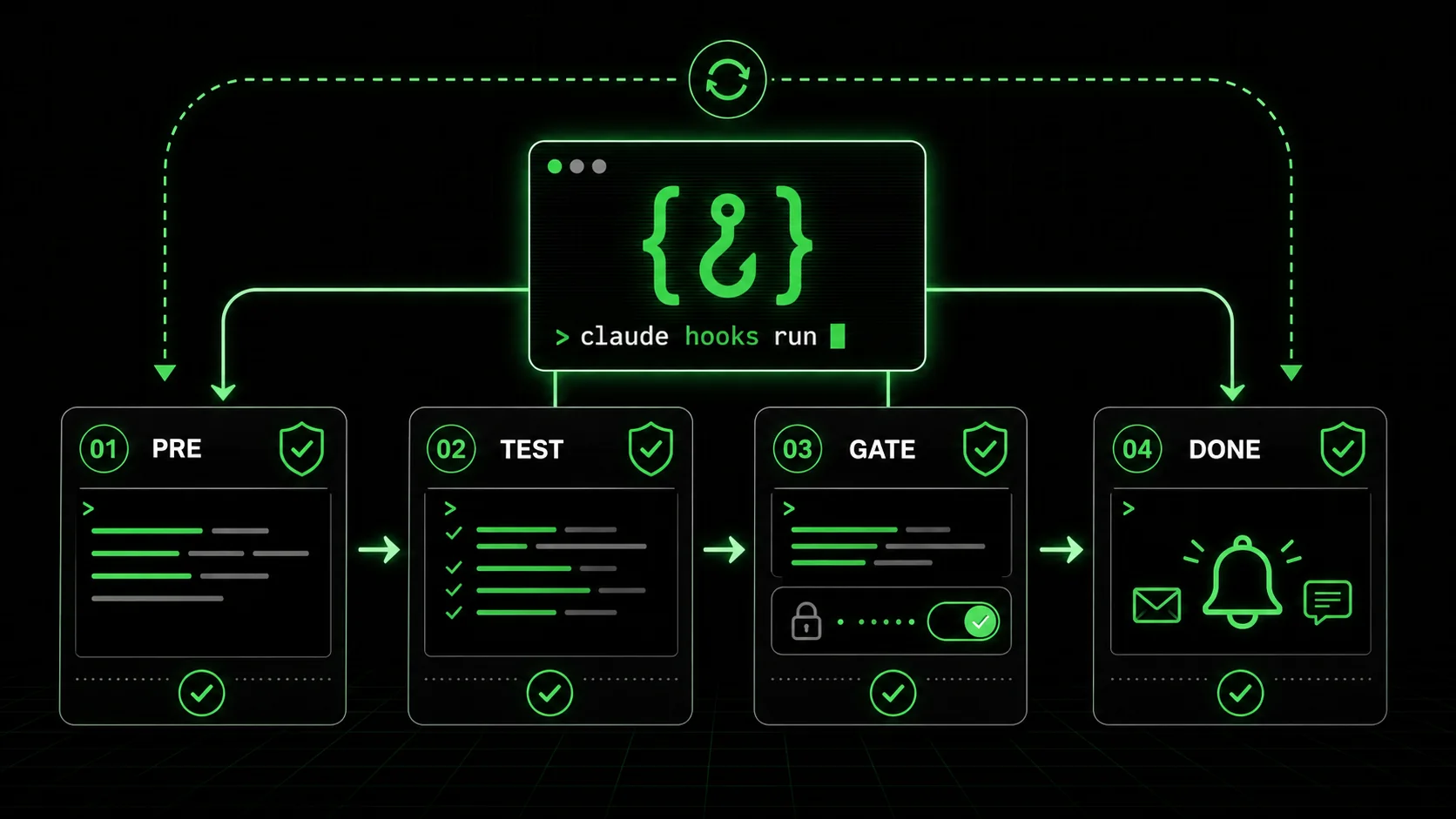
Claude Code hooks are the most underused feature in the entire Claude Code ecosystem. While everyone obsesses over prompt engineering and CLAUDE.md configurations, hooks quietly offer something more powerful: the ability to make Claude Code enforce your workflow rules automatically, without you ever having to remember them.
Hooks are shell commands that Claude Code executes at specific points during its operation. They run before tool calls, after tool calls, or in response to notification events. They're configured in a JSON file and they execute in your system shell. If you can write a bash script, you can write a hook.
This isn't a minor convenience feature. Hooks transform Claude Code from a reactive assistant that does what you ask into a proactive workflow engine that enforces standards, runs checks, and prevents mistakes before they reach your codebase. Once configured, they work silently in the background, every single session, without you lifting a finger.
What Hooks Actually Are
At a technical level, a hook is a JSON object that specifies four things: when to run (the event), what to match against (a matcher), what to execute (the command), and whether to block the operation on failure (the behavior).
The hook system intercepts Claude Code's internal tool calls. Every time Claude Code reads a file, writes a file, executes a bash command, or performs any other tool action, the hook system checks whether any registered hooks match that event. If they do, the hook's command executes in your shell. Depending on the configuration, a failing hook can either block the tool call entirely or simply log a warning.
This is fundamentally different from CLAUDE.md instructions. CLAUDE.md tells Claude Code what it should do. Hooks enforce what it must do. CLAUDE.md is advisory. Hooks are mechanical. Claude Code can misinterpret or overlook a CLAUDE.md instruction. It cannot bypass a hook.
The configuration lives in .claude/hooks.json at the root of your project. The file structure is straightforward:
{
  "hooks": [
    {
      "event": "before_tool_call",
      "matcher": "write_file",
      "command": "echo 'A file is about to be written'",
      "block_on_failure": false
    }
  ]
}
This is the simplest possible hook. It runs echo before every file write. It doesn't block anything. It's useless in production. But it demonstrates the structure. Let's build from here.
Hook Types: The Three Event Categories
Claude Code hooks fire on three event types, each serving a distinct purpose in workflow automation.
Pre-Tool-Call Hooks (before_tool_call)
These execute before Claude Code performs a tool action. They're your gatekeepers. If a pre-tool-call hook fails and block_on_failure is true, Claude Code will not execute the tool call. The operation is cancelled, and Claude Code receives the hook's error output as context for its next decision.
Pre-tool-call hooks are ideal for validation, safety checks, and preventing destructive operations. They answer the question: "Should this action be allowed to proceed?"
Post-Tool-Call Hooks (after_tool_call)
These execute after Claude Code completes a tool action. They're your quality assurance layer. A post-tool-call hook receives the result of the tool call and can perform additional processing, verification, or logging. If a post-tool-call hook fails and block_on_failure is true, Claude Code will be informed of the failure and can attempt to correct the issue.
Post-tool-call hooks are ideal for linting, testing, formatting, and verification. They answer the question: "Was this action performed correctly?"
Notification Hooks (on_notification)
These fire when Claude Code generates notification events, such as completing a task, encountering an error, or requesting user input. They're your awareness layer. Notification hooks are useful for logging, alerting, and integration with external systems.
Notification hooks are the least commonly used but can be powerful for team workflows where Claude Code sessions need to report status to Slack channels, logging systems, or monitoring dashboards.
Practical Example 1: Auto-Lint Before Every Commit
The most immediately valuable hook for any project is a pre-commit lint check. Without it, Claude Code can create commits that contain linting errors, forcing you to either amend the commit or add a fix-up commit. With the hook, linting errors are caught before the commit is created.
{
"hooks": [
{
"event": "before_tool_call",
"matcher": "bash:git commit",
"command": "npx eslint --max-warnings=0 --no-warn-ignored $(git diff --cached --name-only --diff-filter=ACM | grep -E '\\.(ts|tsx|js|jsx)
Let's break this down. The matcher is bash:git commit. This means the hook fires whenever Claude Code executes a bash command that contains "git commit." The command runs ESLint against only the staged files (retrieved via git diff --cached), filtered to JavaScript and TypeScript files. The --max-warnings=0 flag treats warnings as errors. block_on_failure is true, so if any staged file has a linting error, the commit is blocked entirely.
Claude Code receives the ESLint output as context. It sees which files have errors and what those errors are. In most cases, it will automatically fix the errors, re-stage the files, and attempt the commit again. The hook enforced the standard. Claude Code did the remediation. You did nothing.
For projects using Biome instead of ESLint, the equivalent hook is:
json{
"command": "npx biome check --staged --no-errors-on-unmatched",
"block_on_failure": true
}
Practical Example 2: Run Tests After File Edits
A post-tool-call hook that runs your test suite after Claude Code modifies source files catches regressions immediately. Instead of discovering a broken test after Claude Code has made ten more changes, you catch it at the source.
json{
"hooks": [
{
"event": "after_tool_call",
"matcher": "write_file:src/*/.ts",
"command": "npx vitest run --reporter=verbose --bail=1 2>&1 | head -50",
"block_on_failure": true
}
]
}
The matcher here uses a glob pattern: write_file:src/*/.ts. This hook only fires when Claude Code writes a TypeScript file inside the src directory. Writing to config files, documentation, or test files themselves won't trigger it.
The command runs Vitest with --bail=1, which stops at the first failing test. The output is piped through head -50 to prevent overwhelming Claude Code's context with hundreds of lines of test output. Only the first 50 lines, enough to identify the failure, are passed back.
When the hook fails, Claude Code sees the test failure, identifies which test broke, and attempts to fix the source file. The hook fires again after the fix. If the tests pass, work continues. If they fail again, Claude Code iterates. This creates an automatic red-green-refactor cycle driven entirely by the hook system.
A critical consideration: test execution time. If your test suite takes 30 seconds to run, this hook will add 30 seconds after every file write. For large test suites, scope the test command to only run tests related to the modified file:
json{
"command": "npx vitest run --reporter=verbose --bail=1 --related $(echo $HOOK_FILE_PATH) 2>&1 | head -50",
"block_on_failure": true
}
The $HOOK_FILE_PATH environment variable is set by Claude Code hooks and contains the path of the file that triggered the hook. Vitest's --related flag runs only the tests that import or depend on that file, dramatically reducing execution time.
Practical Example 3: Deployment Guard on Main Branch
One of the most dangerous things Claude Code can do is push to your main branch. A well-configured hook can prevent this entirely:
json{
"hooks": [
{
"event": "before_tool_call",
"matcher": "bash:git push",
"command": "branch=$(git rev-parse --abbrev-ref HEAD) && if [ \"$branch\" = \"main\" ] || [ \"$branch\" = \"master\" ]; then echo 'ERROR: Direct push to main/master is blocked. Create a PR instead.' && exit 1; fi",
"block_on_failure": true
}
]
}
This hook fires before any git push command. It checks the current branch name. If it's main or master, the hook exits with code 1, blocking the push. Claude Code receives the error message and understands that it needs to create a branch and use a pull request workflow instead.
You can extend this pattern to enforce branch naming conventions:
json{
"command": "branch=$(git rev-parse --abbrev-ref HEAD) && if ! echo \"$branch\" | grep -qE '^(feat|fix|chore|refactor|docs|test)/'; then echo 'ERROR: Branch name must start with feat/, fix/, chore/, refactor/, docs/, or test/' && exit 1; fi",
"block_on_failure": true
}
Now Claude Code can't push to any branch that doesn't follow your naming convention. It will automatically rename the branch before pushing.
Practical Example 4: Auto-Format on File Write
If your project uses Prettier, you can ensure every file Claude Code writes is automatically formatted:
json{
"hooks": [
{
"event": "after_tool_call",
"matcher": "write_file:*.{ts,tsx,js,jsx,json,css,md,mdx}",
"command": "npx prettier --write $HOOK_FILE_PATH 2>&1",
"block_on_failure": false
}
]
}
This hook runs Prettier on every file Claude Code writes, matching common file extensions. block_on_failure is false because formatting failures shouldn't prevent Claude Code from continuing its work. The file is formatted in place, and Claude Code's subsequent reads of the file will see the formatted version.
This eliminates an entire category of code review feedback. Every file Claude Code touches is automatically formatted to your project's standards, regardless of how Claude Code's internal formatting tendencies differ from your Prettier configuration.
Configuration Deep Dive: hooks.json Structure
The full .claude/hooks.json schema supports several configuration options beyond the basic examples shown above:
json{
"hooks": [
{
"event": "before_tool_call | after_tool_call | on_notification",
"matcher": "tool_name:optional_glob_pattern",
"command": "shell command to execute",
"block_on_failure": true,
"timeout_ms": 30000,
"working_directory": ".",
"env": {
"CUSTOM_VAR": "value"
}
}
]
}
event (required): One of the three event types. Determines when the hook fires.
matcher (required): A string that specifies which tool calls trigger the hook. The format is tool_name or tool_name:pattern. Common tool names include write_file, read_file, bash, edit_file, and search. The pattern after the colon is a glob matched against the tool call's arguments (usually a file path or command string).
command (required): The shell command to execute. This runs in your system's default shell (bash or zsh). It has access to environment variables set by Claude Code, including $HOOK_FILE_PATH for file-related tool calls and $HOOK_TOOL_NAME for the triggering tool.
block_on_failure (optional, default false): If true and the command exits with a non-zero code, the triggering tool call is blocked (for pre-tool-call hooks) or reported as failed (for post-tool-call hooks).
timeout_ms (optional, default 30000): Maximum execution time in milliseconds. If the command exceeds this timeout, it's killed and treated as a failure. Set this appropriately for your commands. A lint check might need 10 seconds. A test suite might need 60 seconds.
working_directory (optional, default "."): The directory the command executes in, relative to the project root.
env (optional): Additional environment variables to set for the command execution.
Debugging Hooks
Hooks execute silently by default. When a hook fails and blocks an operation, Claude Code shows the output. But when hooks succeed, you see nothing. This can make debugging difficult. Here are strategies for troubleshooting hook behavior.
Add logging to your hooks. The simplest approach is to append logging to each command:
json{
"command": "echo \"[HOOK] Running lint on $HOOK_FILE_PATH\" >> /tmp/claude-hooks.log && npx eslint $HOOK_FILE_PATH"
}
Then monitor the log in a separate terminal with tail -f /tmp/claude-hooks.log. You'll see exactly when each hook fires and what it's processing.
Test commands independently. Before adding a command to hooks.json, run it manually in your terminal. Set the environment variables that Claude Code would set:
bashHOOK_FILE_PATH="src/components/Button.tsx" npx eslint src/components/Button.tsx
If it doesn't work in your terminal, it won't work as a hook.
Check matcher patterns. The most common hook debugging issue is a matcher that doesn't match what you expect. The matcher bash:git commit matches any bash command containing the string "git commit." It will also match echo "don't git commit yet". Be specific with your matchers to avoid false positives.
Verify timeout values. If a hook seems to silently fail, the timeout might be too short. A vitest run that takes 35 seconds will be killed by the default 30-second timeout. Set explicit timeout values for any hook that runs tests, builds, or other potentially slow operations.
Combining Hooks with CLAUDE.md
Hooks and CLAUDE.md serve complementary purposes. CLAUDE.md tells Claude Code how you want it to work. Hooks verify that it followed through. The combination is more powerful than either alone.
For example, your CLAUDE.md might include:
markdown## Commit Standards
- Run
npm run lint before committing
- Run
npm test before committing
- Use conventional commit messages (feat:, fix:, chore:)
- Never push directly to main
Claude Code will try to follow these instructions. But in long sessions, complex tasks, or edge cases, it might skip a step. Your hooks.json backs up every one of those instructions with mechanical enforcement:
json{
"hooks": [
{
"event": "before_tool_call",
"matcher": "bash:git commit",
"command": "npm run lint -- --quiet && npm test -- --bail 2>&1 | tail -20",
"block_on_failure": true,
"timeout_ms": 60000
},
{
"event": "before_tool_call",
"matcher": "bash:git push",
"command": "branch=$(git rev-parse --abbrev-ref HEAD) && [ \"$branch\" != \"main\" ] && [ \"$branch\" != \"master\" ] || (echo 'Blocked: cannot push to main/master' && exit 1)",
"block_on_failure": true
}
]
}
CLAUDE.md provides intent and flexibility. Hooks provide enforcement and reliability. Together, they create a development workflow where standards are communicated clearly and enforced automatically.
A useful pattern is to reference your hooks in your CLAUDE.md so Claude Code understands why operations might be blocked:
markdown## Hooks
This project uses Claude Code hooks (see .claude/hooks.json).
- Pre-commit: lint and test must pass before any commit
- Pre-push: direct pushes to main/master are blocked
If a hook blocks your operation, fix the underlying issue rather than trying to bypass the hook.
This gives Claude Code context for interpreting hook failures and reduces the chance of it trying to work around a blocking hook rather than fixing the actual problem.
Advanced Pattern: Conditional Hooks
Sometimes you want a hook to behave differently based on context. Since the hook command is a shell command, you have full access to conditional logic, environment variables, and external tools.
Run different checks for different directories:
json{
"event": "after_tool_call",
"matcher": "write_file:*.ts",
"command": "if echo $HOOK_FILE_PATH | grep -q '^src/api/'; then npm run test:api -- --bail 2>&1 | tail -20; elif echo $HOOK_FILE_PATH | grep -q '^src/ui/'; then npm run test:ui -- --bail 2>&1 | tail -20; fi",
"block_on_failure": true,
"timeout_ms": 60000
}
This hook runs API tests when API files change and UI tests when UI files change. It avoids running the entire test suite on every file change while still providing targeted coverage.
Skip hooks for specific file patterns:
json{
"command": "if echo $HOOK_FILE_PATH | grep -qE '\\.(test|spec|story)\\.(ts|tsx)
This skips linting for test files, spec files, and storybook files. The exit 0 on the matching condition causes the hook to succeed immediately without running ESLint.
Environment-aware hooks:
json{
"command": "if [ \"$CI\" = 'true' ]; then npm run lint:strict; else npm run lint; fi",
"block_on_failure": true
}
This runs stricter linting rules in CI environments while using standard rules locally. Useful if you use Claude Code in both local development and CI/CD pipelines.
Advanced Pattern: Chained Workflows
Hooks can trigger sequences of operations by chaining commands. This enables complex workflows that execute as a single atomic operation.
Full pre-commit pipeline:
json{
"event": "before_tool_call",
"matcher": "bash:git commit",
"command": "echo '=== Type Check ===' && npx tsc --noEmit 2>&1 | tail -10 && echo '=== Lint ===' && npx eslint --max-warnings=0 $(git diff --cached --name-only --diff-filter=ACM | grep -E '\\.(ts|tsx)
This chain runs type checking, linting, and tests in sequence before any commit. If any step fails, the commit is blocked and Claude Code receives the output from the failing step. The echo statements between commands create clear section headers in the output, making it easy for both you and Claude Code to identify which step failed.
Post-deployment verification:
json{
"event": "after_tool_call",
"matcher": "bash:npm run deploy",
"command": "sleep 5 && curl -sf https://your-site.com/api/health | jq '.status' | grep -q 'ok' && echo 'Deployment verified: health check passed' || (echo 'ERROR: Health check failed after deployment' && exit 1)",
"block_on_failure": true,
"timeout_ms": 30000
}
After a deployment command, this hook waits five seconds for the deployment to propagate, then checks the health endpoint. If the health check fails, Claude Code is informed and can investigate or roll back.
Advanced Pattern: Security Hooks
Hooks can serve as a security layer, preventing Claude Code from accidentally committing secrets or accessing sensitive files.
Block commits containing secrets:
json{
"event": "before_tool_call",
"matcher": "bash:git commit",
"command": "git diff --cached --diff-filter=ACM -p | grep -iE '(api_key|api_secret|password|secret_key|private_key|access_token)\\s[=:]\\s[\"'\\''][^\"'\\'']+[\"'\\'']' && echo 'ERROR: Possible secret detected in staged files. Review before committing.' && exit 1 || exit 0",
"block_on_failure": true
}
This hook scans the staged diff for patterns that look like hardcoded secrets. If it finds any, the commit is blocked. The pattern matches common secret variable names followed by assignment operators and string values. It's not foolproof, but it catches the most common accidental secret commits.
Prevent reading sensitive files:
json{
"event": "before_tool_call",
"matcher": "read_file:.env",
"command": "echo 'ERROR: Reading .env files is restricted. Use environment variable references instead.' && exit 1",
"block_on_failure": true
}
This prevents Claude Code from reading any .env file, reducing the risk of secrets appearing in Claude Code's context and potentially being included in outputs.
Real Productivity Gains: What Changes When You Use Hooks
After running hooks across multiple projects for several months, the measurable impacts fall into three categories.
Reduced review cycles. Without hooks, Claude Code sessions produce code that needs manual review for formatting, linting, type errors, and test failures. Each issue found in review requires another Claude Code interaction to fix. With hooks, these categories of errors are caught and fixed automatically during the session. The code that reaches review is already clean, typed, tested, and formatted. In practice, this reduces the number of back-and-forth review cycles by roughly 60-70%.
Eliminated classes of mistakes. Certain mistakes become structurally impossible with hooks. Claude Code cannot push to main if the push hook blocks it. It cannot commit linting errors if the lint hook blocks commits. It cannot introduce type errors if the type-check hook runs after every file write. These aren't mistakes that are "less likely." They're mistakes that are mechanically prevented. The reduction in these categories is effectively 100%.
Faster iteration speed. This seems counterintuitive because hooks add execution time. A post-write test hook adds seconds to every file change. But the net effect is faster iteration because problems are caught immediately. Without hooks, Claude Code might make ten changes before you notice a test broke three changes ago. Now it has to untangle three changes to fix the original problem. With hooks, the break is caught at the source. The fix is a single change. Total session time decreases despite individual operations taking longer.
The overhead concern is valid for large, slow test suites. If your tests take 90 seconds to run, a post-write hook is impractical. The solution is scoping: use --related flags, run only unit tests (not integration tests) in hooks, and save the full test suite for pre-commit hooks where the delay is acceptable.
Common Pitfalls and How to Avoid Them
Infinite loops. If a post-write hook modifies a file (like a formatter), and that modification triggers the write hook again, you get an infinite loop. Claude Code has built-in loop detection that will break the cycle, but it's better to prevent it. Ensure your formatters are idempotent (running them twice produces no changes) and consider adding a guard to your hook that checks if the file is already formatted before running the formatter.
Overly broad matchers. A matcher of bash (without any command filter) will fire on every single bash command Claude Code executes, including ls, cat, echo, and other harmless operations. This creates enormous overhead and degrades performance. Always scope your matchers to the specific commands that need hooks.
Missing error handling. Shell commands can fail for unexpected reasons: missing binaries, network issues, permission errors. A hook that fails due to a missing tool (e.g., ESLint not installed) will block Claude Code's operations with a confusing error. Add existence checks to your hooks:
json{
"command": "command -v eslint >/dev/null 2>&1 || exit 0 && npx eslint --max-warnings=0 $HOOK_FILE_PATH"
}
This checks if ESLint is available and silently succeeds if it isn't, preventing a missing tool from blocking all operations.
Timeout misconfiguration. The default 30-second timeout is fine for linting and formatting but insufficient for test suites or build processes. Always set explicit timeouts based on the actual execution time of your commands, with a 50% buffer for slow machines or heavy system load.
A Complete hooks.json for a TypeScript Project
Here's a production-ready hooks.json that combines the patterns from this article into a coherent workflow for a TypeScript project:
json{
"hooks":
{
"event": "after_tool_call",
"matcher": "write_file:src/*/.{ts,tsx}",
"command": "npx prettier --write $HOOK_FILE_PATH 2>/dev/null; npx eslint --fix --max-warnings=0 $HOOK_FILE_PATH 2>&1 | tail -20",
"block_on_failure": true,
"timeout_ms": 15000
},
{
"event": "after_tool_call",
"matcher": "write_file:src/*/.{ts,tsx}",
"command": "if ! echo $HOOK_FILE_PATH | grep -qE '\\.(test|spec)\\.(ts|tsx)
This configuration provides six layers of automated enforcement:
Auto-format and lint every source file after Claude Code writes it
Run related tests after source file changes (excluding test files themselves)
Type-check the entire project before any commit
Scan for accidental secrets before any commit
Block direct pushes to main or master branches
Prevent reading .env files
Each hook has an appropriate timeout, scoped matchers, and clear error output. Together, they create a workflow where Claude Code operates within your project's quality standards automatically.
When Not to Use Hooks
Hooks aren't the right solution for everything. Here are scenarios where other approaches work better.
Complex conditional logic. If your automation requires multi-step decision trees, database lookups, or API calls, a shell command becomes unwieldy. Write a proper script (in Node, Python, or bash) and call that script from the hook instead of inlining the logic.
User-interactive workflows. Hooks cannot prompt for user input. They run non-interactively. If your workflow requires human confirmation at certain steps, use CLAUDE.md instructions to have Claude Code ask you directly rather than trying to build interactivity into a hook.
Performance-critical paths. If Claude Code is performing a rapid sequence of file operations (like a refactoring that touches 50 files), post-write hooks that run tests or linters on each individual file will create significant overhead. For bulk operations, consider disabling per-file hooks and relying on pre-commit hooks to catch issues at the commit boundary instead.
Project-specific vs. global concerns. Hooks in .claude/hooks.json are project-scoped. If you want behavior that applies across all projects (like never reading .env files), consider using global Claude Code settings or your shell profile instead of duplicating hooks in every project.
Getting Started: Your First Three Hooks
If you've read this far and want to implement hooks today, start with these three. They provide the highest value-to-effort ratio and cover the most common workflow gaps.
Hook 1: Auto-format on write. Ensures every file Claude Code touches matches your formatting standards. Zero-effort code style consistency.
Hook 2: Pre-commit lint check. Catches lint errors before they're committed. Eliminates the "fix lint errors" follow-up commit pattern.
Hook 3: Main branch push guard. Prevents accidental pushes to main. One-time setup, permanent protection.
Create .claude/hooks.json in your project root, add these three hooks with the patterns shown in this article, and adapt the commands to your project's tooling. The total setup time is under ten minutes. The time saved over the next month will be measured in hours.
Hooks are the difference between a Claude Code setup that works when you remember to enforce your standards and one that enforces them whether you remember or not. Build the guardrails once. Let the automation handle the rest.
<!-- sister-projects-start -->
Other Doved Studio projects
Related tools from the same studio you might find useful:
- [Glean
: Turn scrolling time into a daily action plan. Capture, process, execute.
Popout: Create your portfolio in minutes with a single shareable page.
Larpable: Spot fake founders, guru grifts, and performance entrepreneurship.
Doved Studio: Studio indie derrière cette app et une dizaine d'autres outils.
<!-- sister-projects-end -->
| tr '\\n' ' ')",
"block_on_failure": true
}
]
}
Let's break this down. The matcher is bash:git commit. This means the hook fires whenever Claude Code executes a bash command that contains "git commit." The command runs ESLint against only the staged files (retrieved via git diff --cached), filtered to JavaScript and TypeScript files. The --max-warnings=0 flag treats warnings as errors. block_on_failure is true, so if any staged file has a linting error, the commit is blocked entirely.
Claude Code receives the ESLint output as context. It sees which files have errors and what those errors are. In most cases, it will automatically fix the errors, re-stage the files, and attempt the commit again. The hook enforced the standard. Claude Code did the remediation. You did nothing.
For projects using Biome instead of ESLint, the equivalent hook is:
__CODE_BLOCK_PLACEHOLDER_2__
Practical Example 2: Run Tests After File Edits
A post-tool-call hook that runs your test suite after Claude Code modifies source files catches regressions immediately. Instead of discovering a broken test after Claude Code has made ten more changes, you catch it at the source.
__CODE_BLOCK_PLACEHOLDER_3__
The matcher here uses a glob pattern: write_file:src/*/.ts. This hook only fires when Claude Code writes a TypeScript file inside the src directory. Writing to config files, documentation, or test files themselves won't trigger it.
The command runs Vitest with --bail=1, which stops at the first failing test. The output is piped through head -50 to prevent overwhelming Claude Code's context with hundreds of lines of test output. Only the first 50 lines, enough to identify the failure, are passed back.
When the hook fails, Claude Code sees the test failure, identifies which test broke, and attempts to fix the source file. The hook fires again after the fix. If the tests pass, work continues. If they fail again, Claude Code iterates. This creates an automatic red-green-refactor cycle driven entirely by the hook system.
A critical consideration: test execution time. If your test suite takes 30 seconds to run, this hook will add 30 seconds after every file write. For large test suites, scope the test command to only run tests related to the modified file:
__CODE_BLOCK_PLACEHOLDER_4__
The $HOOK_FILE_PATH environment variable is set by Claude Code hooks and contains the path of the file that triggered the hook. Vitest's --related flag runs only the tests that import or depend on that file, dramatically reducing execution time.
Practical Example 3: Deployment Guard on Main Branch
One of the most dangerous things Claude Code can do is push to your main branch. A well-configured hook can prevent this entirely:
__CODE_BLOCK_PLACEHOLDER_5__
This hook fires before any git push command. It checks the current branch name. If it's main or master, the hook exits with code 1, blocking the push. Claude Code receives the error message and understands that it needs to create a branch and use a pull request workflow instead.
You can extend this pattern to enforce branch naming conventions:
__CODE_BLOCK_PLACEHOLDER_6__
Now Claude Code can't push to any branch that doesn't follow your naming convention. It will automatically rename the branch before pushing.
Practical Example 4: Auto-Format on File Write
If your project uses Prettier, you can ensure every file Claude Code writes is automatically formatted:
__CODE_BLOCK_PLACEHOLDER_7__
This hook runs Prettier on every file Claude Code writes, matching common file extensions. block_on_failure is false because formatting failures shouldn't prevent Claude Code from continuing its work. The file is formatted in place, and Claude Code's subsequent reads of the file will see the formatted version.
This eliminates an entire category of code review feedback. Every file Claude Code touches is automatically formatted to your project's standards, regardless of how Claude Code's internal formatting tendencies differ from your Prettier configuration.
Configuration Deep Dive: hooks.json Structure
The full .claude/hooks.json schema supports several configuration options beyond the basic examples shown above:
__CODE_BLOCK_PLACEHOLDER_8__
event (required): One of the three event types. Determines when the hook fires.
matcher (required): A string that specifies which tool calls trigger the hook. The format is tool_name or tool_name:pattern. Common tool names include write_file, read_file, bash, edit_file, and search. The pattern after the colon is a glob matched against the tool call's arguments (usually a file path or command string).
command (required): The shell command to execute. This runs in your system's default shell (bash or zsh). It has access to environment variables set by Claude Code, including $HOOK_FILE_PATH for file-related tool calls and $HOOK_TOOL_NAME for the triggering tool.
block_on_failure (optional, default false): If true and the command exits with a non-zero code, the triggering tool call is blocked (for pre-tool-call hooks) or reported as failed (for post-tool-call hooks).
timeout_ms (optional, default 30000): Maximum execution time in milliseconds. If the command exceeds this timeout, it's killed and treated as a failure. Set this appropriately for your commands. A lint check might need 10 seconds. A test suite might need 60 seconds.
working_directory (optional, default "."): The directory the command executes in, relative to the project root.
env (optional): Additional environment variables to set for the command execution.
Debugging Hooks
Hooks execute silently by default. When a hook fails and blocks an operation, Claude Code shows the output. But when hooks succeed, you see nothing. This can make debugging difficult. Here are strategies for troubleshooting hook behavior.
Add logging to your hooks. The simplest approach is to append logging to each command:
__CODE_BLOCK_PLACEHOLDER_9__
Then monitor the log in a separate terminal with tail -f /tmp/claude-hooks.log. You'll see exactly when each hook fires and what it's processing.
Test commands independently. Before adding a command to hooks.json, run it manually in your terminal. Set the environment variables that Claude Code would set:
__CODE_BLOCK_PLACEHOLDER_10__
If it doesn't work in your terminal, it won't work as a hook.
Check matcher patterns. The most common hook debugging issue is a matcher that doesn't match what you expect. The matcher bash:git commit matches any bash command containing the string "git commit." It will also match echo "don't git commit yet". Be specific with your matchers to avoid false positives.
Verify timeout values. If a hook seems to silently fail, the timeout might be too short. A vitest run that takes 35 seconds will be killed by the default 30-second timeout. Set explicit timeout values for any hook that runs tests, builds, or other potentially slow operations.
Combining Hooks with CLAUDE.md
Hooks and CLAUDE.md serve complementary purposes. CLAUDE.md tells Claude Code how you want it to work. Hooks verify that it followed through. The combination is more powerful than either alone.
For example, your CLAUDE.md might include:
__CODE_BLOCK_PLACEHOLDER_11__
Claude Code will try to follow these instructions. But in long sessions, complex tasks, or edge cases, it might skip a step. Your hooks.json backs up every one of those instructions with mechanical enforcement:
__CODE_BLOCK_PLACEHOLDER_12__
CLAUDE.md provides intent and flexibility. Hooks provide enforcement and reliability. Together, they create a development workflow where standards are communicated clearly and enforced automatically.
A useful pattern is to reference your hooks in your CLAUDE.md so Claude Code understands why operations might be blocked:
__CODE_BLOCK_PLACEHOLDER_13__
This gives Claude Code context for interpreting hook failures and reduces the chance of it trying to work around a blocking hook rather than fixing the actual problem.
Advanced Pattern: Conditional Hooks
Sometimes you want a hook to behave differently based on context. Since the hook command is a shell command, you have full access to conditional logic, environment variables, and external tools.
Run different checks for different directories:
__CODE_BLOCK_PLACEHOLDER_14__
This hook runs API tests when API files change and UI tests when UI files change. It avoids running the entire test suite on every file change while still providing targeted coverage.
Skip hooks for specific file patterns:
__CODE_BLOCK_PLACEHOLDER_15__
This skips linting for test files, spec files, and storybook files. The exit 0 on the matching condition causes the hook to succeed immediately without running ESLint.
Environment-aware hooks:
__CODE_BLOCK_PLACEHOLDER_16__
This runs stricter linting rules in CI environments while using standard rules locally. Useful if you use Claude Code in both local development and CI/CD pipelines.
Advanced Pattern: Chained Workflows
Hooks can trigger sequences of operations by chaining commands. This enables complex workflows that execute as a single atomic operation.
Full pre-commit pipeline:
__CODE_BLOCK_PLACEHOLDER_17__
This chain runs type checking, linting, and tests in sequence before any commit. If any step fails, the commit is blocked and Claude Code receives the output from the failing step. The echo statements between commands create clear section headers in the output, making it easy for both you and Claude Code to identify which step failed.
Post-deployment verification:
__CODE_BLOCK_PLACEHOLDER_18__
After a deployment command, this hook waits five seconds for the deployment to propagate, then checks the health endpoint. If the health check fails, Claude Code is informed and can investigate or roll back.
Advanced Pattern: Security Hooks
Hooks can serve as a security layer, preventing Claude Code from accidentally committing secrets or accessing sensitive files.
Block commits containing secrets:
__CODE_BLOCK_PLACEHOLDER_19__
This hook scans the staged diff for patterns that look like hardcoded secrets. If it finds any, the commit is blocked. The pattern matches common secret variable names followed by assignment operators and string values. It's not foolproof, but it catches the most common accidental secret commits.
Prevent reading sensitive files:
__CODE_BLOCK_PLACEHOLDER_20__
This prevents Claude Code from reading any .env file, reducing the risk of secrets appearing in Claude Code's context and potentially being included in outputs.
Real Productivity Gains: What Changes When You Use Hooks
After running hooks across multiple projects for several months, the measurable impacts fall into three categories.
Reduced review cycles. Without hooks, Claude Code sessions produce code that needs manual review for formatting, linting, type errors, and test failures. Each issue found in review requires another Claude Code interaction to fix. With hooks, these categories of errors are caught and fixed automatically during the session. The code that reaches review is already clean, typed, tested, and formatted. In practice, this reduces the number of back-and-forth review cycles by roughly 60-70%.
Eliminated classes of mistakes. Certain mistakes become structurally impossible with hooks. Claude Code cannot push to main if the push hook blocks it. It cannot commit linting errors if the lint hook blocks commits. It cannot introduce type errors if the type-check hook runs after every file write. These aren't mistakes that are "less likely." They're mistakes that are mechanically prevented. The reduction in these categories is effectively 100%.
Faster iteration speed. This seems counterintuitive because hooks add execution time. A post-write test hook adds seconds to every file change. But the net effect is faster iteration because problems are caught immediately. Without hooks, Claude Code might make ten changes before you notice a test broke three changes ago. Now it has to untangle three changes to fix the original problem. With hooks, the break is caught at the source. The fix is a single change. Total session time decreases despite individual operations taking longer.
The overhead concern is valid for large, slow test suites. If your tests take 90 seconds to run, a post-write hook is impractical. The solution is scoping: use --related flags, run only unit tests (not integration tests) in hooks, and save the full test suite for pre-commit hooks where the delay is acceptable.
Common Pitfalls and How to Avoid Them
Infinite loops. If a post-write hook modifies a file (like a formatter), and that modification triggers the write hook again, you get an infinite loop. Claude Code has built-in loop detection that will break the cycle, but it's better to prevent it. Ensure your formatters are idempotent (running them twice produces no changes) and consider adding a guard to your hook that checks if the file is already formatted before running the formatter.
Overly broad matchers. A matcher of bash (without any command filter) will fire on every single bash command Claude Code executes, including ls, cat, echo, and other harmless operations. This creates enormous overhead and degrades performance. Always scope your matchers to the specific commands that need hooks.
Missing error handling. Shell commands can fail for unexpected reasons: missing binaries, network issues, permission errors. A hook that fails due to a missing tool (e.g., ESLint not installed) will block Claude Code's operations with a confusing error. Add existence checks to your hooks:
__CODE_BLOCK_PLACEHOLDER_21__
This checks if ESLint is available and silently succeeds if it isn't, preventing a missing tool from blocking all operations.
Timeout misconfiguration. The default 30-second timeout is fine for linting and formatting but insufficient for test suites or build processes. Always set explicit timeouts based on the actual execution time of your commands, with a 50% buffer for slow machines or heavy system load.
A Complete hooks.json for a TypeScript Project
Here's a production-ready hooks.json that combines the patterns from this article into a coherent workflow for a TypeScript project:
__CODE_BLOCK_PLACEHOLDER_22__
This configuration provides six layers of automated enforcement:
Auto-format and lint every source file after Claude Code writes it
Run related tests after source file changes (excluding test files themselves)
Type-check the entire project before any commit
Scan for accidental secrets before any commit
Block direct pushes to main or master branches
Prevent reading .env files
Each hook has an appropriate timeout, scoped matchers, and clear error output. Together, they create a workflow where Claude Code operates within your project's quality standards automatically.
When Not to Use Hooks
Hooks aren't the right solution for everything. Here are scenarios where other approaches work better.
Complex conditional logic. If your automation requires multi-step decision trees, database lookups, or API calls, a shell command becomes unwieldy. Write a proper script (in Node, Python, or bash) and call that script from the hook instead of inlining the logic.
User-interactive workflows. Hooks cannot prompt for user input. They run non-interactively. If your workflow requires human confirmation at certain steps, use CLAUDE.md instructions to have Claude Code ask you directly rather than trying to build interactivity into a hook.
Performance-critical paths. If Claude Code is performing a rapid sequence of file operations (like a refactoring that touches 50 files), post-write hooks that run tests or linters on each individual file will create significant overhead. For bulk operations, consider disabling per-file hooks and relying on pre-commit hooks to catch issues at the commit boundary instead.
Project-specific vs. global concerns. Hooks in .claude/hooks.json are project-scoped. If you want behavior that applies across all projects (like never reading .env files), consider using global Claude Code settings or your shell profile instead of duplicating hooks in every project.
Getting Started: Your First Three Hooks
If you've read this far and want to implement hooks today, start with these three. They provide the highest value-to-effort ratio and cover the most common workflow gaps.
Hook 1: Auto-format on write. Ensures every file Claude Code touches matches your formatting standards. Zero-effort code style consistency.
Hook 2: Pre-commit lint check. Catches lint errors before they're committed. Eliminates the "fix lint errors" follow-up commit pattern.
Hook 3: Main branch push guard. Prevents accidental pushes to main. One-time setup, permanent protection.
Create .claude/hooks.json in your project root, add these three hooks with the patterns shown in this article, and adapt the commands to your project's tooling. The total setup time is under ten minutes. The time saved over the next month will be measured in hours.
Hooks are the difference between a Claude Code setup that works when you remember to enforce your standards and one that enforces them whether you remember or not. Build the guardrails once. Let the automation handle the rest.
<!-- sister-projects-start -->
Other Doved Studio projects
Related tools from the same studio you might find useful:
- Glean: Turn scrolling time into a daily action plan. Capture, process, execute.
- Popout: Create your portfolio in minutes with a single shareable page.
- Larpable: Spot fake founders, guru grifts, and performance entrepreneurship.
- Doved Studio: Studio indie derrière cette app et une dizaine d'autres outils.
<!-- sister-projects-end -->
; then exit 0; fi && npx eslint --max-warnings=0 $HOOK_FILE_PATH",
"block_on_failure": true
}
This skips linting for test files, spec files, and storybook files. The exit 0 on the matching condition causes the hook to succeed immediately without running ESLint.
Environment-aware hooks:
__CODE_BLOCK_PLACEHOLDER_16__
This runs stricter linting rules in CI environments while using standard rules locally. Useful if you use Claude Code in both local development and CI/CD pipelines.
Advanced Pattern: Chained Workflows
Hooks can trigger sequences of operations by chaining commands. This enables complex workflows that execute as a single atomic operation.
Full pre-commit pipeline:
__CODE_BLOCK_PLACEHOLDER_17__
This chain runs type checking, linting, and tests in sequence before any commit. If any step fails, the commit is blocked and Claude Code receives the output from the failing step. The echo statements between commands create clear section headers in the output, making it easy for both you and Claude Code to identify which step failed.
Post-deployment verification:
__CODE_BLOCK_PLACEHOLDER_18__
After a deployment command, this hook waits five seconds for the deployment to propagate, then checks the health endpoint. If the health check fails, Claude Code is informed and can investigate or roll back.
Advanced Pattern: Security Hooks
Hooks can serve as a security layer, preventing Claude Code from accidentally committing secrets or accessing sensitive files.
Block commits containing secrets:
__CODE_BLOCK_PLACEHOLDER_19__
This hook scans the staged diff for patterns that look like hardcoded secrets. If it finds any, the commit is blocked. The pattern matches common secret variable names followed by assignment operators and string values. It's not foolproof, but it catches the most common accidental secret commits.
Prevent reading sensitive files:
__CODE_BLOCK_PLACEHOLDER_20__
This prevents Claude Code from reading any .env file, reducing the risk of secrets appearing in Claude Code's context and potentially being included in outputs.
Real Productivity Gains: What Changes When You Use Hooks
After running hooks across multiple projects for several months, the measurable impacts fall into three categories.
Reduced review cycles. Without hooks, Claude Code sessions produce code that needs manual review for formatting, linting, type errors, and test failures. Each issue found in review requires another Claude Code interaction to fix. With hooks, these categories of errors are caught and fixed automatically during the session. The code that reaches review is already clean, typed, tested, and formatted. In practice, this reduces the number of back-and-forth review cycles by roughly 60-70%.
Eliminated classes of mistakes. Certain mistakes become structurally impossible with hooks. Claude Code cannot push to main if the push hook blocks it. It cannot commit linting errors if the lint hook blocks commits. It cannot introduce type errors if the type-check hook runs after every file write. These aren't mistakes that are "less likely." They're mistakes that are mechanically prevented. The reduction in these categories is effectively 100%.
Faster iteration speed. This seems counterintuitive because hooks add execution time. A post-write test hook adds seconds to every file change. But the net effect is faster iteration because problems are caught immediately. Without hooks, Claude Code might make ten changes before you notice a test broke three changes ago. Now it has to untangle three changes to fix the original problem. With hooks, the break is caught at the source. The fix is a single change. Total session time decreases despite individual operations taking longer.
The overhead concern is valid for large, slow test suites. If your tests take 90 seconds to run, a post-write hook is impractical. The solution is scoping: use --related flags, run only unit tests (not integration tests) in hooks, and save the full test suite for pre-commit hooks where the delay is acceptable.
Common Pitfalls and How to Avoid Them
Infinite loops. If a post-write hook modifies a file (like a formatter), and that modification triggers the write hook again, you get an infinite loop. Claude Code has built-in loop detection that will break the cycle, but it's better to prevent it. Ensure your formatters are idempotent (running them twice produces no changes) and consider adding a guard to your hook that checks if the file is already formatted before running the formatter.
Overly broad matchers. A matcher of bash (without any command filter) will fire on every single bash command Claude Code executes, including ls, cat, echo, and other harmless operations. This creates enormous overhead and degrades performance. Always scope your matchers to the specific commands that need hooks.
Missing error handling. Shell commands can fail for unexpected reasons: missing binaries, network issues, permission errors. A hook that fails due to a missing tool (e.g., ESLint not installed) will block Claude Code's operations with a confusing error. Add existence checks to your hooks:
__CODE_BLOCK_PLACEHOLDER_21__
This checks if ESLint is available and silently succeeds if it isn't, preventing a missing tool from blocking all operations.
Timeout misconfiguration. The default 30-second timeout is fine for linting and formatting but insufficient for test suites or build processes. Always set explicit timeouts based on the actual execution time of your commands, with a 50% buffer for slow machines or heavy system load.
A Complete hooks.json for a TypeScript Project
Here's a production-ready hooks.json that combines the patterns from this article into a coherent workflow for a TypeScript project:
__CODE_BLOCK_PLACEHOLDER_22__
This configuration provides six layers of automated enforcement:
Auto-format and lint every source file after Claude Code writes it
Run related tests after source file changes (excluding test files themselves)
Type-check the entire project before any commit
Scan for accidental secrets before any commit
Block direct pushes to main or master branches
Prevent reading .env files
Each hook has an appropriate timeout, scoped matchers, and clear error output. Together, they create a workflow where Claude Code operates within your project's quality standards automatically.
When Not to Use Hooks
Hooks aren't the right solution for everything. Here are scenarios where other approaches work better.
Complex conditional logic. If your automation requires multi-step decision trees, database lookups, or API calls, a shell command becomes unwieldy. Write a proper script (in Node, Python, or bash) and call that script from the hook instead of inlining the logic.
User-interactive workflows. Hooks cannot prompt for user input. They run non-interactively. If your workflow requires human confirmation at certain steps, use CLAUDE.md instructions to have Claude Code ask you directly rather than trying to build interactivity into a hook.
Performance-critical paths. If Claude Code is performing a rapid sequence of file operations (like a refactoring that touches 50 files), post-write hooks that run tests or linters on each individual file will create significant overhead. For bulk operations, consider disabling per-file hooks and relying on pre-commit hooks to catch issues at the commit boundary instead.
Project-specific vs. global concerns. Hooks in .claude/hooks.json are project-scoped. If you want behavior that applies across all projects (like never reading .env files), consider using global Claude Code settings or your shell profile instead of duplicating hooks in every project.
Getting Started: Your First Three Hooks
If you've read this far and want to implement hooks today, start with these three. They provide the highest value-to-effort ratio and cover the most common workflow gaps.
Hook 1: Auto-format on write. Ensures every file Claude Code touches matches your formatting standards. Zero-effort code style consistency.
Hook 2: Pre-commit lint check. Catches lint errors before they're committed. Eliminates the "fix lint errors" follow-up commit pattern.
Hook 3: Main branch push guard. Prevents accidental pushes to main. One-time setup, permanent protection.
Create .claude/hooks.json in your project root, add these three hooks with the patterns shown in this article, and adapt the commands to your project's tooling. The total setup time is under ten minutes. The time saved over the next month will be measured in hours.
Hooks are the difference between a Claude Code setup that works when you remember to enforce your standards and one that enforces them whether you remember or not. Build the guardrails once. Let the automation handle the rest.
<!-- sister-projects-start -->
Other Doved Studio projects
Related tools from the same studio you might find useful:
- Glean: Turn scrolling time into a daily action plan. Capture, process, execute.
- Popout: Create your portfolio in minutes with a single shareable page.
- Larpable: Spot fake founders, guru grifts, and performance entrepreneurship.
- Doved Studio: Studio indie derrière cette app et une dizaine d'autres outils.
<!-- sister-projects-end -->
| tr '\\n' ' ')",
"block_on_failure": true
}
]
}
Let's break this down. The matcher is bash:git commit. This means the hook fires whenever Claude Code executes a bash command that contains "git commit." The command runs ESLint against only the staged files (retrieved via git diff --cached), filtered to JavaScript and TypeScript files. The --max-warnings=0 flag treats warnings as errors. block_on_failure is true, so if any staged file has a linting error, the commit is blocked entirely.
Claude Code receives the ESLint output as context. It sees which files have errors and what those errors are. In most cases, it will automatically fix the errors, re-stage the files, and attempt the commit again. The hook enforced the standard. Claude Code did the remediation. You did nothing.
For projects using Biome instead of ESLint, the equivalent hook is:
__CODE_BLOCK_PLACEHOLDER_2__
Practical Example 2: Run Tests After File Edits
A post-tool-call hook that runs your test suite after Claude Code modifies source files catches regressions immediately. Instead of discovering a broken test after Claude Code has made ten more changes, you catch it at the source.
__CODE_BLOCK_PLACEHOLDER_3__
The matcher here uses a glob pattern: write_file:src/*/.ts. This hook only fires when Claude Code writes a TypeScript file inside the src directory. Writing to config files, documentation, or test files themselves won't trigger it.
The command runs Vitest with --bail=1, which stops at the first failing test. The output is piped through head -50 to prevent overwhelming Claude Code's context with hundreds of lines of test output. Only the first 50 lines, enough to identify the failure, are passed back.
When the hook fails, Claude Code sees the test failure, identifies which test broke, and attempts to fix the source file. The hook fires again after the fix. If the tests pass, work continues. If they fail again, Claude Code iterates. This creates an automatic red-green-refactor cycle driven entirely by the hook system.
A critical consideration: test execution time. If your test suite takes 30 seconds to run, this hook will add 30 seconds after every file write. For large test suites, scope the test command to only run tests related to the modified file:
__CODE_BLOCK_PLACEHOLDER_4__
The $HOOK_FILE_PATH environment variable is set by Claude Code hooks and contains the path of the file that triggered the hook. Vitest's --related flag runs only the tests that import or depend on that file, dramatically reducing execution time.
Practical Example 3: Deployment Guard on Main Branch
One of the most dangerous things Claude Code can do is push to your main branch. A well-configured hook can prevent this entirely:
__CODE_BLOCK_PLACEHOLDER_5__
This hook fires before any git push command. It checks the current branch name. If it's main or master, the hook exits with code 1, blocking the push. Claude Code receives the error message and understands that it needs to create a branch and use a pull request workflow instead.
You can extend this pattern to enforce branch naming conventions:
__CODE_BLOCK_PLACEHOLDER_6__
Now Claude Code can't push to any branch that doesn't follow your naming convention. It will automatically rename the branch before pushing.
Practical Example 4: Auto-Format on File Write
If your project uses Prettier, you can ensure every file Claude Code writes is automatically formatted:
__CODE_BLOCK_PLACEHOLDER_7__
This hook runs Prettier on every file Claude Code writes, matching common file extensions. block_on_failure is false because formatting failures shouldn't prevent Claude Code from continuing its work. The file is formatted in place, and Claude Code's subsequent reads of the file will see the formatted version.
This eliminates an entire category of code review feedback. Every file Claude Code touches is automatically formatted to your project's standards, regardless of how Claude Code's internal formatting tendencies differ from your Prettier configuration.
Configuration Deep Dive: hooks.json Structure
The full .claude/hooks.json schema supports several configuration options beyond the basic examples shown above:
__CODE_BLOCK_PLACEHOLDER_8__
event (required): One of the three event types. Determines when the hook fires.
matcher (required): A string that specifies which tool calls trigger the hook. The format is tool_name or tool_name:pattern. Common tool names include write_file, read_file, bash, edit_file, and search. The pattern after the colon is a glob matched against the tool call's arguments (usually a file path or command string).
command (required): The shell command to execute. This runs in your system's default shell (bash or zsh). It has access to environment variables set by Claude Code, including $HOOK_FILE_PATH for file-related tool calls and $HOOK_TOOL_NAME for the triggering tool.
block_on_failure (optional, default false): If true and the command exits with a non-zero code, the triggering tool call is blocked (for pre-tool-call hooks) or reported as failed (for post-tool-call hooks).
timeout_ms (optional, default 30000): Maximum execution time in milliseconds. If the command exceeds this timeout, it's killed and treated as a failure. Set this appropriately for your commands. A lint check might need 10 seconds. A test suite might need 60 seconds.
working_directory (optional, default "."): The directory the command executes in, relative to the project root.
env (optional): Additional environment variables to set for the command execution.
Debugging Hooks
Hooks execute silently by default. When a hook fails and blocks an operation, Claude Code shows the output. But when hooks succeed, you see nothing. This can make debugging difficult. Here are strategies for troubleshooting hook behavior.
Add logging to your hooks. The simplest approach is to append logging to each command:
__CODE_BLOCK_PLACEHOLDER_9__
Then monitor the log in a separate terminal with tail -f /tmp/claude-hooks.log. You'll see exactly when each hook fires and what it's processing.
Test commands independently. Before adding a command to hooks.json, run it manually in your terminal. Set the environment variables that Claude Code would set:
__CODE_BLOCK_PLACEHOLDER_10__
If it doesn't work in your terminal, it won't work as a hook.
Check matcher patterns. The most common hook debugging issue is a matcher that doesn't match what you expect. The matcher bash:git commit matches any bash command containing the string "git commit." It will also match echo "don't git commit yet". Be specific with your matchers to avoid false positives.
Verify timeout values. If a hook seems to silently fail, the timeout might be too short. A vitest run that takes 35 seconds will be killed by the default 30-second timeout. Set explicit timeout values for any hook that runs tests, builds, or other potentially slow operations.
Combining Hooks with CLAUDE.md
Hooks and CLAUDE.md serve complementary purposes. CLAUDE.md tells Claude Code how you want it to work. Hooks verify that it followed through. The combination is more powerful than either alone.
For example, your CLAUDE.md might include:
__CODE_BLOCK_PLACEHOLDER_11__
Claude Code will try to follow these instructions. But in long sessions, complex tasks, or edge cases, it might skip a step. Your hooks.json backs up every one of those instructions with mechanical enforcement:
__CODE_BLOCK_PLACEHOLDER_12__
CLAUDE.md provides intent and flexibility. Hooks provide enforcement and reliability. Together, they create a development workflow where standards are communicated clearly and enforced automatically.
A useful pattern is to reference your hooks in your CLAUDE.md so Claude Code understands why operations might be blocked:
__CODE_BLOCK_PLACEHOLDER_13__
This gives Claude Code context for interpreting hook failures and reduces the chance of it trying to work around a blocking hook rather than fixing the actual problem.
Advanced Pattern: Conditional Hooks
Sometimes you want a hook to behave differently based on context. Since the hook command is a shell command, you have full access to conditional logic, environment variables, and external tools.
Run different checks for different directories:
__CODE_BLOCK_PLACEHOLDER_14__
This hook runs API tests when API files change and UI tests when UI files change. It avoids running the entire test suite on every file change while still providing targeted coverage.
Skip hooks for specific file patterns:
__CODE_BLOCK_PLACEHOLDER_15__
This skips linting for test files, spec files, and storybook files. The exit 0 on the matching condition causes the hook to succeed immediately without running ESLint.
Environment-aware hooks:
__CODE_BLOCK_PLACEHOLDER_16__
This runs stricter linting rules in CI environments while using standard rules locally. Useful if you use Claude Code in both local development and CI/CD pipelines.
Advanced Pattern: Chained Workflows
Hooks can trigger sequences of operations by chaining commands. This enables complex workflows that execute as a single atomic operation.
Full pre-commit pipeline:
__CODE_BLOCK_PLACEHOLDER_17__
This chain runs type checking, linting, and tests in sequence before any commit. If any step fails, the commit is blocked and Claude Code receives the output from the failing step. The echo statements between commands create clear section headers in the output, making it easy for both you and Claude Code to identify which step failed.
Post-deployment verification:
__CODE_BLOCK_PLACEHOLDER_18__
After a deployment command, this hook waits five seconds for the deployment to propagate, then checks the health endpoint. If the health check fails, Claude Code is informed and can investigate or roll back.
Advanced Pattern: Security Hooks
Hooks can serve as a security layer, preventing Claude Code from accidentally committing secrets or accessing sensitive files.
Block commits containing secrets:
__CODE_BLOCK_PLACEHOLDER_19__
This hook scans the staged diff for patterns that look like hardcoded secrets. If it finds any, the commit is blocked. The pattern matches common secret variable names followed by assignment operators and string values. It's not foolproof, but it catches the most common accidental secret commits.
Prevent reading sensitive files:
__CODE_BLOCK_PLACEHOLDER_20__
This prevents Claude Code from reading any .env file, reducing the risk of secrets appearing in Claude Code's context and potentially being included in outputs.
Real Productivity Gains: What Changes When You Use Hooks
After running hooks across multiple projects for several months, the measurable impacts fall into three categories.
Reduced review cycles. Without hooks, Claude Code sessions produce code that needs manual review for formatting, linting, type errors, and test failures. Each issue found in review requires another Claude Code interaction to fix. With hooks, these categories of errors are caught and fixed automatically during the session. The code that reaches review is already clean, typed, tested, and formatted. In practice, this reduces the number of back-and-forth review cycles by roughly 60-70%.
Eliminated classes of mistakes. Certain mistakes become structurally impossible with hooks. Claude Code cannot push to main if the push hook blocks it. It cannot commit linting errors if the lint hook blocks commits. It cannot introduce type errors if the type-check hook runs after every file write. These aren't mistakes that are "less likely." They're mistakes that are mechanically prevented. The reduction in these categories is effectively 100%.
Faster iteration speed. This seems counterintuitive because hooks add execution time. A post-write test hook adds seconds to every file change. But the net effect is faster iteration because problems are caught immediately. Without hooks, Claude Code might make ten changes before you notice a test broke three changes ago. Now it has to untangle three changes to fix the original problem. With hooks, the break is caught at the source. The fix is a single change. Total session time decreases despite individual operations taking longer.
The overhead concern is valid for large, slow test suites. If your tests take 90 seconds to run, a post-write hook is impractical. The solution is scoping: use --related flags, run only unit tests (not integration tests) in hooks, and save the full test suite for pre-commit hooks where the delay is acceptable.
Common Pitfalls and How to Avoid Them
Infinite loops. If a post-write hook modifies a file (like a formatter), and that modification triggers the write hook again, you get an infinite loop. Claude Code has built-in loop detection that will break the cycle, but it's better to prevent it. Ensure your formatters are idempotent (running them twice produces no changes) and consider adding a guard to your hook that checks if the file is already formatted before running the formatter.
Overly broad matchers. A matcher of bash (without any command filter) will fire on every single bash command Claude Code executes, including ls, cat, echo, and other harmless operations. This creates enormous overhead and degrades performance. Always scope your matchers to the specific commands that need hooks.
Missing error handling. Shell commands can fail for unexpected reasons: missing binaries, network issues, permission errors. A hook that fails due to a missing tool (e.g., ESLint not installed) will block Claude Code's operations with a confusing error. Add existence checks to your hooks:
__CODE_BLOCK_PLACEHOLDER_21__
This checks if ESLint is available and silently succeeds if it isn't, preventing a missing tool from blocking all operations.
Timeout misconfiguration. The default 30-second timeout is fine for linting and formatting but insufficient for test suites or build processes. Always set explicit timeouts based on the actual execution time of your commands, with a 50% buffer for slow machines or heavy system load.
A Complete hooks.json for a TypeScript Project
Here's a production-ready hooks.json that combines the patterns from this article into a coherent workflow for a TypeScript project:
__CODE_BLOCK_PLACEHOLDER_22__
This configuration provides six layers of automated enforcement:
Auto-format and lint every source file after Claude Code writes it
Run related tests after source file changes (excluding test files themselves)
Type-check the entire project before any commit
Scan for accidental secrets before any commit
Block direct pushes to main or master branches
Prevent reading .env files
Each hook has an appropriate timeout, scoped matchers, and clear error output. Together, they create a workflow where Claude Code operates within your project's quality standards automatically.
When Not to Use Hooks
Hooks aren't the right solution for everything. Here are scenarios where other approaches work better.
Complex conditional logic. If your automation requires multi-step decision trees, database lookups, or API calls, a shell command becomes unwieldy. Write a proper script (in Node, Python, or bash) and call that script from the hook instead of inlining the logic.
User-interactive workflows. Hooks cannot prompt for user input. They run non-interactively. If your workflow requires human confirmation at certain steps, use CLAUDE.md instructions to have Claude Code ask you directly rather than trying to build interactivity into a hook.
Performance-critical paths. If Claude Code is performing a rapid sequence of file operations (like a refactoring that touches 50 files), post-write hooks that run tests or linters on each individual file will create significant overhead. For bulk operations, consider disabling per-file hooks and relying on pre-commit hooks to catch issues at the commit boundary instead.
Project-specific vs. global concerns. Hooks in .claude/hooks.json are project-scoped. If you want behavior that applies across all projects (like never reading .env files), consider using global Claude Code settings or your shell profile instead of duplicating hooks in every project.
Getting Started: Your First Three Hooks
If you've read this far and want to implement hooks today, start with these three. They provide the highest value-to-effort ratio and cover the most common workflow gaps.
Hook 1: Auto-format on write. Ensures every file Claude Code touches matches your formatting standards. Zero-effort code style consistency.
Hook 2: Pre-commit lint check. Catches lint errors before they're committed. Eliminates the "fix lint errors" follow-up commit pattern.
Hook 3: Main branch push guard. Prevents accidental pushes to main. One-time setup, permanent protection.
Create .claude/hooks.json in your project root, add these three hooks with the patterns shown in this article, and adapt the commands to your project's tooling. The total setup time is under ten minutes. The time saved over the next month will be measured in hours.
Hooks are the difference between a Claude Code setup that works when you remember to enforce your standards and one that enforces them whether you remember or not. Build the guardrails once. Let the automation handle the rest.
<!-- sister-projects-start -->
Other Doved Studio projects
Related tools from the same studio you might find useful:
- Glean: Turn scrolling time into a daily action plan. Capture, process, execute.
- Popout: Create your portfolio in minutes with a single shareable page.
- Larpable: Spot fake founders, guru grifts, and performance entrepreneurship.
- Doved Studio: Studio indie derrière cette app et une dizaine d'autres outils.
<!-- sister-projects-end -->
| tr '\\n' ' ') 2>&1 && echo '=== Test ===' && npx vitest run --bail=1 --reporter=verbose 2>&1 | tail -30 && echo '=== All checks passed ==='",
"block_on_failure": true,
"timeout_ms": 120000
}
This chain runs type checking, linting, and tests in sequence before any commit. If any step fails, the commit is blocked and Claude Code receives the output from the failing step. The echo statements between commands create clear section headers in the output, making it easy for both you and Claude Code to identify which step failed.
__CODE_BLOCK_PLACEHOLDER_18__
After a deployment command, this hook waits five seconds for the deployment to propagate, then checks the health endpoint. If the health check fails, Claude Code is informed and can investigate or roll back.
Advanced Pattern: Security Hooks
Hooks can serve as a security layer, preventing Claude Code from accidentally committing secrets or accessing sensitive files.
Block commits containing secrets:__CODE_BLOCK_PLACEHOLDER_19__
This hook scans the staged diff for patterns that look like hardcoded secrets. If it finds any, the commit is blocked. The pattern matches common secret variable names followed by assignment operators and string values. It's not foolproof, but it catches the most common accidental secret commits.
Prevent reading sensitive files:__CODE_BLOCK_PLACEHOLDER_20__
This prevents Claude Code from reading any .env file, reducing the risk of secrets appearing in Claude Code's context and potentially being included in outputs.
Real Productivity Gains: What Changes When You Use Hooks
After running hooks across multiple projects for several months, the measurable impacts fall into three categories.
Reduced review cycles. Without hooks, Claude Code sessions produce code that needs manual review for formatting, linting, type errors, and test failures. Each issue found in review requires another Claude Code interaction to fix. With hooks, these categories of errors are caught and fixed automatically during the session. The code that reaches review is already clean, typed, tested, and formatted. In practice, this reduces the number of back-and-forth review cycles by roughly 60-70%. Eliminated classes of mistakes. Certain mistakes become structurally impossible with hooks. Claude Code cannot push to main if the push hook blocks it. It cannot commit linting errors if the lint hook blocks commits. It cannot introduce type errors if the type-check hook runs after every file write. These aren't mistakes that are "less likely." They're mistakes that are mechanically prevented. The reduction in these categories is effectively 100%. Faster iteration speed. This seems counterintuitive because hooks add execution time. A post-write test hook adds seconds to every file change. But the net effect is faster iteration because problems are caught immediately. Without hooks, Claude Code might make ten changes before you notice a test broke three changes ago. Now it has to untangle three changes to fix the original problem. With hooks, the break is caught at the source. The fix is a single change. Total session time decreases despite individual operations taking longer.The overhead concern is valid for large, slow test suites. If your tests take 90 seconds to run, a post-write hook is impractical. The solution is scoping: use --related flags, run only unit tests (not integration tests) in hooks, and save the full test suite for pre-commit hooks where the delay is acceptable.
Common Pitfalls and How to Avoid Them
Infinite loops. If a post-write hook modifies a file (like a formatter), and that modification triggers the write hook again, you get an infinite loop. Claude Code has built-in loop detection that will break the cycle, but it's better to prevent it. Ensure your formatters are idempotent (running them twice produces no changes) and consider adding a guard to your hook that checks if the file is already formatted before running the formatter. Overly broad matchers. A matcher ofbash (without any command filter) will fire on every single bash command Claude Code executes, including ls, cat, echo, and other harmless operations. This creates enormous overhead and degrades performance. Always scope your matchers to the specific commands that need hooks.
Missing error handling. Shell commands can fail for unexpected reasons: missing binaries, network issues, permission errors. A hook that fails due to a missing tool (e.g., ESLint not installed) will block Claude Code's operations with a confusing error. Add existence checks to your hooks:
__CODE_BLOCK_PLACEHOLDER_21__
This checks if ESLint is available and silently succeeds if it isn't, preventing a missing tool from blocking all operations.
Timeout misconfiguration. The default 30-second timeout is fine for linting and formatting but insufficient for test suites or build processes. Always set explicit timeouts based on the actual execution time of your commands, with a 50% buffer for slow machines or heavy system load.A Complete hooks.json for a TypeScript Project
Here's a production-ready hooks.json that combines the patterns from this article into a coherent workflow for a TypeScript project:
__CODE_BLOCK_PLACEHOLDER_22__
This configuration provides six layers of automated enforcement:
Each hook has an appropriate timeout, scoped matchers, and clear error output. Together, they create a workflow where Claude Code operates within your project's quality standards automatically.
When Not to Use Hooks
Hooks aren't the right solution for everything. Here are scenarios where other approaches work better.
Complex conditional logic. If your automation requires multi-step decision trees, database lookups, or API calls, a shell command becomes unwieldy. Write a proper script (in Node, Python, or bash) and call that script from the hook instead of inlining the logic. User-interactive workflows. Hooks cannot prompt for user input. They run non-interactively. If your workflow requires human confirmation at certain steps, use CLAUDE.md instructions to have Claude Code ask you directly rather than trying to build interactivity into a hook. Performance-critical paths. If Claude Code is performing a rapid sequence of file operations (like a refactoring that touches 50 files), post-write hooks that run tests or linters on each individual file will create significant overhead. For bulk operations, consider disabling per-file hooks and relying on pre-commit hooks to catch issues at the commit boundary instead. Project-specific vs. global concerns. Hooks in.claude/hooks.json are project-scoped. If you want behavior that applies across all projects (like never reading .env files), consider using global Claude Code settings or your shell profile instead of duplicating hooks in every project.
Getting Started: Your First Three Hooks
If you've read this far and want to implement hooks today, start with these three. They provide the highest value-to-effort ratio and cover the most common workflow gaps.
Hook 1: Auto-format on write. Ensures every file Claude Code touches matches your formatting standards. Zero-effort code style consistency. Hook 2: Pre-commit lint check. Catches lint errors before they're committed. Eliminates the "fix lint errors" follow-up commit pattern. Hook 3: Main branch push guard. Prevents accidental pushes to main. One-time setup, permanent protection.Create .claude/hooks.json in your project root, add these three hooks with the patterns shown in this article, and adapt the commands to your project's tooling. The total setup time is under ten minutes. The time saved over the next month will be measured in hours.
Hooks are the difference between a Claude Code setup that works when you remember to enforce your standards and one that enforces them whether you remember or not. Build the guardrails once. Let the automation handle the rest.
<!-- sister-projects-start -->
Other Doved Studio projects
Related tools from the same studio you might find useful:
- Glean: Turn scrolling time into a daily action plan. Capture, process, execute.
- Popout: Create your portfolio in minutes with a single shareable page.
- Larpable: Spot fake founders, guru grifts, and performance entrepreneurship.
- Doved Studio: Studio indie derrière cette app et une dizaine d'autres outils.
| tr '\\n' ' ')", "block_on_failure": true } ] }
Let's break this down. The matcher is bash:git commit. This means the hook fires whenever Claude Code executes a bash command that contains "git commit." The command runs ESLint against only the staged files (retrieved via git diff --cached), filtered to JavaScript and TypeScript files. The --max-warnings=0 flag treats warnings as errors. block_on_failure is true, so if any staged file has a linting error, the commit is blocked entirely.
Claude Code receives the ESLint output as context. It sees which files have errors and what those errors are. In most cases, it will automatically fix the errors, re-stage the files, and attempt the commit again. The hook enforced the standard. Claude Code did the remediation. You did nothing.
For projects using Biome instead of ESLint, the equivalent hook is:
__CODE_BLOCK_PLACEHOLDER_2__
Practical Example 2: Run Tests After File Edits
A post-tool-call hook that runs your test suite after Claude Code modifies source files catches regressions immediately. Instead of discovering a broken test after Claude Code has made ten more changes, you catch it at the source.
__CODE_BLOCK_PLACEHOLDER_3__
The matcher here uses a glob pattern: write_file:src/*/.ts. This hook only fires when Claude Code writes a TypeScript file inside the src directory. Writing to config files, documentation, or test files themselves won't trigger it.
The command runs Vitest with --bail=1, which stops at the first failing test. The output is piped through head -50 to prevent overwhelming Claude Code's context with hundreds of lines of test output. Only the first 50 lines, enough to identify the failure, are passed back.
When the hook fails, Claude Code sees the test failure, identifies which test broke, and attempts to fix the source file. The hook fires again after the fix. If the tests pass, work continues. If they fail again, Claude Code iterates. This creates an automatic red-green-refactor cycle driven entirely by the hook system.
A critical consideration: test execution time. If your test suite takes 30 seconds to run, this hook will add 30 seconds after every file write. For large test suites, scope the test command to only run tests related to the modified file:
__CODE_BLOCK_PLACEHOLDER_4__
The $HOOK_FILE_PATH environment variable is set by Claude Code hooks and contains the path of the file that triggered the hook. Vitest's --related flag runs only the tests that import or depend on that file, dramatically reducing execution time.
Practical Example 3: Deployment Guard on Main Branch
One of the most dangerous things Claude Code can do is push to your main branch. A well-configured hook can prevent this entirely:
__CODE_BLOCK_PLACEHOLDER_5__
This hook fires before any git push command. It checks the current branch name. If it's main or master, the hook exits with code 1, blocking the push. Claude Code receives the error message and understands that it needs to create a branch and use a pull request workflow instead.
You can extend this pattern to enforce branch naming conventions:
__CODE_BLOCK_PLACEHOLDER_6__
Now Claude Code can't push to any branch that doesn't follow your naming convention. It will automatically rename the branch before pushing.
Practical Example 4: Auto-Format on File Write
If your project uses Prettier, you can ensure every file Claude Code writes is automatically formatted:
__CODE_BLOCK_PLACEHOLDER_7__
This hook runs Prettier on every file Claude Code writes, matching common file extensions. block_on_failure is false because formatting failures shouldn't prevent Claude Code from continuing its work. The file is formatted in place, and Claude Code's subsequent reads of the file will see the formatted version.
This eliminates an entire category of code review feedback. Every file Claude Code touches is automatically formatted to your project's standards, regardless of how Claude Code's internal formatting tendencies differ from your Prettier configuration.
Configuration Deep Dive: hooks.json Structure
The full .claude/hooks.json schema supports several configuration options beyond the basic examples shown above:
__CODE_BLOCK_PLACEHOLDER_8__
event (required): One of the three event types. Determines when the hook fires. matcher (required): A string that specifies which tool calls trigger the hook. The format istool_name or tool_name:pattern. Common tool names include write_file, read_file, bash, edit_file, and search. The pattern after the colon is a glob matched against the tool call's arguments (usually a file path or command string).
command (required): The shell command to execute. This runs in your system's default shell (bash or zsh). It has access to environment variables set by Claude Code, including $HOOK_FILE_PATH for file-related tool calls and $HOOK_TOOL_NAME for the triggering tool.
block_on_failure (optional, default false): If true and the command exits with a non-zero code, the triggering tool call is blocked (for pre-tool-call hooks) or reported as failed (for post-tool-call hooks).
timeout_ms (optional, default 30000): Maximum execution time in milliseconds. If the command exceeds this timeout, it's killed and treated as a failure. Set this appropriately for your commands. A lint check might need 10 seconds. A test suite might need 60 seconds.
working_directory (optional, default "."): The directory the command executes in, relative to the project root.
env (optional): Additional environment variables to set for the command execution.
Debugging Hooks
Hooks execute silently by default. When a hook fails and blocks an operation, Claude Code shows the output. But when hooks succeed, you see nothing. This can make debugging difficult. Here are strategies for troubleshooting hook behavior.
Add logging to your hooks. The simplest approach is to append logging to each command:__CODE_BLOCK_PLACEHOLDER_9__
Then monitor the log in a separate terminal with tail -f /tmp/claude-hooks.log. You'll see exactly when each hook fires and what it's processing.
__CODE_BLOCK_PLACEHOLDER_10__
If it doesn't work in your terminal, it won't work as a hook.
Check matcher patterns. The most common hook debugging issue is a matcher that doesn't match what you expect. The matcherbash:git commit matches any bash command containing the string "git commit." It will also match echo "don't git commit yet". Be specific with your matchers to avoid false positives.
Verify timeout values. If a hook seems to silently fail, the timeout might be too short. A vitest run that takes 35 seconds will be killed by the default 30-second timeout. Set explicit timeout values for any hook that runs tests, builds, or other potentially slow operations.
Combining Hooks with CLAUDE.md
Hooks and CLAUDE.md serve complementary purposes. CLAUDE.md tells Claude Code how you want it to work. Hooks verify that it followed through. The combination is more powerful than either alone.
For example, your CLAUDE.md might include:
__CODE_BLOCK_PLACEHOLDER_11__
Claude Code will try to follow these instructions. But in long sessions, complex tasks, or edge cases, it might skip a step. Your hooks.json backs up every one of those instructions with mechanical enforcement:
__CODE_BLOCK_PLACEHOLDER_12__
CLAUDE.md provides intent and flexibility. Hooks provide enforcement and reliability. Together, they create a development workflow where standards are communicated clearly and enforced automatically.
A useful pattern is to reference your hooks in your CLAUDE.md so Claude Code understands why operations might be blocked:
__CODE_BLOCK_PLACEHOLDER_13__
This gives Claude Code context for interpreting hook failures and reduces the chance of it trying to work around a blocking hook rather than fixing the actual problem.
Advanced Pattern: Conditional Hooks
Sometimes you want a hook to behave differently based on context. Since the hook command is a shell command, you have full access to conditional logic, environment variables, and external tools.
Run different checks for different directories:__CODE_BLOCK_PLACEHOLDER_14__
This hook runs API tests when API files change and UI tests when UI files change. It avoids running the entire test suite on every file change while still providing targeted coverage.
Skip hooks for specific file patterns:__CODE_BLOCK_PLACEHOLDER_15__
This skips linting for test files, spec files, and storybook files. The exit 0 on the matching condition causes the hook to succeed immediately without running ESLint.
__CODE_BLOCK_PLACEHOLDER_16__
This runs stricter linting rules in CI environments while using standard rules locally. Useful if you use Claude Code in both local development and CI/CD pipelines.
Advanced Pattern: Chained Workflows
Hooks can trigger sequences of operations by chaining commands. This enables complex workflows that execute as a single atomic operation.
Full pre-commit pipeline:__CODE_BLOCK_PLACEHOLDER_17__
This chain runs type checking, linting, and tests in sequence before any commit. If any step fails, the commit is blocked and Claude Code receives the output from the failing step. The echo statements between commands create clear section headers in the output, making it easy for both you and Claude Code to identify which step failed.
__CODE_BLOCK_PLACEHOLDER_18__
After a deployment command, this hook waits five seconds for the deployment to propagate, then checks the health endpoint. If the health check fails, Claude Code is informed and can investigate or roll back.
Advanced Pattern: Security Hooks
Hooks can serve as a security layer, preventing Claude Code from accidentally committing secrets or accessing sensitive files.
Block commits containing secrets:__CODE_BLOCK_PLACEHOLDER_19__
This hook scans the staged diff for patterns that look like hardcoded secrets. If it finds any, the commit is blocked. The pattern matches common secret variable names followed by assignment operators and string values. It's not foolproof, but it catches the most common accidental secret commits.
Prevent reading sensitive files:__CODE_BLOCK_PLACEHOLDER_20__
This prevents Claude Code from reading any .env file, reducing the risk of secrets appearing in Claude Code's context and potentially being included in outputs.
Real Productivity Gains: What Changes When You Use Hooks
After running hooks across multiple projects for several months, the measurable impacts fall into three categories.
Reduced review cycles. Without hooks, Claude Code sessions produce code that needs manual review for formatting, linting, type errors, and test failures. Each issue found in review requires another Claude Code interaction to fix. With hooks, these categories of errors are caught and fixed automatically during the session. The code that reaches review is already clean, typed, tested, and formatted. In practice, this reduces the number of back-and-forth review cycles by roughly 60-70%. Eliminated classes of mistakes. Certain mistakes become structurally impossible with hooks. Claude Code cannot push to main if the push hook blocks it. It cannot commit linting errors if the lint hook blocks commits. It cannot introduce type errors if the type-check hook runs after every file write. These aren't mistakes that are "less likely." They're mistakes that are mechanically prevented. The reduction in these categories is effectively 100%. Faster iteration speed. This seems counterintuitive because hooks add execution time. A post-write test hook adds seconds to every file change. But the net effect is faster iteration because problems are caught immediately. Without hooks, Claude Code might make ten changes before you notice a test broke three changes ago. Now it has to untangle three changes to fix the original problem. With hooks, the break is caught at the source. The fix is a single change. Total session time decreases despite individual operations taking longer.The overhead concern is valid for large, slow test suites. If your tests take 90 seconds to run, a post-write hook is impractical. The solution is scoping: use --related flags, run only unit tests (not integration tests) in hooks, and save the full test suite for pre-commit hooks where the delay is acceptable.
Common Pitfalls and How to Avoid Them
Infinite loops. If a post-write hook modifies a file (like a formatter), and that modification triggers the write hook again, you get an infinite loop. Claude Code has built-in loop detection that will break the cycle, but it's better to prevent it. Ensure your formatters are idempotent (running them twice produces no changes) and consider adding a guard to your hook that checks if the file is already formatted before running the formatter. Overly broad matchers. A matcher ofbash (without any command filter) will fire on every single bash command Claude Code executes, including ls, cat, echo, and other harmless operations. This creates enormous overhead and degrades performance. Always scope your matchers to the specific commands that need hooks.
Missing error handling. Shell commands can fail for unexpected reasons: missing binaries, network issues, permission errors. A hook that fails due to a missing tool (e.g., ESLint not installed) will block Claude Code's operations with a confusing error. Add existence checks to your hooks:
__CODE_BLOCK_PLACEHOLDER_21__
This checks if ESLint is available and silently succeeds if it isn't, preventing a missing tool from blocking all operations.
Timeout misconfiguration. The default 30-second timeout is fine for linting and formatting but insufficient for test suites or build processes. Always set explicit timeouts based on the actual execution time of your commands, with a 50% buffer for slow machines or heavy system load.A Complete hooks.json for a TypeScript Project
Here's a production-ready hooks.json that combines the patterns from this article into a coherent workflow for a TypeScript project:
__CODE_BLOCK_PLACEHOLDER_22__
This configuration provides six layers of automated enforcement:
Each hook has an appropriate timeout, scoped matchers, and clear error output. Together, they create a workflow where Claude Code operates within your project's quality standards automatically.
When Not to Use Hooks
Hooks aren't the right solution for everything. Here are scenarios where other approaches work better.
Complex conditional logic. If your automation requires multi-step decision trees, database lookups, or API calls, a shell command becomes unwieldy. Write a proper script (in Node, Python, or bash) and call that script from the hook instead of inlining the logic. User-interactive workflows. Hooks cannot prompt for user input. They run non-interactively. If your workflow requires human confirmation at certain steps, use CLAUDE.md instructions to have Claude Code ask you directly rather than trying to build interactivity into a hook. Performance-critical paths. If Claude Code is performing a rapid sequence of file operations (like a refactoring that touches 50 files), post-write hooks that run tests or linters on each individual file will create significant overhead. For bulk operations, consider disabling per-file hooks and relying on pre-commit hooks to catch issues at the commit boundary instead. Project-specific vs. global concerns. Hooks in.claude/hooks.json are project-scoped. If you want behavior that applies across all projects (like never reading .env files), consider using global Claude Code settings or your shell profile instead of duplicating hooks in every project.
Getting Started: Your First Three Hooks
If you've read this far and want to implement hooks today, start with these three. They provide the highest value-to-effort ratio and cover the most common workflow gaps.
Hook 1: Auto-format on write. Ensures every file Claude Code touches matches your formatting standards. Zero-effort code style consistency. Hook 2: Pre-commit lint check. Catches lint errors before they're committed. Eliminates the "fix lint errors" follow-up commit pattern. Hook 3: Main branch push guard. Prevents accidental pushes to main. One-time setup, permanent protection.Create .claude/hooks.json in your project root, add these three hooks with the patterns shown in this article, and adapt the commands to your project's tooling. The total setup time is under ten minutes. The time saved over the next month will be measured in hours.
Hooks are the difference between a Claude Code setup that works when you remember to enforce your standards and one that enforces them whether you remember or not. Build the guardrails once. Let the automation handle the rest.
<!-- sister-projects-start -->
Other Doved Studio projects
Related tools from the same studio you might find useful:
- Glean: Turn scrolling time into a daily action plan. Capture, process, execute.
- Popout: Create your portfolio in minutes with a single shareable page.
- Larpable: Spot fake founders, guru grifts, and performance entrepreneurship.
- Doved Studio: Studio indie derrière cette app et une dizaine d'autres outils.
; then exit 0; fi && npx eslint --max-warnings=0 $HOOK_FILE_PATH", "block_on_failure": true }
This skips linting for test files, spec files, and storybook files. The exit 0 on the matching condition causes the hook to succeed immediately without running ESLint.
__CODE_BLOCK_PLACEHOLDER_16__
This runs stricter linting rules in CI environments while using standard rules locally. Useful if you use Claude Code in both local development and CI/CD pipelines.
Advanced Pattern: Chained Workflows
Hooks can trigger sequences of operations by chaining commands. This enables complex workflows that execute as a single atomic operation.
Full pre-commit pipeline:__CODE_BLOCK_PLACEHOLDER_17__
This chain runs type checking, linting, and tests in sequence before any commit. If any step fails, the commit is blocked and Claude Code receives the output from the failing step. The echo statements between commands create clear section headers in the output, making it easy for both you and Claude Code to identify which step failed.
__CODE_BLOCK_PLACEHOLDER_18__
After a deployment command, this hook waits five seconds for the deployment to propagate, then checks the health endpoint. If the health check fails, Claude Code is informed and can investigate or roll back.
Advanced Pattern: Security Hooks
Hooks can serve as a security layer, preventing Claude Code from accidentally committing secrets or accessing sensitive files.
Block commits containing secrets:__CODE_BLOCK_PLACEHOLDER_19__
This hook scans the staged diff for patterns that look like hardcoded secrets. If it finds any, the commit is blocked. The pattern matches common secret variable names followed by assignment operators and string values. It's not foolproof, but it catches the most common accidental secret commits.
Prevent reading sensitive files:__CODE_BLOCK_PLACEHOLDER_20__
This prevents Claude Code from reading any .env file, reducing the risk of secrets appearing in Claude Code's context and potentially being included in outputs.
Real Productivity Gains: What Changes When You Use Hooks
After running hooks across multiple projects for several months, the measurable impacts fall into three categories.
Reduced review cycles. Without hooks, Claude Code sessions produce code that needs manual review for formatting, linting, type errors, and test failures. Each issue found in review requires another Claude Code interaction to fix. With hooks, these categories of errors are caught and fixed automatically during the session. The code that reaches review is already clean, typed, tested, and formatted. In practice, this reduces the number of back-and-forth review cycles by roughly 60-70%. Eliminated classes of mistakes. Certain mistakes become structurally impossible with hooks. Claude Code cannot push to main if the push hook blocks it. It cannot commit linting errors if the lint hook blocks commits. It cannot introduce type errors if the type-check hook runs after every file write. These aren't mistakes that are "less likely." They're mistakes that are mechanically prevented. The reduction in these categories is effectively 100%. Faster iteration speed. This seems counterintuitive because hooks add execution time. A post-write test hook adds seconds to every file change. But the net effect is faster iteration because problems are caught immediately. Without hooks, Claude Code might make ten changes before you notice a test broke three changes ago. Now it has to untangle three changes to fix the original problem. With hooks, the break is caught at the source. The fix is a single change. Total session time decreases despite individual operations taking longer.The overhead concern is valid for large, slow test suites. If your tests take 90 seconds to run, a post-write hook is impractical. The solution is scoping: use --related flags, run only unit tests (not integration tests) in hooks, and save the full test suite for pre-commit hooks where the delay is acceptable.
Common Pitfalls and How to Avoid Them
Infinite loops. If a post-write hook modifies a file (like a formatter), and that modification triggers the write hook again, you get an infinite loop. Claude Code has built-in loop detection that will break the cycle, but it's better to prevent it. Ensure your formatters are idempotent (running them twice produces no changes) and consider adding a guard to your hook that checks if the file is already formatted before running the formatter. Overly broad matchers. A matcher ofbash (without any command filter) will fire on every single bash command Claude Code executes, including ls, cat, echo, and other harmless operations. This creates enormous overhead and degrades performance. Always scope your matchers to the specific commands that need hooks.
Missing error handling. Shell commands can fail for unexpected reasons: missing binaries, network issues, permission errors. A hook that fails due to a missing tool (e.g., ESLint not installed) will block Claude Code's operations with a confusing error. Add existence checks to your hooks:
__CODE_BLOCK_PLACEHOLDER_21__
This checks if ESLint is available and silently succeeds if it isn't, preventing a missing tool from blocking all operations.
Timeout misconfiguration. The default 30-second timeout is fine for linting and formatting but insufficient for test suites or build processes. Always set explicit timeouts based on the actual execution time of your commands, with a 50% buffer for slow machines or heavy system load.A Complete hooks.json for a TypeScript Project
Here's a production-ready hooks.json that combines the patterns from this article into a coherent workflow for a TypeScript project:
__CODE_BLOCK_PLACEHOLDER_22__
This configuration provides six layers of automated enforcement:
Each hook has an appropriate timeout, scoped matchers, and clear error output. Together, they create a workflow where Claude Code operates within your project's quality standards automatically.
When Not to Use Hooks
Hooks aren't the right solution for everything. Here are scenarios where other approaches work better.
Complex conditional logic. If your automation requires multi-step decision trees, database lookups, or API calls, a shell command becomes unwieldy. Write a proper script (in Node, Python, or bash) and call that script from the hook instead of inlining the logic. User-interactive workflows. Hooks cannot prompt for user input. They run non-interactively. If your workflow requires human confirmation at certain steps, use CLAUDE.md instructions to have Claude Code ask you directly rather than trying to build interactivity into a hook. Performance-critical paths. If Claude Code is performing a rapid sequence of file operations (like a refactoring that touches 50 files), post-write hooks that run tests or linters on each individual file will create significant overhead. For bulk operations, consider disabling per-file hooks and relying on pre-commit hooks to catch issues at the commit boundary instead. Project-specific vs. global concerns. Hooks in.claude/hooks.json are project-scoped. If you want behavior that applies across all projects (like never reading .env files), consider using global Claude Code settings or your shell profile instead of duplicating hooks in every project.
Getting Started: Your First Three Hooks
If you've read this far and want to implement hooks today, start with these three. They provide the highest value-to-effort ratio and cover the most common workflow gaps.
Hook 1: Auto-format on write. Ensures every file Claude Code touches matches your formatting standards. Zero-effort code style consistency. Hook 2: Pre-commit lint check. Catches lint errors before they're committed. Eliminates the "fix lint errors" follow-up commit pattern. Hook 3: Main branch push guard. Prevents accidental pushes to main. One-time setup, permanent protection.Create .claude/hooks.json in your project root, add these three hooks with the patterns shown in this article, and adapt the commands to your project's tooling. The total setup time is under ten minutes. The time saved over the next month will be measured in hours.
Hooks are the difference between a Claude Code setup that works when you remember to enforce your standards and one that enforces them whether you remember or not. Build the guardrails once. Let the automation handle the rest.
<!-- sister-projects-start -->
Other Doved Studio projects
Related tools from the same studio you might find useful:
- Glean: Turn scrolling time into a daily action plan. Capture, process, execute.
- Popout: Create your portfolio in minutes with a single shareable page.
- Larpable: Spot fake founders, guru grifts, and performance entrepreneurship.
- Doved Studio: Studio indie derrière cette app et une dizaine d'autres outils.
| tr '\\n' ' ')", "block_on_failure": true } ] }
Let's break this down. The matcher is bash:git commit. This means the hook fires whenever Claude Code executes a bash command that contains "git commit." The command runs ESLint against only the staged files (retrieved via git diff --cached), filtered to JavaScript and TypeScript files. The --max-warnings=0 flag treats warnings as errors. block_on_failure is true, so if any staged file has a linting error, the commit is blocked entirely.
Claude Code receives the ESLint output as context. It sees which files have errors and what those errors are. In most cases, it will automatically fix the errors, re-stage the files, and attempt the commit again. The hook enforced the standard. Claude Code did the remediation. You did nothing.
For projects using Biome instead of ESLint, the equivalent hook is:
__CODE_BLOCK_PLACEHOLDER_2__
Practical Example 2: Run Tests After File Edits
A post-tool-call hook that runs your test suite after Claude Code modifies source files catches regressions immediately. Instead of discovering a broken test after Claude Code has made ten more changes, you catch it at the source.
__CODE_BLOCK_PLACEHOLDER_3__
The matcher here uses a glob pattern: write_file:src/*/.ts. This hook only fires when Claude Code writes a TypeScript file inside the src directory. Writing to config files, documentation, or test files themselves won't trigger it.
The command runs Vitest with --bail=1, which stops at the first failing test. The output is piped through head -50 to prevent overwhelming Claude Code's context with hundreds of lines of test output. Only the first 50 lines, enough to identify the failure, are passed back.
When the hook fails, Claude Code sees the test failure, identifies which test broke, and attempts to fix the source file. The hook fires again after the fix. If the tests pass, work continues. If they fail again, Claude Code iterates. This creates an automatic red-green-refactor cycle driven entirely by the hook system.
A critical consideration: test execution time. If your test suite takes 30 seconds to run, this hook will add 30 seconds after every file write. For large test suites, scope the test command to only run tests related to the modified file:
__CODE_BLOCK_PLACEHOLDER_4__
The $HOOK_FILE_PATH environment variable is set by Claude Code hooks and contains the path of the file that triggered the hook. Vitest's --related flag runs only the tests that import or depend on that file, dramatically reducing execution time.
Practical Example 3: Deployment Guard on Main Branch
One of the most dangerous things Claude Code can do is push to your main branch. A well-configured hook can prevent this entirely:
__CODE_BLOCK_PLACEHOLDER_5__
This hook fires before any git push command. It checks the current branch name. If it's main or master, the hook exits with code 1, blocking the push. Claude Code receives the error message and understands that it needs to create a branch and use a pull request workflow instead.
You can extend this pattern to enforce branch naming conventions:
__CODE_BLOCK_PLACEHOLDER_6__
Now Claude Code can't push to any branch that doesn't follow your naming convention. It will automatically rename the branch before pushing.
Practical Example 4: Auto-Format on File Write
If your project uses Prettier, you can ensure every file Claude Code writes is automatically formatted:
__CODE_BLOCK_PLACEHOLDER_7__
This hook runs Prettier on every file Claude Code writes, matching common file extensions. block_on_failure is false because formatting failures shouldn't prevent Claude Code from continuing its work. The file is formatted in place, and Claude Code's subsequent reads of the file will see the formatted version.
This eliminates an entire category of code review feedback. Every file Claude Code touches is automatically formatted to your project's standards, regardless of how Claude Code's internal formatting tendencies differ from your Prettier configuration.
Configuration Deep Dive: hooks.json Structure
The full .claude/hooks.json schema supports several configuration options beyond the basic examples shown above:
__CODE_BLOCK_PLACEHOLDER_8__
event (required): One of the three event types. Determines when the hook fires. matcher (required): A string that specifies which tool calls trigger the hook. The format istool_name or tool_name:pattern. Common tool names include write_file, read_file, bash, edit_file, and search. The pattern after the colon is a glob matched against the tool call's arguments (usually a file path or command string).
command (required): The shell command to execute. This runs in your system's default shell (bash or zsh). It has access to environment variables set by Claude Code, including $HOOK_FILE_PATH for file-related tool calls and $HOOK_TOOL_NAME for the triggering tool.
block_on_failure (optional, default false): If true and the command exits with a non-zero code, the triggering tool call is blocked (for pre-tool-call hooks) or reported as failed (for post-tool-call hooks).
timeout_ms (optional, default 30000): Maximum execution time in milliseconds. If the command exceeds this timeout, it's killed and treated as a failure. Set this appropriately for your commands. A lint check might need 10 seconds. A test suite might need 60 seconds.
working_directory (optional, default "."): The directory the command executes in, relative to the project root.
env (optional): Additional environment variables to set for the command execution.
Debugging Hooks
Hooks execute silently by default. When a hook fails and blocks an operation, Claude Code shows the output. But when hooks succeed, you see nothing. This can make debugging difficult. Here are strategies for troubleshooting hook behavior.
Add logging to your hooks. The simplest approach is to append logging to each command:__CODE_BLOCK_PLACEHOLDER_9__
Then monitor the log in a separate terminal with tail -f /tmp/claude-hooks.log. You'll see exactly when each hook fires and what it's processing.
__CODE_BLOCK_PLACEHOLDER_10__
If it doesn't work in your terminal, it won't work as a hook.
Check matcher patterns. The most common hook debugging issue is a matcher that doesn't match what you expect. The matcherbash:git commit matches any bash command containing the string "git commit." It will also match echo "don't git commit yet". Be specific with your matchers to avoid false positives.
Verify timeout values. If a hook seems to silently fail, the timeout might be too short. A vitest run that takes 35 seconds will be killed by the default 30-second timeout. Set explicit timeout values for any hook that runs tests, builds, or other potentially slow operations.
Combining Hooks with CLAUDE.md
Hooks and CLAUDE.md serve complementary purposes. CLAUDE.md tells Claude Code how you want it to work. Hooks verify that it followed through. The combination is more powerful than either alone.
For example, your CLAUDE.md might include:
__CODE_BLOCK_PLACEHOLDER_11__
Claude Code will try to follow these instructions. But in long sessions, complex tasks, or edge cases, it might skip a step. Your hooks.json backs up every one of those instructions with mechanical enforcement:
__CODE_BLOCK_PLACEHOLDER_12__
CLAUDE.md provides intent and flexibility. Hooks provide enforcement and reliability. Together, they create a development workflow where standards are communicated clearly and enforced automatically.
A useful pattern is to reference your hooks in your CLAUDE.md so Claude Code understands why operations might be blocked:
__CODE_BLOCK_PLACEHOLDER_13__
This gives Claude Code context for interpreting hook failures and reduces the chance of it trying to work around a blocking hook rather than fixing the actual problem.
Advanced Pattern: Conditional Hooks
Sometimes you want a hook to behave differently based on context. Since the hook command is a shell command, you have full access to conditional logic, environment variables, and external tools.
Run different checks for different directories:__CODE_BLOCK_PLACEHOLDER_14__
This hook runs API tests when API files change and UI tests when UI files change. It avoids running the entire test suite on every file change while still providing targeted coverage.
Skip hooks for specific file patterns:__CODE_BLOCK_PLACEHOLDER_15__
This skips linting for test files, spec files, and storybook files. The exit 0 on the matching condition causes the hook to succeed immediately without running ESLint.
__CODE_BLOCK_PLACEHOLDER_16__
This runs stricter linting rules in CI environments while using standard rules locally. Useful if you use Claude Code in both local development and CI/CD pipelines.
Advanced Pattern: Chained Workflows
Hooks can trigger sequences of operations by chaining commands. This enables complex workflows that execute as a single atomic operation.
Full pre-commit pipeline:__CODE_BLOCK_PLACEHOLDER_17__
This chain runs type checking, linting, and tests in sequence before any commit. If any step fails, the commit is blocked and Claude Code receives the output from the failing step. The echo statements between commands create clear section headers in the output, making it easy for both you and Claude Code to identify which step failed.
__CODE_BLOCK_PLACEHOLDER_18__
After a deployment command, this hook waits five seconds for the deployment to propagate, then checks the health endpoint. If the health check fails, Claude Code is informed and can investigate or roll back.
Advanced Pattern: Security Hooks
Hooks can serve as a security layer, preventing Claude Code from accidentally committing secrets or accessing sensitive files.
Block commits containing secrets:__CODE_BLOCK_PLACEHOLDER_19__
This hook scans the staged diff for patterns that look like hardcoded secrets. If it finds any, the commit is blocked. The pattern matches common secret variable names followed by assignment operators and string values. It's not foolproof, but it catches the most common accidental secret commits.
Prevent reading sensitive files:__CODE_BLOCK_PLACEHOLDER_20__
This prevents Claude Code from reading any .env file, reducing the risk of secrets appearing in Claude Code's context and potentially being included in outputs.
Real Productivity Gains: What Changes When You Use Hooks
After running hooks across multiple projects for several months, the measurable impacts fall into three categories.
Reduced review cycles. Without hooks, Claude Code sessions produce code that needs manual review for formatting, linting, type errors, and test failures. Each issue found in review requires another Claude Code interaction to fix. With hooks, these categories of errors are caught and fixed automatically during the session. The code that reaches review is already clean, typed, tested, and formatted. In practice, this reduces the number of back-and-forth review cycles by roughly 60-70%. Eliminated classes of mistakes. Certain mistakes become structurally impossible with hooks. Claude Code cannot push to main if the push hook blocks it. It cannot commit linting errors if the lint hook blocks commits. It cannot introduce type errors if the type-check hook runs after every file write. These aren't mistakes that are "less likely." They're mistakes that are mechanically prevented. The reduction in these categories is effectively 100%. Faster iteration speed. This seems counterintuitive because hooks add execution time. A post-write test hook adds seconds to every file change. But the net effect is faster iteration because problems are caught immediately. Without hooks, Claude Code might make ten changes before you notice a test broke three changes ago. Now it has to untangle three changes to fix the original problem. With hooks, the break is caught at the source. The fix is a single change. Total session time decreases despite individual operations taking longer.The overhead concern is valid for large, slow test suites. If your tests take 90 seconds to run, a post-write hook is impractical. The solution is scoping: use --related flags, run only unit tests (not integration tests) in hooks, and save the full test suite for pre-commit hooks where the delay is acceptable.
Common Pitfalls and How to Avoid Them
Infinite loops. If a post-write hook modifies a file (like a formatter), and that modification triggers the write hook again, you get an infinite loop. Claude Code has built-in loop detection that will break the cycle, but it's better to prevent it. Ensure your formatters are idempotent (running them twice produces no changes) and consider adding a guard to your hook that checks if the file is already formatted before running the formatter. Overly broad matchers. A matcher ofbash (without any command filter) will fire on every single bash command Claude Code executes, including ls, cat, echo, and other harmless operations. This creates enormous overhead and degrades performance. Always scope your matchers to the specific commands that need hooks.
Missing error handling. Shell commands can fail for unexpected reasons: missing binaries, network issues, permission errors. A hook that fails due to a missing tool (e.g., ESLint not installed) will block Claude Code's operations with a confusing error. Add existence checks to your hooks:
__CODE_BLOCK_PLACEHOLDER_21__
This checks if ESLint is available and silently succeeds if it isn't, preventing a missing tool from blocking all operations.
Timeout misconfiguration. The default 30-second timeout is fine for linting and formatting but insufficient for test suites or build processes. Always set explicit timeouts based on the actual execution time of your commands, with a 50% buffer for slow machines or heavy system load.A Complete hooks.json for a TypeScript Project
Here's a production-ready hooks.json that combines the patterns from this article into a coherent workflow for a TypeScript project:
__CODE_BLOCK_PLACEHOLDER_22__
This configuration provides six layers of automated enforcement:
Each hook has an appropriate timeout, scoped matchers, and clear error output. Together, they create a workflow where Claude Code operates within your project's quality standards automatically.
When Not to Use Hooks
Hooks aren't the right solution for everything. Here are scenarios where other approaches work better.
Complex conditional logic. If your automation requires multi-step decision trees, database lookups, or API calls, a shell command becomes unwieldy. Write a proper script (in Node, Python, or bash) and call that script from the hook instead of inlining the logic. User-interactive workflows. Hooks cannot prompt for user input. They run non-interactively. If your workflow requires human confirmation at certain steps, use CLAUDE.md instructions to have Claude Code ask you directly rather than trying to build interactivity into a hook. Performance-critical paths. If Claude Code is performing a rapid sequence of file operations (like a refactoring that touches 50 files), post-write hooks that run tests or linters on each individual file will create significant overhead. For bulk operations, consider disabling per-file hooks and relying on pre-commit hooks to catch issues at the commit boundary instead. Project-specific vs. global concerns. Hooks in.claude/hooks.json are project-scoped. If you want behavior that applies across all projects (like never reading .env files), consider using global Claude Code settings or your shell profile instead of duplicating hooks in every project.
Getting Started: Your First Three Hooks
If you've read this far and want to implement hooks today, start with these three. They provide the highest value-to-effort ratio and cover the most common workflow gaps.
Hook 1: Auto-format on write. Ensures every file Claude Code touches matches your formatting standards. Zero-effort code style consistency. Hook 2: Pre-commit lint check. Catches lint errors before they're committed. Eliminates the "fix lint errors" follow-up commit pattern. Hook 3: Main branch push guard. Prevents accidental pushes to main. One-time setup, permanent protection.Create .claude/hooks.json in your project root, add these three hooks with the patterns shown in this article, and adapt the commands to your project's tooling. The total setup time is under ten minutes. The time saved over the next month will be measured in hours.
Hooks are the difference between a Claude Code setup that works when you remember to enforce your standards and one that enforces them whether you remember or not. Build the guardrails once. Let the automation handle the rest.
<!-- sister-projects-start -->
Other Doved Studio projects
Related tools from the same studio you might find useful:
- Glean: Turn scrolling time into a daily action plan. Capture, process, execute.
- Popout: Create your portfolio in minutes with a single shareable page.
- Larpable: Spot fake founders, guru grifts, and performance entrepreneurship.
- Doved Studio: Studio indie derrière cette app et une dizaine d'autres outils.
; then npx vitest run --bail=1 --reporter=verbose --related $HOOK_FILE_PATH 2>&1 | tail -30; fi", "block_on_failure": true, "timeout_ms": 60000 }, { "event": "before_tool_call", "matcher": "bash:git commit", "command": "npx tsc --noEmit 2>&1 | tail -15", "block_on_failure": true, "timeout_ms": 30000 }, { "event": "before_tool_call", "matcher": "bash:git commit", "command": "git diff --cached --diff-filter=ACM -p | grep -iE '(api_key|api_secret|password|secret_key|private_key|access_token)\\s*=' && echo 'Possible secret in staged files' && exit 1 || exit 0", "block_on_failure": true }, { "event": "before_tool_call", "matcher": "bash:git push", "command": "branch=$(git rev-parse --abbrev-ref HEAD) && [ \"$branch\" != \"main\" ] && [ \"$branch\" != \"master\" ] || (echo 'Direct push to main/master blocked' && exit 1)", "block_on_failure": true }, { "event": "before_tool_call", "matcher": "read_file:.env", "command": "echo 'Hook: .env file read blocked' && exit 1", "block_on_failure": true } ] }
This configuration provides six layers of automated enforcement:
Each hook has an appropriate timeout, scoped matchers, and clear error output. Together, they create a workflow where Claude Code operates within your project's quality standards automatically.
When Not to Use Hooks
Hooks aren't the right solution for everything. Here are scenarios where other approaches work better.
Complex conditional logic. If your automation requires multi-step decision trees, database lookups, or API calls, a shell command becomes unwieldy. Write a proper script (in Node, Python, or bash) and call that script from the hook instead of inlining the logic. User-interactive workflows. Hooks cannot prompt for user input. They run non-interactively. If your workflow requires human confirmation at certain steps, use CLAUDE.md instructions to have Claude Code ask you directly rather than trying to build interactivity into a hook. Performance-critical paths. If Claude Code is performing a rapid sequence of file operations (like a refactoring that touches 50 files), post-write hooks that run tests or linters on each individual file will create significant overhead. For bulk operations, consider disabling per-file hooks and relying on pre-commit hooks to catch issues at the commit boundary instead. Project-specific vs. global concerns. Hooks in.claude/hooks.json are project-scoped. If you want behavior that applies across all projects (like never reading .env files), consider using global Claude Code settings or your shell profile instead of duplicating hooks in every project.
Getting Started: Your First Three Hooks
If you've read this far and want to implement hooks today, start with these three. They provide the highest value-to-effort ratio and cover the most common workflow gaps.
Hook 1: Auto-format on write. Ensures every file Claude Code touches matches your formatting standards. Zero-effort code style consistency. Hook 2: Pre-commit lint check. Catches lint errors before they're committed. Eliminates the "fix lint errors" follow-up commit pattern. Hook 3: Main branch push guard. Prevents accidental pushes to main. One-time setup, permanent protection.Create .claude/hooks.json in your project root, add these three hooks with the patterns shown in this article, and adapt the commands to your project's tooling. The total setup time is under ten minutes. The time saved over the next month will be measured in hours.
Hooks are the difference between a Claude Code setup that works when you remember to enforce your standards and one that enforces them whether you remember or not. Build the guardrails once. Let the automation handle the rest.
<!-- sister-projects-start -->
Other Doved Studio projects
Related tools from the same studio you might find useful:
- Glean: Turn scrolling time into a daily action plan. Capture, process, execute.
- Popout: Create your portfolio in minutes with a single shareable page.
- Larpable: Spot fake founders, guru grifts, and performance entrepreneurship.
- Doved Studio: Studio indie derrière cette app et une dizaine d'autres outils.
| tr '\\n' ' ')", "block_on_failure": true } ] }
Let's break this down. The matcher is bash:git commit. This means the hook fires whenever Claude Code executes a bash command that contains "git commit." The command runs ESLint against only the staged files (retrieved via git diff --cached), filtered to JavaScript and TypeScript files. The --max-warnings=0 flag treats warnings as errors. block_on_failure is true, so if any staged file has a linting error, the commit is blocked entirely.
Claude Code receives the ESLint output as context. It sees which files have errors and what those errors are. In most cases, it will automatically fix the errors, re-stage the files, and attempt the commit again. The hook enforced the standard. Claude Code did the remediation. You did nothing.
For projects using Biome instead of ESLint, the equivalent hook is:
__CODE_BLOCK_PLACEHOLDER_2__
Practical Example 2: Run Tests After File Edits
A post-tool-call hook that runs your test suite after Claude Code modifies source files catches regressions immediately. Instead of discovering a broken test after Claude Code has made ten more changes, you catch it at the source.
__CODE_BLOCK_PLACEHOLDER_3__
The matcher here uses a glob pattern: write_file:src/*/.ts. This hook only fires when Claude Code writes a TypeScript file inside the src directory. Writing to config files, documentation, or test files themselves won't trigger it.
The command runs Vitest with --bail=1, which stops at the first failing test. The output is piped through head -50 to prevent overwhelming Claude Code's context with hundreds of lines of test output. Only the first 50 lines, enough to identify the failure, are passed back.
When the hook fails, Claude Code sees the test failure, identifies which test broke, and attempts to fix the source file. The hook fires again after the fix. If the tests pass, work continues. If they fail again, Claude Code iterates. This creates an automatic red-green-refactor cycle driven entirely by the hook system.
A critical consideration: test execution time. If your test suite takes 30 seconds to run, this hook will add 30 seconds after every file write. For large test suites, scope the test command to only run tests related to the modified file:
__CODE_BLOCK_PLACEHOLDER_4__
The $HOOK_FILE_PATH environment variable is set by Claude Code hooks and contains the path of the file that triggered the hook. Vitest's --related flag runs only the tests that import or depend on that file, dramatically reducing execution time.
Practical Example 3: Deployment Guard on Main Branch
One of the most dangerous things Claude Code can do is push to your main branch. A well-configured hook can prevent this entirely:
__CODE_BLOCK_PLACEHOLDER_5__
This hook fires before any git push command. It checks the current branch name. If it's main or master, the hook exits with code 1, blocking the push. Claude Code receives the error message and understands that it needs to create a branch and use a pull request workflow instead.
You can extend this pattern to enforce branch naming conventions:
__CODE_BLOCK_PLACEHOLDER_6__
Now Claude Code can't push to any branch that doesn't follow your naming convention. It will automatically rename the branch before pushing.
Practical Example 4: Auto-Format on File Write
If your project uses Prettier, you can ensure every file Claude Code writes is automatically formatted:
__CODE_BLOCK_PLACEHOLDER_7__
This hook runs Prettier on every file Claude Code writes, matching common file extensions. block_on_failure is false because formatting failures shouldn't prevent Claude Code from continuing its work. The file is formatted in place, and Claude Code's subsequent reads of the file will see the formatted version.
This eliminates an entire category of code review feedback. Every file Claude Code touches is automatically formatted to your project's standards, regardless of how Claude Code's internal formatting tendencies differ from your Prettier configuration.
Configuration Deep Dive: hooks.json Structure
The full .claude/hooks.json schema supports several configuration options beyond the basic examples shown above:
__CODE_BLOCK_PLACEHOLDER_8__
event (required): One of the three event types. Determines when the hook fires. matcher (required): A string that specifies which tool calls trigger the hook. The format istool_name or tool_name:pattern. Common tool names include write_file, read_file, bash, edit_file, and search. The pattern after the colon is a glob matched against the tool call's arguments (usually a file path or command string).
command (required): The shell command to execute. This runs in your system's default shell (bash or zsh). It has access to environment variables set by Claude Code, including $HOOK_FILE_PATH for file-related tool calls and $HOOK_TOOL_NAME for the triggering tool.
block_on_failure (optional, default false): If true and the command exits with a non-zero code, the triggering tool call is blocked (for pre-tool-call hooks) or reported as failed (for post-tool-call hooks).
timeout_ms (optional, default 30000): Maximum execution time in milliseconds. If the command exceeds this timeout, it's killed and treated as a failure. Set this appropriately for your commands. A lint check might need 10 seconds. A test suite might need 60 seconds.
working_directory (optional, default "."): The directory the command executes in, relative to the project root.
env (optional): Additional environment variables to set for the command execution.
Debugging Hooks
Hooks execute silently by default. When a hook fails and blocks an operation, Claude Code shows the output. But when hooks succeed, you see nothing. This can make debugging difficult. Here are strategies for troubleshooting hook behavior.
Add logging to your hooks. The simplest approach is to append logging to each command:__CODE_BLOCK_PLACEHOLDER_9__
Then monitor the log in a separate terminal with tail -f /tmp/claude-hooks.log. You'll see exactly when each hook fires and what it's processing.
__CODE_BLOCK_PLACEHOLDER_10__
If it doesn't work in your terminal, it won't work as a hook.
Check matcher patterns. The most common hook debugging issue is a matcher that doesn't match what you expect. The matcherbash:git commit matches any bash command containing the string "git commit." It will also match echo "don't git commit yet". Be specific with your matchers to avoid false positives.
Verify timeout values. If a hook seems to silently fail, the timeout might be too short. A vitest run that takes 35 seconds will be killed by the default 30-second timeout. Set explicit timeout values for any hook that runs tests, builds, or other potentially slow operations.
Combining Hooks with CLAUDE.md
Hooks and CLAUDE.md serve complementary purposes. CLAUDE.md tells Claude Code how you want it to work. Hooks verify that it followed through. The combination is more powerful than either alone.
For example, your CLAUDE.md might include:
__CODE_BLOCK_PLACEHOLDER_11__
Claude Code will try to follow these instructions. But in long sessions, complex tasks, or edge cases, it might skip a step. Your hooks.json backs up every one of those instructions with mechanical enforcement:
__CODE_BLOCK_PLACEHOLDER_12__
CLAUDE.md provides intent and flexibility. Hooks provide enforcement and reliability. Together, they create a development workflow where standards are communicated clearly and enforced automatically.
A useful pattern is to reference your hooks in your CLAUDE.md so Claude Code understands why operations might be blocked:
__CODE_BLOCK_PLACEHOLDER_13__
This gives Claude Code context for interpreting hook failures and reduces the chance of it trying to work around a blocking hook rather than fixing the actual problem.
Advanced Pattern: Conditional Hooks
Sometimes you want a hook to behave differently based on context. Since the hook command is a shell command, you have full access to conditional logic, environment variables, and external tools.
Run different checks for different directories:__CODE_BLOCK_PLACEHOLDER_14__
This hook runs API tests when API files change and UI tests when UI files change. It avoids running the entire test suite on every file change while still providing targeted coverage.
Skip hooks for specific file patterns:__CODE_BLOCK_PLACEHOLDER_15__
This skips linting for test files, spec files, and storybook files. The exit 0 on the matching condition causes the hook to succeed immediately without running ESLint.
__CODE_BLOCK_PLACEHOLDER_16__
This runs stricter linting rules in CI environments while using standard rules locally. Useful if you use Claude Code in both local development and CI/CD pipelines.
Advanced Pattern: Chained Workflows
Hooks can trigger sequences of operations by chaining commands. This enables complex workflows that execute as a single atomic operation.
Full pre-commit pipeline:__CODE_BLOCK_PLACEHOLDER_17__
This chain runs type checking, linting, and tests in sequence before any commit. If any step fails, the commit is blocked and Claude Code receives the output from the failing step. The echo statements between commands create clear section headers in the output, making it easy for both you and Claude Code to identify which step failed.
__CODE_BLOCK_PLACEHOLDER_18__
After a deployment command, this hook waits five seconds for the deployment to propagate, then checks the health endpoint. If the health check fails, Claude Code is informed and can investigate or roll back.
Advanced Pattern: Security Hooks
Hooks can serve as a security layer, preventing Claude Code from accidentally committing secrets or accessing sensitive files.
Block commits containing secrets:__CODE_BLOCK_PLACEHOLDER_19__
This hook scans the staged diff for patterns that look like hardcoded secrets. If it finds any, the commit is blocked. The pattern matches common secret variable names followed by assignment operators and string values. It's not foolproof, but it catches the most common accidental secret commits.
Prevent reading sensitive files:__CODE_BLOCK_PLACEHOLDER_20__
This prevents Claude Code from reading any .env file, reducing the risk of secrets appearing in Claude Code's context and potentially being included in outputs.
Real Productivity Gains: What Changes When You Use Hooks
After running hooks across multiple projects for several months, the measurable impacts fall into three categories.
Reduced review cycles. Without hooks, Claude Code sessions produce code that needs manual review for formatting, linting, type errors, and test failures. Each issue found in review requires another Claude Code interaction to fix. With hooks, these categories of errors are caught and fixed automatically during the session. The code that reaches review is already clean, typed, tested, and formatted. In practice, this reduces the number of back-and-forth review cycles by roughly 60-70%. Eliminated classes of mistakes. Certain mistakes become structurally impossible with hooks. Claude Code cannot push to main if the push hook blocks it. It cannot commit linting errors if the lint hook blocks commits. It cannot introduce type errors if the type-check hook runs after every file write. These aren't mistakes that are "less likely." They're mistakes that are mechanically prevented. The reduction in these categories is effectively 100%. Faster iteration speed. This seems counterintuitive because hooks add execution time. A post-write test hook adds seconds to every file change. But the net effect is faster iteration because problems are caught immediately. Without hooks, Claude Code might make ten changes before you notice a test broke three changes ago. Now it has to untangle three changes to fix the original problem. With hooks, the break is caught at the source. The fix is a single change. Total session time decreases despite individual operations taking longer.The overhead concern is valid for large, slow test suites. If your tests take 90 seconds to run, a post-write hook is impractical. The solution is scoping: use --related flags, run only unit tests (not integration tests) in hooks, and save the full test suite for pre-commit hooks where the delay is acceptable.
Common Pitfalls and How to Avoid Them
Infinite loops. If a post-write hook modifies a file (like a formatter), and that modification triggers the write hook again, you get an infinite loop. Claude Code has built-in loop detection that will break the cycle, but it's better to prevent it. Ensure your formatters are idempotent (running them twice produces no changes) and consider adding a guard to your hook that checks if the file is already formatted before running the formatter. Overly broad matchers. A matcher ofbash (without any command filter) will fire on every single bash command Claude Code executes, including ls, cat, echo, and other harmless operations. This creates enormous overhead and degrades performance. Always scope your matchers to the specific commands that need hooks.
Missing error handling. Shell commands can fail for unexpected reasons: missing binaries, network issues, permission errors. A hook that fails due to a missing tool (e.g., ESLint not installed) will block Claude Code's operations with a confusing error. Add existence checks to your hooks:
__CODE_BLOCK_PLACEHOLDER_21__
This checks if ESLint is available and silently succeeds if it isn't, preventing a missing tool from blocking all operations.
Timeout misconfiguration. The default 30-second timeout is fine for linting and formatting but insufficient for test suites or build processes. Always set explicit timeouts based on the actual execution time of your commands, with a 50% buffer for slow machines or heavy system load.A Complete hooks.json for a TypeScript Project
Here's a production-ready hooks.json that combines the patterns from this article into a coherent workflow for a TypeScript project:
__CODE_BLOCK_PLACEHOLDER_22__
This configuration provides six layers of automated enforcement:
Each hook has an appropriate timeout, scoped matchers, and clear error output. Together, they create a workflow where Claude Code operates within your project's quality standards automatically.
When Not to Use Hooks
Hooks aren't the right solution for everything. Here are scenarios where other approaches work better.
Complex conditional logic. If your automation requires multi-step decision trees, database lookups, or API calls, a shell command becomes unwieldy. Write a proper script (in Node, Python, or bash) and call that script from the hook instead of inlining the logic. User-interactive workflows. Hooks cannot prompt for user input. They run non-interactively. If your workflow requires human confirmation at certain steps, use CLAUDE.md instructions to have Claude Code ask you directly rather than trying to build interactivity into a hook. Performance-critical paths. If Claude Code is performing a rapid sequence of file operations (like a refactoring that touches 50 files), post-write hooks that run tests or linters on each individual file will create significant overhead. For bulk operations, consider disabling per-file hooks and relying on pre-commit hooks to catch issues at the commit boundary instead. Project-specific vs. global concerns. Hooks in.claude/hooks.json are project-scoped. If you want behavior that applies across all projects (like never reading .env files), consider using global Claude Code settings or your shell profile instead of duplicating hooks in every project.
Getting Started: Your First Three Hooks
If you've read this far and want to implement hooks today, start with these three. They provide the highest value-to-effort ratio and cover the most common workflow gaps.
Hook 1: Auto-format on write. Ensures every file Claude Code touches matches your formatting standards. Zero-effort code style consistency. Hook 2: Pre-commit lint check. Catches lint errors before they're committed. Eliminates the "fix lint errors" follow-up commit pattern. Hook 3: Main branch push guard. Prevents accidental pushes to main. One-time setup, permanent protection.Create .claude/hooks.json in your project root, add these three hooks with the patterns shown in this article, and adapt the commands to your project's tooling. The total setup time is under ten minutes. The time saved over the next month will be measured in hours.
Hooks are the difference between a Claude Code setup that works when you remember to enforce your standards and one that enforces them whether you remember or not. Build the guardrails once. Let the automation handle the rest.
<!-- sister-projects-start -->
Other Doved Studio projects
Related tools from the same studio you might find useful:
- Glean: Turn scrolling time into a daily action plan. Capture, process, execute.
- Popout: Create your portfolio in minutes with a single shareable page.
- Larpable: Spot fake founders, guru grifts, and performance entrepreneurship.
- Doved Studio: Studio indie derrière cette app et une dizaine d'autres outils.
; then exit 0; fi && npx eslint --max-warnings=0 $HOOK_FILE_PATH", "block_on_failure": true }