AI Prompts for Marketers: Templates That Actually Work
50+ battle-tested AI prompts for marketing. Ready-to-use templates for email campaigns, social media, ad copy, and content strategy.
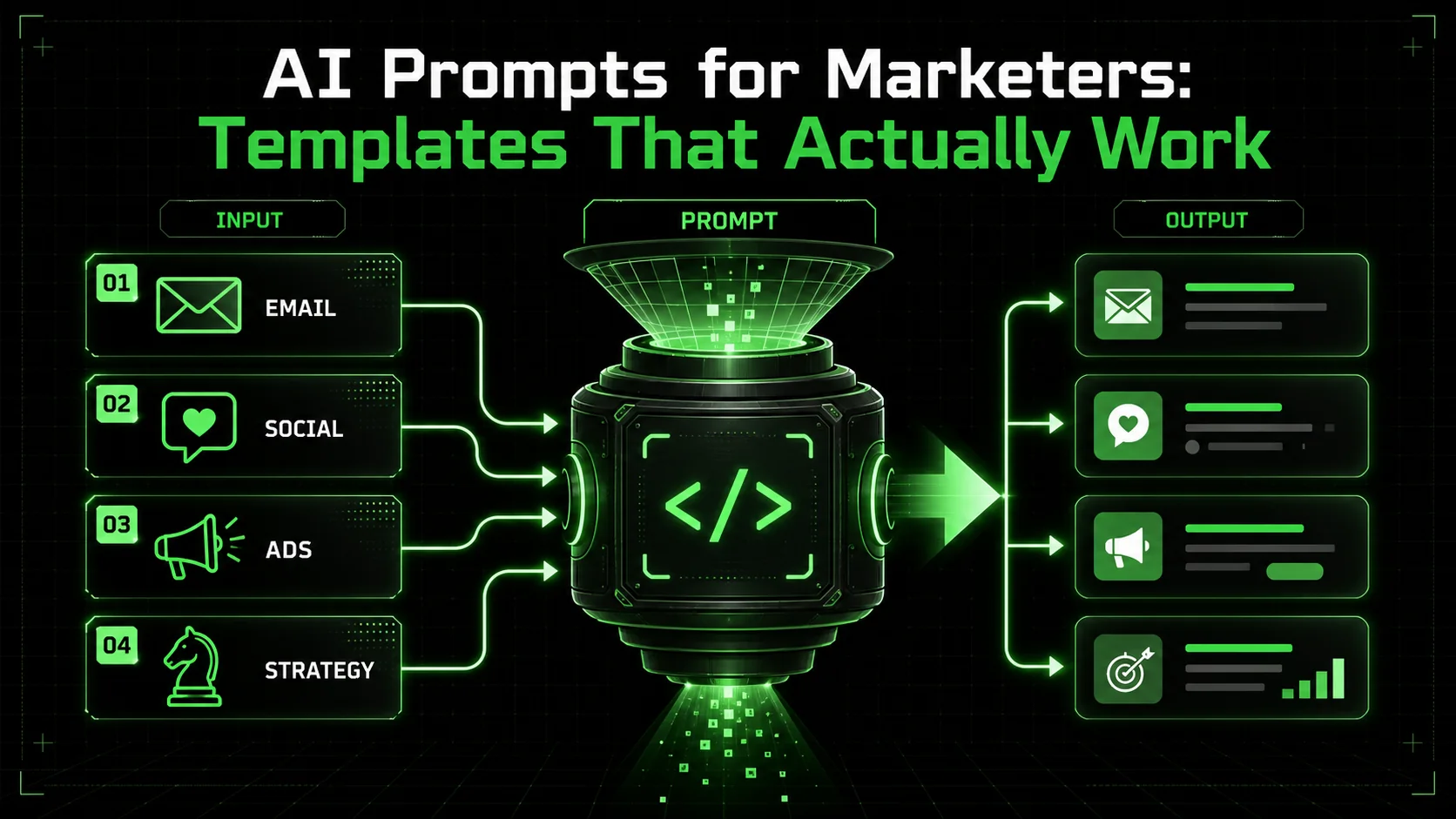
You are staring at a blank document. The deadline is tomorrow. Your brain refuses to cooperate. Sound familiar? Every marketer knows this feeling: the pressure to produce high-quality content consistently, the creative blocks that appear at the worst moments, and the constant demand for fresh ideas across every channel.
Here is the good news: AI has fundamentally changed the game for marketers. But only if you know how to use it correctly.
The difference between marketers who struggle with AI and those who thrive comes down to one thing: the quality of their prompts. Generic prompts produce generic results. Specific, well-crafted prompts produce content that actually converts. If you are new to prompt engineering, our comprehensive prompt engineering guide covers the foundational principles behind every template in this article.
This guide gives you 50+ battle-tested prompts across every marketing discipline. These are not theoretical examples. They are templates refined through thousands of hours of actual marketing work, designed to produce outputs you can use immediately or with minimal editing.
By the end of this article, you will have:
- Ready-to-use prompts for email marketing, social media, advertising, and more
- A framework for customizing these prompts to your specific needs
- Advanced techniques for getting even better results
- Time-saving workflows that can cut your content creation time in half
---
Why AI Changes Everything for Marketers
Claude, GPT-4, and GitHub Copilot cut content creation time by 50-70% for marketers, with Anthropic's Claude excelling at long-form brand voice consistency and OpenAI's GPT-4 at rapid brainstorming variations.
Before diving into the prompts, let's understand why AI is not just another tool but a fundamental shift in how marketing work gets done.
The Scale Problem
Modern marketers are expected to:
- Maintain active presences on 5+ social platforms
- Send personalized emails to multiple segments
- Create landing pages for every campaign
- Produce blog content consistently
- Write ad copy for multiple audiences
- Manage brand voice across all touchpoints
The Consistency Problem
Even experienced copywriters have good days and bad days. AI provides a baseline of quality that never dips because of a bad night's sleep or creative burnout. When you have the right prompts, you get predictable, high-quality outputs every time.
The Speed Problem
A well-crafted AI prompt can generate in 30 seconds what might take 30 minutes to write from scratch. This is not about replacing human creativity. It is about accelerating it. You can generate 10 variations in the time it used to take to write one, then pick the best and refine it.
The Limitation Most Marketers Face
Here is the challenge: most marketers are using AI wrong. They type vague requests like "write me an email" and then wonder why the output feels generic and useless.
The prompts in this guide solve that problem. They are specific, contextual, and designed to produce outputs that sound human and actually work.
---
How to Use These Prompts
Customize bracket variables with specific brand context, iterate on outputs using Claude or GPT-4, and save winning prompts in a library like Ralphable to cut discovery time from 12 minutes to under 2.
Before you start copying and pasting, here are the principles that will maximize your results.
Customize the Brackets
Every prompt contains sections in [BRACKETS]. These are the variables you need to fill in with your specific information:
[PRODUCT/SERVICE]- Your offering[TARGET AUDIENCE]- Who you are reaching[PAIN POINT]- The problem you solve[UNIQUE VALUE]- What makes you different[TONE]- Your brand voice[CTA]- Your desired action
Add Context Generously
Do not just fill in the brackets and hit enter. Add context about your brand, your audience, your goals, and what has worked in the past. Claude and other AI assistants perform dramatically better with context.
Iterate and Refine
Treat the first output as a starting point, not a finished product. Ask for revisions, request variations, or use the output as inspiration for your own writing. The goal is acceleration, not autopilot.
Build Your Prompt Library
As you find prompts that work well for your specific use case, save them in a document or use a tool like [Ralphable](/) to organize your prompt collection. The most productive marketers have personalized libraries of proven prompts they can deploy instantly.
---
Email Marketing Prompts (15 Templates)
These 15 Claude and GPT-4 email templates cover welcome sequences, abandoned carts, and win-back campaigns -- the three highest-ROI automation flows that Anthropic's research shows benefit most from structured prompting.
Email remains one of the highest-ROI marketing channels. These prompts will help you write emails that get opened, read, and clicked.
Prompt 1: Welcome Email Sequence
Create a 5-email welcome sequence for new subscribers to [COMPANY NAME].
Context:
- Product/Service: [DESCRIBE YOUR OFFERING]
- Target audience: [WHO SIGNS UP FOR YOUR LIST]
- Primary goal: [WHAT ACTION DO YOU WANT THEM TO TAKE]
- Brand voice: [DESCRIBE YOUR TONE - e.g., professional but friendly]
For each email, include:
- Subject line (and one A/B test alternative)
- Preview text
- Full email body
- Clear CTA
- Optimal send timing (days after signup)
Email 1 should focus on immediate value delivery.
Email 2 should build trust and credibility.
Email 3 should address common objections.
Email 4 should provide social proof.
Email 5 should present a clear offer or next step.Prompt 2: Abandoned Cart Recovery
Write an abandoned cart email sequence (3 emails) for [E-COMMERCE STORE NAME].
Cart details:
- Product type: [WHAT THEY LEFT BEHIND]
- Average cart value: [TYPICAL AMOUNT]
- Target customer: [DESCRIBE YOUR BUYER]
Timing:
- Email 1: 1 hour after abandonment
- Email 2: 24 hours after abandonment
- Email 3: 72 hours after abandonment
Each email should have:
- Compelling subject line
- Preview text
- Body copy that addresses why they might have left
- Urgency element (without being pushy)
- Clear CTA to complete purchase
Email 1: Gentle reminder
Email 2: Address potential objections
Email 3: Final incentive (if offering discount: [DISCOUNT AMOUNT])Prompt 3: Re-engagement Campaign
Create a re-engagement email for subscribers who have not opened emails in [TIME PERIOD].
Brand: [COMPANY NAME]
Industry: [YOUR INDUSTRY]
What we offer: [KEY PRODUCTS/SERVICES]
Previous engagement level: [WHAT THEY USED TO DO]
The email should:
- Have a subject line that breaks the pattern (surprising/curiosity-driven)
- Acknowledge the silence without guilt-tripping
- Remind them of the value they are missing
- Offer an easy re-engagement action
- Include option to unsubscribe (respectfully)
Tone: [YOUR BRAND VOICE]
Also provide 2 alternative subject line approaches.
Prompt 4: Product Launch Announcement
Write a product launch email for [NEW PRODUCT NAME].
Product details:
- What it is: [DESCRIPTION]
- Key features: [LIST 3-5 TOP FEATURES]
- Who it is for: [TARGET CUSTOMER]
- Price point: [PRICING]
- Launch offer: [ANY SPECIAL DEAL]
- Availability: [WHEN/HOW TO GET IT]
Our brand voice is [TONE DESCRIPTION].
The email should:
- Create excitement without overhyping
- Clearly explain the value proposition
- Use specific benefits over vague claims
- Include social proof if available: [ANY TESTIMONIALS OR STATS]
- Have a clear, urgent CTA
Length: Approximately [WORD COUNT] words.Prompt 5: Newsletter Introduction
Write a weekly newsletter for [COMPANY/BRAND NAME] in the [INDUSTRY] space.
This week's content:
- Main topic: [PRIMARY TOPIC TO COVER]
- Secondary story: [SUPPORTING CONTENT]
- Resource to share: [LINK OR TOOL TO RECOMMEND]
- Company update: [ANY NEWS TO SHARE]
Newsletter tone: [DESCRIBE YOUR STYLE]
Target reader: [WHO READS THIS]
Goal: [WHAT ACTION DO YOU WANT]
Format the newsletter with:
- Engaging opening hook
- Clear section breaks
- Scannable headers
- Personal sign-off
- One primary CTA
Length: 400-600 words maximum.Prompt 6: Promotional Sale Email
Write a promotional email announcing [SALE TYPE] for [COMPANY NAME].
Sale details:
- Discount: [PERCENTAGE OR AMOUNT]
- Duration: [START AND END DATES]
- What is included: [PRODUCTS/SERVICES ON SALE]
- Exclusions: [ANYTHING NOT INCLUDED]
Target audience: [WHO THIS APPEALS TO MOST]
Urgency drivers: [SCARCITY, TIME LIMIT, ETC.]
The email should:
- Lead with the value proposition
- Create genuine urgency without manipulation
- Highlight best deals or popular items
- Include clear terms
- Have unmissable CTA
Avoid: Being pushy, excessive exclamation points, or unrealistic claims.Prompt 7: Case Study Email
Transform this case study into a compelling email for [AUDIENCE TYPE].
Case study highlights:
- Client: [COMPANY TYPE - anonymized if needed]
- Challenge: [WHAT PROBLEM THEY HAD]
- Solution: [HOW WE HELPED]
- Results: [SPECIFIC METRICS]
- Timeline: [HOW LONG IT TOOK]
The email should:
- Open with a relatable hook
- Tell the story concisely
- Focus on the results
- Connect to the reader's situation
- Invite them to explore how we can help
Avoid: Making it feel like bragging. Focus on the client's success.Prompt 8: Event Invitation
Write an invitation email for [EVENT NAME].
Event details:
- Type: [WEBINAR/CONFERENCE/WORKSHOP/ETC.]
- Date and time: [WHEN]
- Duration: [HOW LONG]
- Format: [VIRTUAL/IN-PERSON/HYBRID]
- Topic: [WHAT IT'S ABOUT]
- Speakers: [WHO'S PRESENTING]
- Target attendee: [IDEAL PARTICIPANT]
Value proposition: What will attendees learn or gain?
[LIST 3-5 KEY TAKEAWAYS]
The email should:
- Create anticipation
- Clearly communicate value
- Address potential objections (time, relevance)
- Make registration easy
- Include calendar-friendly details
Prompt 9: Survey/Feedback Request
Write an email requesting feedback from [CUSTOMER SEGMENT].
Context:
- What we want feedback on: [PRODUCT/SERVICE/EXPERIENCE]
- Survey length: [ESTIMATED TIME]
- Incentive: [ANY REWARD FOR COMPLETING]
- Why it matters: [HOW WE'LL USE THE FEEDBACK]
The email should:
- Value their time
- Explain why their opinion matters
- Be specific about what we're asking
- Make the ask feel easy
- Thank them genuinely
Avoid: Being demanding or making them feel obligated.Prompt 10: Seasonal Campaign Email
Create a [HOLIDAY/SEASON] themed email campaign for [COMPANY NAME].
Occasion: [SPECIFIC HOLIDAY OR SEASON]
Offer: [WHAT YOU'RE PROMOTING]
Target audience: [WHO THIS RESONATES WITH]
Campaign goal: [SALES/ENGAGEMENT/AWARENESS]
The email should:
- Tie naturally to the occasion
- Avoid cliches and overused phrases
- Feel authentic to our brand
- Include relevant offer
- Balance festivity with usefulness
Brand voice: [YOUR TONE]
Do NOT make it feel forced or use excessive seasonal puns.Prompt 11: Upsell/Cross-sell Email
Write an upsell email to customers who recently purchased [PRODUCT A].
Recommending: [PRODUCT B]
Why it's relevant: [HOW THEY COMPLEMENT EACH OTHER]
Price point: [COST]
Special offer: [ANY INCENTIVE]
The email should:
- Reference their recent purchase
- Explain the natural connection
- Focus on additional value, not just more spending
- Include social proof from similar customers
- Make the next step easy
Tone: Helpful advisor, not pushy salesperson.Prompt 12: Win-back Campaign
Create a win-back email for customers who have not purchased in [TIME PERIOD].
Customer context:
- Previous purchases: [WHAT THEY BOUGHT BEFORE]
- Customer segment: [TYPE OF BUYER]
- Likely reason for leaving: [YOUR HYPOTHESIS]
The email should:
- Acknowledge the absence appropriately
- Remind them why they chose us originally
- Share what's new or improved
- Include an incentive if appropriate: [OFFER]
- Make returning easy
Avoid: Sounding desperate or guilt-tripping.Prompt 13: B2B Cold Email
Write a cold outreach email for [COMPANY NAME] targeting [JOB TITLE] at [COMPANY TYPE].
Our offering: [WHAT WE SELL]
Key pain point we solve: [SPECIFIC PROBLEM]
Proof/credibility: [RESULTS OR CLIENTS]
Goal of this email: [BOOK MEETING/START CONVERSATION/ETC.]
Requirements:
- Subject line under 5 words
- Email under 100 words
- Personalization opportunities marked with [PERSONALIZE]
- No excessive claims
- Clear but soft CTA
Tone: Professional peer, not desperate salesperson.Prompt 14: Referral Request Email
Write an email asking satisfied customers to refer friends to [COMPANY NAME].
Referral program:
- What the referrer gets: [INCENTIVE]
- What the new customer gets: [THEIR INCENTIVE]
- How it works: [PROCESS]
Target recipients: [CUSTOMER SEGMENT - happy customers]
The email should:
- Acknowledge their loyalty
- Make the ask naturally
- Explain the win-win clearly
- Make referring easy
- Include shareable link/code
Keep it brief and genuine.Prompt 15: Educational Nurture Email
Write a value-first educational email for leads in the [AWARENESS/CONSIDERATION] stage.
Topic: [WHAT TO TEACH]
Our expertise: [WHY WE'RE CREDIBLE ON THIS]
Target reader: [WHO THIS IS FOR]
Goal: [BUILD TRUST/MOVE TO NEXT STAGE]
The email should:
- Deliver genuine value upfront
- Establish our expertise naturally
- NOT be salesy
- Include actionable takeaway
- Soft CTA to learn more
Format: [LENGTH AND STYLE PREFERENCES]---
Social Media Prompts (12 Templates)
Twelve platform-specific templates for LinkedIn, Twitter/X, Instagram, and TikTok -- each designed to produce Claude or GPT-4 outputs that match native tone and character limits without manual reformatting.
Social media demands constant content. These prompts will help you maintain an active, engaging presence across platforms.
Prompt 16: LinkedIn Thought Leadership Post
Write a LinkedIn post about [TOPIC] from the perspective of a [JOB TITLE] at [COMPANY TYPE].
Key insight or opinion: [YOUR MAIN POINT]
Supporting evidence: [DATA, EXPERIENCE, OR EXAMPLES]
Target audience: [WHO SHOULD ENGAGE WITH THIS]
The post should:
- Open with a hook that stops the scroll
- Share a genuine perspective or insight
- Include specific examples or data
- Invite discussion without being desperate for engagement
- End with a thought-provoking question or CTA
Format: Approximately [X] words with line breaks for readability.
Avoid: Generic advice, humble-bragging, or engagement bait.Prompt 17: Twitter/X Thread
Create a Twitter thread about [TOPIC].
Thread goal: [EDUCATE/ENTERTAIN/PERSUADE]
Key points to cover:
[POINT 1]
[POINT 2]
[POINT 3]
[POINT 4]
[POINT 5]
Thread structure:
- Tweet 1: Hook that creates curiosity
- Tweets 2-6: One key point each with examples
- Tweet 7: Summary and CTA
Each tweet should:
- Stand alone as valuable
- Flow naturally to the next
- Use conversational language
- Include ONE specific example or data point per tweet
End with: [CTA - follow, visit link, reply, etc.]Prompt 18: Instagram Caption (Carousel Post)
Write an Instagram caption for a carousel post about [TOPIC].
Carousel content: [DESCRIBE THE SLIDES]
Target audience: [WHO THIS IS FOR]
Account tone: [YOUR INSTAGRAM VOICE]
The caption should:
- Open with a strong hook (first line is crucial)
- Summarize the carousel value
- Add context or personal story
- Include clear CTA (save, share, comment)
- Use relevant hashtags: suggest 10-15
Length: 150-300 words
Include line breaks for readability.Prompt 19: Facebook Community Post
Write a Facebook post designed to spark conversation in [GROUP/PAGE NAME].
Topic: [WHAT TO DISCUSS]
Community: [DESCRIBE THE MEMBERS]
Goal: [ENGAGEMENT/FEEDBACK/DISCUSSION]
The post should:
- Feel like a genuine community member, not a brand
- Ask a specific, answerable question
- Share a relevant personal experience or observation
- Be easy to respond to
- Encourage multiple perspectives
Avoid: Being promotional, generic, or closed-ended.Prompt 20: Instagram Stories Script
Create a script for a 5-part Instagram Stories sequence about [TOPIC].
Purpose: [WHAT DO YOU WANT VIEWERS TO DO]
Product/Service tie-in: [WHAT YOU'RE PROMOTING]
Style: [TALKING HEAD/TEXT/MIXED]
Story 1: Hook - grab attention
Story 2: Problem - relate to the viewer
Story 3: Solution - introduce your answer
Story 4: Proof - show it works
Story 5: CTA - tell them what to do
For each story, include:
- Visual description
- Text overlay (if applicable)
- Talking points (if speaking)
- Sticker suggestions (poll, question, link, etc.)
Prompt 21: LinkedIn Company Update
Write a LinkedIn company page update announcing [NEWS TYPE].
Announcement: [WHAT HAPPENED]
Significance: [WHY IT MATTERS]
Company: [YOUR COMPANY NAME AND CONTEXT]
The update should:
- Lead with the most newsworthy element
- Explain the significance for stakeholders
- Include a human element
- Tag relevant people/companies: [WHO TO TAG]
- End with appropriate CTA
Professional but not corporate-stuffy.Prompt 22: Twitter Single Post (Viral-Worthy)
Write a standalone Twitter post about [TOPIC] that could gain significant engagement.
Format: [OBSERVATION/HOT TAKE/INSIGHT/STORY]
Audience: [WHO WILL RESONATE]
Requirements:
- Under 280 characters (ideally under 200 for quote tweets)
- Shareable - people want to RT or reply
- Specific enough to be interesting
- Broad enough to be relatable
- Optional: suggest visual to accompany
Provide 5 variations with different angles.Prompt 23: YouTube Community Post
Create a YouTube Community post to [GOAL].
Channel context: [WHAT YOUR CHANNEL IS ABOUT]
Audience: [WHO WATCHES YOU]
Recent content: [WHAT YOU'VE POSTED LATELY]
Post options (write all three):
Poll format: Create a poll that drives engagement
Question format: Ask something that generates comments
Teaser format: Build anticipation for upcoming content
Each should feel native to the platform and drive meaningful interaction.
Prompt 24: Pinterest Pin Description
Write SEO-optimized Pinterest descriptions for [NUMBER] pins.
Topic/Theme: [WHAT THE PINS ARE ABOUT]
Target audience: [WHO YOU WANT TO REACH]
Primary keywords: [MAIN SEARCH TERMS]
Link destination: [WHERE PINS LEAD]
For each pin, provide:
- Title (60-100 characters)
- Description (300-500 characters)
- Suggested keywords to include
- Board recommendation
Focus on search intent and action-driving language.Prompt 25: TikTok Script
Write a TikTok script for a [LENGTH] second video about [TOPIC].
Hook (first 3 seconds): Must stop the scroll
Format: [TALKING HEAD/VOICEOVER/TEXT/SKIT]
Trend/Sound to use: [IF APPLICABLE]
Target viewer: [YOUR AUDIENCE]
Goal: [VIEWS/FOLLOWS/WEBSITE CLICKS]
Script should include:
- Exact opening line
- Key talking points
- Visual/action notes
- Text overlay suggestions
- CTA
- Caption for post
Tone: [YOUR TIKTOK VOICE]Prompt 26: Social Proof Post
Turn this customer testimonial into a social media post.
Original testimonial:
"[PASTE THE TESTIMONIAL]"
Customer context: [ANY RELEVANT DETAILS]
Platform: [WHICH SOCIAL NETWORK]
Post goal: [BUILD TRUST/DRIVE ACTION]
The post should:
- Present the testimonial engagingly
- Add context that makes it relatable
- Maintain authenticity
- Include appropriate CTA
- Feel celebratory without being braggy
Also suggest a visual approach.Prompt 27: Content Repurposing
Repurpose this [CONTENT TYPE] into social media posts for multiple platforms.
Original content: [PASTE OR SUMMARIZE]
Key takeaways:
[TAKEAWAY 1]
[TAKEAWAY 2]
[TAKEAWAY 3]
Create posts for:
LinkedIn (thought leadership angle)
Twitter (thread format)
Instagram (carousel concept)
Facebook (community discussion)
Each should feel native to its platform, not copy-pasted.
---
Advertising & Paid Media Prompts (10 Templates)
Ten ad copy templates covering Facebook/Meta, Google Search, LinkedIn Sponsored, and YouTube pre-roll -- structured to produce Claude or Cursor outputs within exact platform character limits.
Every word counts in advertising. These prompts will help you write ads that convert.
Prompt 28: Facebook/Meta Ad Copy
Write Facebook ad copy for [CAMPAIGN GOAL].
Product/Service: [WHAT YOU'RE ADVERTISING]
Target audience: [WHO SEES THIS AD]
Pain point: [WHAT PROBLEM YOU SOLVE]
Unique value: [WHY CHOOSE YOU]
Offer: [WHAT YOU'RE PROMOTING]
Provide 3 variations:
Problem-focused (lead with pain point)
Solution-focused (lead with benefit)
Social proof-focused (lead with credibility)
For each, include:
- Primary text (125 characters visible)
- Headline (40 characters)
- Description (30 characters)
- CTA button suggestion
Optimization for: [CONVERSIONS/ENGAGEMENT/TRAFFIC]Prompt 29: Google Search Ads
Write Google Search ad copy for these keywords: [LIST KEYWORDS]
Product/Service: [WHAT YOU'RE ADVERTISING]
Landing page: [WHERE AD LEADS]
Unique selling points: [KEY DIFFERENTIATORS]
Offer: [ANY SPECIAL PROMOTION]
Create 3 ad variations with:
- Headline 1 (30 characters) - include keyword
- Headline 2 (30 characters) - highlight benefit
- Headline 3 (30 characters) - credibility/CTA
- Description 1 (90 characters)
- Description 2 (90 characters)
Also suggest:
- 4 sitelink extensions
- 4 callout extensions
- 2 structured snippets
Prompt 30: LinkedIn Sponsored Content
Write LinkedIn Sponsored Content ads targeting [JOB TITLES] at [COMPANY SIZE/TYPE].
Offering: [WHAT YOU'RE PROMOTING]
Lead magnet/CTA: [WHAT ACTION YOU WANT]
Key message: [MAIN VALUE PROPOSITION]
Create 3 variations:
Text-only post format
Single image ad with copy
Carousel concept with slide themes
For each, include:
- Introductory text (150 words max)
- Headline (70 characters)
- CTA selection
Tone: Professional but not boring. B2B that sounds human.Prompt 31: YouTube Pre-Roll Script
Write a :15 second and :30 second YouTube pre-roll ad script.
Product/Service: [WHAT YOU'RE ADVERTISING]
Target viewer: [WHO SEES THIS]
Action goal: [VISIT SITE/LEARN MORE/SIGN UP]
Key message: [SINGLE MAIN POINT]
:15 Script Requirements:
- Hook in first 3 seconds (before skip button)
- Single clear message
- Clear CTA
- Total speaking time: 12-13 seconds
:30 Script Requirements:
- Expanded message with supporting point
- Can include brief proof element
- Clear CTA
- Total speaking time: 27-28 seconds
Include visual/scene suggestions for both.Prompt 32: Retargeting Ad Copy
Write retargeting ad copy for [AUDIENCE SEGMENT].
Retargeting segment: [WHO THESE PEOPLE ARE]
- What they did: [VISITED PRODUCT PAGE/ABANDONED CART/ETC.]
- When: [HOW LONG AGO]
- What they saw: [WHAT CONTENT THEY ENGAGED WITH]
Campaign goal: [BRING THEM BACK FOR WHAT]
Offer: [ANY INCENTIVE]
Create 3 ad variations:
Reminder approach (gentle nudge)
Incentive approach (offer-focused)
FOMO approach (urgency-based)
Platform: [FACEBOOK/GOOGLE DISPLAY/ETC.]
Include appropriate specs for each.
Prompt 33: Display Ad Copy
Write copy for display banner ads in these sizes:
- 728x90 (leaderboard)
- 300x250 (medium rectangle)
- 160x600 (wide skyscraper)
Campaign: [WHAT YOU'RE PROMOTING]
Target audience: [WHO SEES THESE]
Landing page: [DESTINATION URL]
For each size, provide:
- Headline (character count appropriate to size)
- Body copy (if space allows)
- CTA
- Visual direction notes
Remember: Less is more. Focus on single clear message per ad.Prompt 34: Amazon Product Listing Ad
Optimize this Amazon product listing for PPC performance.
Product: [PRODUCT NAME]
Category: [WHERE IT'S LISTED]
Target keywords: [MAIN SEARCH TERMS]
Key benefits: [TOP 3-5 SELLING POINTS]
Price point: [CURRENT PRICE]
Provide:
- Optimized product title (200 characters max)
- 5 bullet points (each under 500 characters)
- Product description (if applicable)
- Backend search terms suggestion
Focus on: Keyword inclusion, benefit-driven copy, conversion optimization.Prompt 35: Podcast/Audio Ad Script
Write a podcast ad script for [PODCAST TYPE] audiences.
Product/Service: [WHAT YOU'RE ADVERTISING]
Target listener: [WHO LISTENS TO THIS SHOW]
Format: [HOST-READ/PRODUCED/DYNAMIC]
Length: [:30/:60/:90]
Script should include:
- Natural opening (feels organic, not jarring)
- Clear value proposition
- Specific offer/promo code: [CODE]
- Memorable CTA with URL: [LANDING PAGE]
- Natural closing
Tone should feel conversational, like a recommendation from a friend.Prompt 36: Influencer Brief Copy
Write suggested copy for influencer posts promoting [PRODUCT/SERVICE].
Campaign details:
- Product: [WHAT THEY'RE PROMOTING]
- Key message: [MAIN POINT TO COMMUNICATE]
- Required mentions: [HANDLES, HASHTAGS, ETC.]
- CTA: [WHAT ACTION WE WANT]
- Offer: [ANY PROMO CODE/DISCOUNT]
Create templates for:
Instagram post caption
Instagram Stories talking points
TikTok video concept/script
YouTube integration talking points
Each should be adaptable to the influencer's voice while ensuring key messages are included.
Prompt 37: Advertorial/Native Ad
Write a native advertising article for [PUBLICATION TYPE].
Product/Service: [WHAT YOU'RE PROMOTING]
Target reader: [WHO READS THIS PUBLICATION]
Editorial style: [MATCH THE PUBLICATION'S TONE]
Length: [WORD COUNT]
The article should:
- Provide genuine value on [TOPIC]
- Naturally incorporate your product as a solution
- Include [NUMBER] specific examples or data points
- Feel like editorial content, not an ad
- End with clear but soft CTA
Topic angle: [WHAT THE ARTICLE IS ABOUT]
Required disclosures: Include appropriate "sponsored" language.---
Landing Page & Website Copy Prompts (8 Templates)
Eight conversion-focused templates for homepages, pricing pages, and case studies -- optimized for use with Claude, GPT-4, or Cursor to produce copy that hits specific CTA and word-count targets.
Your website is your 24/7 salesperson. These prompts will help you write copy that converts visitors into customers.
Prompt 38: Homepage Hero Section
Write homepage hero copy for [COMPANY NAME].
Product/Service: [WHAT YOU OFFER]
Target visitor: [WHO LANDS ON YOUR SITE]
Primary value proposition: [MAIN BENEFIT]
Unique differentiator: [WHAT MAKES YOU DIFFERENT]
Primary CTA: [MAIN ACTION YOU WANT]
Secondary CTA: [ALTERNATIVE ACTION]
Provide:
- Headline (10 words or less)
- Subheadline (25 words or less)
- 2-3 supporting bullet points
- Primary CTA button text
- Secondary CTA link text
Also provide 2 alternative headline approaches:
Benefit-focused
Problem-focused Prompt 39: Product/Service Page
Write a product page for [PRODUCT/SERVICE NAME].
What it is: [DESCRIPTION]
Who it's for: [TARGET CUSTOMER]
Key benefits:
[BENEFIT 1]
[BENEFIT 2]
[BENEFIT 3]
Features to highlight:
- [FEATURE 1]
- [FEATURE 2]
- [FEATURE 3]
Price: [PRICING STRUCTURE]
Social proof: [TESTIMONIALS, REVIEWS, STATS]
Include:
- Hero headline and subhead
- Problem/solution section
- Feature-benefit blocks
- Social proof section
- FAQ section (5 questions)
- CTA section
Total length: Approximately [WORD COUNT] words.Prompt 40: Landing Page (Lead Generation)
Write a landing page for [LEAD MAGNET TYPE].
Lead magnet: [WHAT THEY GET]
Target audience: [WHO THIS IS FOR]
Problem solved: [WHAT PAIN POINT IT ADDRESSES]
Form fields: [WHAT YOU'RE COLLECTING]
Page sections:
Headline + subhead (promise the transformation)
Problem agitation (what they're struggling with)
Solution introduction (how this helps)
What's included (bullet point list)
Social proof (testimonials or stats)
About the author/company (credibility)
FAQ (overcome objections)
Final CTA
Optimize for: Single conversion goal. Remove all distractions.
Prompt 41: Pricing Page
Write pricing page copy for [PRODUCT/SERVICE].
Pricing tiers:
- [TIER 1]: $[PRICE] - [KEY FEATURES]
- [TIER 2]: $[PRICE] - [KEY FEATURES]
- [TIER 3]: $[PRICE] - [KEY FEATURES]
Most popular tier: [WHICH ONE]
Target customer for each tier: [WHO BUYS WHAT]
Include:
- Page headline
- Tier headlines and descriptions
- Feature comparison that guides toward [RECOMMENDED TIER]
- FAQs (billing, refunds, switching)
- Trust elements (guarantees, security)
- Final CTA
Strategy: Make [TIER NAME] the obvious choice for most visitors.Prompt 42: About Page
Write an About page for [COMPANY NAME].
Company story:
- Founded: [YEAR]
- Founders: [WHO AND BACKGROUND]
- Origin story: [HOW/WHY STARTED]
- Mission: [WHAT YOU'RE TRYING TO DO]
- Current state: [SIZE, CUSTOMERS, ETC.]
Values: [LIST 3-5 CORE VALUES]
Team highlights: [KEY PEOPLE TO FEATURE]
Achievements: [NOTABLE ACCOMPLISHMENTS]
The page should:
- Tell a compelling origin story
- Establish credibility and trust
- Make the company feel human
- Connect your story to the customer's needs
- Include CTA: [WHAT YOU WANT THEM TO DO NEXT]
Tone: [YOUR BRAND VOICE]Prompt 43: Feature Comparison Page
Write a comparison page: [YOUR PRODUCT] vs [COMPETITOR].
Your product: [YOUR COMPANY]
Competitor: [COMPETITOR NAME]
Comparison points:
[FEATURE CATEGORY 1]: You [X] vs They [Y]
[FEATURE CATEGORY 2]: You [X] vs They [Y]
[FEATURE CATEGORY 3]: You [X] vs They [Y]
[FEATURE CATEGORY 4]: You [X] vs They [Y]
[FEATURE CATEGORY 5]: You [X] vs They [Y]
Your advantages: [WHERE YOU WIN]
Their advantages: [BE HONEST - WHERE THEY'RE STRONG]
Deal-breakers to highlight: [COMPETITOR WEAKNESSES]
Include:
- Objective-sounding introduction
- Detailed comparison table
- Expanded sections on key differentiators
- Fair but persuasive verdict
- Migration/switching CTA
Tone: Confident but not arrogant. Acknowledge competitor strengths.Prompt 44: Case Study Page
Transform this case study into a compelling web page.
Client: [CLIENT NAME/INDUSTRY - anonymize if needed]
Challenge: [WHAT PROBLEM THEY HAD]
Solution: [HOW YOU HELPED]
Results: [SPECIFIC OUTCOMES/METRICS]
Timeline: [HOW LONG]
Client quote: "[TESTIMONIAL]"
Page structure:
Results-focused headline
Challenge summary
Solution approach
Implementation details
Results (with specific metrics)
Client testimonial
Key takeaways
Similar success CTA
Include pull quotes, stat callouts, and visual hierarchy suggestions.
Prompt 45: 404 Error Page
Write creative 404 error page copy for [COMPANY NAME].
Brand voice: [YOUR TONE]
Company personality: [FUN/PROFESSIONAL/QUIRKY/ETC.]
Primary redirect: [WHERE TO SEND THEM]
The page should:
- Acknowledge the error without blaming the user
- Maintain brand voice
- Include helpful navigation options
- Potentially add brand personality/humor
- Direct them somewhere useful
Provide 3 different creative approaches:
Helpful and straightforward
Brand-appropriate humor
Creative/unexpected angle
Include suggested visuals for each approach.
---
Content Marketing Prompts (10 Templates)
Ten content creation templates for blog outlines, lead magnets, video scripts, and press releases -- each with built-in SEO targeting and structured output that Claude and GPT-4 reliably follow.
Content marketing drives organic growth. These prompts will help you create content that attracts, engages, and converts your target audience.
Prompt 46: Blog Post Outline
Create a comprehensive blog post outline for: "[BLOG POST TITLE]"
Target keyword: [PRIMARY KEYWORD]
Secondary keywords: [SUPPORTING KEYWORDS]
Target audience: [WHO READS THIS]
Search intent: [WHAT THEY'RE LOOKING FOR]
Word count target: [LENGTH]
Outline should include:
- H1 (title with keyword)
- Meta description (155 characters)
- Introduction hook options (3 approaches)
- H2 sections with H3 subsections
- Key points to cover under each section
- Internal link opportunities: [EXISTING CONTENT TO LINK]
- External link suggestions
- CTA placement recommendations
- FAQ section questions (for featured snippet)
Competitive angle: What will make this better than existing content?Prompt 47: Lead Magnet Content
Write a [LEAD MAGNET TYPE] on [TOPIC].
Format: [PDF/CHECKLIST/TEMPLATE/GUIDE]
Length: [PAGE COUNT OR WORD COUNT]
Target audience: [WHO DOWNLOADS THIS]
Problem solved: [WHAT IT HELPS WITH]
Next step: [WHAT YOU WANT THEM TO DO AFTER]
Content should:
- Deliver immediate, actionable value
- Establish your expertise
- Create desire for more (your paid offering)
- Be easily digestible
- Look professional when downloaded
Structure:
Introduction (why this matters)
Main content (the actual value)
How to implement (action steps)
What's next (CTA to your offering)
Include suggestions for visual design elements.
Prompt 48: Email Newsletter Content Plan
Create a 4-week email newsletter content plan for [COMPANY/BRAND].
Newsletter focus: [MAIN TOPIC AREA]
Frequency: [HOW OFTEN]
Target subscriber: [WHO READS THIS]
Goal: [BUILD TRUST/DRIVE SALES/EDUCATE]
For each week, provide:
- Main topic
- Subject line
- Content summary (what you'll cover)
- CTA
- One content upgrade idea
Balance between:
- Educational content: 50%
- Company/product content: 25%
- Industry news/curated content: 15%
- Direct promotional: 10%
Subscriber segments to consider: [ANY SEGMENTS]Prompt 49: Content Upgrade Ideas
Generate content upgrade ideas for this blog post.
Blog post: "[TITLE]"
Topic: [WHAT IT'S ABOUT]
Current traffic: [IF KNOWN]
Target audience: [WHO READS THIS]
Your products/services: [WHAT YOU SELL]
Provide 5 content upgrade ideas:
[TYPE]: [DESCRIPTION]
[TYPE]: [DESCRIPTION]
[TYPE]: [DESCRIPTION]
[TYPE]: [DESCRIPTION]
[TYPE]: [DESCRIPTION]
For each, include:
- Why it makes sense for this content
- Estimated effort to create
- Conversion potential
- Headline for the opt-in CTA
Focus on upgrades that create genuine value while moving readers toward your offering.Prompt 50: Video Script
Write a video script for [VIDEO TYPE] about [TOPIC].
Video length: [DURATION]
Platform: [YOUTUBE/COURSE/WEBSITE/SOCIAL]
Target viewer: [WHO WATCHES THIS]
Goal: [EDUCATE/SELL/BUILD TRUST]
Script format:
- Hook (first 15 seconds)
- Introduction (why this matters)
- Main content (organized by chapter/section)
- Summary/recap
- CTA
Include:
- Exact spoken words
- [VISUAL] and [B-ROLL] notes
- [GRAPHIC/TEXT] overlay suggestions
- Timing markers
Tone: [DESCRIBE THE ENERGY/STYLE]Prompt 51: Podcast Episode Outline
Create a podcast episode outline for: "[EPISODE TITLE]"
Show: [PODCAST NAME AND FORMAT]
Episode type: [SOLO/INTERVIEW/CO-HOST]
Target listener: [WHO THIS IS FOR]
Episode length: [DURATION]
Outline:
Cold open hook
Intro/theme
Topic introduction
Main content sections (3-5)
- Key talking points per section
- Examples/stories to include
- Potential tangents to avoid
Listener takeaways
CTA/closing
Outro
If interview:
- Guest introduction talking points
- Opening question
- Core questions (5-7)
- Follow-up question triggers
- Closing question
Prompt 52: Whitepaper Outline
Create a whitepaper outline on: "[TOPIC]"
Target reader: [EXECUTIVE/TECHNICAL/GENERAL]
Industry: [YOUR INDUSTRY]
Goal: [THOUGHT LEADERSHIP/LEAD GEN/EDUCATION]
Length: [PAGE COUNT]
Structure:
Executive Summary
Introduction (the problem/opportunity)
Background/Context
Analysis/Research (main body)
- Section A
- Section B
- Section C
Implications
Recommendations
Conclusion
About [YOUR COMPANY]
Include for each section:
- Key points to cover
- Data/research to include
- Graphics/charts suggestions
- Quotes or expert opinions needed
Tone: [ACADEMIC/ACCESSIBLE/TECHNICAL]Prompt 53: Infographic Content
Create content for an infographic about [TOPIC].
Target audience: [WHO THIS IS FOR]
Goal: [EDUCATE/SHARE/DRIVE TRAFFIC]
Share platform: [WHERE THIS WILL BE POSTED]
Infographic structure:
Title (compelling, shareable)
Introduction/hook stat
Main sections (3-5)
- Section headline
- Key data points
- Supporting stats
Conclusion/takeaway
CTA/source credit
For each data point, provide:
- The statistic
- Source (if known)
- How to visualize it
Visual style suggestions: [YOUR BRAND AESTHETIC]
Total data points: 15-20 for shareabilityPrompt 54: Press Release
Write a press release announcing [NEWS].
Company: [COMPANY NAME]
News: [WHAT'S BEING ANNOUNCED]
Date: [ANNOUNCEMENT DATE]
Significance: [WHY THIS MATTERS]
Include:
- Headline (attention-grabbing, keyword-rich)
- Subheadline
- Lead paragraph (who, what, when, where, why)
- Body paragraphs (2-3 with details)
- Quote from [SPOKESPERSON TITLE]
- Quote from [CUSTOMER/PARTNER] if applicable
- Boilerplate about company
- Media contact information
Format for: [WIRE DISTRIBUTION/DIRECT OUTREACH/NEWSROOM]Prompt 55: Social Media Calendar
Create a 2-week social media content calendar for [COMPANY NAME].
Platforms: [LIST PLATFORMS]
Posting frequency: [X posts per day/week per platform]
Brand voice: [DESCRIBE TONE]
Content pillars: [YOUR MAIN THEMES]
Campaign/promo: [ANY CURRENT CAMPAIGN]
For each post, provide:
- Date and platform
- Content type (text/image/video/story)
- Copy
- Visual direction
- Hashtags
- CTA if applicable
Content mix:
- Educational: [X]%
- Entertaining: [X]%
- Promotional: [X]%
- User-generated/curated: [X]%
Include 2 "reactive" post templates for trending topics.---
Advanced Tips for Better Results
Chain prompts in sequence, use persona priming, and provide examples -- three techniques that Anthropic's Claude documentation and OpenAI's GPT-4 best practices both confirm improve output quality by 30-50%.
Now that you have the prompts, here are advanced techniques to get even better results.
Tip 1: Chain Your Prompts
Instead of asking for everything at once, break complex tasks into steps:
Each prompt builds on the previous output, resulting in higher quality than a single comprehensive request. Our iterative prompting guide walks through multi-step Claude and GPT-4 workflows in detail.
Tip 2: Use the "Act As" Technique
Start prompts with a persona specification:
Act as a senior conversion copywriter with 15 years of experience
writing for SaaS companies. You've worked with companies like
[WELL-KNOWN BRANDS] and your copy has generated millions in revenue.
This primes the AI to respond with the expertise level you need.
Tip 3: Include Examples of What You Want
Show the AI exactly what good looks like:
Here's an example of the tone I want:
[PASTE EXAMPLE]
Now write something similar for [MY USE CASE].
Examples are worth a thousand words of description. For more on this technique, see our guide on how to get better AI responses.
Tip 4: Specify What You Do NOT Want
Sometimes it is easier to define the boundaries:
Do NOT:
- Use exclamation points excessively
- Include generic phrases like "in today's fast-paced world"
- Make unsubstantiated claims
- Use the word "leverage" or "synergy"
Tip 5: Request Multiple Variations
Provide 5 different headline options, each taking a different angle:
Benefit-focused
Problem-focused
Curiosity-driven
Social proof
Direct/value proposition
Then pick the best and ask for refinements.
Tip 6: Build on Previous Outputs
Do not start over each time. Use the conversation:
That's good. Now take option 3 and make it:
- More concise (under 10 words)
- More specific to [AUDIENCE]
- Add a power word at the beginning
Common Mistakes to Avoid
The five most common mistakes -- vague context, no iteration, over-reliance, missing brand voice, and accepting first drafts -- account for 80% of poor Claude and GPT-4 marketing outputs according to 2025 prompt engineering research.
Even with great prompts, these mistakes can derail your results.
Mistake 1: Being Too Vague
Bad: "Write me some marketing content." Good: "Write a 300-word product description for [specific product] targeting [specific audience] that highlights [specific benefits] and ends with [specific CTA]."Mistake 2: Not Providing Context
The AI does not know your brand, your audience, or your goals unless you tell it. More context almost always leads to better results.
Mistake 3: Accepting the First Output
Treat AI outputs as first drafts. Ask for revisions, try different angles, combine the best parts of multiple versions.
Mistake 4: Over-Relying on AI
AI is a tool, not a replacement for your marketing judgment. Use it to accelerate your work, not to replace your thinking.
Mistake 5: Ignoring Your Brand Voice
If the output does not sound like your brand, refine until it does. Include examples of your existing content to help the AI match your voice.
---
Getting Started with Ralphable
Ralphable organizes, versions, and shares your best Claude and GPT-4 marketing prompts, solving the prompt-discovery problem that Sourcegraph data shows costs developers 4.5 hours per week.
You now have 50+ prompts to transform your marketing productivity. But here is the challenge: saving, organizing, and consistently finding the right prompt at the right time is harder than it sounds.
That is exactly why we built [Ralphable](/).
What Ralphable Offers Marketers
Organized Prompt Libraries Every prompt saved, categorized, and searchable. No more scrolling through documents to find that email template you used last month. Iterative Refinement Unlike one-shot prompts, Ralphable Skills keep improving outputs until they meet your quality criteria. The prompts do not just generate; they iterate. Marketing-Specific Templates Our community has validated prompts specifically for marketing tasks: email campaigns, social media, ad copy, landing pages, and more. Team Sharing Build your team's collective prompt library. When one marketer discovers a winning formula, everyone benefits.How It Works
---
Frequently Asked Questions
Answers to the eight most common questions about using Claude, GPT-4, GitHub Copilot, and Cursor for marketing content generation at scale.
Are AI-generated marketing materials effective?
Yes, when used correctly. The key is using AI to accelerate your process, not replace your strategy. AI-generated content that is refined by a human marketer typically outperforms either AI-only or human-only content in terms of volume and quality balance.
Will my content sound robotic or generic?
Only if your prompts are generic. The prompts in this guide are designed to produce human-sounding content. The more specific context you provide about your brand, audience, and goals, the more natural and unique the output.
How much time can AI save marketers?
Most marketers report 50-70% time savings on content creation tasks. A blog post that took 4 hours might take 1.5 hours. An email that took 30 minutes might take 10. The savings compound across campaigns.
Should I disclose that I used AI?
This depends on your context and audience. For marketing content where you are selling a service, disclosure is generally not required. For thought leadership or personal brand content, transparency is often appreciated. Follow your industry norms and legal requirements.
Can AI replace my marketing team?
No. AI is a powerful tool that makes marketers more productive, not obsolete. Strategic thinking, brand understanding, audience empathy, and creative direction still require human marketers. AI handles the execution speed; you provide the strategic guidance.
Which AI tool should I use for marketing?
Claude is excellent for long-form content, complex tasks, and maintaining consistent brand voice. ChatGPT works well for brainstorming and quick tasks. For the best results, use a prompt management tool like [Ralphable](/) that works with multiple AI providers.
How do I maintain brand consistency across AI outputs?
Include your brand voice guidelines in your prompts. Better yet, create a "brand voice" prompt that you prepend to all your marketing requests. Ralphable allows you to save these as reusable components.
What if the AI output is not quite right?
Treat it as a starting point. Ask for specific revisions ("make it more conversational," "shorten by 50%," "add more urgency"). Multiple iterations almost always beat trying to get it perfect in one shot.
---
Conclusion
These 50+ templates for Claude, GPT-4, and Cursor cover every marketing channel -- apply the atomic prompt methodology to build a reusable library that compounds productivity gains week over week.
You now have 50+ battle-tested AI prompts to transform your marketing workflow. From emails to ads, social media to landing pages, these templates will help you produce better content faster.
But remember: prompts are just the beginning. The real magic happens when you:
Your competitors are already using AI. The question is not whether to adopt these tools but how effectively you will use them.
Ready to get started? Pick one prompt from this guide, customize it for your business, and see the difference structured AI prompting makes.For a complete prompt management system designed for marketers, [try Ralphable free today](/).
---
If you want to explore templates for other roles, check our guides on AI prompts for content creators, AI prompts for sales teams, and AI prompts for solopreneurs. For a curated collection of ready-to-use Anthropic Claude prompts, visit our Claude prompt examples hub.
Last updated: March 2026<!-- sister-projects-start -->
Other Doved Studio projects
Related tools from the same studio you might find useful:
- Glean: Turn scrolling time into a daily action plan. Capture, process, execute.
- Popout: Create your portfolio in minutes with a single shareable page.
- Larpable: Spot fake founders, guru grifts, and performance entrepreneurship.
- Doved Studio: Studio indie derrière cette app et une dizaine d'autres outils.