47 AI Coding Prompts That Actually Work: Copy-Paste Templates for Claude Code, Cursor & Copilot
47 battle-tested AI coding prompts organized by task: debugging, testing, refactoring, code review, documentation, and architecture. Copy-paste ready for Claude Code, Cursor, and Copilot.
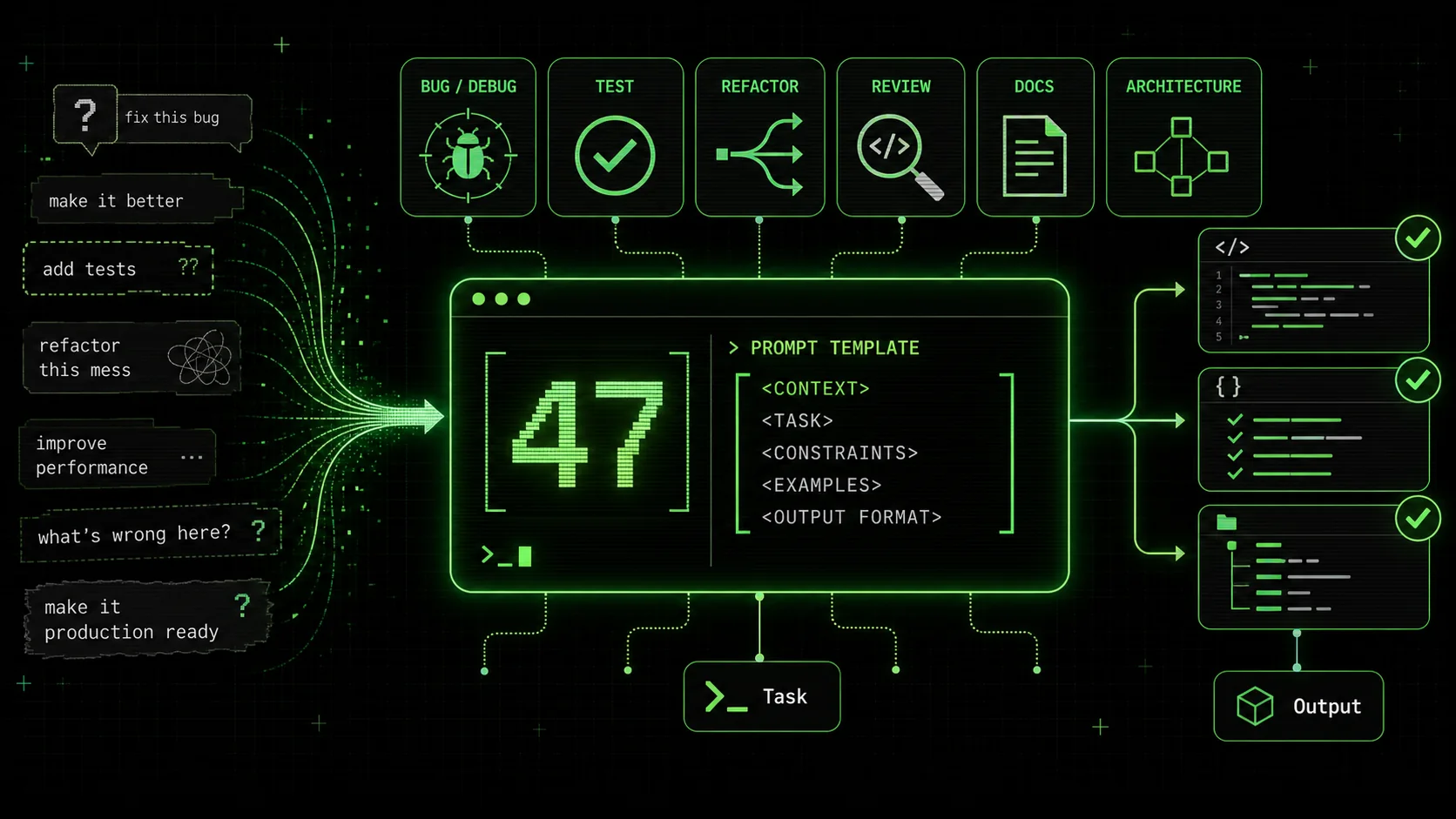
The difference between a junior and senior AI user isn't intelligence. It's prompt specificity. Vague prompts get vague code. "Fix this bug" returns a guess. "I'm getting a null reference exception in UserService.ts at line 47 when session.user is undefined after token refresh — trace the auth flow and fix the root cause" returns a working fix.
These 47 prompts are the result of 10 months of daily AI-assisted development across production projects. Each one has been tested on Claude Code, Cursor, and GitHub Copilot. They're structured to give AI tools the context they need to produce production-quality code on the first attempt. Copy them. Paste them. Replace the [bracketed] sections with your specifics. Ship.
How to Use These Prompts
Every prompt in this collection follows the same structure:
- Replace
[bracketed]sections with your specific codebase details — file names, error messages, framework names, expected behavior - Each prompt includes the template, when to use it, and which AI tool handles it best
- Organized by task type: Debugging (8), Testing (7), Refactoring (7), Code Review (5), Documentation (5), New Features (8), Architecture (7)
[file] caused by [condition]" is an instruction. These prompts are designed as instructions.
For a deeper dive on structuring prompts into iterative workflows, see the Ralph Loop pattern — the meta-prompt framework that wraps any of these 47 templates into a self-correcting cycle.
Debugging Prompts (1-8)
Debugging is where AI coding tools deliver the most immediate ROI. These prompts are structured to force the tool to trace root causes instead of applying surface-level patches.
Prompt #1: Root Cause Error Fix
I'm getting [error message] in [file]. The error occurs when [trigger condition].
Read the file, trace the error back to its root cause, and fix it.
Don't just suppress the error — fix the underlying issue.
Run the tests after your fix to confirm nothing else breaks.Prompt #2: Wrong Output Fix
The function [function name] in [file] returns [wrong result] when given [input].
Expected result: [correct result].
Read the function, identify the logic error, fix it, and add a test case
that covers this specific input.Prompt #3: Race Condition Fix
There's a race condition in [file/module]. When [concurrent scenario],
[describe the bad outcome — e.g., "duplicate records are created" or
"the balance goes negative"].
Add proper synchronization. Use [mutex/semaphore/queue/database lock] if applicable.
Include a comment explaining why the lock is needed.Prompt #4: Memory Leak Investigation
This [component/service/handler] in [file] is leaking memory.
In production, memory usage grows by approximately [X MB per hour/per request].
Find the leak: check for unclosed connections, unremoved event listeners,
growing caches without eviction, circular references, or retained closures.
Fix the leak and add a comment explaining what was retaining memory.Prompt #5: Performance Regression
[File/endpoint/component] was fast before [recent change/PR/commit]
and is now [X]ms slower. Profile the [function/route/render cycle],
identify the bottleneck, and optimize it. The fix should not change
the public API or visible behavior. Target: under [Y]ms for [operation].Prompt #6: Hydration Mismatch Fix
There's a hydration mismatch in [component file]. The server renders
[server HTML] but the client renders [client HTML].
This causes [visible issue — e.g., "layout shift", "flash of wrong content"].
Find the code path that diverges between server and client.
Fix it so server and client render identically on first pass.
Do not use suppressHydrationWarning.suppressHydrationWarning prevents the lazy fix.
Best tool: Cursor — the inline diff makes it easy to see server vs client rendering paths. Claude Code also handles this well if you provide the component path.
Prompt #7: Infinite Loop / Infinite Re-render
[Component/function] in [file] enters an infinite [loop/re-render cycle]
when [trigger condition]. The browser tab [freezes/memory spikes/CPU maxes].
Identify the circular dependency or missing termination condition.
Fix it without changing the intended behavior when the input is valid.Prompt #8: Type Error Resolution
TypeScript error in [file] at line [N]: [exact TS error code and message].
The types involved are [type A] and [type B].
Fix the type error properly — do not use as any, @ts-ignore, or
type assertions unless the assertion is genuinely safe and you explain why.
If the types themselves are wrong, fix the type definitions.Testing Prompts (9-15)
Testing prompts need to specify coverage expectations, edge cases, and framework preferences explicitly. Without those constraints, AI tools produce happy-path-only tests that miss the bugs that matter.
Prompt #9: Comprehensive Unit Tests
Write unit tests for [file]. Requirements:
- Test framework: [Jest/Vitest/pytest/Go testing]
- 100% branch coverage (every if/else, every switch case, every early return)
- Test edge cases: empty inputs, null/undefined, boundary values, max-length strings
- Do NOT mock [specific dependency] — use the real implementation
- Each test should have a descriptive name explaining the scenario
- Run the tests after writing them to confirm they pass
Prompt #10: Integration Tests
Write integration tests for the [feature/workflow] that spans
[service A], [service B], and [database/API].
Use [test framework] with [test database/mock server/Docker].
Test the full flow: [describe the user journey or data flow from start to end].
Include setup and teardown that creates and destroys test data.
Do not leave test data in the database after the test run.Prompt #11: End-to-End Tests
Write E2E tests for [user flow] using [Playwright/Cypress/Selenium].
Steps:
[First user action — e.g., "Navigate to /login"]
[Second action — e.g., "Fill email and password, click Submit"]
[Continue for each step...]
[Final assertion — e.g., "Dashboard shows welcome message with user name"]
Use data-testid attributes for selectors, not CSS classes.
Handle loading states — wait for [specific element] before asserting.Prompt #12: Snapshot Test Updates
The snapshot tests in [test file] are failing because [component] was
intentionally updated. Review each failing snapshot:
- If the change is intentional and correct, update the snapshot
- If the change reveals a regression, fix the component instead
- List every snapshot you updated and why
Do not blindly update all snapshots.--updateSnapshot reflex.
Best tool: Claude Code — it can read the component diff, understand what changed, and make judgment calls about each snapshot.
Prompt #13: Test Refactoring
The tests in [test file] are [brittle/slow/hard to maintain].
Refactor them:
- Extract repeated setup into beforeEach or test fixtures
- Replace [X mocks] with [factory functions/test builders]
- Reduce test runtime by [combining redundant tests / parallelizing / removing unnecessary waits]
- Keep all existing test coverage — do not remove any test cases
- Run the full suite after refactoring to confirm nothing broke
Prompt #14: API Contract Tests
Write contract tests for the [API endpoint/service interface] defined in [file].
For each endpoint:
- Test that the response matches the [OpenAPI spec/TypeScript interface/schema]
- Test required fields are present
- Test optional fields are the correct type when present
- Test error responses return the documented error format
- Use [test framework] with [schema validation library]
Prompt #15: Mutation Testing Analysis
Run mutation testing on [file/module] using [Stryker/mutmut/pitest].
Analyze the surviving mutants:
- For each surviving mutant, explain what the mutant changed and why
no test caught it
- Write the missing tests that would kill each surviving mutant
- Target: 90%+ mutation score
Refactoring Prompts (16-22)
Refactoring prompts must preserve behavior while changing structure. Every prompt here includes an explicit constraint about the public API and a testing requirement.
Prompt #16: Pattern Migration
Refactor [file] from [current pattern] to [target pattern].
Example: from class components to functional components with hooks,
from callbacks to async/await, from Redux to Zustand.
Keep the public API identical — no changes to props, exports, or return types.
Add tests if none exist. Run all existing tests after refactoring.Prompt #17: Extract Component/Module
Extract [describe the responsibility] from [file] into a new
[component/module/service] at [target path].
The extracted code should:
- Have a single, clear responsibility
- Accept its dependencies as [props/constructor params/function args]
- Be independently testable
- Not import anything from the original file (no circular deps)
Update the original file to use the extracted [component/module].
Run tests to confirm behavior is unchanged.Prompt #18: Simplify Conditionals
Simplify the conditional logic in [function/file]. The current code has
[nested ifs / long switch statements / repeated conditions].
Apply: early returns, guard clauses, lookup tables, or polymorphism as appropriate.
The refactored code should have a maximum nesting depth of 2.
Behavior must be identical. Run tests to confirm.if/else blocks.
Best tool: All three handle this well. It's a single-file transformation that benefits from inline diffs (Cursor) or terminal test runs (Claude Code).
Prompt #19: Remove Duplication
Find all duplicated logic between [file A] and [file B] (and [file C] if applicable).
Extract the shared logic into [shared location — e.g., a utils file, base class,
or shared hook].
Update all files to use the shared implementation.
The shared code should be generic enough to handle all current use cases
without special-casing.
Run tests for all affected files.Prompt #20: Migrate to New API
[Library/framework] deprecated [old API] in favor of [new API].
Migrate all usages of [old API] across the codebase to [new API].
Follow the official migration guide: [link or key steps].
If any usage cannot be migrated cleanly, leave a TODO comment explaining why.
Run the full test suite after migration.
List all files changed.Prompt #21: Decompose God Class/Module
[File] is [X lines] long and handles [list responsibilities].
Decompose it into separate [classes/modules/services], each with a single responsibility:
- [Responsibility A] → [new file A]
- [Responsibility B] → [new file B]
- [Responsibility C] → [new file C]
Create a facade/coordinator if the original file's public API must stay unchanged.
Update all imports across the codebase.
Run tests after each extraction, not just at the end.Prompt #22: Clean Up Error Handling
Audit the error handling in [file/module/directory].
Fix these patterns:
- Empty catch blocks → add logging or re-throw with context
- Generic catch(e) → catch specific error types
- Swallowed errors → propagate to the caller with useful messages
- Missing try/catch around [async operations / external calls]
- Inconsistent error formats → standardize to [your error format]
Ensure every error includes enough context to debug without reproducing.Code Review Prompts (23-27)
These prompts turn AI tools into thorough, consistent reviewers. Each one focuses on a specific review lens to avoid the shallow "looks good to me" response.
Prompt #23: Full Diff Review
Review this diff for:
Bugs (logic errors, off-by-one, null safety, race conditions)
Security issues (injection, auth bypass, data exposure, SSRF)
Performance problems (N+1 queries, unnecessary re-renders, missing indexes)
Rate each finding: CRITICAL (must fix before merge), WARNING (should fix),
or INFO (suggestion for improvement).
For each finding, explain the issue and provide the fix.
git diff piped in. Cursor also handles this well via its PR review features.
Prompt #24: Security-Focused Review
Security review [file/directory/PR diff]. Check for:
- SQL injection (parameterized queries? ORM safety?)
- XSS (escaped output? CSP headers?)
- CSRF (tokens present? SameSite cookies?)
- Auth bypass (every endpoint checks auth? Role verification?)
- Data exposure (sensitive fields filtered from API responses?)
- SSRF (user input used in URLs? Allow-list enforced?)
- Secrets (hardcoded API keys, tokens, passwords?)
- Dependency vulnerabilities (known CVEs in imports?)
Flag every finding with severity and remediation steps.package-lock.json / yarn.lock for known vulnerabilities and trace data flow across files.
Prompt #25: Performance Review
Performance review [file/component/endpoint]. Analyze:
- Database queries: N+1 issues, missing indexes, full table scans
- Render performance: unnecessary re-renders, expensive computations in render path
- Memory: growing arrays, uncached computations, large objects in state
- Network: waterfall requests, missing caching headers, over-fetching
- Bundle: large imports that could be lazy-loaded or code-split
For each issue, estimate the impact (high/medium/low) and provide the fix.EXPLAIN ANALYZE, and measure bundle sizes. Performance optimization guide.
Prompt #26: Accessibility Review
Accessibility review [component/page file]. Check for:
- ARIA attributes: correct roles, labels, described-by
- Keyboard navigation: all interactive elements reachable via Tab, Escape closes modals
- Color contrast: text meets WCAG AA (4.5:1 normal, 3:1 large)
- Screen reader: meaningful alt text, heading hierarchy, live regions for dynamic content
- Focus management: focus moves logically, focus traps in modals, visible focus indicators
For each issue, provide the fix with the corrected JSX/HTML.axe-core or pa11y from the terminal for automated checks.
Prompt #27: API Design Review
Review the API design in [file/directory/OpenAPI spec]. Check:
- REST conventions: correct HTTP methods, status codes, resource naming
- Consistency: naming patterns match across all endpoints
- Versioning: breaking changes isolated? Version header/path present?
- Pagination: cursor-based or offset? Consistent across list endpoints?
- Error format: consistent error response schema? Helpful error messages?
- Rate limiting: documented? Headers present?
- Idempotency: POST/PUT endpoints safe to retry?
For each issue, suggest the correction with code.Documentation Prompts (28-32)
Documentation prompts produce their best results when you specify the audience and the format. Without those constraints, AI tools default to verbose, generic docs that nobody reads.
Prompt #28: JSDoc / Docstrings
Generate [JSDoc/docstrings/type hints] for all exported functions in [directory].
For each function include:
- One-line description of what it does (not how)
- @param for every parameter with type and purpose
- @returns with type and description
- @throws for any errors the function can throw
- One usage example in the doc comment
Do not document private/internal functions.Prompt #29: README Generation
Generate a README for [project/directory]. Include:
- One-paragraph description of what it does and who it's for
- Quickstart: install, configure, run (3 steps or fewer)
- API reference: every exported function/class with types and one-liner description
- Configuration: environment variables, config files, defaults
- Examples: 2-3 real usage examples with code
- No badges, no table of contents, no contributing section
Keep it under 300 lines.Prompt #30: API Documentation
Generate API documentation for [service/directory]. For each endpoint:
- Method and path
- Description (one sentence)
- Request: headers, params, query string, body (with TypeScript interface)
- Response: status codes, body (with TypeScript interface), headers
- Example: one curl command with a realistic request and response
- Error cases: all possible error responses with status codes
Output as [Markdown / OpenAPI 3.1 YAML / HTML].Prompt #31: Architecture Decision Record
Write an ADR (Architecture Decision Record) for the decision to [describe decision].
Format:
- Status: [Proposed/Accepted/Deprecated]
- Context: What problem are we solving? What constraints exist?
- Decision: What did we decide and why?
- Alternatives Considered: [Alt A] — rejected because [reason]. [Alt B] — rejected because [reason].
- Consequences: What are the tradeoffs? What becomes easier? What becomes harder?
Keep it under 200 lines. Use the project's existing patterns as context.Prompt #32: Changelog Generation
Generate a changelog entry for the changes between [commit/tag A] and [commit/tag B].
Format: Keep a Changelog (https://keepachangelog.com/en/1.0.0/)
Categories: Added, Changed, Deprecated, Removed, Fixed, Security
For each item:
- One line, user-facing language (not commit messages)
- Link to the relevant PR or commit
- Group related changes together
Skip: formatting changes, dependency bumps (unless security-related), typo fixesNew Feature Prompts (33-40)
Feature prompts must specify the integration point with existing code. Without that context, AI tools create isolated code that doesn't fit your codebase patterns.
Prompt #33: Feature Addition
Add [feature] to [file/module]. Requirements:
- Follow the existing patterns in the codebase (check similar features for reference)
- Include error handling for: [list edge cases]
- Include [unit/integration] tests
- Update any relevant [types/interfaces/schemas]
- If this touches the API, update the route handler AND the client-side call
Do not create new utility files — use existing utilities in [utils path].Prompt #34: CRUD Endpoint
Create a complete CRUD API for [resource] in [framework].
- Model/schema: [describe fields with types]
- Routes: GET /[resource], GET /[resource]/:id, POST /[resource],
PUT /[resource]/:id, DELETE /[resource]/:id
- Validation: [Zod/Joi/class-validator] for request bodies
- Auth: require [auth method] on all routes, [role] for DELETE
- Database: [ORM/query builder] with [database]
- Error handling: 400 for validation, 401 for auth, 404 for not found, 500 for server
- Tests: one test per endpoint per status code
Prompt #35: Auth Middleware
Create auth middleware for [framework] that:
- Validates [JWT/session/API key] from the [Authorization header / cookie / query param]
- Decodes the token and attaches the user object to [req.user / context / locals]
- Returns 401 for missing/expired/invalid tokens
- Returns 403 for valid tokens without the required [role/permission]
- Supports a [roles/permissions] parameter: middleware([role]) or middleware({permission})
- Logs failed auth attempts with [IP, timestamp, reason] to [logger]
- Add tests for: valid token, expired token, missing token, wrong role
Prompt #36: Webhook Handler
Create a webhook handler for [service — e.g., Stripe, GitHub, Twilio] at [route].
Requirements:
- Verify the webhook signature using [secret location / env var]
- Parse the event type from the payload
- Handle these events: [list specific events — e.g., "checkout.session.completed",
"customer.subscription.deleted"]
- For each event, call [describe the action — e.g., "update user.subscriptionStatus
in the database"]
- Return 200 immediately, process asynchronously if the operation is slow
- Log every received event with type and ID
- Add idempotency: skip events that have already been processed (store event IDs)
- Tests: one test per event type with a realistic payload
Prompt #37: Database Migration
Create a database migration for [describe the change].
- Migration framework: [Prisma/Knex/TypeORM/Alembic/goose]
- Add [table/column/index/constraint] with [details]
- The migration must be reversible — include the down/rollback
- If modifying an existing table with data, handle the data migration:
[describe how existing rows should be updated]
- Do not drop columns that might still be read by the previous version
(support zero-downtime deployment)
- Add a comment in the migration explaining the business reason
Prompt #38: UI Component
Create a [component name] component in [framework — React/Vue/Svelte/Flutter].
Props/inputs:
- [prop A]: [type] — [purpose]
- [prop B]: [type] — [purpose]
- [prop C]: [type] — [purpose] (optional, default: [value])
Behavior:
- [Describe what happens on render]
- [Describe interactive behavior — clicks, hovers, state changes]
- [Describe loading/error/empty states]
Styling: use [Tailwind/CSS modules/styled-components/existing design system at path].
Accessibility: [ARIA requirements, keyboard nav, focus management].
Tests: render test, interaction test, accessibility test.Prompt #39: API Integration
Integrate with [external API — e.g., Stripe, SendGrid, Twilio, OpenAI].
Requirements:
- Create a service/client at [path] that wraps the API
- Methods needed: [list each method with input/output types]
- Use [HTTP client — fetch/axios/got] with:
- Retry logic: [N] retries with exponential backoff for 429/500/502/503
- Timeout: [X]ms per request
- Error handling: throw typed errors for each failure mode
- Store the API key in [env var name], validate on startup
- Add rate limiting: max [N] requests per [time window]
- Tests: mock the HTTP calls, test each method including error cases
Prompt #40: Background Job
Create a background job that [describe the task].
- Job framework: [BullMQ/Sidekiq/Celery/custom]
- Trigger: [cron schedule / event-driven / manual]
- Input: [describe the job payload]
- Steps:
1. [Step 1 — e.g., "Fetch all users with expiring subscriptions"]
2. [Step 2 — e.g., "Send reminder email via SendGrid"]
3. [Step 3 — e.g., "Update user.reminderSentAt in database"]
- Failure handling: retry [N] times, then [dead letter queue / alert / log]
- Idempotency: safe to run twice with the same input
- Monitoring: log start, completion, duration, and failure count
- Tests: test each step in isolation, test the full job, test failure recovery
Architecture Prompts (41-47)
Architecture prompts ask AI tools to analyze and improve your system's structure. These are higher-level than debugging or feature prompts — they produce analysis and recommendations, not just code.
Prompt #41: Architecture Analysis
Analyze the architecture of [directory/project]. Generate a report covering:
- Module dependency graph (which modules depend on which)
- Circular dependencies (list every cycle)
- Coupling hotspots (modules that import from 5+ other modules)
- Cohesion assessment (modules that have multiple unrelated responsibilities)
- Layering violations (e.g., UI code importing database code directly)
For each issue found, suggest a specific refactoring with file moves and import changes.Prompt #42: Migration Plan
Create a migration plan to move [project/module] from [current stack]
to [target stack]. Example: from Express to Fastify, from REST to GraphQL,
from JavaScript to TypeScript.
The plan must:
- List every file that needs to change, grouped by phase
- Phase 1: infrastructure changes (no behavior change)
- Phase 2: core logic migration (feature by feature)
- Phase 3: cleanup (remove old code, update docs)
- Each phase must be deployable independently (no big bang migration)
- Estimate effort per phase in developer-days
- List risks and rollback strategy for each phase
Prompt #43: Performance Audit
Performance audit [project/directory]. Analyze:
- Startup time: what runs at import/init? Can anything be lazy-loaded?
- Hot paths: which functions/routes are called most frequently?
- Database: N+1 queries, missing indexes, expensive joins
- Memory: large objects in memory, growing caches, connection pools
- Bundle (if frontend): largest dependencies, code splitting opportunities,
tree shaking failures
- Network: waterfall requests, missing compression, caching headers
Generate a prioritized list: highest impact fixes first, with estimated
improvement for each.Prompt #44: Security Audit
Security audit [project/directory]. Check for:
- Authentication: are all non-public endpoints protected?
- Authorization: do endpoints verify the user has permission for the specific resource?
- Input validation: is every user input validated and sanitized?
- SQL injection: are all queries parameterized?
- XSS: is all output escaped? CSP headers configured?
- CSRF: tokens on state-changing requests? SameSite cookies?
- Secrets: any hardcoded in source? .env in .gitignore?
- Dependencies: any with known CVEs?
- Headers: HSTS, X-Frame-Options, X-Content-Type-Options configured?
Generate a findings report: CRITICAL / HIGH / MEDIUM / LOW with fix for each.npm audit, check .gitignore, verify headers, and trace auth flows across the codebase.
Prompt #45: Dependency Cleanup
Audit the dependencies in [package.json / requirements.txt / go.mod / Cargo.toml].
For each dependency, determine:
- Is it actually imported anywhere in the codebase? (remove unused)
- Is there a smaller alternative? (e.g., lodash → native JS, moment → date-fns)
- Is it outdated by a major version? List the breaking changes.
- Is it duplicated? (e.g., two HTTP clients, two validation libraries)
Generate a cleanup plan: remove [N], replace [N], update [N], with commands.node_modules is 800MB, build times are slow, or you suspect unused dependencies.
Best tool: Claude Code — it greps the entire codebase for import statements and cross-references with the dependency file.
Prompt #46: Monorepo Structure
Design a monorepo structure for [describe the project — apps, shared libraries,
services]. Requirements:
- Tool: [Turborepo/Nx/pnpm workspaces]
- Apps: [list each app with its framework]
- Shared packages: [list shared code — UI components, types, utils, config]
- Each package must be independently buildable and testable
- Dependency graph: shared packages → app packages (never the reverse)
- Generate the directory structure, package.json files, and build configuration
- Include a root-level build command that builds everything in dependency order
Prompt #47: CI/CD Pipeline
Design a CI/CD pipeline for [project] using [GitHub Actions/GitLab CI/CircleCI].
Stages:
Lint: [ESLint/Prettier/Clippy] — fail on errors only, not warnings
Test: run [test command] with [coverage threshold]%
Build: [build command], cache [dependencies/build artifacts]
Security: dependency audit, SAST scan
Deploy (staging): deploy to [staging env] on push to [branch]
Deploy (production): deploy to [prod env] on tag/release
Requirements:
- Total pipeline time under [N] minutes
- Cache aggressively: dependencies, build outputs, Docker layers
- Fail fast: lint and security run in parallel, block before build
- Secrets via [environment variables/vault], never in the pipeline file
- Notifications: [Slack/email] on failure
Generate the complete pipeline file, ready to commit.The Ralph Loop Template
Every prompt above gets better when wrapped in the Ralph Loop. This is the meta-prompt pattern — the prompt that makes other prompts self-correcting.
Do [task from any prompt above].
Pass criteria:
- [ ] [Criterion 1 — e.g., "All tests pass"]
- [ ] [Criterion 2 — e.g., "No TypeScript errors"]
- [ ] [Criterion 3 — e.g., "Function handles null input without crashing"]
- [ ] [Criterion 4 — e.g., "Response time under 200ms"]
Iterate until ALL criteria pass. After each iteration, report which
criteria pass and which fail. Do not stop until all pass.This pattern works because it gives AI tools a clear definition of "done." Without pass criteria, the tool stops after its first attempt — which might compile but fail edge cases. With the Ralph Loop, Claude Code runs the tests, sees the failures, fixes them, and runs again. It's the difference between a single attempt and an autonomous debugging loop.
Try it on any of the 47 prompts above. Add 3-5 pass criteria specific to your task. Let the tool iterate. You'll get production-quality results that would have taken 3-4 manual prompt cycles.
Generate your first Ralph Loop skill at ralphable.com/generate — paste any prompt from this list, define your criteria, and let it run.Frequently Asked Questions
Do these prompts work with ChatGPT too?
Most of them work with ChatGPT (especially GPT-4), but with limitations. ChatGPT can't read your codebase, run tests, or execute terminal commands. The prompts that say "run tests after" or "read the file" rely on capabilities that Claude Code and Cursor have but ChatGPT doesn't. For ChatGPT, you'll need to paste the relevant code into the conversation and run tests manually.
Should I modify these prompts?
Yes, always. These are templates, not scripts. The [bracketed] sections are the obvious customization points, but you should also adjust the constraints. If your team doesn't care about 100% branch coverage, change the testing prompt to 80%. If you're on a solo project, remove the "update the changelog" steps. The prompts work best when they match your actual standards, not aspirational ones.
Which prompts work best with Claude Code specifically?
The prompts that involve reading multiple files, running terminal commands, or making changes across the codebase — that's Claude Code's unique strength. Specifically: #3 (race conditions), #4 (memory leaks), #10 (integration tests), #16-21 (all refactoring), #23-27 (all code review), #41-47 (all architecture). Cursor is stronger for single-file edits with live preview (#38 UI components, #6 hydration fixes). Copilot excels at inline completion during active coding, less so at these structured prompts.
How do I write my own effective coding prompts?
Follow the structure in these 47 templates: what (the task), where (the file/module), constraints (what NOT to do), verification (how to confirm it worked). The most common mistake is omitting constraints. "Write tests" gets basic tests. "Write tests with 100% branch coverage, no mocks of the database, using Vitest" gets useful tests. Constraints are the difference between a vague wish and a specific instruction. For a deep dive, see our guide to writing prompts for Claude.
<!-- sister-projects-start -->
Other Doved Studio projects
Related tools from the same studio you might find useful:
- Glean: Turn scrolling time into a daily action plan. Capture, process, execute.
- Popout: Create your portfolio in minutes with a single shareable page.
- Larpable: Spot fake founders, guru grifts, and performance entrepreneurship.
- Doved Studio: Studio indie derrière cette app et une dizaine d'autres outils.
ralphable
Building tools for better AI outputs. Ralphable helps you generate structured skills that make Claude iterate until every task passes.